
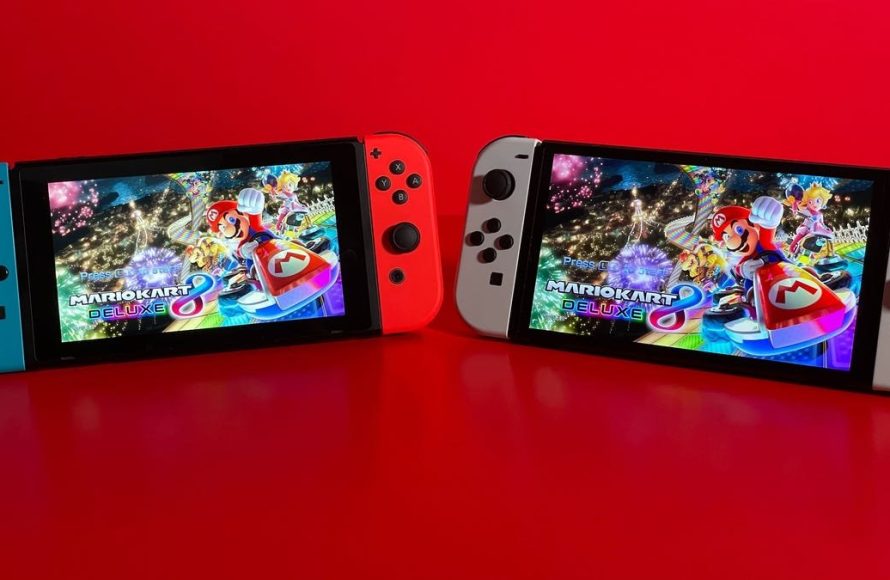
Yes, it is generally okay to game on OLED TVs and monitors, though you should be aware of potential burn-in risks and utilize preventative settings.
The lure of inky blacks and vibrant colors that an OLED screen provides is undeniable, especially for gaming. But, is it okay to game on oled without consequence? This question often pops up for those considering purchasing one of these high-end displays. We understand the concern.
It’s true that OLEDs have a history of potential image retention or ‘burn-in’ when displaying static elements for extended periods. However, modern OLED panels have significantly improved and come equipped with various features to mitigate those risks.

Is it Okay to Game on OLED?
Okay, so you’re thinking about getting an OLED TV or monitor for gaming? That’s super exciting! OLED screens are known for having amazing colors and deep, dark blacks, which can make games look absolutely stunning. But, you might also have heard some things that make you a little nervous. Are they really okay for gaming? That’s a great question, and we’re here to break it down for you in a simple way so you can make the best choice for your gaming setup.
Understanding OLED Technology
Before we dive into gaming, let’s talk a bit about what OLED actually is. OLED stands for Organic Light Emitting Diode. This might sound complicated, but it’s not too bad. Unlike regular LED TVs, which use a backlight, OLED screens have pixels that create their own light. Think of it like each tiny dot on the screen being its own little lightbulb. Because each pixel controls its own light, OLED screens can have really awesome colors and super deep blacks – because if a pixel needs to be black it simply turns off! This is what makes the picture so vibrant and detailed. No wonder people love watching movies and playing games on them!
How OLEDs Differ From LCDs
You might be used to LCD screens, which are common on many TVs and monitors. LCDs have a backlight that shines through a layer of liquid crystals. This is different from OLEDs where each pixel creates its own light. Because of this difference:
- OLEDs have better contrast: The difference between the brightest and darkest parts of the image is much higher on OLED. This makes the picture look more realistic and vibrant.
- OLEDs have wider viewing angles: The picture looks great even if you are sitting off to the side. On some LCDs the picture can look washed out if you’re not sitting directly in front of it.
- OLEDs have faster pixel response times: This means each pixel can change colors faster. That’s super important for gaming! Because faster response times reduce motion blur and ghosting.
The Big Question: Burn-in and Image Retention
Now, let’s talk about the main thing people worry about with OLED screens: burn-in. Burn-in happens when a static image stays on the screen for a long time. It can leave a ghost image on the screen that’s hard to get rid of. This is because those pixels which are always showing the same image become “tired” quicker than the others which display a changing image. Think of it like wearing the same pair of shoes every day – they might wear out in certain spots faster than other pairs.
What Causes Burn-in?
Burn-in is most common with things like:
- Static logos: Like the news channel logo in the corner of the screen.
- Heads-up displays (HUDs): These are the menus and info displays you often see in games, like health bars or mini-maps.
- Game UI elements: Like level indicators or life bars that stay in the same place all the time.
Old OLED screens were more likely to have burn-in, and this scared some gamers. But the good news is that modern OLED screens are much better at avoiding burn-in.
Image Retention: The Temporary Ghost
Image retention is related to burn-in, but it’s usually temporary. It’s like when you stare at a bright light for a bit and then see a ghost image when you look away. With image retention, the ghost image will usually disappear after a short time. Modern OLEDs have many features to avoid burn-in and retention, and are less likely to happen than before.
OLED Gaming: The Pros
Even with concerns about burn-in, many gamers love playing on OLED. Here are some of the big reasons why:
Incredible Picture Quality
OLED screens are simply amazing to look at. The deep blacks make colors pop, and everything looks more detailed and realistic. It’s like seeing your favorite games in a whole new way.
- Perfect Blacks: Because each pixel can turn completely off, blacks are truly black, not just dark grey.
- Vibrant Colors: OLEDs can display a wider range of colors than LCD screens.
- High Contrast: The difference between the brightest whites and the deepest blacks is incredibly high, creating a stunning picture.
Fast Response Times
OLED screens have incredibly fast pixel response times. That means pixels can change colors very quickly. This is super important for gaming because it reduces motion blur and makes everything look much smoother, especially in fast-paced action games. Imagine playing a fast-action racing game, and instead of a blurry screen you can actually see all the details clearly, that’s what you get with OLED screens!
Wide Viewing Angles
OLED screens look great from almost any angle. So, if you have friends over to play or watch someone else playing, the picture quality won’t drop off if you’re not sitting directly in front of the screen. This is different from some LCD screens, which can look washed out or less bright when viewed from the side.
Lower Input Lag
Many OLED screens designed for gaming have very low input lag. Input lag is the delay between when you press a button on your controller or keyboard and when the action happens on the screen. Lower input lag means a more responsive and enjoyable gaming experience.
OLED Gaming: The Cons (and How to Deal with Them)
Alright, let’s be honest. While OLED screens are amazing for gaming, there are a few things you should know about. These are less about “bad” and more about “things to keep in mind.”
Burn-in Risk
Even though modern OLEDs are better at preventing burn-in, it is still something to be aware of. If you play the same game with static HUD elements for many hours every day, for a very long time, there’s still a small chance you might have problems. But there are many things you can do to help reduce the risk.
- Use screen savers: When you’re not actively gaming, let a screen saver help protect the display.
- Vary your content: Try playing different games, and watch TV and movies to change the static elements displayed on screen.
- Adjust brightness settings: Running the screen at maximum brightness all the time can make burn-in more likely. Try turning the brightness down a little, especially in a dark room, this also helps your eyes.
- Take advantage of screen-saving features: Many modern OLEDs come with settings to help protect the screen from burn-in, like pixel shifting or pixel refresh cycles.
- Use the “Pixel Refresh” feature: If your OLED has a “Pixel Refresh” option, use it every few thousand hours. This is kind of like a deep clean for your screen, and it can help to correct minor issues before they become a problem.
Potential for Higher Price
OLED TVs and monitors often cost more than LCD screens. This is because the technology is more complex and expensive to produce. If you are on a tighter budget you may need to consider other options, or waiting for sales to come around.
Potential for Glare
Some OLED screens can be quite reflective. This means if you have a bright light behind you, you might see that reflection on the screen, which can be distracting. Consider where you place your screen and how you control the lighting in your room. Some OLEDs also come with anti-glare screen coatings, which can also help to reduce these issues.
Tips for Safe OLED Gaming
Now that you know the pros and cons, here are some tips to help you enjoy OLED gaming without worrying too much about burn-in:
Mix Up Your Games
Don’t just play the same game all day every day. Switching between different games, and maybe watching some TV or movies, can help prevent burn-in. The more variety you have in what is being displayed on the screen, the better!
Adjust Brightness Settings
Try not to always use the maximum brightness. Reducing the brightness a bit, especially in darker rooms, not only protects your screen, but also can help prevent eye strain. You can easily change the brightness setting from your TVs menu, or the display settings on your PC.
Utilize Screen Saving Features
Most modern OLED screens come with features like pixel shifting, screen savers, and pixel refresh cycles. Make sure you have these turned on and enabled, they do a really good job at helping to protect your screen from issues and will work quietly in the background so you don’t even notice them.
Don’t Stress Too Much!
OLED technology has come a long way, and modern OLEDs are built to handle gaming. Following some basic tips can give you peace of mind so you can enjoy that amazing picture. The experience is really amazing, so don’t get too stuck worrying about burn-in!
OLED vs. LCD/LED for Gaming: Which Is Right for You?
So, should you go with an OLED screen or stick with a more traditional LCD/LED screen for gaming? There is no single answer, and it depends on your needs and preferences. Here’s a quick table to help you decide:
| Feature | OLED | LCD/LED |
|---|---|---|
| Picture Quality | Excellent (perfect blacks, vibrant colors, high contrast) | Good (can vary depending on the model, some have better contrast than others) |
| Response Time | Very fast | Varies from slow to fast depending on the technology |
| Input Lag | Very low (especially on models designed for gaming) | Low to moderate |
| Viewing Angles | Excellent | Can vary (some have poor viewing angles) |
| Burn-in Risk | Possible (but mitigated with modern screens) | Not an issue |
| Cost | Higher | Lower to moderate |
Ultimately, if you value the best picture quality and fastest response times and don’t mind spending a bit extra, OLED is a fantastic choice. If you’re on a budget, and want to avoid burn-in risk, LCD/LED screens still offer excellent gaming experiences.
Think about how you play games, the games you like to play, and how much time you spend in each, then consider the different options to decide which one is right for you.
In short, gaming on an OLED is absolutely fine, and the image quality is really amazing. Just be aware of the burn-in risk, and take a few small steps to protect your display. If you do that, you’ll have a fantastic gaming experience!
To OLED or Not to OLED: Gaming Monitor Pros and Cons
Final Thoughts
Ultimately, playing games on OLED screens is generally acceptable despite burn-in concerns. Modern OLED technology has improved significantly, mitigating the risk for many users. However, it’s important to understand that static elements can still potentially cause image retention.
So, is it okay to game on oled? Yes, with awareness. Varied content and regular screen maintenance are key to keeping your OLED display in good condition. Gamers should carefully balance enjoyment and mindful usage of their screen.

