
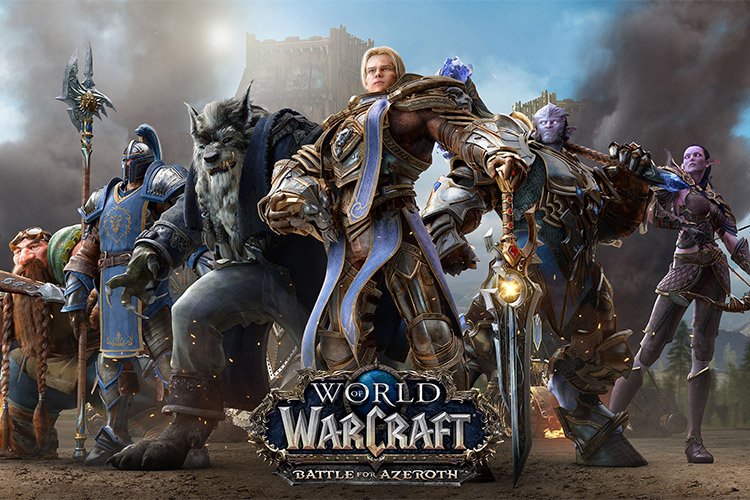
Many browser-based and cloud-gaming platforms offer access to MMORPG games for Chromebook. Look for titles compatible with Chrome OS and services like GeForce Now or Xbox Cloud Gaming.
Want to jump into a massive online world using just your Chromebook? You absolutely can! Accessing MMORPG games for Chromebook is more straightforward than you might think.
This article will guide you through compatible options. Cloud gaming and browser-based games are your friends here!
We’ll show you the best ways to experience epic quests and player interactions on your Chrome OS device. Get ready to adventure!

MMORPG Games for Chromebook
Chromebooks are known for their simplicity and affordability. But can they handle the world of MMORPGs?
The answer is a resounding yes, with some caveats. Cloud gaming and browser-based titles open up a vast landscape of options.
Understanding Chromebook Limitations
Chromebooks primarily run Chrome OS. This operating system focuses on web-based applications.
This means you won’t be installing traditional PC MMORPGs. You’ll need to rely on cloud streaming services or browser games.
Hardware Considerations
Not all Chromebooks are created equal. Some have more powerful processors and dedicated graphics than others.
Consider the specifications of your Chromebook before diving into a graphically demanding game. Insufficient RAM can also cause performance issues.
Cloud Gaming: A Gateway to MMORPGs
Cloud gaming services like GeForce Now and Xbox Cloud Gaming are game-changers. They allow you to stream games directly to your Chromebook.
This bypasses the hardware limitations of your device. The processing power comes from remote servers.
GeForce Now for Chromebook
GeForce Now offers a tiered subscription service. This allows players to access a library of games, including popular MMORPGs.
Subscription Options: The free tier provides limited access with hour-long sessions. Paid tiers offer priority access and longer session times.
Game Compatibility: GeForce Now supports numerous MMORPGs. Check the compatibility list to ensure your desired game is supported.
Xbox Cloud Gaming on Chromebook
Xbox Cloud Gaming, accessible through Xbox Game Pass Ultimate, provides access to a growing catalog of games. Some popular MMORPG options are available.
Game Pass Ultimate: This subscription unlocks a vast library of games across console, PC, and cloud. It is a good option if you enjoy a variety of games.
Chromebook Integration: Access Xbox Cloud Gaming through the Chrome browser. This makes it easy to start playing on your Chromebook.
Browser-Based MMORPGs: A Native Experience
Browser-based MMORPGs run directly in your Chrome browser. No installation is required.
This is a convenient option for Chromebook users. Many offer surprisingly deep gameplay and engaging worlds.
Popular Browser-Based MMORPGs
Several compelling browser-based MMORPGs are available. These games range in style from fantasy to science fiction.
AdventureQuest Worlds: A classic browser-based MMORPG. It features a vast world, extensive character customization, and regular updates.
RuneScape (Old School): The iconic MMORPG that can be played directly in the Chrome Browser. A full MMORPG experience, with a large community.
Drakensang Online: A visually impressive browser-based action RPG. It offers fast-paced combat and a dark fantasy setting.
Optimizing Your Chromebook for Gaming
Several steps can optimize your Chromebook for gaming. These tweaks can improve performance and reduce lag.
Closing Unnecessary Tabs
Closing unused browser tabs frees up memory. This can improve the performance of your game.
Fewer open tabs means more resources for gaming. This is especially important for browser-based MMORPGs.
Disabling Extensions
Browser extensions can consume resources. Disabling unused extensions can boost performance.
Extension Management: Regularly review your installed extensions. Remove any that are no longer needed.
Checking Your Internet Connection
A stable internet connection is essential for cloud gaming. A wired connection is generally more reliable than Wi-Fi.
Wi-Fi Optimization: If using Wi-Fi, ensure you have a strong signal. Move closer to your router if necessary.
Specific Game Examples and How to Play Them
Let’s examine some specific MMORPGs and how to play them on a Chromebook. This will give you a better idea of the possibilities.
Playing RuneScape on a Chromebook
RuneScape, particularly Old School RuneScape (OSRS), is easily accessible. You can play it directly through your Chrome browser.
OSRS Website: Navigate to the Old School RuneScape website. Log in to your account or create a new one.
Browser Play: Select the browser version of the game. Begin your adventure in Gielinor.
Playing Albion Online on a Chromebook
Albion Online is a cross-platform MMORPG. It can be played via the cloud.
GeForce Now: Albion Online is available on GeForce Now. Subscribe to a GeForce Now tier.
Steam Integration: Link your Steam account to GeForce Now. Launch Albion Online from the GeForce Now library.
Playing World of Warcraft (WoW) on a Chromebook
World of Warcraft (WoW) is a very popular MMORPG. It requires cloud streaming.
GeForce Now: World of Warcraft is supported on GeForce Now. You need to own the game and have an active WoW subscription.
Battle.net Account: Link your Battle.net account to GeForce Now. Then launch WoW and begin playing.
Alternatives to Traditional MMORPGs
While true MMORPGs offer a specific experience, other genres can provide similar social and persistent world elements.
Consider these alternatives if you find true MMORPGs are not a good fit. They can provide great gaming experiences on Chromebooks.
Mobile MMORPGs on Chromebook
Chromebooks can run Android apps. This opens the door to mobile MMORPGs.
Google Play Store: Access the Google Play Store on your Chromebook. Download and install mobile MMORPGs.
Touchscreen vs. Keyboard/Mouse: Consider whether the game is designed for touchscreen or keyboard/mouse input. Some mobile games are better suited for tablets.
Multiplayer Online Battle Arenas (MOBAs)
MOBAs offer team-based combat and strategic gameplay. Some are available in browser or cloud versions.
League of Legends: Accessible through cloud gaming services. This can be a fun way to play the popular MOBA.
Browser MOBAs: Look for browser-based MOBAs if you prefer a native Chrome OS experience. They offer a similar style of gameplay.
Troubleshooting Common Issues
Encountering issues when playing MMORPGs on a Chromebook is possible. Here are some common problems and how to fix them.
Lag and Performance Problems
Lag can ruin the gaming experience. Several factors can contribute to lag.
Internet Connection: Ensure you have a stable and fast internet connection. Test your connection speed.
Graphics Settings: Reduce the graphics settings in the game. This can improve performance on lower-end Chromebooks.
Compatibility Problems
Some games may not be fully compatible with Chrome OS. This can lead to errors or crashes.
Check Compatibility: Before playing, research the game’s compatibility with Chromebooks. Look for user reviews and forum discussions.
Update Chrome OS: Ensure your Chromebook is running the latest version of Chrome OS. Updates often include bug fixes and performance improvements.
Cloud Gaming Subscription Issues
Problems with your cloud gaming subscription can prevent you from playing.
Verify Subscription: Double-check that your subscription is active. Contact customer support if needed.
Account Linking: Ensure your game accounts are properly linked to your cloud gaming service. This can be a common source of issues.
The Future of MMORPGs on Chromebook
The future of MMORPGs on Chromebook looks bright. Cloud gaming technology is constantly improving.
More browser-based games are being developed. Chromebooks are becoming more powerful.
Advancements in Cloud Gaming
Cloud gaming technology is becoming more accessible and affordable. This makes it easier for Chromebook users to play demanding games.
Lower Latency: Cloud gaming services are working to reduce latency. This will improve the responsiveness of games.
Increased Game Library: The libraries of games available on cloud gaming services are constantly growing. More MMORPGs are being added.
Chromebook Hardware Improvements
Chromebooks are becoming more powerful. Newer models feature faster processors and more RAM.
Better Graphics: Some Chromebooks now include dedicated graphics cards. This allows them to handle more demanding games.
Enhanced Display: Higher resolution displays and improved refresh rates enhance the gaming experience.
The 16 Best Free-To-Play MMORPGs in 2025
Final Thoughts
In short, you can certainly enjoy mmorpg games for chromebook! Cloud gaming services open doors to playing visually demanding titles directly in your browser. These services negate the Chromebook’s limited processing power.
Ultimately, accessing mmorpg games for chromebook comes down to understanding cloud gaming options and browser-based titles. Pick a suitable service or game, and you are set.

