
NBA 2K25 accessibility feature guides provide detailed information on how to adjust game settings for players with varying needs, ensuring a more inclusive and enjoyable experience.
Navigating the court in NBA 2K25 should be fun for everyone. That’s why understanding the NBA 2K25 accessibility feature guides is key. These guides highlight options that make the game more approachable for a diverse range of players.
This blog post will help you find what you are looking for. We provide some insights into crucial features. This way, you will make the game work best for you.

NBA 2K25 Accessibility Feature Guides
Hey basketball fans! Get ready to jump back on the court with NBA 2K25. This year, the game is doing even more to make sure everyone can play and have a blast. That’s where accessibility features come in. They help people with different needs enjoy the game just like everyone else. Let’s explore all the cool ways NBA 2K25 is working to be more inclusive for all players.
Visual Accessibility Options
Seeing the action is super important in a fast-paced game like basketball. NBA 2K25 has some great settings to help players see everything clearly. Let’s check them out:
Colorblind Modes
It’s no fun when colors blend together and make it hard to tell what’s going on. NBA 2K25 includes different colorblind modes that change the game’s colors so everyone can see the action without confusion. These modes adjust the colors for people with Protanopia, Deuteranopia, and Tritanopia. These common forms of color blindness might make it hard to distinguish certain colors. By changing the color pallets, NBA 2K25 tries to create an equal experience for everyone.
Text Size Adjustments
Sometimes the text on the screen can be super small and hard to read. NBA 2K25 allows players to change the size of the text in menus, subtitles, and other places. Larger text makes it easier to read important info without squinting. The aim here is to provide clarity and reduce any strain that might make the game frustrating.
Contrast Options
The game’s contrast settings allow players to adjust the brightness difference between different game elements. This can help define the edges and outlines of objects and people on the screen making them more visible. Players can adjust this to match their preferences which can enhance their game-playing ability.
Motion Blur Control
Motion blur can make the game look smoother but for some it can be hard to track the action with a blurry screen. NBA 2K25 provides the options to decrease the motion blur effects or turn them off completely. This can make everything look clearer and more defined, especially in fast action scenes.
Audio Accessibility Options
Hearing the game is just as important as seeing it. Here are some ways NBA 2K25 makes it easier for everyone to experience the sounds of the court:
Subtitle Customization
Subtitles help players follow the dialogue and commentary during the game. NBA 2K25 provides settings for subtitles, including the ability to adjust the text size, color, background, and opacity. This allows each player to adjust the subtitles to best fit their comfort. Also, players can choose if they want to see subtitles during normal gameplay, cutscenes, or both. This flexibility can make the game more accessible.
Volume Controls
Being able to change the volume of different game sounds is key. In NBA 2K25 players can independently control the volume of music, game effects, commentary, and crowd noises. This way, players can focus on the specific sounds that matter to them most without being overpowered by other sounds in the game. They can turn down the background music and hear commentary, or turn down the crowd volume to focus on the in-game sounds more clearly.
Audio Cues
Audio cues are short sounds that alert players to important game events, like when to make a play, where to pass the ball, or when an opportunity arises to make a shot. These cues provide an extra way for players to react to important in-game events. The cues support players who might have trouble with visual information or who prefer audio for their playing style.
Control Accessibility Options
Making sure the controls work for everyone is very important. Here’s how NBA 2K25 helps with that:
Controller Remapping
Controller remapping helps players make the controller work the best way for them. It is the ability to change what each button on the controller does. If some buttons are hard to reach or not comfortable, players can change them to other buttons. This allows for a customized experience for individual preferences and needs.
Stick Sensitivity Settings
Players can change the sensitivity of the analog sticks. Adjusting the sensitivity can help players with different movement abilities. If the sticks feel too sensitive or too slow, then players can adjust the settings to make the game movement more comfortable. It allows players to have more control over their movements in the game.
Button Hold Options
Some game actions require players to hold a button. Players can often change this option so that they can tap the button instead of holding it. This setting can help players with hand injuries or other conditions that make it hard to hold down buttons for an extended period. It changes the button pressing and provides a more relaxing experience for people with physical challenges.
Menu Navigation Assistance
Moving through menus can sometimes be tough for those with motor impairments. NBA 2K25 tries to help with this by providing some options. The game will often have larger menu elements that are easier to select or have a simple to use menu layout. There might also be different accessibility options to speed up movement or make the menu system easier to use. Simple layout and options can make it easier to manage menus within the game.
Game Difficulty Options
Finding the right game challenge is important for everyone to enjoy the game. NBA 2K25 has some options to help with this:
Adjustable AI Difficulty
NBA 2K25 lets you adjust how hard the AI is. If you are new to the game, or want a less challenging game, you can lower the AI difficulty. If you are an experienced player, you can increase it to make the game more challenging. This allows players to play the game at a level that they enjoy the most without being frustrated.
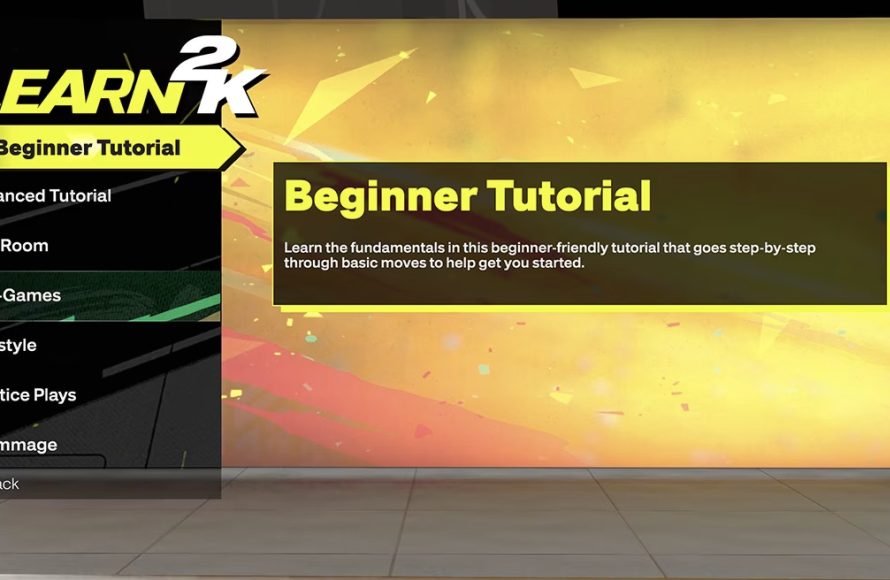
Adaptive Tutorials
These tutorials offer help for new players or those who are just getting back into the game. NBA 2K25 will often give personalized tips and lessons based on the level you are playing. These tutorials can help new players learn the game mechanics and more advanced players get up to speed with changes from the previous game. The personalized approach helps people with all levels of experience.
Play Style Options
Players can pick different play styles that match the style of basketball they want. Some play styles make the game more relaxed and easier while others provide a much more competitive, challenging experience. This provides different levels of game experience to players with various preferences, ensuring there is an option for all players.
Assistive Features
NBA 2K25 includes assistive features that help with specific needs and situations:
Gameplay Speed Adjustment
The game speed adjustment feature lets you change how fast the game plays. Players who may have trouble keeping up with the fast pace of the game can slow down the speed. Players can change the game’s speed so it matches what they can handle comfortably. Adjusting the speed can make a huge difference for players who struggle with fast-paced play.
Coach Mode
The game often has a coach mode or similar setting that allows players to focus on the strategy of the game instead of the controls. In coach mode, the player can make decisions about plays, player placement, and other things. Then the AI will perform the actual gameplay actions. Coach mode can provide players with a very different way of experiencing the game. It can be a great option for players who find the controls challenging.
Customizable UI elements
NBA 2K25 can have UI customization options to adjust the User Interface elements. These can often include changing the size of the information on the screen, its location, or even the colors. Being able to make these changes makes the game more accessible for different needs and allows for a smoother gaming experience.
Looking Ahead
NBA 2K25 is taking big steps to make the game more accessible. By providing all of these options, 2K Games tries to make sure everyone can enjoy the thrill of basketball. As technology continues to grow, we can only hope that NBA 2K and other game developers continue to build games that everyone can enjoy. These features make gaming fun for everyone.
The aim here is for NBA 2K25 to be a game that can be played by all, providing a basketball gaming experience that welcomes all players and helps build community through the passion of the game. With continuous updates, the game can always improve in the future.
23 Tips And Tricks You NEED To Know In NBA 2K25!
Final Thoughts
Ultimately, detailed guides for NBA 2K25 accessibility features become crucial for inclusive gameplay. These guides help players customize their experience based on individual needs. They can allow everyone to enjoy the game without barriers.
Access to NBA 2K25 accessibility feature guides empowers all gamers. Finding proper settings ensures a more satisfying and engaging gaming session for all. This knowledge improves enjoyment and levels the playing field.

