
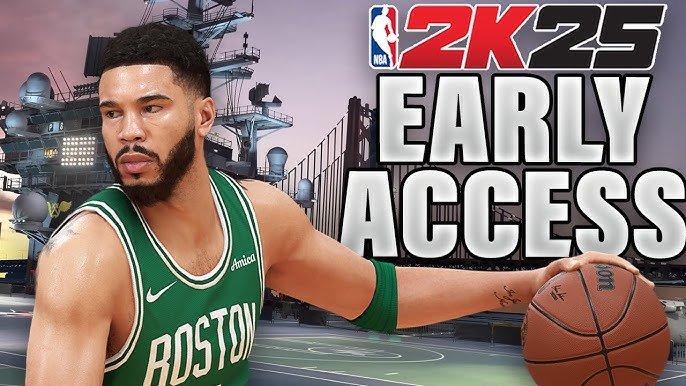
The NBA 2K25 accessibility feature overview includes options for adjustable game speed, customizable controller layouts, menu narration, and visual aids like colorblind modes.
The court is calling, and everyone should have a chance to answer! NBA 2K games are loved by millions, and making them accessible to more players is vital. So let’s explore the key features in the NBA 2K25 accessibility feature overview. These features allow more people to play with their friends and enjoy the sport they love.
Options like adjustable game speeds can change the pace of the game, which helps players of different skill levels. Customizable controller layouts also improve the experience for gamers with unique needs. These types of features help make the game more playable by more people.

NBA 2K25 Accessibility Feature Overview
Hey there, basketball fans! Get ready to dive into the exciting world of NBA 2K25. This year, the game is taking a big leap forward, not just in graphics and gameplay but also in making sure everyone can join the fun. That’s right, we’re talking about accessibility features – tools and settings that help players of all abilities enjoy the game. It’s no secret that some games can be tough for people with different needs, so NBA 2K25 is stepping up to make sure no one is left on the bench.
Visual Accessibility Options
Let’s start with how things look on screen. NBA 2K25 has some cool features to help players who might have trouble seeing certain things. These are all about making the game easier to see and understand.
Colorblind Mode
Ever had trouble telling team colors apart? Well, not anymore! NBA 2K25 has colorblind modes that change the game’s colors to make it easier for people with colorblindness to see everything clearly. This way, you’ll always know who’s on your team and who’s on the other, no more confusing jerseys!
- Protanopia Mode: Helps people who have trouble seeing red colors.
- Deuteranopia Mode: Helps people who have trouble seeing green colors.
- Tritanopia Mode: Helps people who have trouble seeing blue colors.
Text Size and Contrast
Small text can be hard to read, right? NBA 2K25 allows you to make the text bigger, so you won’t have to squint or get closer to the screen. The game also lets you adjust the contrast, which makes the text stand out more from the background, making it super easy to read. Think of it like turning up the brightness on a flashlight!
Motion Blur and Camera Shake Adjustments
Sometimes, too much movement on the screen can be distracting, or even make people feel a bit queasy. NBA 2K25 lets you turn down or turn off things like motion blur and camera shake. This makes the game look smoother and more comfortable for everyone. It is like watching a movie that is not shaky, everything will be smooth and easy to watch.
Audio Accessibility Features
Next up, let’s talk about sound. NBA 2K25 includes features that help players who might have trouble hearing or understanding what’s happening in the game through sound alone. The game has some really smart tools to make sure sound helps you play better.
Subtitles and Closed Captions
When characters talk in the game, you can turn on subtitles or closed captions. This puts the words on the screen, so you can read what they’re saying. This is super helpful if you have trouble hearing the game’s audio or if you’re playing in a loud place. It’s like reading a comic book, all the words appear in front of your eyes.
Audio Cues and Directional Sound
NBA 2K25 uses sound to tell you important things. For example, the game can make a special sound when someone is about to steal the ball, or when an important play is starting. Directional sound is also important. It lets you hear where sounds are coming from, which helps you know where other players are on the court. Imagine you are in the middle of a crowded playground, this feature tells you, who is calling from which direction. You’ll have a better understanding of the situation.
Adjustable Volume Controls
Sometimes, some sounds in a game are too loud or too quiet. NBA 2K25 lets you control the volume of different parts of the game, like music, sound effects, and character voices. If you like the music very loud, you can turn it up, but if it distracts you, you can lower it. It’s like having a remote control for different sounds of the game.
Motor Accessibility Options
Now let’s talk about how you control the game with your hands. NBA 2K25 has features that help players who might have trouble using the buttons and sticks on a controller. This is really important so that everyone can perform all the moves and plays in the game.
Fully Customizable Controller Mapping
Do you want to change the buttons? With NBA 2K25, you totally can! You can change which button does which action. Maybe you like jumping with the top button instead of the bottom one. You can totally do that. This is like setting up your own personal remote control, making it super easy for you to play. You will use the button as you like to use it.
Simplified Controls
Some games have lots of complicated buttons, but NBA 2K25 has options to simplify things. You can use a simpler set of controls, which makes it easier to play. Instead of pressing multiple buttons at once, you might only have to press one. This is like choosing a simpler mode on a video camera, and you will still be able to record great videos.
Stick Sensitivity and Dead Zones
Sometimes, the sticks on the controller are too sensitive, and the smallest movement makes your player move a lot, which makes the game a bit challenging. NBA 2K25 lets you change how sensitive the sticks are. You can also adjust dead zones which helps prevent accidental movements. It is like having a very precise knob on a music player that you use to change the volume.
Button Hold or Toggle
NBA 2K25 allows you to choose whether to hold down a button for an action or to press the button once to turn the action on and press again to turn it off. For example, you might be able to press the button to start dribbling and press again to stop, instead of having to constantly hold down the button. It is like having a light switch to turn on or off the lights rather than constantly holding a button to keep them turned on.
Cognitive Accessibility Features
It’s not just about seeing, hearing, and using your hands. NBA 2K25 also has features to help players who might need extra support understanding what’s happening in the game. These tools make it easier to focus, remember important information, and strategize.
Tutorials and Gameplay Guides
If you are new to the game, or even if you have played the older versions, tutorials are helpful. NBA 2K25 has lots of tutorials to teach you how to play. The game also has gameplay guides, which are kind of like a coach in the background, giving you tips and strategies while you play. It’s like having a personal tutor who helps you improve as you play.
On-Screen Prompts and Reminders
Sometimes you can forget what buttons to press, right? NBA 2K25 can show you helpful prompts on the screen, telling you which buttons you need to press for each action. The game also gives you reminders about important things that are happening in the game, which is really helpful, especially in the heat of the game. Think of them as little notes on the screen, reminding you what to do.
Pacing and Speed Control
Some people like to play very fast, and others like to play a bit slower. NBA 2K25 allows you to change the speed of the game to suit how you want to play. You can slow it down to give you more time to think and react, or speed it up to make things more challenging and fun. This gives you control, like choosing the speed on a treadmill.
Simplified Menu Navigation
Navigating through menus can sometimes be tricky, and NBA 2K25 knows this. The game has simplified menus that are easier to understand and use. The menus are organized so that you can easily find what you need. Like an organized room, you know where every object is.
AI Assistance
One of the coolest accessibility features in NBA 2K25 is how the game uses AI to help. The AI can provide assistance to make the game more enjoyable for everyone. Let’s look at how this works.
AI-Assisted Play
If you are struggling with some of the gameplay, the AI can jump in and help you out. For example, if you are having trouble with dribbling, the AI can help you control your player better. The AI learns how you play and helps you improve at the parts where you’re having difficulty. It is like having a friend who guides you on what to do at particular moments.
Adaptive Difficulty
The game will automatically adjust how hard it is depending on your skill level. If you are winning every time, the game will get harder to make it more challenging, but if you’re losing too often, the game will make it a bit easier so you can still enjoy it. It’s like a rollercoaster, that will give you a ride that’s perfect for you. It won’t be too easy or too hard, and you will feel very satisfied.
Personalized Game Settings
The AI will remember your preferences and settings. So, the next time you play, the game will automatically set things up to your liking. For example, if you always like the text size to be bigger, the AI will do it for you automatically. It’s like having a personalized assistant who knows exactly how you want everything to be set up.
Customization Options
NBA 2K25 gives you so much control over how you play the game. There are tons of options that you can adjust to your personal preference.
Gameplay Settings
You have a lot of choices over how the game feels. You can change the speed, the shot timing, and other settings to make the game feel exactly how you want it to feel. Like setting up a musical instrument according to how you want to play it.
Visual Settings
Beyond the accessibility options, you can adjust the graphics of the game to suit your computer. You can turn up things like graphics quality to make the game look amazing. Or you can turn it down to make the game run smoothly. It’s like having a paintbrush to paint the game how you want it to look.
Audio Settings
Besides the volume controls, you can also choose what kind of audio you hear. You can turn the commentary on or off, and you can choose to listen to certain sounds more than others. It is like setting up a music system to make it sound the way you like it.
Input Settings
You have a lot of options for your controller. You can choose to use a game pad, a keyboard, or a mouse. The game supports many different ways to control it. You can choose the method that feels the most comfortable. It is like choosing your own favorite set of tools for playing the game.
NBA 2K25 is trying very hard to make the game better for everyone. With its awesome accessibility features, many people of varying abilities will be able to have an amazing time playing the game. This helps in making sure that no one is left out. The game developers at 2K are very interested to listen to the players’ feedback, so they will keep making the game even more accessible in the future. So, get ready, get your controller, and let’s play some basketball.
NBA 2K25 Review
Final Thoughts
NBA 2K25 offers several options for players with disabilities. These features include customizable controls, text-to-speech, and menu narration. This allows more individuals to enjoy the game.
Visual adjustments, like colorblind modes and subtitle size modification, help create a comfortable experience. These options improve the game’s usability.
The NBA 2K25 accessibility feature overview demonstrates 2K’s commitment to inclusivity. It ensures players of various abilities can enjoy playing basketball.

