
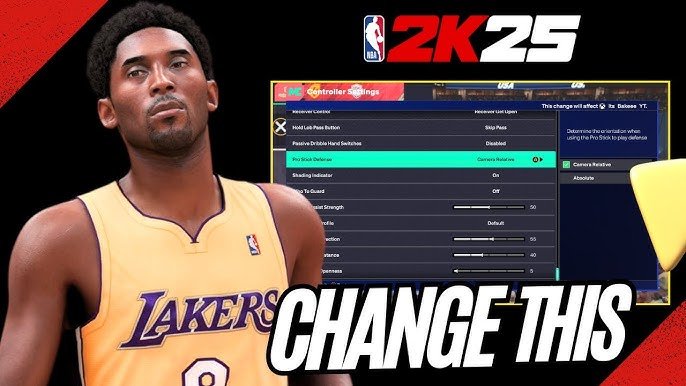
NBA 2K25 assist settings explained
affect gameplay by automating or simplifying actions like shooting, passing, and defense, allowing players to tailor the game’s difficulty to their preference.
Navigating the complex world of NBA 2K can feel overwhelming, especially with the range of customization options. Many wonder how to make the game feel just right. The crucial aspect that impacts your experience significantly is the assist settings.
Understanding how these settings function is essential for optimizing your gameplay. This article delves into exactly how NBA 2K25 assist settings explained provide you with varying levels of automated control, allowing you to fine-tune the game’s difficulty.

NBA 2K25 Assist Settings Explained
Okay, let’s dive deep into the world of assist settings in NBA 2K25! This game is packed with features that can make it super fun, but sometimes those settings can feel a little confusing. Think of assist settings like training wheels on a bike – they can make the game easier, and help you focus on the fun parts. Or if you are very good at this game, you can turn them all off to make the game more realistic. In this article, we are going to break down all of the assist settings in NBA 2K25, so you can customize your gameplay just the way you like it.
Understanding the Basics of Assist Settings
Before we jump into specific settings, let’s talk about what assists actually mean in NBA 2K25. These are game mechanics that lend a hand to the player. They can help with things like shooting, passing, and defending. The game will automatically make decisions on your behalf to make sure you have an advantage, these things are designed to make the game more accessible for newer players, and it can make it feel less clunky if you turn them on. However, if you want the full simulation experience, you can always turn them off.
There are different types of assist settings. Some are about timing, helping you nail perfect shots or passes. Others are about movement and direction. The settings offer flexibility, you can tweak them to match your skill level and playing style. Don’t worry if you feel a little confused. we will go through each one of them to clarify everything for you.
Shooting Assist Settings
Shooting is a key part of basketball, and 2K25 gives you many assist options to customize it:
Shot Meter
The shot meter is a visual aid that shows you the best time to release the ball for a shot. You can choose between different styles of meters, or turn it off completely. Here are your choices:
- On: This is the usual, default setting. You’ll see the shot meter, helping you time your releases.
- Off: If you turn it off, you’ll need to rely on your own feel for the timing of the shot and the animation of your player.
- Pro Stick Only: This will display the shot meter only when you use the Pro Stick to shoot (usually the right joystick).
Shot Timing
This setting adjusts how much leeway the game gives you on shot timing. For example, a shot might go in even when it isn’t released at the perfect moment.
- User Timing: The game will punish you if you do not release the ball at the perfect moment. This is a hard setting, but it helps improve your skill.
- Real Player %: The game will decide the shot accuracy based on the real player’s statistics, and your timing will play a minor role.
Shot Aiming
With shot aiming on, you have to manually aim your shot, using the right joystick, or Pro Stick. It adds another layer of control to your shots.
- On: You will need to use the right stick to aim your shot left or right.
- Off: The game will aim the shot for you, and all you need to do is worry about timing.
Layup Timing
Just like with jump shots, you can also set the timing on layups. This means timing the shot correctly when your player goes for the layup.
- User Timing: You will need to release the shot at the right moment during the layup animation, for the shot to go in.
- Real Player %: The game will decide if the layup goes in or not based on the real player’s rating.
Free Throw Timing
Here you can select how much control you want with free throws. If you like the full simulation experience, you would want this on user timing.
- User Timing: You need to time the shot correctly for the free throw to go in.
- Real Player %: The game will decide the shot accuracy based on the real player’s statistics, and your timing will play a minor role.
Passing Assist Settings
Passing is how you move the ball around in basketball. Here’s how to customize it in NBA 2K25:
Pass Target
The pass target setting dictates how much control you have over who receives the pass.
- Manual: You will need to manually move the left stick to select the player who will be receiving the pass.
- Assisted: This is great for beginners, the game will select a player automatically, based on the context of the game.
Pass Type
You can choose how you want the game to decide the kind of pass you will be performing, like bounce passes, or flashy passes.
- Manual: you get to manually choose the type of pass using the buttons.
- Assisted: The game will automatically decide the type of pass that you need to perform.
Icon Passing
Icon passing is a great way to pass to specific players in the game. This means you can hold a button of the specific player you want to pass it to. You can either turn it on, or off.
- On: When you press the pass button, icons will appear above all your teammates.
- Off: The icons won’t appear, you will need to use the traditional passing system with the left joystick and the pass button.
Lob Pass Target
Lob passes are a great way to pass the ball over a defender. This setting controls how the game will choose the player who will receive the lob pass.
- Manual: you need to choose who to pass the ball to, by selecting the player on the left stick.
- Assisted: The game will choose a player automatically, based on game context.
Alley-Oop Pass Target
Alley-oops are one of the most spectacular parts of basketball. Here you can decide if the game should help you choose the player receiving the pass, or you can do it yourself.
- Manual: you will need to choose the player manually, using the left stick.
- Assisted: The game will automatically choose the player for you.
Dribbling and Movement Assist Settings
These settings help you with how your player handles the ball and moves on the court:
Ball Handling
This setting determines how much the game assists your player when it comes to dribbling.
- On: The game will help your player dribble effectively.
- Off: This will turn off any automatic dribbling assist.
Off-Ball Movement
This option dictates how much freedom you have when it comes to off-ball movement.
- Auto: Your player will automatically move on the court, when not in possession of the ball.
- Manual: You have full control of the movement of your player when you don’t have the ball.
Defense Assist Settings
Defense is just as crucial as offense in basketball. Here are some of the ways that 2K25 helps you guard your opponents:
Defensive Assist
This option determines how much help you get when playing defense. The game can help you stay in front of the player you are guarding.
- On: The game will provide extra help when defending.
- Off: The game will not provide help with defending, and you have to position yourself yourself.
Steal Assist
Stealing the ball is a vital part of the game. You can turn the assist for stealing on or off.
- On: This option increases the success chance of stealing the ball.
- Off: The game will not help you in attempting to steal the ball.
Help Defense Assist
The help defense setting controls how the game will help you defend when your teammate is beaten.
- On: The game will automatically make one of your teammates help you defend when you are beaten.
- Off: When you are beaten on defense, your teammates will stay with their man and will not try to help you.
Boxout Assist
Boxouts are very important when rebounding. This setting can make sure your player is in the right position to grab the rebound.
- On: The game will automatically position your player for a boxout.
- Off: You have to manually position your player to grab the rebound.
Controller Settings
In addition to the in-game assist settings, the game also offers controller setting options. This means, you can re-map the buttons to what you want them to do. This can be useful for making your game easier and more comfortable.
- Button Layout: you can change the basic layout of your controller buttons to make it match your style.
- Vibration: You can turn the vibration off, or on, depending on your preferences.
How to Choose the Right Settings
Choosing the right assist settings really depends on your personal preference and how you want to play the game. If you’re new to NBA 2K, start with more assists turned on. This can help you learn the game and gradually improve your skills. As you get better, you can begin to reduce the assists. When you remove all of the assists, the game will be more challenging but more rewarding.
Here are a few tips:
- Start Simple: If you are new to the game, keep most of the assists turned on, or at the assisted option.
- Experiment: Try turning some settings on or off, and see what you like. There are no right or wrong choices.
- Find Balance: The goal is to have fun, so make sure your assist settings match your level, and do not make the game too difficult, or too easy.
The great thing about NBA 2K25 is that you can change these settings whenever you want. This means, there is no pressure, and you are free to experiment until you find the perfect balance for your gameplay. Take some time to play around with different combinations of assist settings. By doing this, you will surely find the ones that are perfect for you. You can adjust them based on the game mode you are playing, or the challenge you are going for.
Remember, there’s no one-size-fits-all answer. The best assist settings are the ones that make you enjoy the game the most. So, have fun, experiment, and find your perfect setup!
5 SECRET Settings That You NEED To Use In NBA 2K25
Final Thoughts
Tweaking NBA 2K25’s assist settings drastically changes gameplay. Players can customize passing, shooting, and defensive help to match their skill level and preference. The right assist settings are crucial for a comfortable and successful experience.
Experimenting with different levels of assist is very important. You will find the sweet spot that works best for you. This greatly impacts how the game feels.
Ultimately, understanding the different facets of “NBA 2K25 assist settings explained” is vital. Adjusting these settings lets players fine-tune their game to achieve peak performance.

