
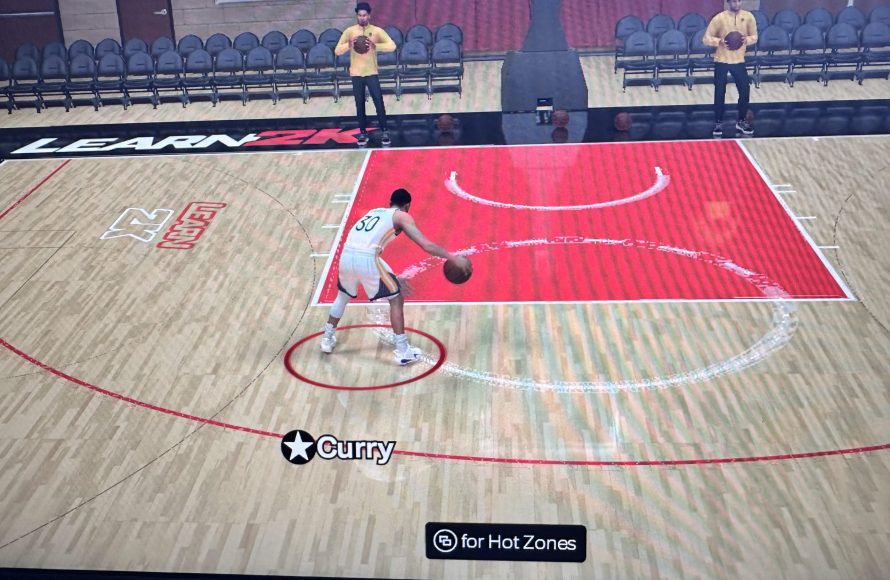
NBA 2K25 bug fixes will address reported gameplay glitches, improve player AI, and resolve online connectivity issues for a smoother experience.
Frustration mounts when your digital hoop dreams are hampered by pesky glitches. The much-anticipated release of NBA 2K25, while exciting, hasn’t been without its hiccups. Players have quickly noticed various problems and the community is eagerly awaiting NBA 2K25 bug fixes.
These fixes are crucial for a fluid and enjoyable gaming session. They need to cover everything from AI quirks to online matchmaking errors. Developers are working hard to improve the game.

NBA 2K25 Bug Fixes: What’s Getting Patched?
Alright, hoops fans! We all love playing NBA 2K, right? The dribbling, the slam dunks, the clutch shots – it’s awesome. But sometimes, things don’t go exactly as planned. We’re talking about those pesky bugs! Glitches that can mess up a perfect game, funny-looking characters, or even worse, crashes that boot you right back to the menu. This article dives deep into the world of NBA 2K25 bug fixes, exploring what the developers are working on to make your gaming experience smooth as butter. Let’s break down all the things that have been fixed or are in the process of getting fixed so you can get back to enjoying the game.
Gameplay Glitches and Fixes
The heart of NBA 2K is, of course, the gameplay itself. This is where most of us spend our time. And when the game mechanics don’t quite work, that can be really annoying. Here are some examples of the types of gameplay problems being fixed in NBA 2K25:
Shooting Issues
One common problem that many players experience is with the shooting. Sometimes, shots that should go in don’t. Other times, the shot meter isn’t behaving correctly. For example:
- Late Release Problems: Players report that sometimes even if you get a perfect release, the ball doesn’t go in as it should. Developers are working to fine-tune the timing and release mechanics.
- Shot Meter Lag: Another big concern is lag between when you press the button and when the shot meter reacts. Patches aim to reduce this delay for a more responsive and predictable shot.
- Contested Shot Weirdness: Sometimes, even if a player has a very small defender, the game can still incorrectly consider the shot heavily contested. This makes some shots difficult even when they shouldn’t be.
Dribbling Problems
Dribbling is key in basketball. The ability to move the ball confidently is critical. Here’s how dribbling bugs can impact gameplay and how they’re being addressed:
- Sticking Animations: Occasionally, players report getting stuck in dribbling animations, leaving them open for steals. Fixing these animations will allow for smoother transitions.
- Unresponsive Controls: Dribbling controls are not always responsive. Patches are expected to provide smoother and faster control over the ball when dribbling.
- Animation Glitches: Some animations might cause players to move in odd ways. Developers are working to fix these wonky animation issues, so everything looks more natural.
Defensive Quirks
A good defense is just as crucial as a good offense. Here’s a look at some of the defensive issues that are getting fixed:
- Steal Issues: Sometimes steals are way too easy, making gameplay unbalanced. Other times, the steal button might not work when you expect it to.
- Blocking Problems: Blocks aren’t always registering correctly. Players can go through the ball, or the game doesn’t register block attempts. Game developers are looking at fixes to the blocking detection system.
- Defensive Movement Bugs: Sometimes defensive players move in odd ways, making it hard to stay in front of the offensive player. Patches address these wonky movements.
AI Misbehavior
It’s frustrating when the computer-controlled players on your team make dumb decisions. Let’s talk about how the AI behavior is getting smarter.
- Bad Passing Decisions: Sometimes teammates make passes that are clearly going to result in a turnover. The game developers are fixing the algorithms that control passing decisions to make them more intelligent.
- Poor Off-Ball Movement: Teammates might not move into open spaces when you’re trying to get them the ball. Adjusting AI movement patterns will help them get open for passes.
- Stupid Defensive Plays: Teammates may leave their assignments or be unable to understand the defensive strategy. Developers are working to fix the team AI to make better plays on defense.
MyCAREER and MyTEAM Bug Squashes
MyCAREER and MyTEAM are two incredibly popular game modes. When there are bugs in these modes, it can be particularly frustrating for players. Here’s a deep dive into how the developers are patching things:
MyCAREER Issues
MyCAREER mode lets you create your own player and follow their journey to stardom. Bugs here can seriously disrupt your flow.
- Progression Problems: Sometimes, your character’s attributes don’t improve as they should. These bugs affect the game’s balance and make it harder to build your character. Developers are addressing any problems with player progression so you can get stronger over time.
- Cutscene Glitches: During cutscenes your player or other characters might do strange things, like walking through walls. Fixing these issues makes the story of your character feel more immersive.
- Quest Bugs: Sometimes, quests get stuck or don’t complete even when you’ve done everything right. Fixing these bugs makes it easier to move forward in the story.
MyTEAM Glitches
MyTEAM is all about collecting cards and creating your dream team. However, sometimes bugs can cause problems for team builders.
- Card Duplication Bugs: Card duplication can mess up the entire system. The developers have to patch this up to make things fair and make sure that the auction system works well.
- Auction House Problems: Sometimes the auction house doesn’t display correct prices or fails to process purchases. Fixing this makes it easier to buy and sell player cards.
- Reward Issues: Players might not receive the rewards they should. Solving this reward system problem is key to maintaining user loyalty.
Visual and Presentation Fixes
A big part of enjoying any game, especially sports games, is how they look and feel. Here are some of the visual and presentation bugs that are being fixed:
Graphics Problems
If characters look weird or the game doesn’t look polished, it can be distracting. Here’s how these visual problems get tackled:
- Player Model Issues: Sometimes players might have strange-looking facial expressions or odd body shapes. Fixing character models can help make players appear more realistic.
- Clothing and Accessory Glitches: Clothes sometimes don’t look or behave the way they’re supposed to, with parts clipping through one another or acting weird. Correcting these errors adds a layer of realism to the game.
- Arena Issues: Sometimes the arenas can have visual bugs, like missing parts or misaligned objects. Smoothing these out helps make the game look better overall.
Presentation Glitches
Sometimes, the presentation can be distracting due to bugs. Here are the presentation issues that are being resolved:
- Commentary Glitches: Sometimes, the commentary will talk about the wrong things or repeat the same lines too much. Fixing these makes the game more entertaining to watch.
- Replay System Problems: Replays might show the wrong angles or fail to show important plays. Improving the replay system ensures players can see all the crucial moments in a game.
- Menu Problems: Sometimes menus can look messed up, not work properly, or contain incorrect information. Fixing these problems will make the menus much easier to navigate.
Technical Bug Fixes and Stability
Now we move to the behind-the-scenes issues that can affect a game’s performance. These include stability, connection issues, and other annoying technical problems.
Crashes and Freezes
Few things are more annoying than a game crashing or freezing in the middle of a big moment. Here’s how the developers work to keep the game stable:
- Random Crashes: The development team is doing everything they can to figure out and fix the crashes that happen out of nowhere. They have to find the root cause of these crashes and prevent them.
- Freezing Issues: Freezes, where the game gets stuck and stops working, can be infuriating. The developers must figure out what causes the game to freeze and fix it.
- Platform Stability: They are making sure that the game works great on all the systems that people play on. This can involve small adjustments depending on whether you’re playing on a console or PC.
Online Connection Issues
Online gaming is a big part of NBA 2K. So, when you have problems, it’s very frustrating.
- Lag and Disconnects: Issues with the game servers can cause lag and disconnections. Developers work to make sure the servers work well so that online games run smoothly.
- Matchmaking Problems: Sometimes finding a good match can be hard due to errors. Improving the matchmaking system makes it easier for players to find good games quickly.
- Friend List Issues: Friend lists not displaying or not updating causes problems for people who play with friends. Solving this makes it easier to play with your friends online.
Performance Issues
Slowdown or jerky animations can get in the way of enjoyment. Let’s look at how these performance issues are addressed:
- Frame Rate Drops: When the game runs slowly, it can feel unresponsive and be hard to play. Optimizing the game performance can improve this.
- Slow Loading Times: Waiting too long for the game to load can be very annoying. The developers are trying to make the game load faster, so you can get to the court quicker.
- General Performance Optimization: They are working to make the game run smoothly no matter the system you’re playing on. This is done by making sure the game doesn’t take up too many resources.
Community Feedback and Future Fixes
The NBA 2K developers are listening to what we, the players, have to say! Community feedback is a key part of the bug-fixing process. They watch the forums, social media, and other platforms to find out about the most common issues that affect our gameplay. After they identify those problems, they put them on the priority list and start working on solutions. This helps make sure the most annoying bugs are dealt with in the next patch.
The game developers also use all kinds of ways to find out about bugs, including automated systems to search for errors in the code and lots of testing by teams of people that look for and report problems before players get to play the game. Once identified, these bugs are put into a system where developers work to resolve the most important problems first. Game developers release patches that fix various bugs, and the size and frequency of the patch can change depending on what kind of issues players are reporting. Patches usually fix known bugs, change the way some gameplay features work, and offer performance upgrades.
The development team is always working to make the game better by constantly searching for new bugs and fixing old ones. They are dedicated to making NBA 2K25 the best it can be, and they work hard to listen to the player community to make changes. With each new patch and update, we’re seeing improvements to the game and moving toward the best possible basketball experience.
The world of NBA 2K25 bug fixes is always changing. What was a problem yesterday might be fixed today. Game developers are constantly working to improve the game, fix bugs, and listen to feedback from the community. That means a better experience for us the players. We can be confident that the development team is hard at work and dedicated to making sure NBA 2K25 is a great game for all.
Fix NBA 2K25 Low VRAM Error – Full Guide
Final Thoughts
In summary, the upcoming patches should address the most pressing issues players currently experience. Expect improvements to gameplay glitches and problematic online connectivity. These NBA 2K25 bug fixes are crucial for an enjoyable gaming experience.
The developers are working diligently to deliver a better, polished product. We anticipate the fixes will improve the overall stability. Consequently, gamers can get back to playing without frustrating errors.

