
The NBA 2K25 customization unlocks guide primarily revolves around progressing through game modes, completing challenges, and utilizing in-game currency to acquire various cosmetic items for your player and team.
Ready to personalize your NBA 2K25 experience? This NBA 2K25 customization unlocks guide details the pathways to securing unique gear and aesthetic enhancements. You’ll find opportunities to acquire items across many game modes.
By actively engaging in various challenges and making smart choices with your in-game funds, you will personalize your players and teams. The game offers many cosmetic options to help you stand out.

NBA 2K25 Customization Unlocks Guide
Alright, hoop dreamers! Let’s dive deep into the exciting world of NBA 2K25 customization. We all know that looking good on the court is almost as important as playing well, right? Well, get ready because this guide will show you exactly how to get all those cool items to make your MyPLAYER stand out from the crowd. From flashy clothes to unique animations, we’re covering it all!
Understanding Customization Currency: VC, MTP, and More
Before we start grabbing all the goodies, let’s talk about the different kinds of money you’ll use in the game. Just like in real life, you need currency to buy stuff. In NBA 2K25, these are some you’ll come across:
Virtual Currency (VC)
VC is the main currency in NBA 2K25. You can earn VC by playing games, doing daily challenges, and completing quests. You can also buy VC with real money if you’re in a hurry to get that perfect outfit or those awesome skills. VC is your ticket to most of the customization items you want. Think of it as the money you would get if you were a real NBA player after a game. Spend this carefully!
- How to Earn VC:
- Play MyCAREER games. The better you play, the more you get!
- Complete Daily and Weekly challenges.
- Participate in special events.
- Buy VC directly with real money (optional).
MyTEAM Points (MTP)
MTP is used specifically in the MyTEAM mode. You can use these to buy player packs, coach cards, and other things to build your dream team. While it’s not used for MyPLAYER customization, it’s good to know what it is. Earning MTP is similar to how you earn VC by playing games and completing challenges within the MyTEAM mode. So, if you play a lot of MyTEAM, make sure you are aware of the things which you can get from this.
Skill Points
Skill Points are vital for improving your MyPLAYER’s skills and attributes, making you a better player overall. This is a separate system but very important. You will earn skill points by playing games. You cannot use these points for customization items, but by upgrading skills, you will be able to unlock new animations and moves to customize your style of play. A player with good skill is as important as having a stylish outfit.
MyPLAYER Appearance Customization: Head-to-Toe Style
Alright, now for the fun part! Let’s talk about how to change your MyPLAYER’s looks. There’s a lot you can adjust, so let’s get started from head to toe!
Head and Face
You can make your character look like a completely different person with all the options available. It’s like building your own superhero. Here are some things you can modify:
- Hairstyle: From short buzz cuts to long braids, pick a hairstyle that matches your personality.
- Facial Hair: Get a clean shave or grow out a beard; the choice is yours.
- Eyes: Choose your eye color, shape, and even how your eyebrows look.
- Ears: Add earrings or leave your ears plain.
- Nose, Mouth, and Chin: Fine-tune these features to craft your unique appearance.
Body
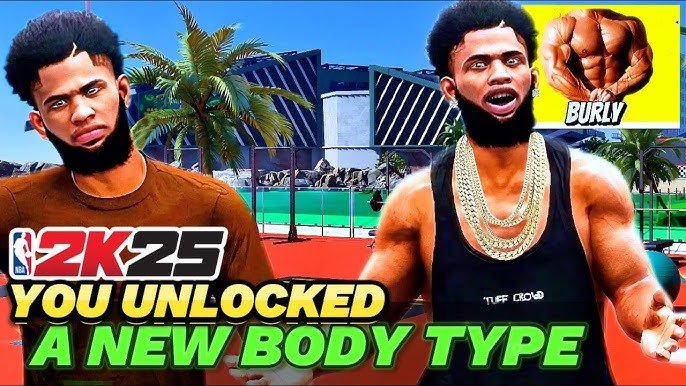
You can change your player’s height, weight, and build. Remember, your build can actually affect your player’s abilities on the court! A taller player might be better at rebounding but slower, while a smaller player can be quicker. So, choose wisely!
- Height: You can adjust this to match your playing style.
- Weight: Affects speed and strength.
- Build: Slim, athletic, or bulky; your build makes a difference.
- Skin Tone: Choose from a range of skin tones.
Clothing and Accessories
This is where you can really show off your unique style! There are tons of clothing and accessories to choose from. And this is where spending your VC comes in. Here is the list of the things you can get in game.
- Jerseys and Shirts: From retro jerseys to the latest fashion trends, there is something for every player.
- Shorts and Pants: You can get everything from simple athletic shorts to stylish designer pants.
- Shoes: Pick from a huge selection of basketball shoes from all the top brands like Nike, Adidas, and Puma.
- Hats and Headbands: Add a stylish headwear.
- Arm Sleeves and Leg Sleeves: More than just for looks, these can help with your performance in-game.
- Accessories: Get wristbands, necklaces, and other little things to add your own flair.
- Tattoos: Get tattoos all over your player’s body.
- Glasses and Masks: Put on some unique eyewear to show your creativity.
How to Find and Buy Customization Items
Okay, so you’re hyped to get some cool stuff. Here’s how you can actually get into the stores and buy those clothes and accessories:
- The Neighborhood: In the “Neighborhood,” you can find different stores that sell clothes and other customization options. Find the ones with the specific items you want and start shopping.
- Main Menu: You can also access customization menus from the main game menu. Navigate to the customization section to see all the options available to you.
- In-Game Stores: Sometimes there are special stores that appear during events, giving you exclusive items for a limited time.
Animations and Skills: Customizing Your Gameplay
Customization isn’t just about looks. You can also change the way your player moves and plays! Let’s see how you can do this.
Signature Animations
Signature animations are the special moves and styles that make your player unique. You can get these animations through the customization menu.
- Jump Shot: Choose the shooting motion that feels best for you.
- Dribbling Moves: Pick the way your player dribbles the ball.
- Layups and Dunks: Select from a variety of ways to score inside the paint.
- Celebrations: Pick the unique celebrations for your player.
Skill Upgrades
As you play, you’ll earn skill points that you can use to improve your player’s abilities. This can really change how they perform on the court.
- Shooting: Improve your three-point shot, midrange, and free throws.
- Playmaking: Sharpen your passing, dribbling, and ball-handling skills.
- Finishing: Become better at layups, dunks, and scoring close to the basket.
- Defense/Rebounding: Strengthen your ability to steal the ball, get rebounds, and play good defense.
- Athleticism: Improve your speed, agility, and jumping abilities.
Special Events and Limited-Time Customizations
NBA 2K25 often has special events that bring limited-time customization items. These items are very unique and sometimes they are only available for the players during the event. So, you need to make sure that you pay attention when they are announced.
- Seasonal Events: Celebrate holidays or special milestones with themed customization options.
- Challenges: Complete certain challenges to get unique clothing, animations, and more.
- Limited-Time Items: Some items are only available for a short time, so be ready to grab them when you see them.
Tips and Tricks for Efficient Customization
Now that you have the basics down, here are some tips to help you get the most out of your customization journey:
- Plan Ahead: Decide what kind of player you want to be, and then customize your player to match that style.
- Do Your Research: Check out other players online to see what customization items they are using, and learn the best places to get them.
- Save VC: Don’t spend all your VC on the first cool thing you see. Save up for items that you really want.
- Check for Sales: Sometimes, stores have sales where you can get items for a lower price.
- Stay Active: Play the game often, complete challenges, and check the stores frequently for new items.
Community Creations and Shared Customizations
The NBA 2K community is filled with talented creators who share their own customization ideas. Here’s how to explore what other players have come up with and even share your own creations.
- Community Creations: You can find and download outfits, player designs, and other customization items that other players have made. This is a great way to get unique looks without spending a lot of VC.
- Sharing Your Creations: If you’ve got a unique style, you can share it with the community. Let other players see your creativity.
- Forums and Social Media: Check out online forums and social media to see what other players are doing and learn about new trends.
There you have it! A complete guide to customizing your player in NBA 2K25. With all these options, you can make your MyPLAYER as unique as you are. Keep playing, keep customizing, and keep having fun on the court!
How To Unlock/Edit Body Type's In MyCareer (NBA 2K25)
Final Thoughts
With dedication, players will access plenty of personalization options. NBA 2K25 customization unlocks guide provides paths to varied cosmetic items, like clothing and accessories.
Successfully navigating game modes and completing challenges increases the speed of acquisition. This means that playing the game is the main key to get more gear.
Ultimately, your effort directly determines the extent of your in-game fashion statement. The NBA 2K25 customization unlocks guide helps shape your unique identity within the game.

