
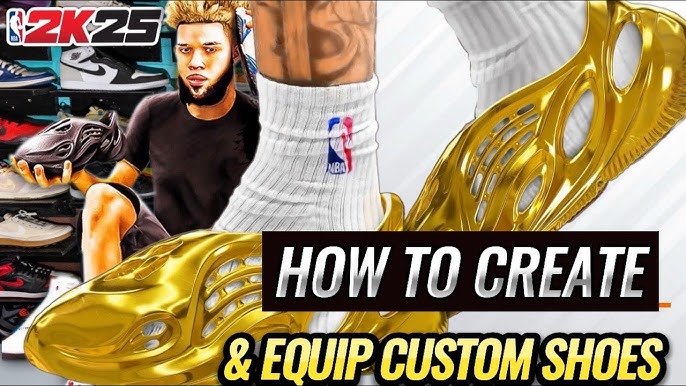
NBA 2K25 customization unlocks include various clothing items, accessories, animations, and player badges, obtainable through gameplay progression, challenges, and the in-game virtual currency.
Ready to personalize your NBA 2K25 experience? The ability to make your player unique is a big part of the fun. You can change your player’s appearance and skills with different items.
These NBA 2K25 customization unlocks let you express yourself on the court. There are many options to make your player truly your own, from headbands to signature dunks. Get ready to make a statement in the game.

NBA 2K25 Customization Unlocks: Your Path to Personalization
Get ready to make NBA 2K25 your own! The game is packed with so many ways to change how your player looks and plays, and we are going to explore all of them. From clothing and tattoos to signature moves and skills, the customization options in NBA 2K25 let you express yourself on the virtual court. But with so much available, where do you even start? We’ll break down all the different types of customization and show you how to get those cool items so you can make your player truly one-of-a-kind.
MyPLAYER Customization: Creating Your Basketball Star
The MyPLAYER mode is where your personal basketball journey begins, and it’s also where you’ll find the most options to create a character that is uniquely you. From the beginning, you’ll be able to tweak almost every aspect of your player’s appearance.
Appearance Options
These are the core features that help you make your player look how you want. Here’s a breakdown:
- Face Sculpting: You can change the shape of your face, including things like your jawline, cheekbones, eyes, nose, and mouth. You can even change how big or small these features are.
- Hairstyles: There are tons of hairstyles to pick from, including short cuts, long hair, braids, and even afros. Many of them also come in different colors.
- Skin Tone: Make sure your player’s skin tone matches how you want them to look.
- Body Type: Pick a body type that fits your player’s position and your style, from slim and quick to tall and strong.
- Eye Color: Choose the color of your player’s eyes to add another touch of personalization.
Clothing and Apparel
What you wear is a big part of showing off your style in NBA 2K25. There are so many ways to get cool clothes for your player:
- NBA Team Gear: You can buy jerseys, shorts, and socks from any of the NBA teams, letting you rep your favorite squads.
- Casual Clothing: There are many options for clothes you can wear outside of games, like t-shirts, hoodies, jeans, and hats.
- Branded Gear: You can get clothing from real-world brands, like Nike, Adidas, and Jordan, to make your player look extra stylish.
- Accessories: Add the finishing touches with wristbands, headbands, glasses, and even necklaces.
How to get Clothing: Most clothing items can be purchased with Virtual Currency (VC) in the various in-game stores. Sometimes, you can get clothes as rewards for doing well in games or completing challenges.
Tattoos
Tattoos are a fantastic way to add a personal touch to your player’s look. You’ll find a wide selection of tattoo designs to place on different parts of the body, ranging from simple symbols to complex and intricate patterns.
- Tattoo Styles: Choose from a variety of styles like traditional, tribal, or modern designs.
- Placement: Put tattoos on your arms, legs, back, chest, and even neck.
How to get Tattoos: You can get tattoos by paying with VC at the in-game tattoo shops. Some tattoos might also be part of special events or promotions.
Gameplay Customization: Fine-Tuning Your Game
Customization isn’t just about how your player looks; it’s also about how they play. NBA 2K25 allows you to tweak skills, animations, and badges to create a player that fits your style on the court.
Badges
Badges are special abilities that can give your player an edge during games. These are divided into categories that include:
- Finishing Badges: Affects how well you finish at the basket, including layups, dunks, and close shots. Examples include “Giant Slayer” and “Slithery Finisher.”
- Shooting Badges: Improve your shooting ability, from mid-range jumpers to three-pointers. Examples include “Deadeye” and “Green Machine.”
- Playmaking Badges: Helps with dribbling, passing, and ball handling. Examples include “Quick First Step” and “Dimer.”
- Defensive Badges: Boost your defensive skills, including rebounding, steals, and blocks. Examples include “Intimidator” and “Rebound Chaser.”
How to get Badges: Badges can be earned by doing well in games and performing certain actions related to that badge’s category. For instance, a lot of scoring earns you more finishing badges, and a lot of assists helps with playmaking badges.
Signature Moves and Animations
Signature moves and animations let you customize the way your player moves on the court. Here are some key points:
- Dribble Moves: You can change the way your player dribbles, adding flashy crossovers, spins, and hesitations to your moves.
- Shooting Form: Choose how your player shoots the ball, which can even affect your accuracy and timing.
- Dunk Packages: Customize your dunks with different styles, from power dunks to acrobatic slams.
- Layup Packages: Select your preferred layup styles, giving you lots of different ways to finish at the rim.
- Celebrations: Personalize your celebrations after you score, adding that extra touch of style to your game.
How to get Signature Moves and Animations: These are usually obtained by buying them with VC in the animation store. You can also get them as rewards for achieving milestones or completing specific challenges.
Skill Attributes
You can choose your player’s skills and abilities, like their speed, strength, ball-handling, shooting, and defense. You can make your player a scoring machine, a defensive beast, or a well-rounded threat.
How to improve Skill Attributes: You can upgrade your skill attributes by using VC or by playing games and making positive plays to earn skill points. The more you play, the more your skills improve.
MyTEAM Customization: Building Your Dream Squad
MyTEAM mode lets you build your dream team with players from the past and present. Customization options here let you make your team truly unique.
Uniforms and Logos
MyTEAM gives you tons of options to make your team’s look unique. You can use uniforms and logos from NBA teams or you can create your own.
- NBA Team Uniforms: Buy and use jerseys and shorts from any NBA team, showing off your favorite franchise.
- Custom Uniforms: Use the team creation tools to design your own uniforms. Change the colors, patterns, and designs of your shirts and shorts.
- Logos: Choose from existing logos or create a brand new logo for your team, adding a personal touch.
How to get Uniforms and Logos: You can get these in the Auction House by using MyTEAM Points (MTP) or with virtual currency. You can also get them as rewards for playing games and completing certain tasks.
Court Customization
In addition to your uniforms and logo, you can personalize the court your team plays on.
- Court Design: Change the colors of the court, the paint on the key, and the lines.
- Court Decals: Place logos and other decals on the court to give it a unique look.
- Backboards: Customize your backboards, choosing different colors, designs, and patterns.
How to get Court Customizations: You can get these by spending MTP or VC in the mode’s shop, or as rewards from special events or challenges.
The City and Neighborhood Customization
The City and Neighborhood are shared areas where players can hang out and show off their unique style. There are lots of ways to customize your presence in these hubs.
Clothing and Gear
Like in MyPLAYER, you can buy clothes and gear to use in the City. Stand out with different looks:
- Streetwear: Buy and use streetwear clothing, including t-shirts, hats, hoodies, and shoes.
- Accessories: Add accessories like backpacks, sunglasses, and headphones to personalize your look.
- Limited Edition Items: Get special clothing items that are only available for a short time.
How to get City Clothing: Most of these items can be found and purchased with VC at the various clothing stores in the City.
Player Cards and Banners
Player Cards and Banners are a cool way to show off your stats and achievements in the City.
- Player Cards: Edit your player card with unique backgrounds and themes.
- Banners: Choose different banners to display your name and info in the City.
How to get Player Cards and Banners: Some of these can be bought in the shops, while others can be rewards for achieving goals or leveling up.
Tips and Tricks for Customization
Here are some extra things you can do to get the best out of NBA 2K25’s customization:
- Try Before You Buy: Before buying clothing, animations, or tattoos, preview them to make sure they look just how you want.
- Keep an Eye Out for Events: Special events often come with unique customization items as rewards, so be sure to stay active.
- Complete Challenges: Many challenges will give you extra VC and customization items as prizes.
- Mix and Match: Don’t be afraid to try different styles and combinations of items to create a truly unique look.
- Watch Tutorials: If you’re unsure how something works, watch video guides made by other players to learn and be creative.
With all these ways to change your player, team, and your presence in the game, NBA 2K25 lets you express yourself like never before. Spend time exploring all the options, try different things, and make your mark in the NBA 2K world.
How to Change your BODY TYPE in NBA 2K25… 😳 easy
Final Thoughts
Ultimately, the variety of options for NBA 2K25 customization unlocks allows players to express their individuality. Gamers can change their characters’ appearance and skills to suit any play style. This level of freedom makes each gaming experience unique.
From clothing to attributes, NBA 2K25 provides a plethora of choices. These customizations significantly impact the game. Players will enjoy shaping their virtual basketball career.

