
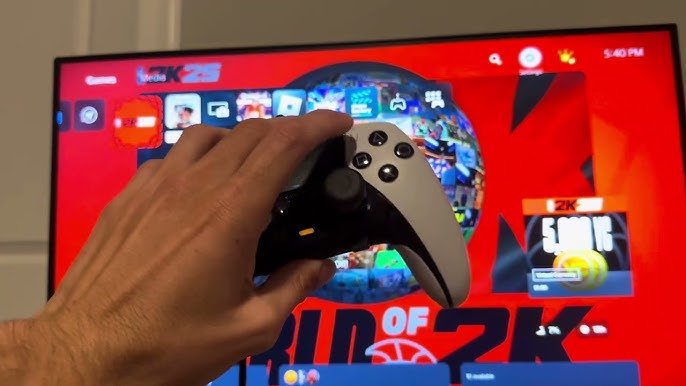
NBA 2K25 input latency overview reveals that the responsiveness of your in-game actions is affected by factors such as monitor refresh rate, controller connection, and console or PC performance.
Ever felt like your on-screen player reacted a split-second too late? That’s often due to input latency, a critical factor in any competitive game. This article provides an NBA 2K25 input latency overview, exploring how different elements impact your game experience.
We’ll briefly discuss the causes behind input delays and what you might do to minimize them. We want to help you make those crucial, game-winning shots with the best possible responsiveness.

NBA 2K25 Input Latency Overview
So, you’re excited about NBA 2K25, right? You’re ready to dribble, shoot, and dunk your way to victory. But there’s a sneaky problem that can make your game feel clunky: input latency. Input latency is like a delay between when you press a button on your controller and when your player does the action on the screen. It’s like yelling at your dog to sit, but he doesn’t sit for a few seconds. It can be frustrating, especially in a fast-paced game like NBA 2K. Let’s jump into what input latency is, why it matters, and how it might affect your experience with NBA 2K25.
What Exactly is Input Latency?
Imagine you’re playing a crucial game. You press the X button to make your player shoot a three-pointer. But, instead of your player shooting right away, there’s a small pause. That pause is input latency. It’s the time it takes for your command to travel from your controller, through your console or PC, to the game, and then back to your screen. This delay, even if it’s just milliseconds, can feel significant. It can throw off your timing, make your dribbling feel sluggish, and generally hinder your game. It’s like trying to play a musical instrument with a slight echo – it makes everything harder and less satisfying.
Think of it like this:
- You press a button: This is the start of the process.
- Signal travels: The button press sends a signal to your console or PC.
- Processing: The game software figures out what action you want your player to do.
- Action displayed: The result of your button press is shown on your screen.
The time it takes for all this to happen is your input latency. Less latency is better!
Why Input Latency Matters in NBA 2K25
In a game like NBA 2K25, which is all about split-second decisions and precise timing, input latency can make or break your game. Imagine trying to time a perfect layup, but there is a delay. Your player might jump too late or too early. Or maybe you’re trying to make a quick pass, but the delay causes your player to throw the ball right to the opponent.
The Impact on Gameplay
Input latency affects many things in the game such as:
- Dribbling: Slow and unresponsive dribbling can make it tough to get past defenders.
- Shooting: When you have input lag, it becomes much harder to time your jumpshot perfectly.
- Passing: If there’s a delay when passing, it becomes harder to execute quick passes.
- Defense: When there is input lag, it can be very hard to defend against players, making it difficult to block shots and steal the ball.
The effect of input latency is most noticeable when your actions don’t match your intentions. You feel like you’re fighting against the game, not playing with it. A little bit of latency can lead to a lot of frustration.
Competitive Play and Input Latency
If you’re playing against other players online, low input latency is even more critical. Players that have better setups with less lag have an advantage. Even a tiny advantage in reaction time can be enough to get that winning steal or block. In the world of online gaming, every single millisecond matters. High input latency puts you at a huge disadvantage. If you plan to play the game competitively, you definitely need to optimize for the lowest latency possible.
Factors Contributing to Input Latency
There are many factors that can affect how much input latency you have. Let’s talk about some of the main things that cause delay.
Your Display
Your TV or monitor plays a big part in how much delay you experience. The processing your display does to show an image introduces latency. Here’s a simple breakdown of display-related factors:
- Refresh Rate: This is how many times per second your screen redraws the image (measured in Hz). A higher refresh rate (like 120Hz or 144Hz) often means less input lag than a 60Hz display. Many TVs are 60hz so if you want low input lag you might need a dedicated gaming monitor.
- Response Time: This is how fast each pixel can change colors. A lower response time (measured in milliseconds, or ms) is better because it means less lag and less blur in fast-moving scenes.
- Processing features: Many TVs have image processing options that make the picture look nicer, but these features can also add extra delay to the picture. Turning off features like motion smoothing can help reduce the amount of delay.
- Monitor vs TV: Gaming monitors are built for performance. They tend to have faster response times and lower input lag than most TVs. If you are serious about playing competitive games, a monitor might be a good investment.
To check your display’s latency, do an online search for your specific model’s review.
Your Console or PC
The device you play on also contributes to overall latency. Consoles (like PlayStation or Xbox) have their own built-in processing that can have an effect. PCs can be complicated, with graphics cards, drivers, and other settings that all have their own impact.
- Console Processing: Consoles are generally well optimized, but even there, small differences can exist between different generations or even software versions. Make sure to keep your console updated to the most recent version.
- PC Specifications: On PC, a more powerful graphics card and processor usually mean lower latency. Make sure you have enough processing power to handle NBA 2K25 without any hiccups. Also make sure your graphics drivers are updated.
- Game Settings: The settings you pick for your game can also impact your latency. Lower graphics settings might mean less input lag because your system doesn’t have to work as hard to make things look pretty.
Your Controller
Even your controller plays a role in how much delay you feel. The way your controller sends signals can have an impact.
- Wired vs Wireless: Wired controllers generally have less input latency than wireless controllers because the signal does not have to travel through the air. If you are worried about latency, try a wired controller.
- Bluetooth: Bluetooth connections can sometimes have more lag than dedicated wireless connections.
- Controller Firmware: Make sure your controller has the most recent software, sometimes there are firmware updates that will reduce lag.
Game Software and Optimization
The game itself can also cause input latency. Here are a few aspects:
- Game Code: How the game is built can affect its input response. A poorly made game will have more lag.
- Network Issues: If you’re playing online, your network connection can add to the total latency. A bad internet connection is going to cause a lot of lag.
- Server Issues: The game servers themselves might be having issues which can also cause lag.
Tips to Reduce Input Latency in NBA 2K25
Okay, so you know what input latency is and why it’s a pain. Let’s talk about how you can reduce it and have a better experience in NBA 2K25.
Display Settings
- Game Mode: Many modern TVs and monitors have a “Game Mode.” This mode turns off most of the extra image processing and reduces input lag. This is the easiest and most effective way to reduce latency from your display.
- Turn off extra processing: If your monitor does not have a game mode, turn off other processing features, including motion smoothing, and dynamic contrast.
- Refresh Rate: Use the highest refresh rate your display supports for the smoothest gaming experience.
Console and PC Settings
- Graphics Settings: If you’re playing on PC, lower the graphics settings in NBA 2K25. Turn down settings like anti-aliasing and shadows.
- Updated Hardware: Make sure all of your hardware is updated. Graphics drivers, console firmware, everything.
- Background Programs: On your PC, close unnecessary apps that might slow your system down.
Controller Tips
- Wired Connection: If you can, switch to a wired controller for the fastest response.
- Controller Updates: Ensure your controller’s firmware is current to avoid issues.
Network and Game Tips
- Wired Internet: For online play, a wired internet connection usually provides a more stable experience compared to Wi-Fi.
- Server Choice: Choose the closest server to reduce your latency when playing online.
Understanding and Testing Input Latency
Sometimes, it can be tricky to actually “see” how much input latency you have. However, here are some tricks that can help.
The “Feel” Test
One simple way to see if you have latency is to pay attention to how the game feels when you press buttons. Does the game feel snappy and responsive? Or does your player react a bit later than you expect? This is a subjective test, but it can help you figure out if you are having a lag problem. If it feels off, it’s worth investigating more.
Online Input Lag Testers
There are also specific input lag testing websites that you can visit. These sites usually tell you how much delay you have with your monitor.
High-Speed Camera Testing
For people who want to go really deep, a high-speed camera can show the delay between when you press a button and when you see the action on the screen. This is more involved and might require special equipment.
The goal is to get the game to feel as close to “real-time” as possible, where what you do on the controller is instantly reflected in the game.
Input latency in NBA 2K25 can be a real buzzkill. You could be an amazing player, but you are always at a disadvantage if you have high input lag. But, by understanding what causes latency, and by using the tips we have gone over, you can optimize your setup and be ready to ball out! Always make sure to experiment with different settings to find what works for you. With a little effort, you can make sure your NBA 2K25 experience is as smooth and enjoyable as possible.
How to Get Rid of Delay in NBA 2K25! Tips to Eliminate Delay/Latency!
Final Thoughts
In summary, initial reports suggest varied input latency across different platforms for NBA 2K25. Gamers should pay close attention to these differences. This factor will significantly impact gameplay responsiveness and overall enjoyment.
NBA 2K25 input latency overview reveals potential issues that require player awareness. Competitive players especially will need to carefully assess performance on their respective systems. More thorough testing and community feedback will provide a clearer picture.

