
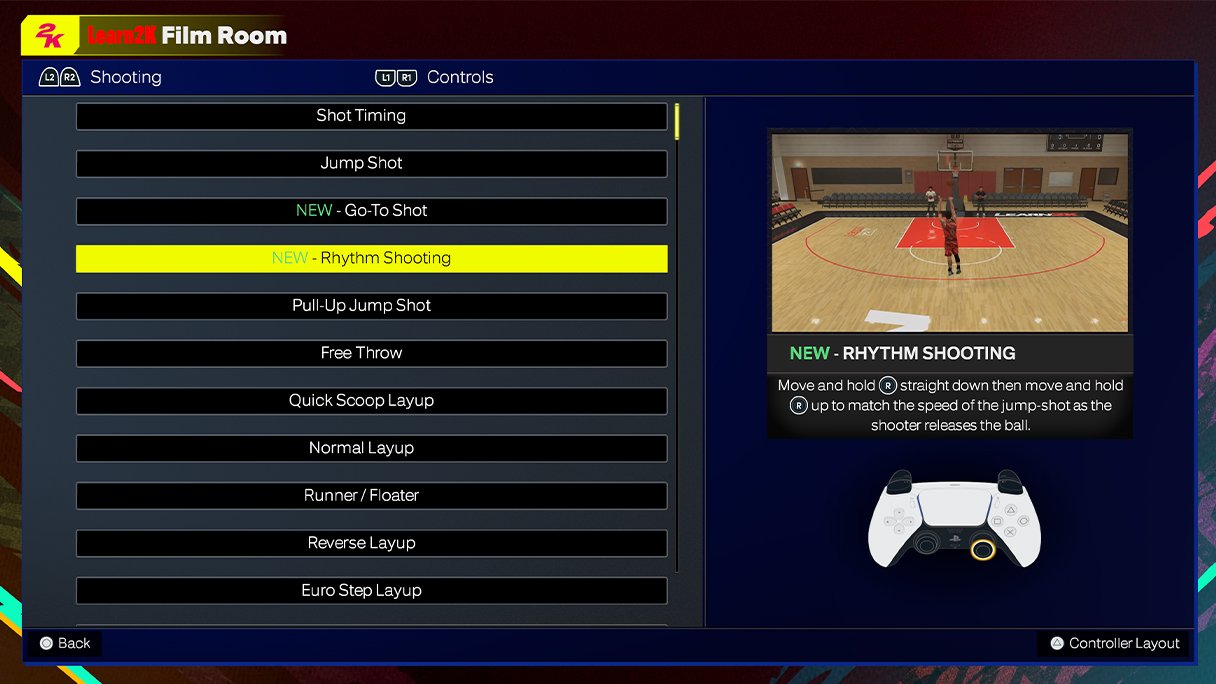
The core of NBA 2K25 offensive controls relies on precise stick movements for dribbling, passing with button combinations, and utilizing shot types with trigger and button input.
Ready to dominate the court in NBA 2K25? The updated gameplay demands a deeper understanding of how to effectively control your offense. You’ll need to learn the ins and outs of how these offensive controls work.
The right moves can mean the difference between a win and loss. This guide will help players understand the basic and some more advanced ways to make the most of NBA 2K25 offensive controls. So, let’s dive in.

NBA 2K25 Offensive Controls: Your Guide to Scoring Domination
Alright, hoop dreams! Ready to take your game in NBA 2K25 to the next level? It all starts with understanding how to control your players on offense. This isn’t just about pressing buttons; it’s about orchestrating plays, creating space, and putting the ball in the basket with style. This guide breaks down everything you need to know about offensive controls in NBA 2K25, from basic movement to advanced techniques. We’ll go deep, so you’ll be putting up big numbers in no time. So, lace up your virtual sneakers and let’s get to work!
Basic Movement: Getting Around the Court
Before you can score, you need to be able to move! NBA 2K25 offers fluid movement options that let you navigate the court like a pro. Here’s a rundown:
The Left Stick: Your Primary Tool
The left stick is your main way to move your player. Push it in any direction to move that way. You’ll notice your player’s speed changes depending on how far you tilt the stick. A slight tilt means a slow jog, while a full tilt means a run. Don’t just keep pressing all the way though, think about your pace on the court – that’s key to setting up your moves.
- Slow Jog: Use this for careful maneuvers, when looking for open teammates or setting up a screen.
- Run: For fast breaks and getting to the basket quickly, run, but don’t do it when you have the ball and no space around you.
Turbo/Sprint Button: Speed Boost
Need to get somewhere in a hurry? Holding down the turbo or sprint button (usually R2 on PlayStation or RT on Xbox) increases your speed. Be careful, though. Running too much can make it harder to control your player and can drain your stamina. Use the speed boost for when you need a burst of speed, or you need to beat a defender to get the ball, or to get to an open spot.
- Use wisely: Don’t just sprint all the time. Save it for the right moment.
- Stamina matters: Keep an eye on your stamina bar. Running out leaves you slow and exposed.
Ball Handling: Dribbling Like a Pro
Great ball handling creates opportunities. In NBA 2K25, different types of dribbles help you keep defenders guessing and get in the right position to score. Let’s break them down.
Basic Dribbling: Keeping Control
Tap the right stick to perform basic dribbles. This keeps the ball secure in your player’s hands. The direction you push the right stick affects where the ball goes. Use these basic dribbles when you’re not looking to do any fancy moves, but to maintain possession.
Crossover Moves: Shifting Direction
A quick flick of the right stick in one direction then immediately in the other lets you perform a crossover, this move can be done in different ways, so you’ll have to practice it. This can make a defender shift, leaving you space to drive or shoot.
- Quick Crossovers: A fast shift of the right stick.
- Hesitation Crossovers: A slower shift that can freeze a defender.
Behind-the-Back Dribble: Creating Space
Flicking the right stick backward behind your player performs a behind-the-back move. This can help create space from a defender quickly.
Spin Moves: Turning and Burning
Rotate the right stick to perform a spin move. This can be very effective for getting past a defender. The key to success for this move is a proper setup, or space, you can’t just spin whenever you want. It takes practice, but once you get it down, it’s a game changer.
Size-Up Dribbles: Getting Ready
Tap the turbo button (or sprint) while moving your player and you’ll perform a size-up dribble. These are quick moves that set you up for other dribble moves or shots. They also help you get your rhythm going. A proper size up move can make defenders move in wrong direction.
Advanced Dribbling: Combining Moves
The real fun starts when you combine different dribble moves together. Practice mixing crossovers, behind-the-backs, and spin moves to become an unpredictable ball handler. With enough practice, you’ll be able to chain together dribble combinations that will keep defenders on their toes. Remember: practice is key.
Passing: Sharing the Ball
Basketball is a team sport. NBA 2K25’s passing controls offer precision and variety.
Basic Pass: Direct to Teammate
Pressing the pass button (usually X on PlayStation or A on Xbox) passes the ball to the teammate closest to the direction of your stick. This is a quick and reliable way to move the ball.
Icon Passing: Choosing Your Target
Pressing the icon pass button (usually L1 on PlayStation or LB on Xbox) makes icons appear over your teammates’ heads. Press the button associated with the icon of the teammate you want to pass to. This way, you can target specific players on the court for more strategic plays.
Bounce Pass: Low and Fast
Holding the low pass modifier (usually L2 on PlayStation or LT on Xbox) and pressing the pass button executes a bounce pass. This pass is harder to intercept and can be useful to go around defenders.
Lob Pass: Over the Top
Holding the lob pass modifier (usually Triangle on PlayStation or Y on Xbox) and pressing the pass button will send a lob pass over the defenders. These are great for alley-oops or passing over defenders to a player near the basket.
Lead Passing: Passing into Space
While using a normal pass (with icon pass) you can hold the stick in the direction you want your player to go to. this helps lead the player to the space you want them to go to. this pass is very helpful to setup a layup or easy basket.
Pass Fake: Fooling the Defense
Pressing the pass button and quickly canceling with another action will fake a pass. This can make a defender jump in the wrong direction, opening up space for a pass or drive.
Shooting: Getting Buckets
Making shots is the goal! NBA 2K25’s shooting controls allow for different types of shots.
Jump Shot: Basic Scoring Move
Press and hold the shoot button (usually Square on PlayStation or X on Xbox), release the shoot button as the shot meter enters the green area. This is your basic shot. You need to master this shot to score reliably. The shot meter will appear, the timing of your release will influence how accurate the shot is, so timing is the key here.
- Shot Meter: Keep an eye on the shot meter for better shooting accuracy.
- Release Time: Every player has a slightly different release timing, so you have to practice with each of your players.
Layup: Driving to the Basket
When you’re close to the basket, pressing the shoot button performs a layup. There are different layup styles, so pay attention to the right stick directions to do different types of layups. Sometimes a normal layup is the most suitable, while sometimes an acrobatic layup is required to dodge the defender. Timing the layup button also matters, the timing can be the difference between a made basket or an airball.
- Right Stick Control: Use the right stick while attempting a layup to do different types of layups.
- Timing: Release the shoot button at the correct time for better layup accuracy.
Dunk: Powerful Finish
Holding the turbo button (or sprint) while driving towards the basket and pressing the shoot button will attempt a dunk. Some players can do amazing dunks and some can’t. This is a quick and high percentage way to score when you’re close to the basket, assuming the defender isn’t on top of you.
- Player Attributes: Not all players can dunk easily; you need good ratings for dunks.
- Timing: Pressing the dunk button when the player is close to the basket is required.
Floater/Tear Drop: Short Range Shot
While driving towards the basket, pressing the shoot button and pulling back on the stick executes a floater or tear drop. This is great for when a defender is trying to block your shot, but you’re still close to the basket. Floaters have a high arc and a soft touch.
Post Moves: Scoring in the Paint
When your player is near the basket, with his back to the basket, this is known as the post. There are many different post moves that you can do, and you use the right stick and shoot button to make different types of post moves. Post moves include fadeaways, post hooks, and many more moves. All the post moves depend on the player rating.
Off-Ball Movement: Getting Open
It’s not always about having the ball. Smart off-ball movement is vital for creating scoring chances for your team.
Setting Screens: Helping Teammates
Hold the screen button (usually B on PlayStation or Circle on Xbox) to set a screen for a teammate. Positioning yourself correctly is key to a good screen. Practice setting screens, so you can help your teammates get open.
- Placement: Set the screen in a way that makes the defender get stuck on your player, this way, your teammate can easily drive or shoot.
- Timing: Set the screen at the right time.
Cutting to the Basket: Getting Open
Release the sprint button while moving to make your player cut to the basket. Cutting creates space for yourself and for teammates to pass the ball to you, it takes practice to get the cutting timing correct, but once you have it, you’ll be able to get many easy layups.
- Timing: Cut at the correct time to receive a good pass.
- Positioning: Put yourself in a position where your teammate can easily pass the ball to you.
Running Plays: Teamwork Makes the Dream Work
NBA 2K25 gives you the option to run predefined plays by accessing the play calling menu (usually pressing left on the d-pad). Using plays will give your team structure, and also help you understand how to make the correct move at the correct time. Practice running different types of plays.
Advanced Controls and Tips
These extra moves can elevate your game even further. They include things like:
- Pump Fakes: Tap the shot button quickly to make a defender jump, then drive or shoot.
- Stepbacks: By moving back on the stick while dribbling, you can make a stepback that creates a bit of space.
- Euro-step Layup: Driving to the basket, moving the right stick left and right will create an euro-step, which is very effective for scoring
- Off-ball Screens: Setting screens when you don’t have the ball, which also helps open up your teammates.
Practice Makes Perfect
All these controls and moves can feel like a lot to learn at first. Don’t worry! The key is practice. Head into the training mode and experiment with different moves, so you get a good feel for how they work. Practice will make these controls automatic to you, and you will play much more better.
23 Tips And Tricks You NEED To Know In NBA 2K25!
Final Thoughts
In short, NBA 2K25 offensive controls offer players diverse ways to attack. You can use dribbling moves for space creation and execute precise passes. Shot types are plentiful, ensuring various scoring options.
These controls allow for a personalized and strategic offensive game. A deep understanding of these moves is important for gaining an edge. The NBA 2K25 offensive controls are the key to success.

