
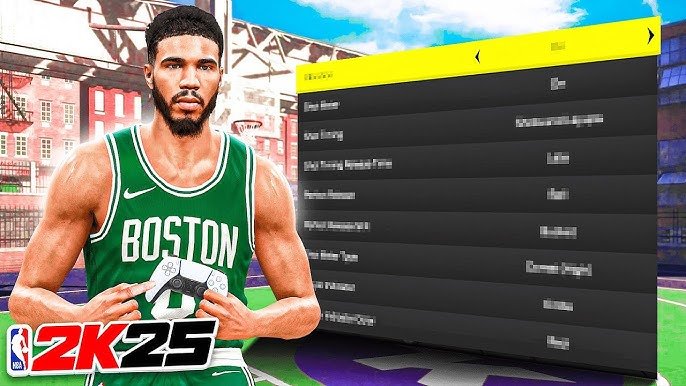
Players can personalize their NBA 2K25 profile by accessing the customization menu, where they can modify elements such as name, jersey number, and appearance details.
Tired of the same old generic avatar in NBA 2K? This guide dives straight into the core of personalization. This NBA 2K25 profile customization guide will help you shape your digital baller exactly how you envision them. Learn how to tweak every aspect, from basic details to distinctive accessories.
We will walk through the steps to ensure your online presence is as unique as your gameplay. Get ready to show off your style!

NBA 2K25 Profile Customization Guide
Alright, gamers! Let’s dive deep into the exciting world of NBA 2K25 profile customization. This year, 2K has given us even more cool tools to make our in-game selves truly unique. Whether you’re aiming for a spitting image of yourself or a wild and wacky creation, this guide is your go-to resource. We’ll go step-by-step, covering everything from the basics to the more intricate details. Ready to get started? Let’s go!
Creating Your MyPLAYER: The Foundation
Before you can hit the court and dominate, you need to create your MyPLAYER. This is your digital avatar, your basketball superstar in the making! This isn’t just about slapping on a face and calling it a day. It’s about crafting a character that feels like you, or someone completely different, if that’s your jam.
Initial Setup: Position, Height, and Weight
The first choices you make are super important. You’ll pick your player’s position (point guard, shooting guard, small forward, power forward, or center). Each position comes with its own set of skills and playstyles. Think about how you like to play basketball: do you prefer to dribble and score, or do you like to play the defensive roles? Also important are height and weight.
Height: Taller players have an advantage with rebounds and blocks, while shorter players might be quicker.
Weight: Weight can affect speed and strength. A heavier player will be harder to push around, while a lighter player will be faster on their feet.
These choices are really the building blocks for your entire character. Choose wisely!
Choosing Your Body Type and Appearance
After setting the foundations, you can start making your MyPLAYER look the way you want. This part is super fun!
Face Sculpting: You can change everything from the shape of your eyes and nose to the size of your jawline. The game has very detailed tools. You could spend hours just playing with facial features! This year, the sculpting is more in-depth, letting you go truly custom.
Skin Tone: Select from a full range of skin tones.
Hair: Go wild with hairstyles! From braids to fades, short to long, the options are amazing. You can also pick hair color.
Facial Hair: Add a beard, mustache, or goatee. Choose the style and length that fits your look.
Eyes: Change the color and shape of your eyes.
Other Details: You can also add details like freckles, scars, and even makeup to make your character stand out.
Remember, this is your player! Have fun with it and create someone that you enjoy.
MyPLAYER Builder: Defining Your Skills
Okay, you’ve made your player look awesome, now it’s time to make them play awesome too. The MyPLAYER Builder section lets you shape your character’s skills and abilities.
Choosing Your Skill Breakdown
This year, there are more options for how you want your player’s attributes to be allocated. You’ll have a certain number of points to allocate to different areas. The skill areas include:
Finishing: How well you can score close to the basket. Includes layups, dunks, and post moves.
Shooting: How well you can hit shots from midrange and three-point range. Includes your shooting form and consistency.
Playmaking: How well you can handle the ball, pass, and create scoring chances for yourself and your teammates.
Defense/Rebounding: How well you can stop the other team from scoring and grab rebounds. Includes lateral quickness, block ability, and steal ability.
Physicals: This area will affect your speed, acceleration, strength, and stamina.
The way you spread your attribute points will decide what kind of player you end up creating. There are templates to get you started or you can go full custom!
Badges: The Special Sauce
Badges are special abilities your player can use to do better on the court. They are separated into different categories, matching your skill areas (Finishing, Shooting, Playmaking, Defense/Rebounding, and Physicals).
How Badges Work: You earn badge points by playing games and performing actions that align with the badge category. Once you have enough points, you can buy a badge.
Badge Levels: Badges come in bronze, silver, gold, and sometimes Hall of Fame levels. The higher the level, the bigger the benefit.
Choosing Badges: You need to pick badges that match how you play. A shooter might choose badges to improve their three-point shot, while a defender might choose badges to increase their steals or blocks.
Badges add another layer to customization, allowing you to truly make your player one of a kind.
Customization Beyond the Court: Clothing and Accessories
Your character’s look doesn’t stop at their physical features. You also get to customize what they wear both on and off the court.
Clothing: Style and Swag
There’s a HUGE selection of clothing options. From basketball jerseys to street wear, you can dress your player in the latest fashion.
Jerseys: Represent your team or sport a stylish vintage look.
Shirts: Choose from t-shirts, hoodies, jackets, and more.
Pants: Pick from jeans, shorts, sweatpants, and other styles.
Shoes: There are countless brands and models of basketball shoes. You can buy the shoes you like and collect them.
Hats and Accessories: Add hats, headbands, sunglasses, and other accessories to complete your outfit.
Animations: How You Move
Your player’s style isn’t just about how they look. It’s also about how they move on the court!
Dunk Styles: Choose how you finish at the rim. There are so many slam dunk styles you can choose from.
Dribble Moves: Select from different dribble animations that match your playstyle.
Jump Shots: Pick the way your player shoots the ball.
Celebrations: You can pick what your player does after they make a basket.
Animations really help to individualize your player, making them feel more real.
MyTEAM Customization: Creating Your Dream Team
Beyond your MyPLAYER, NBA 2K25 has more to offer in the MyTEAM mode. Here, you can build your dream basketball team by collecting cards of famous NBA players from different eras. You can customize them too, though the personalization is a bit different.
Customizing Your Team Logo, Jerseys, and Arena
Team Logo: You can create your own custom logo or choose from a pre-made selection. There are many tools to get the logo just right.
Jerseys: Design your team’s jerseys with different colors, patterns, and fonts. Make your team stand out on the court with your unique taste.
Arena: Customize the design of your team’s home arena, from the color of the court to the style of the baskets.
These options allow you to create your own unique basketball franchise.
Card Customization: Enhancing Your Players
Applying Badges: Just like in MyPLAYER, you can add badges to your MyTEAM player cards. This will make your team more powerful and help them perform better in games.
Shoe Boosts: You can equip players with shoes that increase their attributes. This can give players the extra edge that they need in important games.
Evolution Cards: Some player cards can evolve, and you can customize which stats improve during the evolution process. It allows for an extra layer of customization to create your perfect team.
In MyTEAM, the customization revolves around building a great basketball franchise.
Advanced Customization Tips
Want to make your profile even more unique? Here are some advanced tips.
Using the Community Creations
You can download and use creations made by other players. This can be useful if you’re not feeling too creative yourself.
Sharing Your Creations: You can also share your own creations with the community, letting other players use your unique designs.
Exploring New Ideas: Community creations can help you find new ideas to use in your own customizations.
Taking Your Time
Don’t rush the customization process. Spend some time playing around with the different options to find the perfect look and style.
Experimentation is Key: Try out different combinations of features, clothing, and skills. You might surprise yourself.
Save Your Progress: Make sure you save your progress often, so you don’t lose any of your hard work!
Following Tutorials
There are tons of tutorials online that can teach you advanced customization techniques.
Online Guides: Watch videos and read guides to get step-by-step instructions.
Community Forums: Join forums to ask questions and get tips from other players.
Staying Updated
The developers will often add new customization options to the game.
Patches and Updates: Stay on top of the updates to see new items and features that are added.
Social Media: Follow the game’s official social media accounts to stay up to date.
By following these tips, you can take your customization to the next level and create a truly amazing profile.
In the world of NBA 2K25, your profile is more than just a name and face. It’s your identity, your creation, and your statement on the court. Don’t be afraid to experiment, play around with different styles, and make a character that is all you. With the amount of options in the game, the opportunities are endless. Have fun with it, and make the game your own.
5 SECRET Settings That You NEED To Use In NBA 2K25
Final Thoughts
Fine-tuning your appearance and skills in NBA 2K25 is key for a personalized experience. This guide provides a clear path to create your ideal player profile. Remember, experimenting with various options is essential.
The NBA 2K25 profile customization guide helps you shape your journey. Adjusting attributes to match your play style makes a huge difference. Exploring all customization tools offers many possibilities.
Ultimately, careful planning and adjustment will make your MyPLAYER distinct. Using this guide, you can create a standout presence in the game.

