
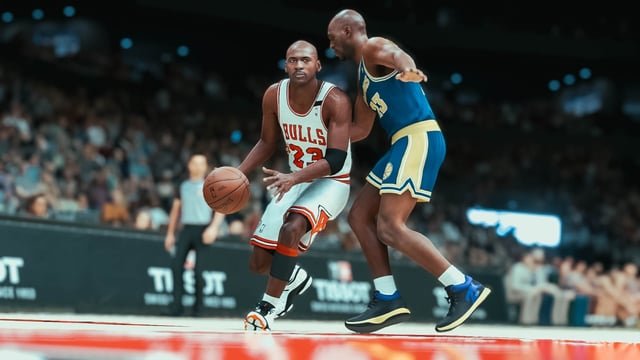
Sharing NBA 2K25 replays currently requires using the console’s built-in recording and sharing features, as the game does not have an in-game specific sharing option.
Remember that incredible dunk you just pulled off? Or that clutch buzzer-beater? We all crave the ability to easily show off our best NBA 2K25 moments. The question of NBA 2K25 replay sharing is something many players are wondering about.
Unfortunately, the game doesn’t have a direct sharing option. It means you will need to use your platform’s features, such as PlayStation or Xbox capture and sharing functions. This might involve a few extra steps but enables you to still get those highlights out to your friends.

NBA 2K25 Replay Sharing: Relive Your Greatest Moments
Remember that amazing game you played? The one where you hit a buzzer-beater three-pointer, or pulled off an incredible dunk that made everyone jump out of their seats? Wouldn’t it be awesome to share that with your friends, or even the whole world? That’s where replay sharing in NBA 2K25 comes in! This awesome feature lets you capture and show off your best plays, making the game even more fun. Let’s dive deep into all the ways you can use replay sharing in NBA 2K25.
Why Share Your Replays?
Sharing replays is more than just showing off – it’s about connecting with other players and celebrating the cool moments that happen in the game. Here’s why it’s such a big deal:
- Show off Your Skills: Did you just pull off an amazing crossover dribble, or make a clutch defensive stop? Replay sharing lets everyone see your gaming genius.
- Relive the Action: Sometimes, you just need to watch that game-winning shot again! Replays let you enjoy your triumphs over and over.
- Learn from Others: By watching other players’ replays, you can see new strategies, pick up new moves, and become a better player yourself.
- Create a Community: Sharing replays creates a sense of community, letting players connect over shared experiences. It’s fun to watch and comment on each other’s amazing plays.
- Get Feedback: Share your replays to get advice on how to improve. Other players might spot something you missed and give you tips to level up your game.
How to Record Replays in NBA 2K25
Recording your highlights is super easy. The game is always watching and saving recent gameplay, so you don’t have to remember to press record all the time. Here’s how it generally works:
- Play the Game: Just play your game like you normally would. Don’t worry about pressing any buttons to record, the game is automatically recording in the background.
- Find the Replay: After an exciting play, look for the option to “view replay” or “save replay.” It usually pops up on screen right after the play. This might appear as an icon or text prompt depending on the mode you’re playing in.
- Save It: Choose to save the replay. The game might let you pick a specific point to start and end the replay, ensuring you capture the best part.
Understanding Different Replay Options
NBA 2K25 typically provides various tools and options for editing and viewing your replay. These are here to make your highlights better, and they allow you to share your plays in the best possible way.
Camera Angles
You can change camera angles to see plays from different views. Here are some common choices:
- Broadcast View: The classic, television-style view you normally watch during a game.
- Player View: Get up close and personal with your player. See the action right from their perspective.
- Free Camera: Move the camera around and choose your own perfect spot to watch the replay from. This allows for really creative angles.
- Slow Motion: Watch each detail frame by frame, by slowing the playback down. This can add impact or help to analyze plays closely.
Editing Features
Some of the editing features available might be :
- Start and End Points: Cut the replay to only include the best bits. Remove any unnecessary sections before or after the big moment.
- Highlight Tools: Use these tools to point out specific actions. Some games may let you draw on the replay, or add arrows to show key moves.
- Zoom: Zoom in on specific parts of the action, for example, the ball during the final seconds of a close match.
Sharing Your Replays with the World
Okay, you have a killer replay saved. Now, how do you get it out there? Here are some of the ways NBA 2K25 typically lets you share your amazing moments:
In-Game Sharing
Many times, you can share directly through the game’s social feed. This allows your friends and other players to see your plays.
- Sharing to 2K Social: NBA 2K games usually have their own in-game social area where you can share your clips.
- Sharing with Friends: You can also send replays directly to your friends within the game.
Sharing to Social Media
Sometimes, you can even share your clips outside of the game, through your favorite social media platforms.
- Connecting Accounts: You might need to link your gaming account to your social media accounts like YouTube, Twitter, or Facebook.
- Uploading Directly: Once linked, you can upload the replay right from the game.
Tips for Creating Shareable Replays
Want your replays to get lots of likes and views? Here’s how to make them stand out:
- Focus on the Action: Make sure the key part of the play is clear. Edit out any unnecessary parts before or after.
- Choose the Best Angle: Find an angle that makes the action look as cool as possible. Use free cam for unique perspective.
- Use Slow Motion Wisely: Slow motion can look really good, but don’t overdo it. Use it to highlight special moments.
- Add Commentary: If you are using a social media platform to share your replays, consider adding your own audio commentary to explain your thoughts during the play.
- Keep It Short: Most people prefer short and sweet replays, rather than lengthy videos. Stick to showing off the most important parts.
- Add some Music: Sometimes you can add a cool background music to make it more engaging.
Troubleshooting Replay Sharing Issues
Sometimes, things don’t go as planned. Here are a few common problems you might encounter and how to fix them:
Replays Not Saving
If your replay doesn’t save, it could be because:
- Storage Space: Make sure you have enough storage space on your console or PC. If your storage is full, the replay might not save.
- Game Errors: Sometimes, glitches can prevent saving. Try restarting the game or checking for updates.
Replays Won’t Share
If you can’t share your replay, check these:
- Internet Connection: You need a stable internet connection to share your clips online. Check your network.
- Account Permissions: Make sure your game and social media accounts are correctly connected. Review your privacy settings.
- Game Server Issues: If the NBA 2K servers are having problems, it might affect sharing. Check the official game status pages to see if this is the case.
Making the Most of NBA 2K25 Replay Sharing
Replay sharing is a great feature in NBA 2K25. It makes the game more enjoyable and helps you to connect with the other players. It allows you to show off your amazing plays. Also, you can learn by watching other players’ gameplays. So, start saving and sharing your replays today and show what you have got!
Advanced Techniques and Tips
Let’s go beyond the basics and look at some advanced ways to use replay sharing:
Creating Montages
If you’re really into making awesome content, think about putting together a montage of your best clips. You can compile your most exciting plays into a single video. Here is how you can approach:
- Pick a Theme: Choose a specific type of play to highlight (dunks, three-pointers, steals) to keep the montage focused.
- Use Music: Adding music can make your montage much more engaging. Choose a song that fits the mood of the clips.
- Add Text or Effects: Text overlays or simple visual effects can make the montage look more polished.
Analyzing Your Gameplay
Replays are not just for showing off. You can use them to improve your game by:
- Identifying Mistakes: By watching your replays, you can see where you made mistakes and learn from them for the next match.
- Analyzing Opponents: Watch how your opponents play to understand their strategies. This will help you create countermeasures.
- Learning New Moves: Watch replays of skilled players to see how they move and pick up some of their tricks.
Community Challenges
Participate in online challenges based on replays. For example:
- “Best Dunk” Contests: Challenge your friends to a best dunk replay competition.
- “Clutch Play” Challenges: See who can save a replay of the most clutch play.
- “Creative Replay” Awards: Try to make a creative replay by playing with the camera angles and editing tools.
The Future of Replay Sharing
Replay sharing is likely to keep getting better in future NBA 2K games. We might see new features like:
- Improved Editing Tools: More advanced tools for making your replays look even better.
- Live Sharing: The ability to share replays live as they happen.
- More Integration: Easier ways to share directly to different platforms.
- AI-Powered Highlights: AI could automatically find your best plays and make replays for you, saving you a lot of time.
These improvements will make it even more fun to share your amazing moments and connect with the NBA 2K community.
A Few Things to Keep in Mind
Before you start sharing replays, here are a few things to remember:
- Be Respectful: Share your own clips and give credit to others for the gameplay that isn’t yours.
- Copyright: Be aware of copyright rules when you use the music or other copyrighted material in your clips.
- Stay Patient: Sometimes, sharing can take time. So, be patient if things take a bit longer to load or share.
By following these tips, you can have fun sharing your best moments and become a valuable part of the NBA 2K community.
NBA 2K25 Gameplay News: On Ball Steal 2K25 Update Animations #nba2k25 #2k25
Final Thoughts
Ultimately, convenient NBA 2K25 replay sharing will enhance community engagement. Players can easily show off incredible plays and epic wins with friends. This feature will create a more social and connected gaming experience.
Sharing replays will also allow players to learn from each other and improve their skills. The community will benefit from the collective gameplay insights. NBA 2K25 replay sharing is an important step in building a stronger community.

