
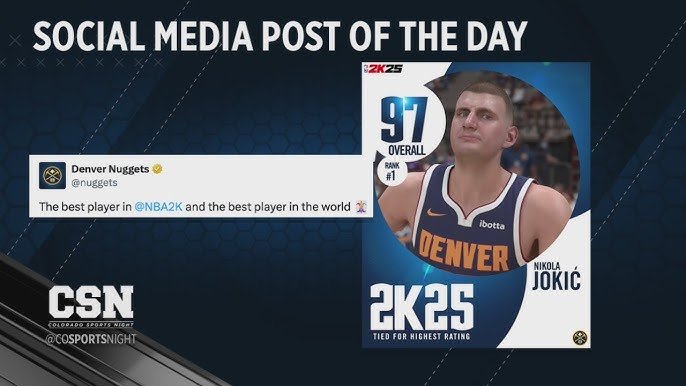
NBA 2K25 social sharing allows players to post in-game highlights and achievements directly to various social media platforms.
Have you ever hit a game-winning shot and wished you could share the replay instantly? NBA 2K25 social sharing makes it easy for you to show off your amazing plays. The game integrates directly with popular platforms so you can share with your friends.
This means you can quickly post your dunks, blocks, and buzzer-beaters. It enhances the community experience. Get ready to show your skills to the world with ease.

NBA 2K25 Social Sharing: Show Off Your Skills
Get ready, hoops fans! NBA 2K25 isn’t just about playing amazing basketball; it’s also about showing the world what you can do. Social sharing features in the game let you take your best moments and share them with friends, family, and the entire online community. This means those clutch shots, amazing dunks, and incredible team plays don’t have to stay hidden on your console or PC. Let’s dive into all the exciting ways you can share your NBA 2K25 experience.
Capturing the Perfect Moment
Before you can share your awesome gameplay, you need to capture it! NBA 2K25 provides multiple ways to record your in-game action. Understanding these methods ensures you never miss that highlight-reel play.
In-Game Recording Tools
The game itself has built-in recording features. This is usually the easiest way to grab a quick clip of something cool that just happened. You can typically set up recording in your settings, assigning a button to start and stop a recording. These tools also allow you to save replay footage.
- Instant Replay: After a particularly awesome play, you might see an icon to save an instant replay. This is usually a brief clip of just that play, ready to go.
- Clip Recording: Start the game’s recording tool before a match starts (or anytime) and capture longer segments of gameplay.
Console and PC Recording Options
Both consoles and PCs come with their own ways to capture gameplay. These can often offer more flexibility, so you might want to use them for longer clips, or when recording multiple games.
Console Recording
PlayStation and Xbox consoles have built-in screen recording features.
- PlayStation: Press the “Share” button to open the share menu. From there, you can record recent gameplay, take screenshots, or start a new recording.
- Xbox: Press the “Xbox” button to open the guide, then find the “Capture & share” option. You can choose from a variety of recording options here as well.
PC Recording
If you play NBA 2K25 on PC, you have many recording options:
- Game Bar (Windows): Use the Windows Game Bar (Win+G) to record your gameplay with a few simple keystrokes.
- Third-Party Software: Programs like OBS Studio, NVIDIA GeForce Experience (Shadowplay), or AMD ReLive offer many features for screen recording and streaming with great customization options and better quality recording.
Sharing to Social Media Platforms
Now that you have your killer clips, it’s time to share them with the world! NBA 2K25 lets you share your content on many popular social media sites.
Direct Sharing Options
The easiest way to share videos is to use the game’s direct sharing options. This lets you upload video to social media sites instantly with little or no effort
Some social media platforms where you might be able to directly share videos:
- Twitter/X: Share quick clips of your gameplays.
- Facebook: Connect with friends and family.
- YouTube: If you have very good and high quality clip, this platform is suitable for you.
Sharing Manually
If you have more advanced sharing needs, or the game doesn’t directly support your chosen platform, you can also share manually. This usually involves saving your clips to the console, PC, or a USB device and then manually uploading them to the social media site of your choice.
This option provides greater control over video quality, edits, and where you can post.
Here’s how to do that generally:
- Save the video or screenshot from your console/PC storage.
- Transfer it to a device, if necessary, where you access social media.
- Log in to your social media account and upload the video or image.
What to Share: Content Ideas
You have the tools now; let’s talk about what’s worth sharing. The best NBA 2K25 content is entertaining and engaging. Here are some ideas to get you started:
Highlight-Reel Plays
These are the bread and butter of social sharing for sports games. Everyone loves a good highlight reel. It usually includes dunks, blocks, steals and incredible buzzer-beaters. Share those plays that make your heart race.
- Dunks: Show off powerful slams and fancy moves.
- 3-Pointers: Demonstrate your long-range accuracy.
- Clutch Shots: Highlight those game-winning baskets.
Funny Moments
Games can be funny, too. Glitches, odd animations, or unexpected situations can make for great social media content.
- Gameplay Bugs: When something goes hilariously wrong.
- Ragdoll Physics: Funny moments with player collisions.
- Unexpected Events: Out-of-the-ordinary occurrences in the game.
Creative Content
Think outside the box! Use the tools to create content beyond just gameplay clips. These are always interesting and attract many viewers.
- Montages: Mix together a number of best plays to make a highlight reel.
- Tutorials: Share tips for players.
- Challenges: Set challenges for other players in your video.
Team Play & MyCAREER
Social sharing isn’t just about individual achievements. Showcase teamwork and your MyCAREER journey.
- Team Highlights: Showcase great passes, assists, and team defense.
- MyCAREER Progression: Show off your player’s progress and development in your career.
Tips for Sharing Success
Sharing your gameplay is fun but getting views and engagement is better! Here are some tips for making your content shine:
Video Quality Matters
Nobody wants to watch a blurry, low-resolution video. Make sure that your video quality is as best as possible. Always choose best settings.
- Resolution: Aim for at least 720p or 1080p when recording.
- Frame Rate: A high frame rate (60fps) helps make gameplay smooth and more enjoyable to watch.
Editing Your Videos
A little bit of editing can make a big difference in how your videos perform.
- Trimming: Cut out unnecessary parts of your videos.
- Music: Add background music to create mood. Be careful about copyright rules with music you use in videos.
- Text Overlays: Adding text for commentary can make a video more interesting.
Using Hashtags and Tags
When posting on social media, use relevant hashtags and tags to help people find your content.
- Platform Hashtags: Use hashtags like #NBA2K25, #NBA2KHighlights, #Gaming, #Basketball.
- Tag Friends: Tag your friends or fellow gamers to increase views.
- Relevant Tags: Tag specific players or teams featured in your clips.
Engage With Your Audience
Don’t just post and forget about it. Engage with viewers by responding to comments and questions.
- Answer Questions: Respond to questions from other viewers.
- Participate in Discussions: Be part of conversation, and encourage discussions.
Privacy and Content Settings
Before you start sharing everything, remember to be mindful of privacy and content settings. You need to be very careful while sharing content, otherwise it can have adverse effects.
Controlling Your Shared Content
NBA 2K25 has settings that let you decide who can see your shared content. Be sure to familiarize yourself with these settings.
- Privacy Settings: Choose who sees your posts on each platform (e.g., friends only, public).
- Account Settings: Check your account settings for any relevant privacy options.
Being Mindful of Copyright
Be careful of sharing content that you don’t have the rights to, including music and certain logos. It is very important that you follow the terms of services.
- Copyrighted Music: Avoid using copyrighted music in your videos.
- Fair Use: Be aware of fair use rules when using copyrighted content.
The Community Aspect of Sharing
Sharing isn’t just about showing off. It helps to connect people and grow the 2K gaming community.
Connecting With Other Players
Sharing content creates a bridge to interact with other players.
- Sharing Tips: You can share tips and tricks which can help others.
- Community Building: Sharing good contents promotes community.
Expanding the NBA 2K Experience
Social sharing helps make NBA 2K25 a more complete game experience. It is more than just a game, it is a whole community.
- Discover New Content: You can find new, different, and interesting contents every day.
- Inspire Others: Your content can be the reason for other people to make an amazing video.
In the end, social sharing in NBA 2K25 is all about having fun and showing off your skills. From amazing dunks to hilarious glitches, the game provides many moments worth sharing. By understanding the recording tools, various platforms, and sharing best practices, you can become a social sharing star. So get out there, hit the court, and start making some memories worth sharing!
FASTEST REP METHOD ON NBA 2k25!! #nba2k #nba2k25 #fyp #trending #garcell
Final Thoughts
In short, NBA 2K25 social sharing will enhance player connections. Gamers will find it easier to share highlight reels and custom content directly. Expect an integrated experience for posting to various platforms.
This new functionality aims to encourage community engagement. It allows for simple sharing of game achievements and created players. NBA 2K25 social sharing will be crucial for online interaction.

