
The changes to team rosters in NBA 2K25 often reflect real-world trades, free agency signings, and player retirements, impacting gameplay and team dynamics.
The annual cycle of basketball gaming brings with it a fresh wave of roster shifts and it’s natural to wonder about the specifics. Why did certain players move? How does this impact your favorite teams? These are valid questions and we will be diving into the NBA 2K25 team change explanations.
Knowing the rationale behind these changes provides insight into both the virtual and real-world basketball landscape. Expect to see updated team strengths and weaknesses because of these moves. It is always fun to explore these modifications and adjust your strategy accordingly.

NBA 2K25 Team Change Explanations
Alright, hoops fans! So you’re pumped about NBA 2K25, and you’re probably wondering, “How do I switch teams?” Maybe you’re tired of playing for the same old squad, or perhaps you want to try your luck with a brand new group of players. Well, you’ve come to the right place! Changing teams in NBA 2K25 is actually pretty straightforward once you know the basics. This article is your guide to understanding all the different ways you can shake things up and play for a new team in the game. We’ll explore all the modes where team changes are possible and talk about exactly what you need to do in each one.
MyCAREER Team Changes
MyCAREER is where most of us spend a big chunk of our time in NBA 2K. It’s all about building your player from the ground up, becoming a superstar, and making a name for yourself. Team changes are a key part of this mode, and there are a few different ways they can happen.
The Rookie Year Shuffle
At the start of MyCAREER, after you’ve gone through the draft combine and the NBA Draft itself, you’re on the team that picked you. That’s your starting point. At the end of your rookie year, your contract is up. Now is when you have your first real chance at switching teams. You can choose to re-sign with your original team, or you can go explore other options. This is a significant moment, as it is the first opportunity to truly shape the destiny of your player by making a pivotal team decision. It can often be determined on how your rookie year went, the team you are on, the city you like, or even the coaches and staff. Here’s how the process usually works:
- Team Offers: At the end of the season, different NBA teams will offer you contracts. These offers depend on a lot of stuff, like your player’s performance, their stats, and the team’s needs.
- Negotiation Time: You’ll be able to look at the contract offers and see things like how much money the team is offering, and if the team is a good fit for your playing style.
- Decision Time: Once you have seen all your options, it’s up to you where to sign. You can choose to return to your original team or move to another.
The Trade Request Option
Once you’re past your rookie year and locked into a contract, you’re not stuck there forever. If you get tired of your team, you can request a trade. Here is how it works:
- Play Well: To have a higher chance at getting traded, your player has to play well. Teams often don’t want to acquire a player who doesn’t perform.
- Unhappy Player: If you want to get traded, you will have to publicly show your discontent. Once your player has shown the desire to leave, it will be brought to the attention of the team’s management.
- Trade Offers: If you show the team you want to leave, you will start getting different offers from various teams that want to trade for your player.
- Picking a New Team: You have the choice on what team you want to go to, depending on who has offered to trade for your player.
Remember that requesting a trade isn’t guaranteed, especially if your player isn’t playing well or if other teams don’t have a need for a player with your skills. Teams are looking to build a competitive squad so they will be picky on who they bring to their organization. It is also possible that the team that wants you, might be at a place you don’t want to go, you can turn it down, but the more you do, the more it will impact future trades.
MyLEAGUE Team Changes
MyLEAGUE is the sandbox mode where you can control pretty much everything about the NBA. From moving teams to different cities to drafting players in the off-season, this is where the possibilities are endless. It is the ultimate control mode and is not directly tied to only one single player. Let’s dive into the team change options in MyLEAGUE.
Relocation and Rebranding
MyLEAGUE lets you completely relocate a team to a new city and change the branding. This is a fun way to remake the entire look and feel of a franchise.
- Pick Your City: You have a large number of different cities to choose from to relocate to. You can look at available cities and decide which city would be a good fit for your team. You are not limited to a city already in the US, you can also pick an international city.
- Brand New Look: You can pick a new team name, design new uniforms, and even create a new logo.
- Start Fresh: Changing the city also changes the dynamic for a team, as they now start in a new place, with a new fanbase.
The ability to relocate is not something that can be done without a lot of planning, however, this ability helps the mode become more personalized for the player and provides hours of entertainment.
Fantasy Drafts
The fantasy draft is something that happens in the offseason of the game mode. With this you can completely redo your roster.
- New Roster: You start with the same roster you had from the previous year. Once you choose the fantasy draft option, the whole roster is cleared and every player becomes available for pick.
- Draft Pick: You will now go to the first round of the draft, where you will pick the first of many players that will be joining your team.
- Customized Team: With the draft, you are in control of who joins your team, which lets you construct a squad that fits your playing style.
Fantasy drafts are a great way to totally shake up the league and start over with a brand-new team composition. They also provide a challenge for the user, to see how well they can construct a team through picking the best players. Whether it is to rebuild or to add the final pieces for a championship contender, the fantasy draft mode provides endless hours of entertainment.
Trading Players
Trading is another great way to change your team composition. You can trade one player for another, or you can package players together for a bigger trade. Here’s how trading works in MyLEAGUE.
- Explore Trades: From the team management section, you can explore different trade options. You can look at which player the other teams have available and which players you might want to give up to acquire them.
- Trade Talks: You can try and get deals done with other teams by offering different trades. You can trade single players or package multiple players to get a star player.
- Build Your Roster: By trading players, you can build the type of roster that fits your playstyle and helps you with getting that championship.
Trading is a very exciting aspect of the MyLEAGUE mode because it lets you completely change the course of your team with just a few keystrokes. You can change the future of your team by making the right trades.
MyTEAM Team Changes
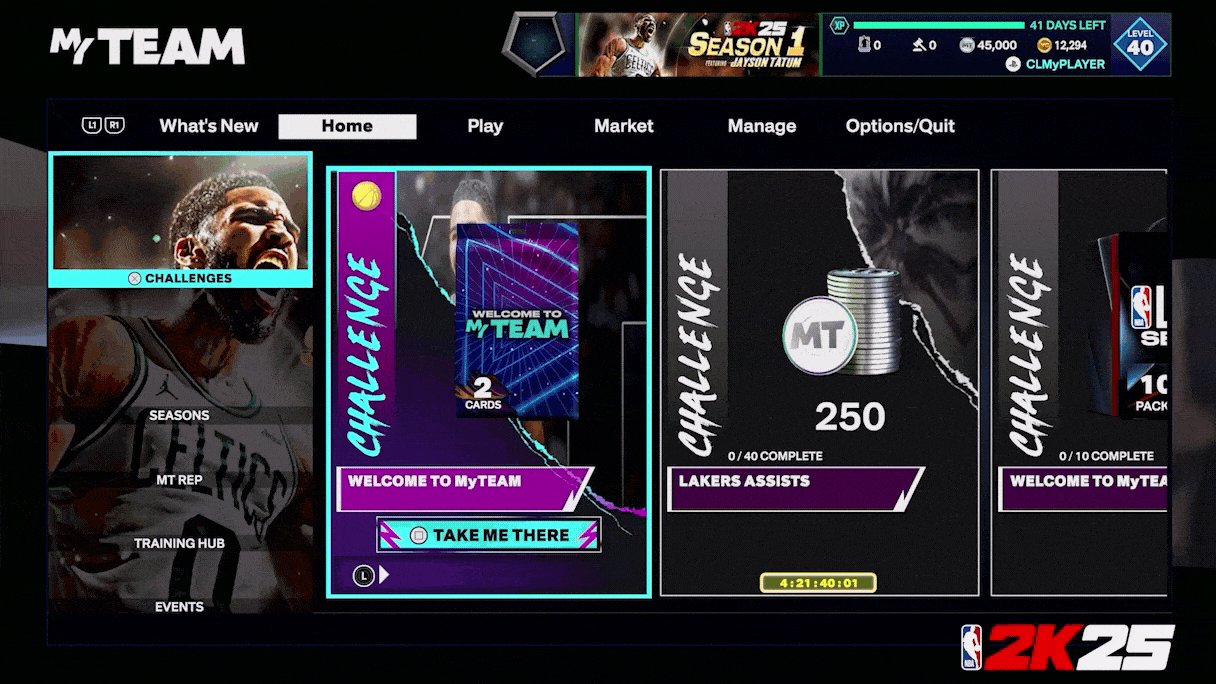
MyTEAM is a card-collecting mode, where you build your dream team by getting different player cards. Unlike MyCAREER or MyLEAGUE, where you control the whole team, in MyTEAM you focus on collecting player cards. Let’s see how team changes work in this mode.
Lineup Construction
In MyTEAM, you aren’t really switching teams like you would in MyCAREER or MyLEAGUE. Instead, you are creating and changing your starting five. This is how it works:
- Acquire Player Cards: You get player cards from packs, auctions, and by completing challenges. These cards represent different players with different skills.
- Build Your Lineup: You’ll put different cards into your lineup to create a squad that fits your style of play. Some cards might have good shooting, while others are better at defense, so building a well-balanced lineup will be key.
- Swap Players: You can change your lineup at any time. You can swap in cards you’ve acquired or take out those that aren’t playing very well.
It is not exactly team changing, but it is player switching, which is the main thing that you do within MyTEAM. You are able to craft your team and change players any time that you want with the cards that you acquire. Because the mode is based on acquiring cards, the player movement is focused on the player cards. This makes it an exciting mode for collecting cards and building your dream team.
Evolution Cards
Evolution cards are a specific type of card in MyTEAM. They start with lower ratings and can get better as you meet certain requirements. Think of it as leveling up your players. Here’s how they change and affect your team.
- Level Up System: By completing certain challenges with an Evolution Card, the player gets better and better. This makes them a very valuable asset in any team composition.
- Improved Stats: As the card evolves, their stats will improve, making them perform at a higher level on the court.
- Team Changes Through Growth: As your cards improve, they are more valuable to the team. The better they are, the more value they have for your team.
Evolution cards are a fun aspect of team building because they change the dynamic. It is not a roster change as you are not changing players, but changing the way they play.
Quick Play and Play Now Online Team Changes
For those looking for a quicker game without diving into deep career modes or league management, Quick Play and Play Now Online are great options. Team changes in these modes are very straightforward.
Selecting Teams
In both Quick Play and Play Now Online, you choose the team you want to play with before the game starts.
- Pick From the Full List: You can pick any team in the NBA. You are not limited to the team you are following, or a specific team.
- Immediate Switch: Once you choose a team, you can quickly jump into the game. No long process to get into a game.
Changing teams in Quick Play and Play Now Online is a very straightforward process. It allows for gamers to try out different teams without any limitations. This is great for those players who want to learn and play with different teams.
Matchups
In these modes, you can also set up specific matchups of teams to play against each other.
- Choose Your Opponent: You get to pick who your team will play against, allowing you to test out any matchup that you want.
- Test Out Teams: These modes let you try out different strategies with different teams. You can see which team and players play the best for you.
The options within these modes allow for the game to be very easily customized to the player’s wants and needs. It is also a great way to practice your skills with teams that you want to play with in other modes.
In conclusion, team changes in NBA 2K25 are a huge part of the game, whether you’re crafting your career in MyCAREER, managing a team in MyLEAGUE, collecting cards in MyTEAM, or jumping into a quick game. Each mode provides different ways to play with new and different players. Understanding how each of these modes allows changes will help you enjoy the game even more. With the variety of modes, you are sure to have many fun-filled hours in the virtual world of NBA 2K25.
How to ask for a Trade in NBA 2K25 (change my team)
Final Thoughts
In conclusion, team changes in NBA 2K25 stem from player trades, free agency moves, and updated roster adjustments. These shifts reflect real-world NBA occurrences. Consequently, this impacts game dynamics and team ratings.
NBA 2K25 team change explanations primarily consider current player performance. Therefore, some team shifts may be more significant than others. These changes make each season unique, presenting players with fresh strategic challenges.

