
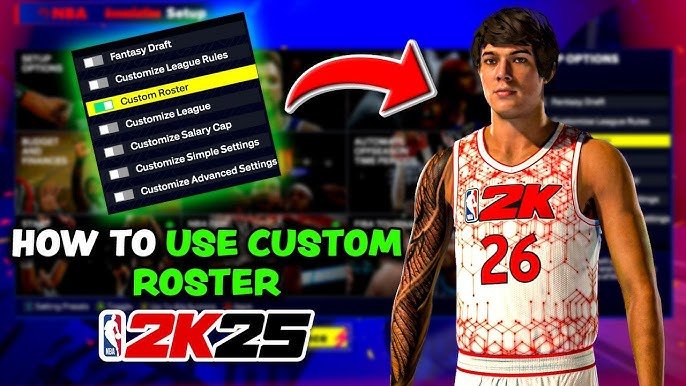
NBA 2K25 user customization options provide players with extensive control over their in-game experience, allowing changes to player appearances, team branding, and even gameplay sliders.
The anticipation builds for the latest NBA 2K title, with many eager to explore the depth of its features. Players always crave personalization, and NBA 2K25 user customization options are set to deliver.
This year, expect enhanced control over how your created players appear on the court. Adjust everything from physical attributes to accessories, making each virtual athlete uniquely yours.
Beyond player looks, NBA 2K25 user customization options extend to team branding, giving you the chance to create unique logos and uniforms.

NBA 2K25 User Customization Options
NBA 2K games have always been about letting you play your way, and NBA 2K25 is taking that to a whole new level with its user customization options. Forget cookie-cutter players and boring arenas; this year, you’re the architect of your virtual basketball world. Let’s dive into the details of all the cool ways you can personalize your game.
MyPLAYER: Creating Your Basketball Star
The heart of the 2K experience is often MyPLAYER, and in NBA 2K25, it’s more detailed than ever. You’re not just picking a few skills; you’re sculpting a unique player from the ground up.
Character Creation
First, let’s talk about your player’s appearance. You’ll have tons of choices:
Facial Features: Adjust everything from the shape of your nose and eyes to the size of your jaw. Want a super serious look or a goofy grin? It’s all up to you!
Hairstyles: Choose from a huge variety of hairstyles, including braids, fades, and everything in between. You can even change the color to match your mood.
Body Type: Are you building a tall, powerful center or a quick, agile guard? Select the physique that best fits your playing style.
Accessories: Don’t forget the details! Add tattoos, jewelry, headbands, and more to give your player some personality.
Attribute Customization
Appearance is just the start. How your player performs on the court is determined by their attributes:
Skill Points: You earn skill points by playing the game. You spend these points to improve your player’s abilities.
Categories: Attributes are broken into categories like Shooting, Playmaking, Defense, and Athleticism.
Building a Balanced Player: You can choose to be a well-rounded player or specialize in certain areas, like being an amazing shooter or a lockdown defender.
Testing Builds: Don’t be afraid to experiment with different attribute combinations to find what works best for you.
Badges
Badges are special abilities that give your player a boost on the court. Think of them as superpowers that help you perform specific actions better.
Tiers: Badges come in different tiers – Bronze, Silver, Gold, and Hall of Fame. Higher tiers provide stronger effects.
Badge Variety: You have a ton of badges to choose from, covering everything from finishing at the rim to defending against the best scorers.
Strategic Choices: Choosing the right badges can have a big impact on how your player performs in the game.
MyTEAM: Building Your Dream Squad
MyTEAM is where you create and manage your own fantasy basketball team. The customization goes beyond just picking players.
Card Customization
Card Art: You can choose the artwork and background for your player cards, letting you add your personal touch.
Evolution Cards: Some player cards evolve with continued use, unlocking new abilities and improving stats.
Custom Logos and Jerseys: Design your team’s logo and jerseys to reflect your style. It’s like having your own real-life NBA franchise.
Lineup Management
Strategic Roster Construction: Decide which players fit best together. Do you want to focus on speed and agility, or on power and height?
Coaching and Playbooks: Choose the coaching style and playbooks that will help your team succeed.
Matchups: Learn your players strengths and weaknesses, and put them in the best position to succeed.
Custom Arenas and Courts
Designing Your Home Court: In MyTEAM, you can create your own unique arena and court. Choose the colors, the floor design, and even the details on the walls.
Home-Court Advantage: Having a court that reflects your style can make your MyTEAM experience that much more personal.
Branding Your Team: The court and arena are another way to show off your team’s identity.
MyNBA: Taking Control of the League
MyNBA lets you manage an entire NBA franchise, offering deep customization options.
League Settings
Rules Customization: Change the rules to match your preferred style of play. You can adjust the length of quarters, the playoff format, and even the draft lottery system.
Roster Management: Control your team’s roster and trades and see how well you can guide your franchise.
Financial Settings: Change the salary cap, luxury tax, and other financial settings to create your own version of the NBA’s money system.
Trade Logic: Modify how trades work to make the game more realistic or challenging.
Progression of Players: Change the progression of young players and how they develop over time, making sure that talented prospects become stars on your team.
Team Relocation and Branding
Move Your Team: If you want, you can move your team to a new city. Pick a new name, logo, and arena.
Complete Rebrand: Give your team an entirely new identity. It’s your chance to create the franchise of your dreams.
Historical Eras
Play in different historical periods: You can start a new MyNBA mode in different eras, like the 1980s, 1990s, and 2000s.
Experience changes in the game: Experience how the game has changed throughout the years. Play through historical periods.
Different rosters and rules: This allows you to play the game with the roster, rule, and style of play of these past eras.
Gameplay Customization
Customization isn’t limited to players and teams; you can also adjust the gameplay to suit your preferences.
Controller Settings
Button Mapping: Remap the buttons on your controller to match your play style.
Sensitivity Settings: Adjust the sensitivity of the analog sticks for more precise control.
Haptic Feedback: Adjust the vibration of your controller for better feedback.
Gameplay Sliders
Difficulty Adjustments: Customize the game’s difficulty to match your skill level.
Realism Settings: Adjust how realistically the game plays, like the speed of the game and shooting percentages.
AI Difficulty: Control how smart the computer-controlled players are. This way the computer wont be too hard or too easy.
Rules and Penalty Settings: Make sure that the game is played fair and by the rules.
Camera Angles
Choose Your Favorite View: There are multiple camera angles to pick from, whether you prefer a broadcast-style camera or one that puts you right in the action.
Experiment with Different Angles: Try different camera views to see what works best for your game.
Personalized Perspective: Select the camera angle that will let you play the best basketball.
The Neighborhood: Express Yourself
The Neighborhood is the online social hub of NBA 2K. It’s where you can show off your player and interact with other players.
Clothing and Gear
Tons of Options: You can choose from a huge selection of clothing, from jerseys to sneakers to hoodies.
Express Yourself: Mix and match different items to create your unique look.
Show Off Your Style: Your clothing says a lot about you and your style.
Animations and Emotes
Unique Animations: You can customize your player’s animations, like their jumpshot, dribbling moves, and celebrations.
Express Your Mood: You can add emotes to express how you are feeling.
Personalized Celebrations: Create unique celebrations to show your style.
Community Interaction
Showing Off: The Neighborhood is a place where you can show off your customized character to other players.
Play with Friends: You can invite friends to play basketball or participate in events together.
Online Socialization: This allows you to be social and create relationships with other online players.
Customization Options: A Summary
To help you remember everything you can customize in NBA 2K25, here’s a quick summary:
| Feature | Customization Options |
|——————-|————————————————————————————————————————————————————————————————————————————-|
| MyPLAYER | Facial features, hairstyles, body type, accessories, skill points, attribute categories, badges |
| MyTEAM | Card art, custom logos and jerseys, arena design, court design |
| MyNBA | League rules, financial settings, player progression, team relocation, historical eras |
| Gameplay | Controller settings, gameplay sliders, camera angles |
| The Neighborhood | Clothing and gear, animations, emotes |
NBA 2K25 really wants you to play the game your way. Whether you’re building your dream team, creating your perfect player, or fine-tuning the gameplay to your liking, the possibilities are endless. This game is all about letting you be in charge. The range of customization options is quite staggering, ensuring that each player’s experience is as personal and engaging as possible. So get ready to explore all these options and make NBA 2K25 your own.
The user customization in NBA 2K25 truly sets a high bar for sports games. It’s not just about playing basketball; it’s about expressing your creativity and personal style. From the smallest details of your player’s appearance to the larger aspects of team management, you’re in complete control. The game offers so many unique ways to shape your experience. With all of these ways to make the game unique to your liking, it truly makes the game more enjoyable for everybody.
5 SECRET Settings That You NEED To Use In NBA 2K25
Final Thoughts
In conclusion, NBA 2K25’s user customization options provide players with a great deal of control. You can tweak almost every visual aspect and many game settings. This depth lets you create your personalized experience.
The game emphasizes building the exact character you want through its tools. The available choices make the game feel your own. So, you should appreciate the wide range of NBA 2K25 user customization options.

