
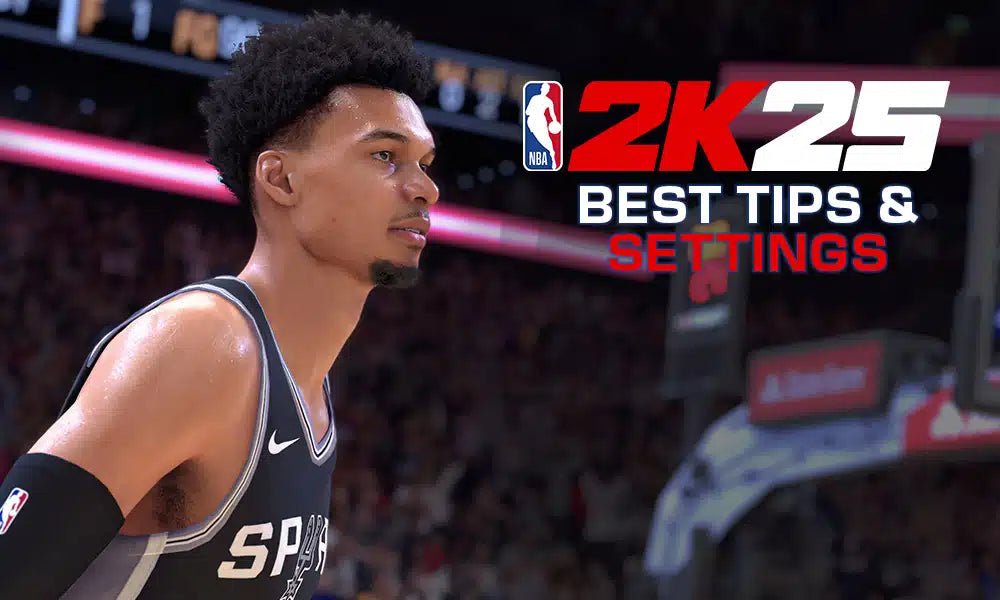
Understanding the NBA 2K25 user experience involves navigating the game’s menus, customizing gameplay options, and learning the various modes to enhance your playing sessions.
Ready to get the most out of your game? This NBA 2K25 user experience guide will provide a pathway for players to have a better time. It explains key aspects of the game so you spend less time figuring out how to play and more time enjoying the action.
We will be covering the controls and the different modes in a way that makes it easier to learn. This will make your time more enjoyable for any player, regardless of experience.

NBA 2K25 User Experience Guide
Get ready to dive into NBA 2K25! This guide is your playbook for making the most of your game time. We’re going to talk about everything from setting up your game to becoming a pro on the virtual court. Whether you’re a rookie or a seasoned veteran, there’s always something new to learn and improve. This article covers all the important stuff, and we’ve designed it for easy reading so that you can jump in and enjoy the game.
First Steps: Getting Started
Before you can throw down a monster dunk or nail a game-winning three, you need to set things up. Let’s walk through the beginning steps to make sure you’re ready to play. This part of the game focuses on simple things to make your user experience better.
Game Setup Basics
When you start NBA 2K25 for the first time, you’ll be guided through some important settings. Here’s what to expect:
- Choosing Your Difficulty: The game will ask you what skill level you prefer. You can start with Rookie if you’re new, and later increase the challenge as you get better. Don’t worry, you can always change this in the settings menu later.
- Controller Setup: You’ll pick your preferred controller layout and adjust sensitivity. Play around with these settings to see what feels comfortable. A good setup means better control on the court.
- Visuals and Sound: Adjust graphics settings for the best look and performance. You can also tweak the sound levels to make sure you can hear everything clearly, from the crowd cheering to the squeak of sneakers on the court.
- Creating your Profile: Put your name and your preferred details so you can keep track of all your progress, game saves, and statistics.
Understanding the Main Menu
The main menu is your central hub for everything in NBA 2K25. Getting familiar with it is key. Here’s a breakdown of what you’ll find:
- Play Now: Jump straight into a quick game with any team. This is perfect when you want to play a simple game quickly.
- MyCAREER: Start your journey as a young player and work your way to stardom. This is a popular mode with lots of depth.
- MyTEAM: Collect player cards to build your dream team and compete online. This mode offers a fun way to try out a lot of different players.
- MyNBA: Control a franchise, make trades, and guide your team to victory over many seasons. For people who love the business part of basketball, this is a great option.
- Training: Practice your moves and get familiar with the controls. You can learn new dribble moves, shooting techniques, and defensive strategies.
- Settings: Modify game options, controls, and more to fit your style. The settings let you customize many things in game.
Gameplay Controls and Mechanics
The controls in NBA 2K25 are very intuitive, but mastering them takes practice. Here is an outline of the important moves and how to execute them. We’ll cover offense, defense, and other moves to improve your game.
Offensive Moves
Scoring points is the aim of the game, and there are many ways to do it. Here are some of the main ways you can attack your opponent:
- Shooting: Press the shoot button to attempt a shot. The timing and release of your shot affect the accuracy. Practice to find the best rhythm and aim for green releases.
- Dribbling: Use the left stick to move and control the ball. Use the right stick to perform dribbling moves like crossovers and behind-the-back dribbles. Learning different types of dribbles will allow you to create space from defenders.
- Passing: Pass the ball to teammates using different pass types like chest passes and bounce passes. Passing is important because it is key to getting the ball into a good scoring position.
- Dunking: Drive to the basket and press the shoot button while sprinting to dunk the ball. Getting a good dunk can really boost your team’s momentum.
- Layups: Approach the basket and press the shoot button for a layup. It’s essential to know how to make layups from different angles and positions.
- Post Moves: When you are near the basket with your back facing, use post moves to create space and attack the basket. You can use a variety of moves like hooks and fadeaways to get your shot.
Defensive Tactics
Defense is just as important as offense. Learning how to effectively prevent your opponent from scoring is essential to winning games. Here are some basic defensive moves:
- Stealing: Press the steal button to try and steal the ball. Be careful though, because if you get too close you might get called for a foul.
- Blocking: Jump to block the opponent’s shot. Good timing can get you a block, and you can use your player’s size to your advantage.
- Rebounding: When the ball bounces off the rim, box out your opponent and try to grab the rebound. This will give your team another opportunity to score.
- Defending the Dribble: Use the left stick to stay in front of the person with the ball. Use lateral movements to anticipate and cut off their paths.
- Changing Players: Switch between players quickly using the switch player button. This allows you to always defend the ball using the player you want.
Advanced Techniques
Once you’ve got the basics down, you can learn more complex moves. Here are a few things you can try out:
- Pick and Roll: Set a screen for your teammate and then roll towards the basket for a scoring opportunity. This is an easy tactic that can create many open scoring opportunities.
- Alley-Oops: Throw a pass near the rim to a teammate who jumps and slams it down for a spectacular play. This is one of the flashier moves you can pull off, and it will certainly get the crowd pumped.
- Signature Moves: Each player has signature moves that they are good at. If you want to get good at playing with specific players, you should learn these moves to maximize their strengths.
Remember, practice makes perfect. The more you play, the better you’ll get at all these different moves.
Navigating Game Modes
NBA 2K25 has lots of different game modes to enjoy. Each one provides a unique way to experience the game. Here is a closer look at some of the most popular modes.
MyCAREER: Your Player’s Journey
MyCAREER is where you create your own player and follow their basketball journey. This is one of the most popular game modes in 2K.
- Character Creation: Design your player’s appearance, choose a position, and select your playstyle. Your decisions will have a significant impact on your career.
- The Storyline: You’ll move through different stories, from the draft to becoming a star. You’ll go through ups and downs in your career and develop a legacy that you can be proud of.
- Training and Upgrading: Play games and complete challenges to earn virtual currency. Use this to upgrade your attributes, moves, and abilities.
- Off-Court Life: Interact with other players, go to press conferences, and develop relationships with sponsors. It’s not all about basketball, you have to work to develop a persona and brand.
MyTEAM: Building Your Dream Team
MyTEAM lets you build your dream team using player cards. This game mode is all about card collecting and team building.
- Card Collection: Get player cards from packs or by playing challenges. These cards can range from basic to elite level players.
- Team Building: Create a team using your collected cards and try to get chemistry with your players. Finding the right combination can help you get the most out of your team.
- Online Competition: Play online against other players to show off your team. You can participate in tournaments and climb the ranks in online competitions.
- Challenges and Events: Take part in daily or weekly challenges to earn more cards and rewards. The constant stream of challenges keeps the game fresh and fun.
MyNBA: Franchise Control
MyNBA mode lets you be a team manager, controlling the franchise and team decisions over several seasons.
- Team Management: You can make all the important team decisions such as trading players, making coaching hires, and scouting new prospects for your team.
- Drafting Prospects: Scout out younger players and draft the future of your team. The NBA draft is a big event every year, and it will be a big part of your experience in MyNBA.
- Season Gameplay: Play through the entire NBA season and lead your team to the playoffs and the NBA finals. Every game will be important as you strive to become the best team.
- Financial Decisions: Manage the team’s budget, plan the finances, and make smart decisions that will improve your team.
Play Now: Quick Games
Play Now lets you pick any team and immediately jump into a quick match. This is a perfect game mode for casual players who want a quick game.
- Team Selection: Choose any NBA or classic team and start playing instantly. The simple layout makes it easy to play with any of your favorite teams and players.
- Customizable Settings: Adjust the game’s time length, the difficulty, and the game rules to match your preferences.
- Friendly Matches: Play with friends or against the computer for a quick game of basketball.
Improving Your Gameplay
Want to get better at NBA 2K25? Here are some tips and tricks to help you refine your skills and win more games.
Practice, Practice, Practice
The best way to get good is to spend time in the training mode. Work on your shooting, dribbling, and defense. The more you practice, the more comfortable you will feel when you play in real games.
Learn from Mistakes
After each game, watch your replays and think about what you could have done differently. Don’t be afraid to adjust your playing style, and you’ll start improving more.
Mastering the Timing
Knowing how to time your shots is very important. Keep practicing until you can consistently get green releases. Once you do this, you will be a more effective shooter.
Knowing Your Player’s Strengths and Weaknesses
Every player is different. Take the time to learn the skills and moves that each player is good at and learn how you can use those skills to your advantage. Some players are better at shooting, and some are better at dunking, so learning what each player is good at is very important.
Studying Game Strategies
Watch videos online and study how professional players and other users play the game. Learn their moves and tactics and try to incorporate them into your game.
Staying Updated with Game Patches
Keep up with the game’s updates and patches. 2K often makes changes to game mechanics and player ratings. When this happens, you need to keep up and adjust your style.
Community Engagement
Join online communities and forums. You can learn from other players, ask for advice, and share your own experiences. Engaging with others will help you improve faster.
Customization and Settings
NBA 2K25 allows you to change several settings so that you can make the game fit your preferences. It’s always good to take a look at the settings and change things until you have it set up exactly how you want it.
Controller Settings
- Button Layout: Choose the button mapping that feels most natural for you. There are preset layouts to choose from, but if you don’t like any of them, you can create your own.
- Stick Sensitivity: Adjust the stick sensitivity to make sure your player reacts the way you expect. Adjusting the stick sensitivity can help you control your player on the court, and your player will move more efficiently.
- Vibration Settings: Turn controller vibration on or off to match your needs. Many players like the added immersion of vibrations, but some may prefer to turn it off.
Graphics Settings
- Resolution: Adjust the game resolution for a clearer picture. High resolution will result in better picture quality, but your computer or console might struggle to maintain performance.
- Frame Rate: Choose a frame rate that works with your monitor or TV. Frame rate is how quickly the image changes, and a higher frame rate makes gameplay feel much smoother.
- Visual Effects: Adjust visual effects like motion blur and lighting. These settings can change the way the game looks, so it’s good to test them out and see what you like the most.
Audio Settings
- Game Volume: Adjust the volume of game sounds such as crowd noise, the announcers, and the sounds of dribbling and the basketball.
- Music Volume: Change the music volume so that it’s set to the right level.
- Commentary Volume: Adjust how loud the game announcers are. You can set this to be loud, or you can turn it off entirely.
Remember, the best way to optimize these settings is to experiment and find what works best for you. This can improve how you play and give you the most enjoyable experience.
NBA 2K25 is more than just a game; it’s a complete basketball experience. Take your time to learn all of the different modes, moves, and settings. And most importantly, remember to have fun while you play! With practice and knowledge, you can improve your gameplay and become a real pro on the court.
23 Tips And Tricks You NEED To Know In NBA 2K25!
Final Thoughts
In conclusion, optimal settings and practice modes are must for improving gameplay. Understanding the controls and game modes contributes significantly to a satisfying experience. Experimenting with different camera angles and controller customizations will impact your performance.
This NBA 2K25 user experience guide emphasizes the importance of personalized settings. Players should explore available options to find what best suits their style. Remember that patience and consistent effort are the keys to success.

