
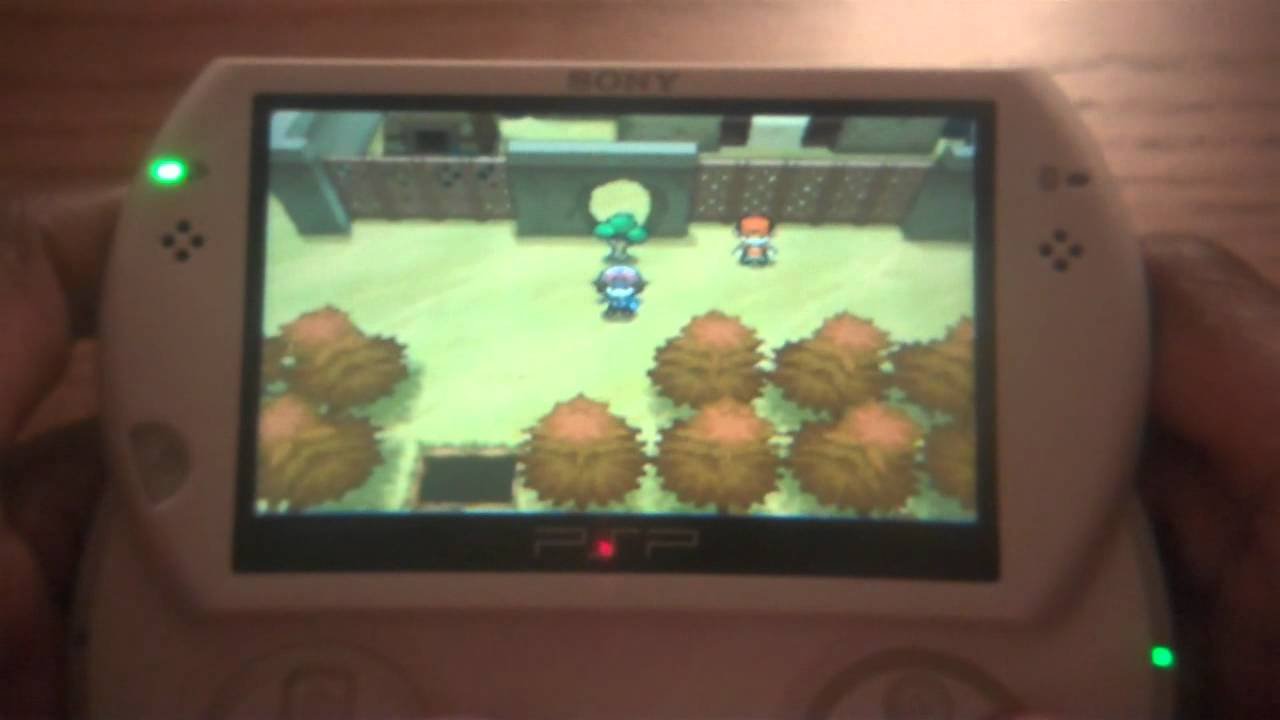
Officially, there are no native Pokemon games for PSP. However, players can access fan-made Pokemon games for PSP through homebrew or ROM hacks.
Here’s the response:
Remember those days of handheld gaming? We all craved more Pokemon games for PSP back then! While Nintendo kept the official Pokémon titles on their own systems, the PSP community found creative solutions.
Through homebrew and ROM hacks, dedicated fans developed unofficial Pokemon games for PSP. These projects allowed players to experience Pokémon adventures on the beloved handheld, even without Nintendo’s official support.

Pokemon Games for PSP
The Sony PlayStation Portable (PSP) offered a fantastic handheld gaming experience. Many gamers wonder about playing Pokemon titles on this platform. Let’s explore the possibility of playing Pokemon on your PSP.
Official Pokemon Games on PSP
Unfortunately, no official, mainline Pokemon games were ever released directly for the PSP. The core Pokemon series has historically remained exclusive to Nintendo handheld consoles.
This is due to Nintendo’s ownership of the Pokemon franchise and its strategic focus on its own hardware. Therefore, you won’t find any official Pokemon cartridges or downloadable titles on the PlayStation Store for PSP.
Playing Pokemon on PSP: Homebrew and Emulation
While official releases are absent, there are alternative methods to experience Pokemon on a PSP. These methods involve homebrew software and emulation.
These approaches allow you to play Game Boy, Game Boy Color, and Game Boy Advance Pokemon games. You’ll need to modify your PSP to enable homebrew functionality.
Understanding Homebrew
Homebrew refers to custom-made software created by independent developers for closed platforms like the PSP. It allows you to run unsigned code and expand the device’s capabilities.
Installing homebrew typically involves using a custom firmware. This firmware can be installed on your PSP.
Before proceeding, it’s vital to understand the potential risks. Modifying your PSP can void your warranty and, if done incorrectly, could potentially brick your device.
Proceed with caution and follow reliable guides carefully.
Emulation Explained
Emulation is the process of using software to mimic the behavior of a different system. In this case, emulators run on the PSP to simulate the hardware of older Nintendo handhelds.
This allows you to load and play ROMs (game files) of classic Pokemon titles. You’ll need to obtain ROMs separately, and it’s important to respect copyright laws when acquiring them.
Popular Emulators for PSP
Several emulators are available for PSP that are capable of running Pokemon games. Some of the most popular options include:
gpSP: This emulator is known for its compatibility with Game Boy Advance titles, including Pokemon Ruby, Sapphire, Emerald, FireRed, and LeafGreen.
VisualBoyAdvance (VBA): Though VBA is primarily a PC emulator, there are PSP ports available that can run Game Boy, Game Boy Color, and Game Boy Advance ROMs.
MasterBoy: MasterBoy is designed to emulate both Game Boy and Game Gear games. This emulator is suitable for playing Pokemon Red, Blue, Yellow, Gold, Silver, and Crystal.
Setting Up Emulators on PSP
The process of setting up emulators on your PSP generally involves these steps:
1. Install Custom Firmware: Ensure your PSP has custom firmware that enables homebrew.
2. Download Emulator: Obtain the desired emulator from a trusted source.
3. Copy Emulator Files: Transfer the emulator files to your PSP’s memory stick. The files usually go into the “PSP/GAME” folder.
4. Download ROMs: Find ROM files for the Pokemon games you wish to play.
5. Place ROMs in the Correct Folder: Copy the ROMs to a designated folder for the emulator (usually within the emulator’s folder on the memory stick).
6. Launch Emulator: Run the emulator from the PSP’s XMB (XrossMediaBar) menu under the “Game” section.
7. Load ROM: Within the emulator, navigate to the folder containing your ROMs and select the desired Pokemon game.
Best Pokemon Games to Emulate on PSP
Here are some of the best Pokemon games to consider emulating on your PSP:
Pokemon Red and Blue (Game Boy): These are the original games that started it all. They offer a nostalgic trip back to the Kanto region.
Pokemon Yellow (Game Boy): This enhanced version of Red and Blue features Pikachu as a partner Pokemon who follows you on your adventure.
Pokemon Gold and Silver (Game Boy Color): These games introduced the Johto region, along with 100 new Pokemon and several gameplay improvements.
Pokemon Crystal (Game Boy Color): An enhanced version of Gold and Silver, Crystal includes new features such as animated Pokemon sprites.
Pokemon Ruby and Sapphire (Game Boy Advance): These games marked the series’ transition to the Game Boy Advance and introduced the Hoenn region.
Pokemon FireRed and LeafGreen (Game Boy Advance): These are remakes of the original Red and Blue, featuring updated graphics and gameplay mechanics.
Pokemon Emerald (Game Boy Advance): This enhanced version of Ruby and Sapphire adds new story elements and challenges.
PSP Homebrew Games: Fakemon and Fan Games
Beyond emulation, the PSP homebrew scene has also produced some original Pokemon-inspired games, sometimes referred to as “Fakemon” games. These are fan-made projects that emulate the Pokemon formula with original creatures, stories, and regions.
Examples of PSP Fakemon Games
While availability can vary over time, some examples of these fan-made games include:
Pokemon Reborn (PSP Port): This dark and challenging fan game was originally designed for PC, but a port exists for PSP.
Pokemon Advanced Generation (PSP): A homebrew game that aimed to replicate the gameplay style of the GBA Pokemon games.
Finding and Installing Fakemon Games
Finding these games can be more challenging than finding emulators. You’ll need to search online forums, homebrew communities, and PSP-focused websites. Installation is similar to installing emulators, involving copying the game files to the “PSP/GAME” folder on your memory stick.
Considerations for Emulation and Homebrew
Before you dive into emulation and homebrew, keep the following points in mind:
Legality: Owning the original game cartridge is generally considered the legal prerequisite for playing a ROM. Downloading and playing ROMs without owning the original game may infringe on copyright laws.
ROM Quality: ROM files can vary in quality. Some ROMs may be corrupted or incomplete, leading to glitches or crashes during gameplay.
Emulator Compatibility: Not all emulators are created equal. Some emulators may have better compatibility with certain games than others. Experiment to find the best emulator for your chosen Pokemon title.
PSP Performance: The PSP’s hardware has limitations. Some emulators and ROMs may run slowly or experience performance issues.
Battery Life: Emulation can drain your PSP’s battery faster than playing native PSP games.
Security: Download emulators and ROMs from trusted sources only. Avoid downloading files from unknown or suspicious websites, as they may contain malware.
Troubleshooting Common Emulation Issues
You might encounter some issues while trying to emulate Pokemon games on your PSP. Here are some common problems and potential solutions:
Game Not Loading:
Corrupted ROM: Try downloading the ROM from a different source.
Incompatible Emulator: Use a different emulator known to work with the specific ROM.
Incorrect ROM Placement: Ensure the ROM file is in the correct folder for the emulator.
Slow Performance:
PSP Limitations: Reduce the emulator’s settings, such as frame skipping, to improve performance.
Overclocking: If your PSP has the option, try overclocking the CPU to increase processing speed (exercise caution when overclocking).
Background Processes: Close any unnecessary applications running in the background.
Audio Issues:
Emulator Settings: Adjust the audio settings within the emulator.
PSP Volume: Ensure the PSP’s volume is turned up and not muted.
Conflicting Plugins: Disable any conflicting plugins that might be interfering with audio output.
Controller Issues:
Emulator Configuration: Configure the controller settings within the emulator.
PSP Buttons: Test the PSP’s buttons to ensure they are functioning correctly.
Exploring Alternative Handheld Options
If you’re determined to play Pokemon games on a handheld device, but are facing difficulties with PSP emulation, consider exploring alternative options.
Nintendo DS and 3DS: These handhelds have official Pokemon games available. These are the most reliable ways to play without emulation.
Mobile Devices: Some older Pokemon games are available on iOS and Android.
Nintendo Switch: While not strictly a handheld, the Switch can be played in handheld mode and has modern Pokemon titles.
Legal Considerations
It’s important to be aware of the legal implications of downloading and playing ROMs. Copyright laws protect video games, and distributing or playing ROMs without owning the original game can be considered copyright infringement.
Always strive to obtain games legally to support the developers and the industry. Consider purchasing used copies of older games or exploring official digital releases when available.
While there are no official Pokemon games for the PSP, emulation and homebrew offer a way to experience classic Pokemon titles on the device. However, it’s important to understand the risks, limitations, and legal considerations involved. Remember to proceed with caution, follow reliable guides, and respect copyright laws. Other handheld options offer more straightforward legal ways to play Pokemon games.
Pokémon Games on a PSP!
Final Thoughts
In short, while the PSP didn’t get official Pokémon titles, dedicated fans found ways to enjoy the monster-catching experience on the handheld. These options, primarily using emulators, allowed players to access classic Game Boy Advance Pokémon games. Enjoying these games on the PSP provided a unique way to revisit familiar adventures.
The best way to play Pokemon games for psp is by installing a GBA emulator. A must consideration for Pokémon fans, this setup lets you relive favorites like Ruby, Sapphire, and FireRed. Enjoy Pokemon on the go with these workarounds.

