
Roblox does not offer built-in A/B testing tools directly within Studio. Developers usually implement their own custom solutions using scripting to control different game variations for player groups.
Want to improve your Roblox game’s performance but unsure where to start? Many creators face the challenge of figuring out which changes truly resonate with players. This is where understanding the need for roblox a/b testing tools is essential.
Experimenting with various features requires a system to carefully measure the impact. You need a process to compare different versions of your game, tracking what works and what doesn’t.

Roblox A/B Testing Tools: Making Your Game Awesome
Ever played a Roblox game and thought, “Wow, this is so cool!”? Well, a lot of thought and testing goes into making those games super fun. One of the secret weapons game creators use is called A/B testing. It’s like running a little science experiment inside your game. And yes, there are special tools to help them do just that. Let’s dive into how these tools work and why they are so important!
What is A/B Testing?
Imagine you’re trying to decide which new candy to buy. You see two different flavors: “Berry Blast” and “Mango Mania.” You could buy both and see which one your friends like better, right? That’s kind of what A/B testing is like for Roblox games. Instead of candy, we’re testing different versions of the game. For example, does changing the color of a button make players click it more? Or will making the tutorial shorter help more people learn the game? These questions can all be answered with A/B testing. It helps creators make smart choices using real player feedback. In its basic form, the ‘A’ version represents the control, or the original design, and the ‘B’ version is an alteration that is being tested to see its affect on player behavior.
Why A/B Testing is Important for Roblox Games
So, why do Roblox developers bother with A/B testing? There are many reasons, and they all boil down to making better games. Think of it like this:
- Keeping Players Happy: If players like your game, they’ll keep playing it. A/B testing helps find out what players enjoy most.
- Finding the Best Design: Is the menu easy to use? Is the game too hard or too easy? A/B testing can help find the perfect balance.
- Making More Money: A/B testing can help developers find the best way to make money without making the game annoying. By analyzing the success of game features and monetization strategies, developers can make calculated decisions.
- Improving Over Time: Games don’t have to stay the same forever. A/B testing helps them get better and better. This process of continuous improvement, driven by player data and experimentation, helps game developers stay competitive.
Basically, A/B testing helps game creators make decisions based on real player data, not just guesses. It’s like having a superpower that shows you what players really like!
How Roblox A/B Testing Tools Work
Okay, so how do these magic tools actually work? It’s not as complicated as you might think. Here’s a breakdown:
Setting Up an A/B Test
First, the developer decides what part of the game they want to test. This could be anything from the color of a button to the way the game starts. They will define the metric that they will use to determine the success of the changes, such as player engagement, play time, or monetization.
- Choose a Variable: What do you want to change? (e.g., button color, level difficulty, tutorial length)
- Create Variations: Make at least two versions: the original (A) and a changed version (B). You can also make more variations (C, D, etc).
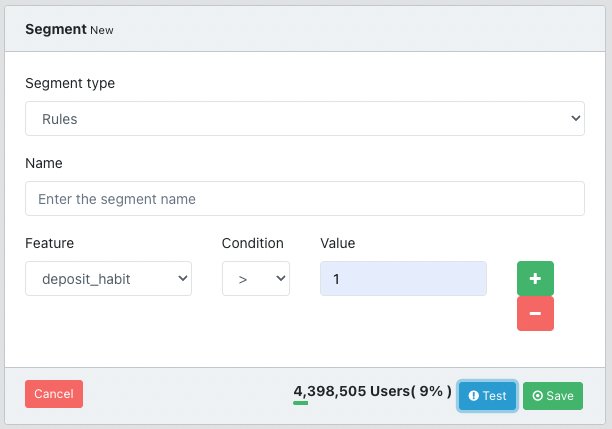
- Segment Your Players: The game will randomly put players into the A or B group, but you may also segment based on other player characteristics. This ensures each group is similar, giving a fair test.
Running the Test
The game shows the different versions to different groups of players. For example, half the players see the red button (A), while the other half see the blue button (B). The game then watches how each group plays.
- Random Assignment: Each player is randomly assigned to a group (A, B, etc.).
- Data Collection: The tool tracks how each group behaves (e.g., how many people click a button, how long they play).
- Sufficient Test Period: Tests usually run for a certain amount of time to collect enough data for accurate results.
Analyzing the Results
After the test is done, the tool shows the results. Which version was more successful? Did more players click the blue button? Did more players finish the shorter tutorial? The tool crunches the numbers to show which version performed better.
- Compare Performance: See which version performs better based on the data collected.
- Statistical Significance: The tool helps developers determine if the results are statistically significant, rather than random variation, so they can be confident in their findings.
- Make Improvements: Based on the results, the developer makes the necessary changes to make the game better.
Examples of What Can Be Tested
Here’s a quick look at some things that Roblox developers test:
Interface and User Experience (UI/UX)
- Button Colors: Does a red button get more clicks than a green one?
- Menu Layouts: Is the menu easy to use? Does a different layout make it easier for players to find what they are looking for?
- Icon Design: Do different icons make in-game items easier to distinguish?
- Placement of UI Elements: How does the location of a button or text box impact player engagement?
Gameplay Mechanics
- Level Difficulty: Is the game too easy or too hard? How do different difficulty levels affect player engagement and retention?
- Tutorial Length: Should the tutorial be shorter or longer? Does a shorter tutorial encourage more players to start the game?
- Item Pricing: Does a different price make players more likely to buy an item?
- Character Abilities: How do different character abilities affect player progress and overall experience?
Monetization Strategies
- Offer Placement: Is the offer too visible, or not enough? Does the placement of in-app purchase options affect user behavior?
- Different Types of Purchases: Do players prefer buying things with Robux or earning them in-game? Do subscriptions, bundles, or one-time purchases yield the best results for the game’s revenue stream?
- Pricing Strategies: Is a sale or a bundle more effective in encouraging players to buy?
Common Roblox A/B Testing Tools
While Roblox doesn’t have a built-in, single A/B testing tool that works across all experiences, there are several ways developers accomplish A/B testing. Many of them use Roblox’s analytics, server-side coding, and other tools or plugins to do this.
Roblox Analytics and Data Stores
Roblox provides built-in analytics that allow developers to track various metrics, like playtime, engagement, and purchase data. Data stores can then be used to save the data for further analysis and segmentation.
- Key Metrics Tracking: Developers track metrics such as playtime, daily active users (DAU), and conversion rates.
- Data Analysis: These tools provide data to help developers see which version of a test works best.
Custom Server-Side Scripting
Many developers code their own A/B testing system using Roblox’s Lua scripting language. This offers a lot of freedom to set up specific tests with different variations of gameplay features and UI elements.
- Flexibility and Control: Developers can customize their testing setup and parameters to align with their specific needs.
- Tailored Solutions: This allows developers to set up tests that are very specific to their games.
- Advanced Feature Control: Scripting helps developers get even more creative, they can test more complex and different aspects of the game.
Third-Party Plugins and Tools
There are also third-party plugins and tools available which can help with A/B testing on Roblox.
- User-Friendly Interface: Some third-party options can provide a more user-friendly way to conduct A/B testing.
- Extra Features: Some third-party tools also have extra functions, like more detailed reports and analysis.
- Easier Setup: Plugins can simplify some of the scripting and tracking that’s needed for A/B testing.
Best Practices for Effective A/B Testing on Roblox
To get the most out of your tests, it’s important to follow some best practices:
Hypothesize and Plan
Before you change something, make a guess about what will happen. Have a clear idea of what you want to learn from your A/B test. What do you expect will happen? Then define your metric. This will help you make sure you are doing the tests with a purpose.
- Clear Objectives: Start with a clear understanding of what you want to improve with the test.
- Formulate a Hypothesis: What change do you think will have the best results?
- Define Metrics: What will you use to measure the results of your test?
Test One Thing at a Time
If you test too many things at once, it’s hard to know what change caused the result. Just like in a real science experiment, change only one thing at a time.
- Isolate Variables: To identify the specific cause, change only one element at a time.
- Track Data: Measure and track the change to see if it does what you expect it to do.
Test With Enough Players
If you only test with a few players, the results might not be correct. Make sure you have a large enough player base in each group. This makes the tests more accurate.
- Sufficient Sample Size: Make sure your test has a large group of players for accurate data.
- Data Significance: A bigger group makes the results more trustworthy, making it less likely they are just due to random chance.
Test For Long Enough
Don’t end the test too early, or you might not get the real answer. Tests should run long enough to give you enough data, and account for things like player availability.
- Allow For Fluctuations: A longer test ensures that the results aren’t affected by short term fluctuations.
- Full Player Behavior: This gives you enough time to see how players really behave in the game.
Analyze Data Carefully
The tool will give you a lot of numbers. Take your time to understand what those numbers mean. Look at the data closely, and be sure you understand it.
- Data Interpretation: Understanding the data will help you make informed conclusions.
- Draw Conclusions: Don’t just look at the numbers, think about what they mean for your game.
Don’t Be Afraid to Fail
Sometimes your test will show that your idea didn’t work, and that’s okay! Learning what doesn’t work is just as important as learning what does. Each test will help make your game better.
- Learning Opportunity: Even tests that “fail” help you learn about your players.
- Continuous Improvement: Each test allows you to improve your game for its players.
A/B testing is not a one-time fix, it’s an ongoing part of the game development process. Using this tool you can keep making your game better and better!
Roblox A/B testing tools are essential for game creators who want to make amazing games. By using these tools, they can find out what players really like, leading to better games for everyone. It’s like having a secret weapon to make your games more fun, more engaging, and more successful! Remember, it’s all about learning from your players and making your game the best it can be.
Roblox hitboxes be like
Final Thoughts
In summary, Roblox A/B testing tools empower developers to make data-driven decisions. These tools allow you to experiment with different game features and analyze player behavior. Use A/B testing to refine game mechanics for better user engagement.
By carefully monitoring results from Roblox A/B testing tools, you can optimize your game. This process helps to maximize player retention and overall game success. Make informed choices for your game’s improvement with its use.

