
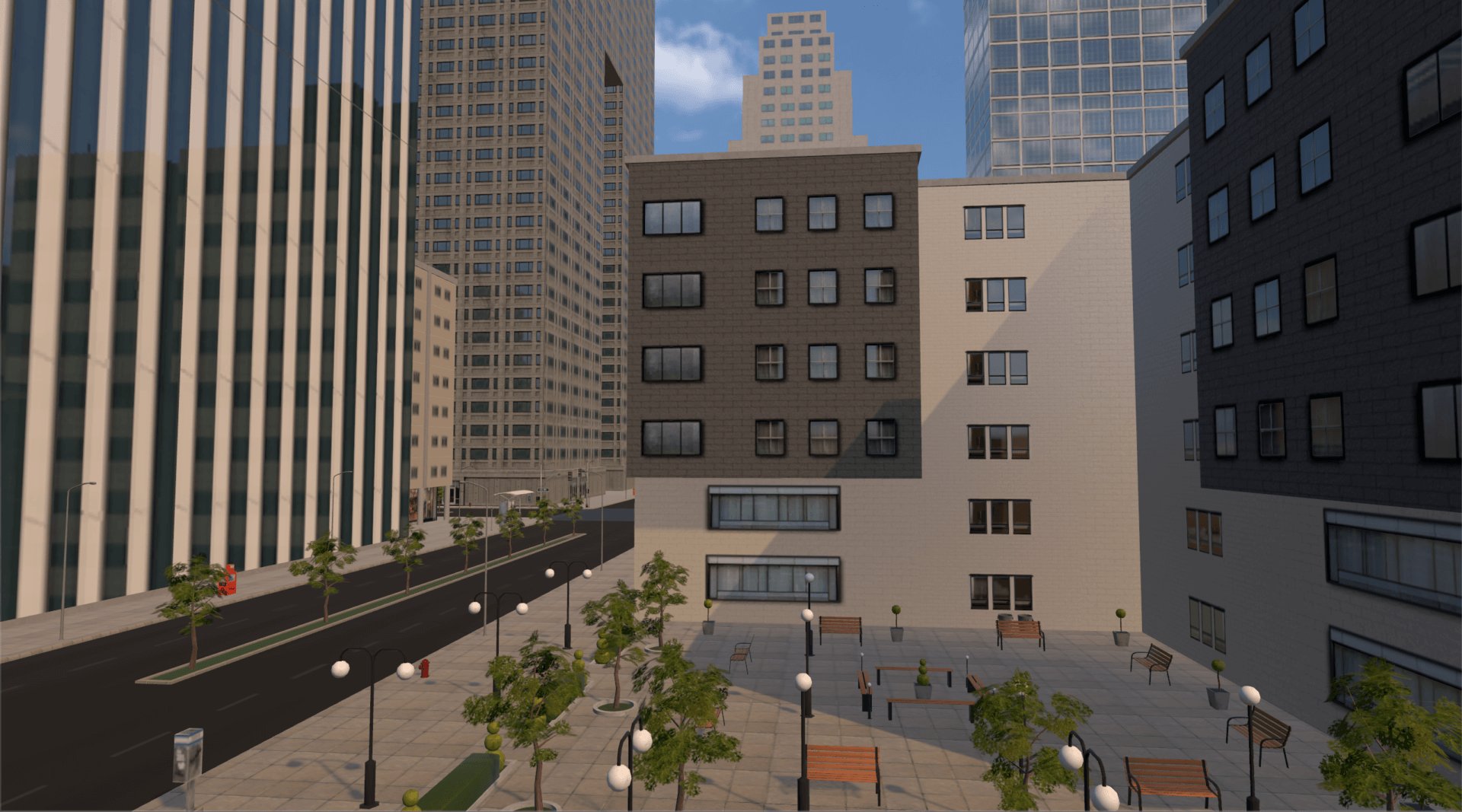
Roblox architectural design in virtual worlds enables users to create immersive and functional digital structures, using in-game tools and scripting.
Have you ever dreamed of building sprawling castles or futuristic cities? Many individuals find this creative outlet within the dynamic world of Roblox. The platform offers unique opportunities for roblox architectural design in virtual worlds. People craft impressive digital structures by combining simple building blocks and more complex scripting. This allows for the creation of both practical and imaginative spaces.
It’s more than just placing bricks; it involves considering layout, functionality, and the overall user experience. Designing within Roblox means thinking like an architect, even without prior real-world experience. The possibilities are vast for virtual construction.

Roblox Architectural Design in Virtual Worlds
Imagine building anything you want, any place you want, without ever picking up a hammer or laying a single brick. That’s the magic of architectural design in Roblox. It’s not just about making cool-looking places; it’s about creating virtual worlds where players can live, play, and tell their own stories. Think of it as a super-powered version of playing with LEGOs, but on your computer!
The Building Blocks of Roblox Architecture
Just like real-world buildings, Roblox structures are made up of basic elements. These are often called “parts” in Roblox Studio, the platform’s built-in design tool. Let’s break down these essential components:
Parts: The Foundation of Everything
Parts are the basic shapes you use in Roblox. Think of them as your digital building blocks. You have cubes, spheres, cylinders, and wedges – pretty much everything you need to start creating. These parts can be resized, colored, textured, and rotated. You can even make them transparent or shiny! It is by combining and manipulating these parts that you form walls, floors, roofs, and everything else that defines your virtual space.
- Cubes: Perfect for walls, floors, and general building.
- Spheres: Great for domes, decorations, and unique features.
- Cylinders: Use them for pillars, pipes, or curved elements.
- Wedges: Ideal for creating ramps, roofs, or sharp angles.
Materials and Textures: Adding the Visual Appeal
Making your buildings look real is important. Roblox has many different materials and textures that you can apply to your parts. Want a brick wall? Just select the “Brick” material. How about a wooden floor? The “Wood” texture is ready for you. The combination of different materials brings life to your build and makes it more immersive. These materials not only add visual detail, but also have physical properties that impact the way light and shadows interact with objects.
- Metal: Shiny and reflective, good for modern designs.
- Glass: Transparent and see-through, great for windows.
- Wood: Warm and natural, suitable for rustic buildings.
- Concrete: Strong and sturdy, ideal for industrial settings.
- Fabric: Soft and textured, perfect for curtains or flags.
Color: Setting the Mood
Color is a powerful tool for building the right atmosphere. In Roblox, you can select from millions of colors to make your buildings pop or blend in with their surroundings. Bright colors can create a fun and playful mood, while darker colors might be better for a serious or mysterious space. Understanding the use of color palettes can add depth and interest to your architectural creations.
Architectural Styles in the Roblox Universe
Just like in real life, there are different types of architecture in Roblox. You can build anything you want – from castles and skyscrapers to cozy cabins and futuristic cities. Let’s explore some common styles:
Medieval Castles: A Trip to the Past
Many Roblox builders love to create castles with towering walls, detailed towers, and grand halls. They often use stone textures, rounded shapes, and touches of fantasy to really bring these fortresses to life. This style is perfect for role-playing games or quests that want to transport players to a time long ago.
Modern Homes: Clean Lines and Functionality
Modern homes in Roblox often have a minimalist look with lots of glass, clean lines, and open floor plans. These houses often use materials like metal and concrete, and they’re great for creating a comfortable and stylish environment. Modern design emphasizes functionality and clean aesthetics, which many Roblox builders appreciate.
Futuristic Cities: Stepping into Tomorrow
If you’re interested in something out of this world, futuristic cities are an excellent option. Think towering skyscrapers, flying vehicles, and lots of neon lights. These builds often use bright colors and special effects to create a cutting-edge look. This style allows for creativity to take over and for the design to reflect future possibilities.
Fantasy Landscapes: Where Imagination Runs Wild
Fantasy landscapes include magical kingdoms, enchanted forests, and mystical structures. These builds often use lots of natural elements, like trees, rocks, and water, but with a magical twist. Building in the fantasy style opens up many creative avenues and is especially popular for games where players can explore different realms.
Advanced Techniques for Roblox Architectural Design
Once you’ve mastered the basics, it’s time to learn some more advanced techniques that will make your builds truly stand out. These tricks will give your buildings more depth and detail.
Using the Studio Editor: Beyond Basic Placement
Roblox Studio has many features to assist you, such as rotation tools, scaling options, and alignment features. Using these tools correctly is crucial for precisely making and editing structures. Experimenting with different settings lets you construct complex shapes, arrange parts with accuracy, and develop professional looking builds.
Model Grouping: Organizing Your Work
When creating a bigger build, grouping related parts into “models” can make managing everything a lot easier. You can move, rotate, and copy entire groups of parts at once instead of handling them individually. This is very helpful for bigger projects where you have many parts, and can save you lot of time.
Free Models vs. Original Creations: The Balance
Roblox has a lot of free models that other people have created, you can use these models to speed up your building process. However, relying too much on free models can hinder your own creativity. Try to aim for a balance: use free models for small things, but strive to build your own structures to create a unique design. This approach allows you to learn and grow as a builder.
Scripting: Adding Interactivity and Functionality
While parts and materials can provide the physical structure, scripting is what truly brings your architecture to life. Scripts are bits of code that tell your buildings what to do. For instance, you can create opening doors, working elevators, or lighting systems that change based on the time of day. This is one way to really make your builds more interactive.
Basic Scripting Concepts
To start with, learn some basic scripting concepts like variables, functions, and events. These are the core tools you need to make parts of your architecture function in the game. There are several resources available in the Roblox community to learn how to code and apply this knowledge to your architectural designs.
- Variables: Storing values to be used in the script.
- Functions: Blocks of code that can be reused.
- Events: Things that trigger actions, such as a player touching an object.
Adding Simple Animations
Even simple animations in your architectural design make a huge difference. Doors that open smoothly, or lights that flicker at timed intervals, can all bring an extra level of realism to your build. Scripting can also be used to create complex, moving structures, such as spinning windmills, or even flying platforms.
Lighting: Setting the Mood
Lighting is essential for making your virtual space look and feel right. You can use different types of lights such as point lights, spot lights, and surface lights to create shadows, highlights, and color effects. Strategic lighting can also create a sense of depth and drama and can really make your architectural design shine.
Types of Lights in Roblox
Roblox offers several options for lighting, each offering a unique effect that you can use to enhance your architecture.
- Point Lights: Radiate light in all directions, great for general illumination.
- Spot Lights: Project light in a focused beam, ideal for highlighting specific areas.
- Surface Lights: Apply light to the surface of a part, helpful for subtle effects.
Color and Intensity
Adjusting the color and intensity of your lights lets you create different moods and atmospheres. For example, you could use warm, orange lighting for a cozy home, or cold, blue lights for a sci-fi environment. Experiment with different combinations to find what works best for you.
Terrain: Creating the Environment
No building exists in a vacuum, and in Roblox, the terrain around your building is just as important as the structure itself. You can add mountains, rivers, trees, and other elements to make your environment more interesting and realistic. The terrain tool in Roblox is also a fun way to craft unique landscapes that support the architectural designs you’ve made.
Sculpting Tools
The terrain editor provides tools to sculpt, paint, and modify the land around your builds. You can raise mountains, create valleys, and add details like cliffs and beaches to make your world more interesting.
Adding Water and Vegetation
Water can bring a lot of life to your landscapes. You can create lakes, rivers, or even oceans around your architectural designs. Adding vegetation, like trees, bushes, and grass, will make your builds more natural and alive. Experimenting with different plant types will help you create an engaging environment.
Tips for Aspiring Roblox Architects
Ready to become a top-notch Roblox architect? Here are some tips to help you along the way:
- Start Simple: Don’t try to build the most detailed castle on your first try. Start with small, manageable projects to learn the basics.
- Practice Regularly: The more you build, the better you’ll get. Make time for practice and learn new techniques every chance you have.
- Look at Real-World Examples: Check out real architectural designs for ideas. Examine buildings you like, then try to create similar structures in Roblox.
- Experiment: Don’t be afraid to try new things and push your creative limits. Use all the different building parts, materials, and techniques and see what amazing things you can make.
- Join the Community: Share your builds with the Roblox community, ask for feedback, and learn from other builders. There are many helpful communities where you can discuss new designs.
By consistently practicing and exploring different methods, you’ll gradually build up your skills to create more and more detailed designs. Keep working and your builds will impress many.
Roblox architectural design offers a great way to express your creativity and imagination. Every new build is a learning experience, so don’t be afraid to start creating your dream structures!
ArchVis in Virtual Worlds – Blake Barbeau (CorrivalRhyme)
Final Thoughts
Roblox architectural design in virtual worlds presents unique creative opportunities. Designers build structures that defy real-world constraints, focusing on gameplay and aesthetics. They experiment with fantastical elements and scales.
This virtual architecture greatly impacts the player experience. Creative buildings encourage exploration and interaction. Roblox’s platform makes this achievable for everyone.
Ultimately, thoughtful roblox architectural design in virtual worlds shapes how users engage and enjoy virtual environments. It highlights the power of design in gaming and community creation.

