
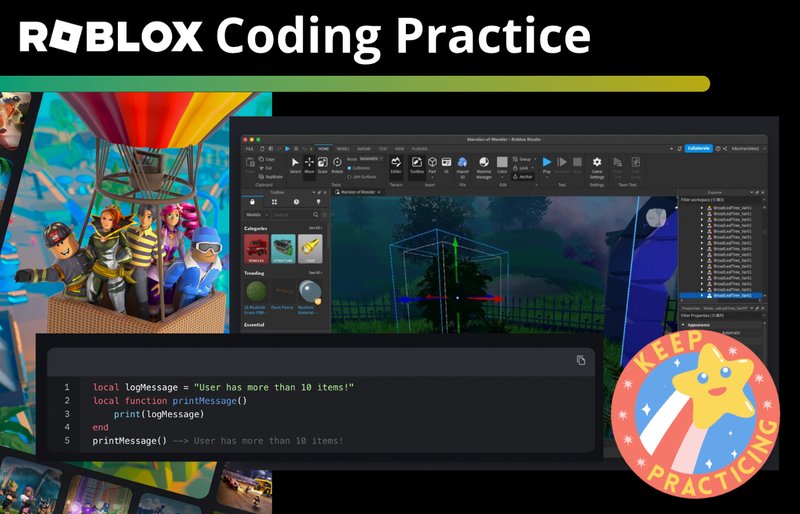
Proper code organization, using modules, and commenting clearly are essential aspects of Roblox best coding practices.
Creating amazing Roblox experiences requires more than just creative ideas. You must also understand good coding habits. Following proper Roblox best coding practices makes your projects easier to manage, modify, and collaborate on. This ensures your games work well and are maintainable.

Roblox Best Coding Practices
Making games on Roblox is super fun, and like building with LEGOs, there are smart ways to put your code together. Good code is like having a clear instruction manual; it makes your game run smoothly and is easy for you (and others!) to understand later. Let’s look at some of the best ways to write code in Roblox using Lua, the language that makes all the magic happen.
Keeping Your Code Neat and Tidy
Imagine your room is a big pile of toys and clothes. It’s hard to find what you need, right? Code can get like that too! Keeping it neat means making it easier to read and fix later on.
Using Comments
Comments are like little notes you write in your code for yourself and others. They aren’t part of the actual game, but they help explain what different parts of your code are doing. Think of them as sticky notes you put on your work.
For example:
-- This script makes the player jump
local jumpPower = 50 -- How high the player will jump
Comments explain what a line of code is doing, making it easier for you to recall what the code was for if you come back to it later. They help you remember things if you are looking at your code after a long time.
Consistent Indentation
Indentation is how you space your lines of code. It’s like how we indent paragraphs in a book. Using the same amount of space to indent makes code blocks easy to see. It groups lines together, showing which code belongs to a particular section.
See how the code below uses indentation to show how the if statement and the code within it are related:
    if player.Team == "Red" then
      player.Character.Humanoid.Health = 100
    end
Inconsistent spacing makes the code hard to read and it confuses the user. Make sure to space your code appropriately.
Naming Variables Clearly
Variables are like containers that hold information. Think of them like boxes, and the name you give the box makes it clear what’s inside. Give variables names that actually say what they hold.
Instead of using vague variable names like a or x, use names like playerHealth, score, or enemySpeed. You can see the benefit of using a good variable name in the example below:
             -- Bad
             local a = 10
             -- Good
             local enemySpeed = 10
When you use good names, you will not have to guess what your code is doing.
Writing Efficient Code
Efficient code is like having a really fast race car. It does the job quickly and uses the least amount of energy (or computer power). Let’s look at a few ways to make your Roblox code faster.
Avoiding Loops When Possible
Sometimes you need to do things multiple times, and you might think a loop is the right way to do that. Loops can take more time than necessary, especially if you can avoid them. It is best to avoid loops if possible.
For example, instead of using a loop to set a property of multiple parts, try using a function that sets the properties on a group of parts at once. This will increase the speed of your program.
Using Services Correctly
Roblox has Services, which are tools that give you access to different parts of the game engine. Getting these services right is important. For example, you access the players service like this: game:GetService(“Players”) . Using this will get you the players service. It’s like using a special tool in your toolbox.
Don’t get the service again and again when you need it. It is good to store these services in a variable, so you can reuse them later. Look at this code:
           -- Bad
           local function changeHealth(player)
             game:GetService("Players"):GetPlayerFromCharacter(player.Parent).Character.Humanoid.Health = 100
           end
           -- Good
           local players = game:GetService("Players")
           local function changeHealth(player)
             players:GetPlayerFromCharacter(player.Parent).Character.Humanoid.Health = 100
           end
Handling Events Wisely
Events are like signals that tell you when something has happened in the game. It’s like getting a text message that says, “A player joined!” You need to handle these signals properly so you can react to them.
Don’t connect to the same event multiple times because this creates extra connections that could slow down your game. Keep the code in the function short and easy to understand.
Planning Your Code
Before you start coding, you need a plan. It’s like drawing a map before you go on a trip. Planning makes sure your code makes sense and is easy to manage.
Breaking Down Tasks
Big problems can seem scary, but you can break them into smaller parts. If you want to make a game with lots of features, you should code each feature separately. This makes it much easier to code your game.
For example, instead of trying to code a whole game, you could start with just a player movement script, then add a scoring system, and then add other features separately.
Using Functions
Functions are like mini-programs inside your code. They do a specific job, and you can reuse them many times. It’s like having a special tool you can use repeatedly. If you repeat certain lines in your code, you should create a function for it. When you create a function, you can reuse the code again and again, without writing it multiple times.
For example, if you have a function that handles giving players health, you can use this function multiple times for all the different players, instead of rewriting the code each time.
Using Modules
Modules are like libraries of functions that you can easily reuse across your game. This lets you organize and access common tasks, like a recipe book for your code. Modules help you keep your scripts organized.
If you have functions that are used by many scripts, you should put them in a module. This is much cleaner and organized than repeating code in every script that uses those functions.
Avoiding Common Mistakes
Everyone makes mistakes, but you can learn from them and try not to make them again. Here are some common things to watch out for.
Infinite Loops
Infinite loops are loops that keep going without stopping. It’s like a carousel that never stops turning. Make sure you have a condition that will stop the loop, or you can potentially crash your game. Be careful when you write your loops.
Using wait()
The wait() function pauses the game for a specific time. Using a lot of wait functions in your game can make it slow. Try to use events instead of wait calls whenever possible. Avoid using wait() as much as possible.
Not Testing Your Code
Always test your code. It’s like checking if your LEGO tower is sturdy before you show it to others. Playtest your game frequently to make sure your code is working well. Testing is vital to find bugs before your players do.
Writing Secure Code
Securing your code is very important, and prevents others from hacking or manipulating your game. Securing your code can also protect you and your players. Here are some best practices for this.
Validating User Inputs
Validate what the user gives as input. For example, if the user types in how much money they want to spend, check to make sure that it’s an actual number, and not some other text. Failing to do this can cause issues and even security concerns.
Don’t Trust the Client
Never trust what the client (the player’s Roblox game) is sending to the server. Treat any data from the client as potentially incorrect or malicious. Validate any client data on the server before processing it.
Using Server Scripts
Always perform crucial game logic or actions on the server, not the client. Server scripts are protected from manipulation by players.
Collaboration
If you’re working on a game with friends, it’s important to work together well. Here are some tips to help you with this.
Using Git or Version Control
Version control is a system that tracks the changes you make to your code. It’s like saving different versions of your work, so you can go back if you make a mistake. GitHub is a good platform to keep track of all your changes. Version control helps with teamwork because everyone can work on the same project at the same time without creating conflicts.
Code Reviews
A code review is when other people check your code to find errors and improve it. It’s like having your friends look over your homework before you turn it in. Doing code reviews will help you improve your coding skills, while also finding errors early on.
Further Learning
To continue to get better at Roblox development, here are some other things you can do:
- Study Lua Documentation: Reading the documentation can help you understand all the different features that the Lua language has.
- Study the Roblox API Documentation: Roblox has a lot of great functionality, and you can learn about all of it in the documentation.
- Look at other people’s code: Read some open source projects and games to learn how other people are coding, and get inspiration for your own games.
- Ask Questions: Don’t be afraid to ask questions in online forums, like the Roblox Developer Forums.
Remember that coding is like learning anything else. It takes time and practice. The more you code, the better you’ll get. Keep learning and having fun creating your amazing games on Roblox!
How to Organize & Style your Code in Roblox Development (and when to use OOP)
Final Thoughts
Adopting clear variable names and modular code improves readability. Use comments to explain complex sections. Following roblox best coding practices results in easier debugging and maintainable scripts.
Organize your scripts into logical folders. This makes large projects easier to navigate. Implementing these steps enhances your coding proficiency. Good coding practices also improve game performance.
These are important aspects of roblox best coding practices. Applying them will benefit your game development journey.

