
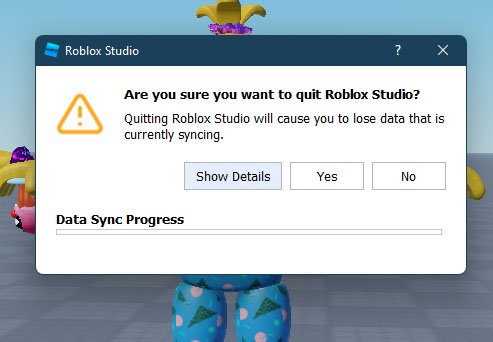
‘Roblox data synchronization ensures that player progress and game states are consistent across all devices and servers, preventing data loss or inconsistencies.’
Ever wondered how your carefully crafted base stays intact when you switch devices or join a different server in Roblox? That’s the magic of robust roblox data synchronization at work. It’s a crucial system ensuring consistent gameplay across platforms.
This process keeps your items, achievements, and everything else tied to your account correctly updated. Without it, gaming would be chaotic, with progress vanishing unexpectedly. Let’s delve a bit deeper into this process.

Roblox Data Synchronization: Keeping Your Game World Consistent
Ever wondered how your progress in a Roblox game saves, or how you can see other players moving in real time? It’s all thanks to something called “data synchronization.” Think of it like a magical system that makes sure everyone in the game sees the same things and that your hard work doesn’t disappear when you log off. Let’s dive into this super important part of Roblox game development!
What is Data Synchronization?
Data synchronization, in simple terms, is the process of keeping information the same across different places. In Roblox, it’s about making sure the game world is identical for every player and that their personal data (like how many coins they have or their character’s level) is safely stored. Imagine playing a building game. If you add a super cool tower and your friend doesn’t see it, that would be a bummer, right? Data synchronization makes sure everyone’s game reflects the changes made by each person, almost instantly. It’s the backbone that enables multiplayer interaction and ensures a smooth and consistent gameplay experience.
Why is Data Synchronization Important?
You might think, “Okay, it keeps things consistent, but why is that so important?”. Well, without good data synchronization, many things in Roblox games would simply break:
- Missing Progress: You spend hours building a mega-base. Without synchronization, that base could vanish when you leave the game. Nobody wants to lose all their hard work!
- Lag and Glitches: If players’ games are not in sync, it can lead to some very strange situations. Imagine seeing a player walk through a wall, or your character moving in a different direction than what you intended. These glitches are often due to poor synchronization.
- Unfair Gameplay: In competitive games, if one player’s data isn’t synchronized with the others, they could have a big advantage (or disadvantage!). For example, if only one player sees a power-up, that game would become unfair very quickly.
- Limited Multiplayer: Imagine playing a game where other players didn’t see what you did, or you didn’t see them. Multiplayer would be really confusing and wouldn’t be fun to play. Proper data synchronization makes seamless multiplayer possible.
How Does Data Synchronization Work in Roblox?
Roblox uses a client-server model. Think of it like a restaurant where you (the client) place an order (make changes in the game) and the kitchen (the server) makes your meal (updates the game). The server is the main authority and it ensures everyone gets the same version of the game.
Let’s break it down further into the important parts:
The Client-Server Model
- Client (Your Roblox game): This is the game running on your computer or device. It sends requests to the server whenever you make a change, like picking up an item, moving, or building something.
- Server (Roblox’s Computer): This is a powerful computer that stores the official version of the game. It receives updates from all the clients, processes them, and then sends the new game data back to all the players. It makes sure every player is seeing the same thing.
The Process of Synchronization
Here’s a step-by-step look at how the client-server communication works:
- Action: You, as a client, make a change in the game – like picking up a coin.
- Request: Your game sends a request to the server saying, “I picked up a coin!”
- Update: The server receives your request, updates the official game state, and sends this updated information to all the other players.
- Replication: All the other players’ games now get the new information. This means that everyone sees you pick up the coin (or see whatever change you made) in their game.
- Saving: The server also saves your progress securely, so that the next time you play, everything is where you left it.
Types of Data Synchronization in Roblox
In Roblox, data synchronization handles different kinds of information. Let’s look at two main types:
Player Data
This type of data is specific to each player. It includes things like:
- Player’s current position in the game world
- Health or Energy levels
- Inventory (items they own)
- Currency (coins, gems)
- Experience points and Levels
- Any special abilities or skills they’ve gained
This data often uses Roblox’s DataStoreService. It’s like your personal game backpack, securely stored and synced every time you play. Whenever you join a new game server, your player data is loaded, and any changes you make get saved by this service, which acts like a digital save file that works across all of Roblox’s servers.
Game World Data
This type of data is shared across all the players in a server. It includes things like:
- Positions of objects
- Changes made to the game environment (like blocks placed or broken)
- The current game score or time
- State of events
Changes to the game world are immediately visible to all the players in the server. This is usually achieved through Roblox’s ReplicatedStorage, where data is sent to all players quickly. It’s important that only the server makes changes to the game world data, and that all the other players get an update so that everyone can see the same changes.
Key Concepts in Roblox Data Synchronization
Let’s delve deeper into the more technical side of Roblox Data Synchronization by understanding some of its core principles:
Remote Events and Remote Functions
Remote events and remote functions are how the client and server communicate with each other. Think of them like messengers passing notes.
- Remote Events: Are one-way messages. A client can send a message to the server (like, “I clicked a button”), and the server can send a message to all clients (like, “A treasure has spawned!”). They are great for events that don’t need a reply.
- Remote Functions: Are like having a quick phone call. A client can send a message to the server and expect a reply (like, “Can I buy this item?”, and the server sends back, “Yes” or “No”). It’s a two-way communication.
These mechanisms are very important for keeping the game in sync. Whenever something needs to change or update, a remote event or remote function is used.
Caching
Caching is a way of saving recently accessed data so it can be quickly used again, instead of always having to load it from scratch. Think of it like having a cheat sheet of the things you already know. Roblox uses caching to speed things up. For example, when you go from one part of the game to another, it might save some game information locally so that it loads more quickly. This can drastically improve the performance and smoothness of gameplay because it reduces the amount of data that has to constantly be sent over the network.
Latency and Lag
Latency is the delay between an action and its result. When you play an online game, there’s always a bit of delay between what you do and what appears on the screen. This delay is often called “lag.” Higher latency means more lag, which can make games feel less responsive and more frustrating. Poor synchronization can add to this problem, making the game experience very annoying. Roblox tries hard to minimize latency by optimizing how data is sent and received between the server and the clients. However, factors like your internet connection can also contribute to the amount of latency in your game. Developers try to hide latency from the players as much as possible, using techniques like prediction, where the client tries to guess what’s going to happen before the server tells them to, making things seem smoother and quicker.
Data Persistence
Data Persistence means that the data is saved so that your progress will be there the next time you log in. Roblox uses DataStoreService to keep track of important data, such as player stats and achievements. This means that the game saves your progress periodically, so if your game crashes or you log off, your hard work doesn’t go to waste. This service is very important for ensuring that data is kept secure and can be accessed by a player on different devices and across different servers.
Best Practices for Roblox Data Synchronization
As a developer, there are several tips to ensure efficient and smooth data synchronization:
- Optimize Data Usage: Send only the necessary data and compress it if needed to reduce the network traffic. The fewer messages that are sent, the less data has to be processed, and the smoother the game will be. This means avoiding sending the same information over and over again, and only sending what is new or different.
- Use Remote Events and Functions Wisely: Use remote events for one-way communications and remote functions only when a response is needed, to avoid overusing the network.
- Implement Caching Smartly: Store data locally when possible and only update it when needed. Avoid requesting the same data repeatedly.
- Handle Data Changes Carefully: Make sure that data changes on the client side don’t have any bad consequences on the server side. The server should be the final authority on any important changes to the game. Make sure that the server checks the validity of changes the client made before updating the game. This helps to prevent any type of cheating.
- Testing: Always test your synchronization thoroughly. Make sure you test with multiple clients and different network connections to see that the synchronization works properly under various conditions.
Troubleshooting Common Data Synchronization Issues
Even with careful planning, you might sometimes encounter synchronization issues. Here are some common problems and how to solve them:
Inconsistent Player Data
Problem: Players are losing their progress, have incorrect scores, or items.
Solution: Make sure your data saving using the DataStoreService is implemented correctly. Check that the data is saved at regular intervals and that all of the data is properly loaded when a player joins the game.
Desynchronized Game World
Problem: Different players see the game world differently (objects are out of place or missing).
Solution: Ensure that all changes to the game world are made by the server and replicated to all clients through ReplicatedStorage or remote events. Check to make sure that clients aren’t making changes to the game world on their own.
Lag and Slow Gameplay
Problem: Players experience lag and delays when interacting with the game world.
Solution: Optimize the amount of data sent between the client and server. Avoid sending data frequently. Use caching whenever possible and minimize the amount of work the server has to do.
Error Handling
Problem: If a synchronization process encounters an error, then the game experience may be broken, or worse, the player may lose progress.
Solution: Check that the remote events and functions are error handled properly, by placing them in pcall’s. This will ensure that in the case of an error, the game does not crash and that the game state remains consistent.
In summary, data synchronization is the hidden engine that makes Roblox games function as smoothly as possible. It’s responsible for making sure your progress is saved, you can interact with other players, and that everyone sees the same game world. Understanding this complex process is very helpful for any Roblox developer.
When your dad owns Roblox
Final Thoughts
Roblox data synchronization is vital for smooth multiplayer experiences. Ensuring all players see the same game state requires careful coding. Inconsistent data leads to frustrating bugs and unfair gameplay.
Efficient data transfer minimizes lag and keeps the game responsive. Proper techniques help developers create engaging and reliable virtual worlds. Players enjoy a much better experience with good roblox data synchronization.

