
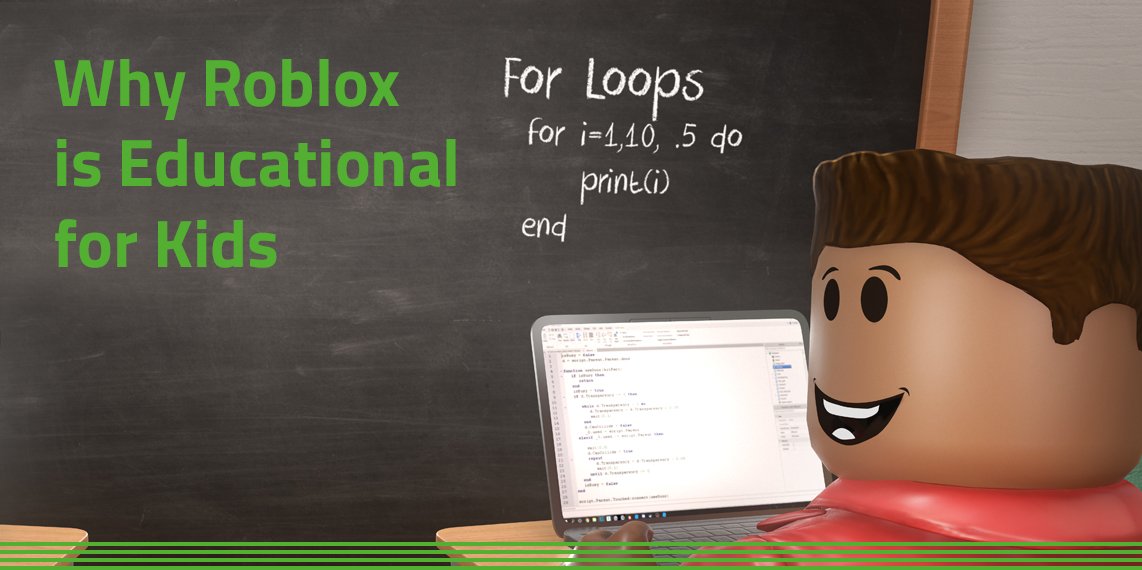
Creating effective Roblox educational games requires a focus on clear learning objectives, engaging gameplay, and providing consistent feedback to players.
Have you ever thought about using games to teach? Roblox provides an amazing platform for creating educational experiences. Many struggle to design these games effectively, and this post is here to help with some useful roblox educational game design tips.
These tips include defining your learning goals and then finding ways to make it fun to learn, because engagement is everything. Consider using rewards and feedback that helps kids learn.
By following these simple steps, you can build games that educate and entertain on Roblox. Let’s explore how to do that, together.

Roblox Educational Game Design Tips
Let’s jump into the exciting world of making educational games on Roblox! Creating games that are both fun and help kids learn can be a fantastic experience. But where do you even start? It’s not just about making something that looks cool; it’s about making something that teaches effectively while also keeping players engaged. In this section, we will walk you through some key strategies and techniques that will make your Roblox educational games stand out.
Understanding Your Audience and Learning Objectives
Before you start coding and building, you need to understand who you are making this game for. Is it for kids in 2nd grade learning their ABCs, or is it for 8th graders tackling complex math problems? This will heavily influence the complexity of your game, its visual style, and the gameplay mechanics. Let’s break it down:
Age Appropriateness
Consider the age of your target audience. Younger kids need simpler interfaces and instructions, while older kids might appreciate more complex challenges and storylines. For example:
- Ages 5-7: Focus on basic concepts like colors, shapes, numbers, and letters. Keep controls simple (like single button clicks or simple directional movement).
- Ages 8-10: You can start incorporating more complex concepts like fractions, basic science, and history. Storylines and quests can enhance learning.
- Ages 11-13+: This age group can handle more intricate concepts like algebra, geometry, advanced science topics, and more nuanced historical events. You can introduce in-game economies, complex problem-solving, and branching narrative paths.
Defining Learning Goals
What exactly do you want players to learn from your game? Clearly define your learning objectives. These should be specific, measurable, achievable, relevant, and time-bound (SMART goals). For example:
- Specific: Instead of “learn about science,” aim for “learn the three states of matter (solid, liquid, gas).”
- Measurable: Can you track the player’s understanding? Think of incorporating quizzes or in-game challenges that measure knowledge.
- Achievable: Are your goals realistic for the age group? Don’t introduce quantum physics to 7-year-olds.
- Relevant: Is the knowledge relevant to the player’s educational needs? Connect it to classroom curriculum where possible.
- Time-bound: Is there a specific time frame in which the learning objectives should be achieved within the game experience?
Gameplay Mechanics and Engagement
Making a game educational doesn’t mean it has to be boring! Fun gameplay is key to keep players engaged and motivated to learn. Here are some crucial techniques:
Making Learning Fun
Transform learning content into enjoyable experiences. Instead of simply reading information, let players discover it by doing. Think about how to make it interactive.
- Quests and Missions: Design scenarios that get players involved in finding solutions. If you’re teaching history, maybe they have to go on a quest to discover artifacts that give clues about a specific event.
- Challenges and Puzzles: Incorporate puzzles, riddles, or problem-solving challenges that directly relate to the educational material.
- Creative Building and Crafting: Allow the player to create something and make the design process educational. For example, when teaching about biology, maybe the player has to build a cell model.
- Story-Driven Learning: A compelling story makes learning more meaningful. A good story can help players connect emotionally to the subject matter, increasing retention of concepts.
Balancing Challenge and Reward
Games should have the right difficulty level. Make the game neither too easy nor too hard. If the challenges are too simple, players get bored. If they’re too difficult, players get frustrated. A good game gives players a sense of progression as they learn. A progression system can be as simple as unlocking new areas, gaining new skills, or earning points and in-game items as rewards.
Effective Use of Visuals and Audio
Visuals and sounds are crucial in keeping the player entertained and immersed. Make sure that you use them effectively in your game.
- Clear and Simple Graphics: Don’t overcrowd the screen with too many details. Use a visual style that is appropriate for the age group.
- Intuitive User Interface: Keep buttons and menus clear and easy to understand.
- Engaging Sound Effects and Music: Use sounds and music that match your game’s theme and tone. Sound effects can help provide feedback and make the game feel more alive.
Interactive Learning Elements
The more the game can interact with the player, the more engaged they will be with learning. Here are some interactive elements:
Quizzes and Assessments
Integrate quizzes within the game to evaluate players’ understanding. Quizzes should not be just about right or wrong; they should provide feedback that explains the correct answer and why it’s correct. These quizzes can be built into the environment so that they do not interfere too much with the gameplay.
- In-Game Quizzes: Use NPCs to ask questions, or have players find question items scattered around the world.
- Interactive Tests: Turn test questions into minigames.
- Immediate Feedback: Provide clear feedback on answers to encourage learning.
Simulation and Virtual Labs
Simulations allow players to experiment with scientific concepts in a safe, risk-free way. Virtual labs let players see firsthand how things work, making learning more practical and memorable. For example, a virtual lab could let students mix chemicals to study chemical reactions, or a simulation could let them build a simplified model of the solar system to understand planetary motion.
- Hands-on Experiments: Allow players to conduct virtual experiments.
- Real-World Examples: Relate simulations to real-life situations to make learning more relevant.
- Safe Environment: Players can make mistakes and learn without actual consequences.
Interactive Storytelling
Interactive storytelling engages players with narratives where their decisions change the outcome. This makes learning about historical events, cultural traditions, and scientific concepts more captivating. The player can make decisions that lead to different branches of the story, each with its own learning outcomes.
- Branching Narratives: The player choices affect the story’s path.
- Character Interactions: Introduce characters with whom players can interact and learn from.
- Multiple Endings: Reward players for exploring and making good decisions.
Utilizing Roblox Studio Effectively
Roblox Studio is your main tool for bringing your educational game to life. Mastering its features will make your development process easier and your game more polished.
Basic Scripting (Lua)
Lua is the scripting language used in Roblox. You don’t need to be a professional coder to create your educational game. A basic knowledge will give you enough power to create interactive elements.
- Start with simple scripts: Begin with scripts that handle basic functions, like moving an object or tracking score.
- Learn by doing: Experiment with different scripts and see how they affect the game.
- Use Roblox’s built-in resources: There are plenty of online tutorials and documentations to guide you.
Building and Modeling
Use basic Roblox Studio tools to build your environment and game components. You can create your own unique models or use already available models, however it is more recommendable to make your own models for the game.
- Simple Shapes: Start by mastering the basic building blocks like parts and unions.
- Custom Models: Learn to create your own unique models from scratch or by combining existing ones.
- Keep it Clean: Organize your workspace by grouping similar objects.
Utilizing Free Models and Plugins
Roblox offers free models and plugins that can save you lots of time during the development process. You can use these to add functionalities and models to your game.
- Free Models: Find useful game components, but be careful about scripts and security.
- Plugins: Install plugins that can help make tasks like terrain editing or scripting easier.
- Always Test: Double-check the scripts used in free models to ensure they’re not harmful.
Accessibility and Inclusivity
Making games accessible to everyone is very important. Your game should be friendly for players with different learning needs.
Clear Instructions and Navigation
Use clear and easy instructions. Provide guidance through the game that is available for the player when needed. Don’t rely too much on complicated tasks. Make it as simple as possible.
- Simple Language: Use language that the target age group can easily understand.
- Visual Cues: Use clear signs, arrows, or indicators for navigation.
- Tutorials: Include a tutorial at the beginning of the game to help players learn the controls.
Adjustable Difficulty
Let players change the game’s difficulty level based on their skill level. A player should be able to start with the very basics and work their way up. A player should not be forced to play in a mode that is too difficult or too easy for them.
- Multiple Modes: Offer different difficulty levels so that all players can find their preferred challenge.
- Gradual Progression: The game should gradually increase the challenge as the player progresses.
- Hints and Help: Provide hints or guidance for players who are struggling.
Considering Different Learning Styles
Different players learn in different ways. Some people like to see visuals, some like to hear audio, and others like to get their hands dirty and participate. Try to make your game as inclusive as possible.
- Visual Learners: Include images, diagrams, and animations to support learning.
- Auditory Learners: Incorporate sound effects, voiceovers, and music to help understand concepts.
- Kinesthetic Learners: Add interactive challenges and simulations to engage players.
Testing and Feedback
Testing your game is a critical part of the development process. It’s how you find and fix bugs and make your game more fun and effective.
Playtesting with Your Target Audience
The best way to see if your game works is by having your target audience play it. Observe them and ask for feedback. If the player has problems with anything, find ways to fix it.
- Get Feedback: Ask testers specific questions about their experience, like what they found fun and what was confusing.
- Observe: Watch how players interact with your game. Are there any places where they seem stuck or confused?
- Iterate: Use the feedback to make changes and test again.
Identifying and Fixing Issues
Always look for bugs and problems in your game. Be detailed and consistent with your testing. Identify areas for improvement and then implement the necessary changes.
- Technical Problems: Find and fix any issues that prevent smooth gameplay, such as script errors or glitches.
- User Interface Issues: Ensure the menus and interface are intuitive and easy to use.
- Gameplay Balance: Make sure that the challenges are balanced and fun for all players.
Iterative Design
The design of your game isn’t set in stone. The design should be iterative, so don’t be afraid to make changes as you learn more. Use playtesting results to keep adjusting your game as you learn more about how the player is using it.
- Continuous Improvement: Always look for ways to make your game better.
- Feedback Loops: Keep testing and making adjustments to improve gameplay, instructions, and learning objectives.
- Adaptability: Be ready to change your game design based on player feedback.
Monetization (Optional)
If you wish to monetize your game, do it in a way that does not interfere with the gameplay. Keep in mind that your focus is on making an educational game that is not primarily focused on making money.
Ethical Considerations
If you monetize your game, do it ethically. Avoid pushing in-app purchases, and ensure that buying anything in the game doesn’t give any advantage over those who don’t make purchases.
- No Pay-to-Win: Don’t make your game so that players have to pay to play well.
- Optional Purchases: Keep monetization features separate from the main learning experience.
- Transparency: Make it clear what can be bought and how it affects the game.
Non-Intrusive Monetization Methods
If you do decide to monetize, use methods that don’t interrupt the player’s learning experience. You can offer in-game items such as skins, or provide cosmetics that don’t affect gameplay.
- Cosmetics and Customizations: Sell cosmetic items that don’t affect gameplay.
- Optional Game Passes: Offer game passes that provide additional cosmetic customizations.
- Avoid Ads: Consider that ads can be distracting and are not appropriate for younger learners.
By following these design tips, you’ll be well on your way to creating an educational Roblox game that is fun and effective at the same time. Always remember to keep learning and experimenting. The world of educational game design is constantly changing, and there’s always something new to learn!
Creating a Roblox game with YOUR suggestions 💬 #robloxstudio
Final Thoughts
Effective Roblox educational game design tips involve making learning fun through interactive gameplay. Incorporate clear objectives and provide constructive feedback to players.
Remember to design levels that gradually increase in difficulty, making learning progressively engaging. This will keep players motivated to advance through the educational content.
Testing with target learners is crucial for refining your design. Implementing these roblox educational game design tips will improve your games’ effectiveness.

