
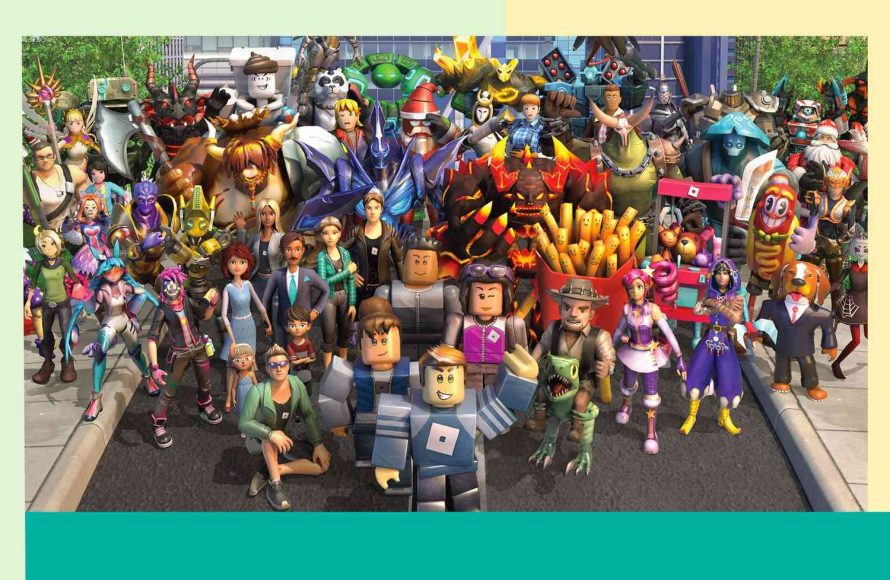
Implementing strong passwords, enabling two-step verification, and monitoring in-game interactions are key roblox safety tips for kids and parents.
Does your child love playing Roblox? It’s an exciting virtual world, but safety is paramount. We’ll help navigate this platform by providing practical roblox safety tips for kids and parents.
Keeping your child safe online requires attention. It’s a shared responsibility that parents and kids can work on together.

Roblox Safety Tips for Kids and Parents
Roblox is a super fun place where kids can play games, create worlds, and make friends. But just like any online space, it’s important to know how to stay safe. This guide gives you all the tips you need to enjoy Roblox while keeping kids protected.
Understanding Roblox: A Quick Overview
Roblox is an online platform that lets people play games made by other users. It’s like a giant playground with lots of different games and experiences to explore. Kids can customize their avatars, chat with others, and even build their own games.
This makes it exciting, but it also means we need to be aware of safety issues.
Setting Up a Safe Roblox Account
Creating a new account carefully is the first important step. This helps in ensuring your child’s safety and enjoyable experience.
Age Verification and Parental Controls
When signing up, make sure to put in your child’s correct birthdate. This helps Roblox to apply appropriate settings. Roblox provides parental controls, which let you manage chat, spending, and more.
Creating a Strong Password
Use a password that’s tough for others to guess. Avoid things like your name or birthday. It’s good practice to use a mix of letters, numbers, and symbols.
Keep the password in a safe place and don’t share it with anyone.
Setting Up Two-Step Verification
Two-step verification adds an extra layer of security. When turned on, Roblox will send a code to your email or phone when someone tries to log in. This makes it very difficult for others to get into your account.
Managing Chat and Communication
Communication is a big part of Roblox, but it needs to be done safely.
Understanding the Chat System
Roblox has a chat system that allows players to talk to each other. However, not all chats are nice, so kids must be careful.
Teach your children to never share personal information, such as their real name, address, or school.
Adjusting Privacy Settings
Go into the settings and adjust who can chat with your child. You can choose between ‘Everyone,’ ‘Friends,’ or ‘No one.’
Choosing ‘Friends’ is often the safest option, especially for younger children.
Reporting Inappropriate Behavior
Roblox has reporting tools that allow players to flag inappropriate chat or actions. If your child sees anything that makes them uncomfortable, teach them to use the report button. It’s good practice to tell a trusted adult too.
Safe Gameplay Practices
It’s crucial to know how to play safely while enjoying the games on Roblox. Here’s what you should consider:
Choosing Appropriate Games
Not all games on Roblox are suitable for all ages. Some games might contain content that’s too scary, violent, or complex. Always look at the game’s ratings and reviews before allowing your child to play.
Common Sense Media and other websites provide reviews of games that can be helpful to determine if a game is appropriate.
Avoiding Suspicious Links and Offers
Roblox players might try to send links or make offers that could be dangerous. Explain that they should never click on links from people they don’t know and should never give away their account or Robux.
Being Aware of Scams
Scammers try to trick people into giving up their personal information. Educate your kids about common scams and why it’s important to protect their account.
Robux and In-Game Spending
Robux is the virtual currency used on Roblox. Here’s how to handle it:
Setting Spending Limits
Parental controls allow you to set a monthly spending limit on Robux. This is important to prevent unexpected charges. Review your child’s purchases regularly to stay informed about how they’re spending.
Understanding In-Game Purchases
Many games offer in-game purchases, which can add up quickly. Ensure that your children fully understand the costs and that they seek your approval before making any purchase.
Dealing with Online Friends
Making friends online is a fun part of Roblox, but it requires some safety precautions.
Recognizing Online Friends vs. Real-Life Friends
It is very important for children to understand that people online aren’t always who they say they are. Not every ‘friend’ they make online is a friend in real life.
Encourage your child to only add people they know from real life as their Roblox friends.
Avoiding Sharing Personal Information
It’s essential that children do not share personal details such as their name, address, phone number, or school information with online friends.
Emphasize that it’s crucial not to trust everyone they meet online.
Understanding the Power of the Block Button
If someone is making them uncomfortable, teach them how to block the user. Blocking prevents that user from contacting them.
Teach your kids that blocking is not rude, it’s a safety measure.
Parental Involvement: Staying Informed
Being an active part of your child’s Roblox experience helps keep them safe.
Playing Roblox with Your Child
Playing the game with your child can be a fun way to bond while also allowing you to see how they interact with others. It gives you a first-hand look at the games they like to play and the people they are engaging with.
Regularly Reviewing Account Activity
You should check your child’s Roblox account activity regularly. Look at the games they play and who they are friends with. This helps you spot potential issues early.
Keeping an Open Dialogue
Maintain open communication with your child about their Roblox experiences. Encourage them to talk about their time on the platform and any issues they may have. Make it clear that they can come to you with any concerns without judgment.
Using the Roblox Parent Portal
The Roblox Parent Portal allows you to manage settings and monitor your child’s activity. Make sure you familiarize yourself with the different options it offers.
You can set spending limits, control who can chat with your child, and view their play history.
Addressing Cyberbullying
Cyberbullying can happen on any online platform, including Roblox. Here’s how to deal with it:
Recognizing Cyberbullying
Help children understand what cyberbullying looks like. This can be mean messages, exclusion from games, or other harmful actions. Make sure they understand that it is not their fault if someone is being mean to them.
Reporting and Blocking Bullies
Teach your children to report bullying to Roblox and block the user. Reporting helps Roblox to take action against the bully. They should always tell a trusted adult about any bullying situation.
Supporting Your Child
If your child has experienced cyberbullying, offer emotional support. Let them know that you are there for them and will help them handle the situation. Be proactive in keeping the situation from happening again.
Reviewing and Updating Settings Regularly
Roblox settings may change from time to time, and it’s good to review them periodically. This ensures that your child’s account remains secure and your settings are up to date.
Checking for Updates
Roblox often releases updates to its platform, including new security features. Check the app and website regularly for any new options that you can use to further protect your children. These updates can provide additional tools for safety and parental control.
Reviewing Privacy and Chat Settings
Make it a habit to check your privacy and chat settings periodically. Review who can chat with your child and consider adjusting if needed. Ensure that the safety settings are aligned with your child’s level of maturity and understanding of online risks.
Additional Resources
There are many resources available to help you stay informed about online safety and Roblox. Check out these for extra help:
Official Roblox Support
The official Roblox website provides detailed information about safety and privacy. This is a great place to find support articles and frequently asked questions regarding safety measures.
Common Sense Media
Common Sense Media offers reviews of games and apps, including Roblox. This can be helpful to determine whether the game is appropriate for your child’s age. Look out for safety concerns they discuss in their reviews.
Internet Safety Organizations
Many organizations are dedicated to online safety. These organizations provide tips and guidance for safe internet usage. Websites like the National Center for Missing and Exploited Children offer helpful information about online safety.
Staying Safe While Having Fun
Roblox is a fun place, and with a few precautions, your child can enjoy it safely. It’s all about knowing the risks, understanding the settings, and talking with your kids.
- Use strong passwords and two-step verification.
- Adjust privacy settings to manage chats.
- Choose age-appropriate games and avoid suspicious links.
- Set limits on spending Robux.
- Talk to your kids about online friends.
- Stay involved and monitor their activity.
By following these tips, parents and kids can work together to create a positive and secure Roblox experience. Remember, communication and a proactive approach are key to staying safe online.
Is Roblox safe for kids? | What you need to know as a parent or caretaker
Final Thoughts
In short, establish open communication with your kids about online interactions. Supervise game time and ensure privacy settings are correctly adjusted.
Remember, strong passwords and cautious friend requests are crucial. Teach your child to report any suspicious behavior immediately.
These roblox safety tips for kids and parents, help provide a safer and enjoyable experience. Stay informed, stay involved, and keep playing fun!

