
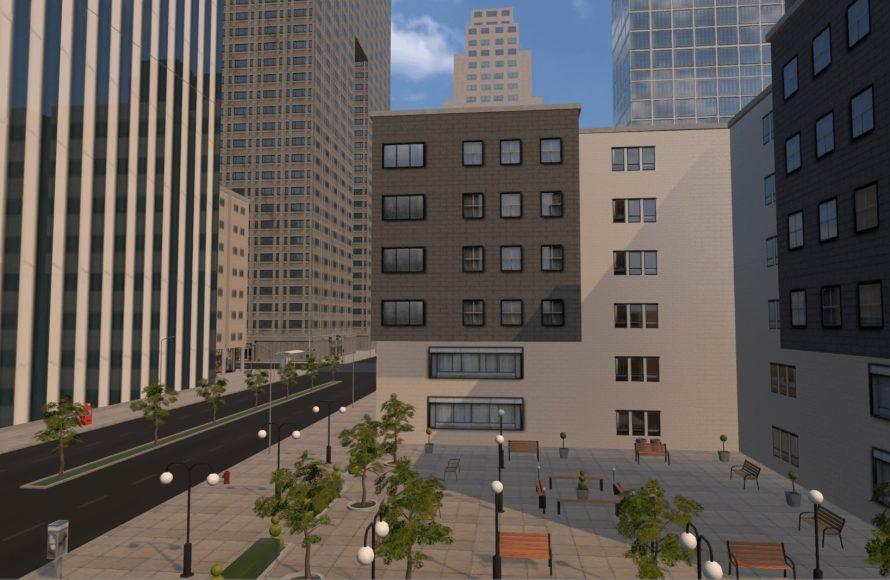
Roblox engineering design in virtual worlds
uses the platform’s tools to create interactive and functional elements within games, allowing players to build everything from simple structures to complex mechanisms.
Have you ever wondered how those amazing contraptions and intricate landscapes come to life in Roblox? Well, it all boils down to Roblox engineering design in virtual worlds. Players use a wide variety of building tools and scripting languages to construct these digital creations. It’s not just about making things look pretty; it’s about making them work as intended. The design process often includes careful planning of functionality, performance and player interaction. This can mean anything from building an elevator to designing a working vehicle.

Roblox Engineering Design in Virtual Worlds
Imagine building anything you can dream of, not with LEGO bricks or wood, but inside a computer game! That’s what Roblox engineering design is all about. It’s not just about playing games; it’s about creating them, using the same kind of thinking that real-world engineers use to build bridges, cars, and even rockets! In Roblox, you get to be a digital engineer, designing amazing structures and mechanisms using code and your imagination. Let’s dive into how this works and what you can create!
Understanding the Basics of Roblox Engineering
Before we can build towering skyscrapers or speedy race cars in Roblox, we need to understand the basic building blocks. Just like real-world engineers use tools and materials, Roblox engineers use the Roblox Studio and its features. This is where the magic happens! Here are some of the key concepts to grasp:
Parts: The Foundation of Everything
Think of parts as digital LEGOs. They come in different shapes, like blocks, spheres, and cylinders. You can change their size, color, and material to make all sorts of things. These parts are the fundamental building blocks for any design in Roblox.
- Basic Shapes: Blocks, spheres, wedges, cylinders are commonly used.
- Customization: You can change the size, color, texture, and material of each part.
- Joining Parts: Use welds or constraints to connect parts and make them move together.
Constraints: Making Things Move
Parts alone are just static objects. To make your creations move, you need constraints. These are like the joints and motors in real-world machines. They allow parts to rotate, slide, and follow other paths, making animations and complex machinery possible.
- Hinge Constraints: These let parts rotate around an axis, like a door hinge.
- Motor Constraints: These apply force to move connected parts, like a car engine.
- Spring Constraints: These create bouncy effects, like a spring in a trampoline.
Scripting: Giving Instructions with Code
While parts and constraints are essential for building, Lua scripting is the language you use to add functionality to your creation. Think of scripting as giving instructions to your Roblox designs. You use code to tell parts to react to events, move in a specific way, or do anything you can imagine.
- Lua: The programming language used in Roblox. It’s relatively easy to learn.
- Events: Things that happen in the game, like a player touching an object or a button being pressed.
- Functions: Sets of instructions that perform tasks when called.
Applying Engineering Principles in Roblox
Real-world engineering uses principles of physics, math, and design to create functional objects and systems. The same principles apply in Roblox. Though it’s a virtual world, understanding how forces, shapes, and mechanics work will make your designs much more successful.
Structural Design: Building Sturdy Structures
Before you build a tall tower or a complex bridge, you need to make sure it is stable. This means thinking about how the parts will support each other. Here’s how to apply these ideas in Roblox:
- Load Bearing: Consider where the weight of your structure is going. Use strong parts and smart placement to support the load.
- Triangles: Like in real-world construction, triangles are good for stability. Try incorporating them into your structures.
- Symmetry: Symmetrical designs are often more balanced and stable.
Mechanical Engineering: Creating Moving Parts
Making things move in Roblox requires you to use your creativity and understanding of mechanics. This involves using constraints, motors, and gears. Try building these designs:
- Gears: Use hinge constraints to link gears so they rotate together.
- Pulleys: Combine ropes and wheels using constraints to lift objects.
- Simple Machines: Explore levers, inclined planes, and other simple machines in a digital environment.
Electrical Engineering: Powering Your Designs
Although Roblox doesn’t directly simulate electricity, we can use scripts and animations to make it feel like we are creating electrical systems. For example, you can make buttons light up, doors open automatically, or even create complex circuits.
- Switches: Create buttons that trigger events using scripts.
- Timers: Use scripts to create delays or cycles of operation.
- Sensors: Make objects that react when a player touches them.
Examples of Engineering in Roblox
Let’s explore some specific examples of what can be made with Roblox engineering, and some of the common techniques used to design them:
Roller Coasters: Fun with Physics
Roller coasters are a classic example of engineering design. In Roblox, you can create a ride with loop-de-loops, sharp turns, and fast drops. It involves a lot of planning and careful placing of parts to create a safe and fun experience.
Here’s how to create one:
- Track Design: Use angled parts to build inclines, drops, and curves.
- Cart Design: Use a model with wheels and constraints to make the cart move on the track.
- Physics: Make use of speed, gravity, and momentum to make the ride thrilling.
Vehicles: Designing Transportation
Creating vehicles such as cars or planes in Roblox requires knowledge of mechanics and scripting. From simple cars to complex airplanes, the possibilities are huge. Here’s how to design one:
- Chassis: The framework of your vehicle, built using parts.
- Wheels: Use the cylinder part and connect it with motor constraints for movement.
- Control Script: Write a script to control the movement of the vehicle when a player gives input.
Buildings: Architecture in Roblox
Creating large, detailed buildings is not just fun; it also takes planning and understanding of structures. Designing a skyscraper or a bridge in Roblox is similar to how they would do it in the real world, but with infinite digital materials. Here’s how:
- Foundation: Design a strong base using rectangular parts.
- Framework: Use columns and beams to provide support.
- Details: Add walls, windows, and other details to make the building look nice.
Advanced Roblox Engineering Techniques
Once you have a good understanding of the basics, you can try some more advanced techniques to make even more complex and amazing creations.
Using Models: Reusing Your Designs
Creating a model can save you a lot of time. Models can be complex designs that can be copied, shared, and re-used across your projects. This is good for repetitive tasks or if you want to share a creation with others.
- Grouping: Group parts together to make them a single unit.
- Saving Models: Save your creations to your inventory for later use.
- Sharing Models: Share your models with other builders in the Roblox community.
Using Plugins: Add-On Features
Roblox plugins are like add-on tools that give you extra abilities. These can help you create more quickly, manage your designs, or make the development process easier. Check out the Roblox library to find plugins that suit your needs. Some examples are:
- Building Tools: Plugins to create complex structures quickly.
- Animation Editors: Tools to make custom animations for your creations.
- Script Editors: Advanced code editors that make scripting easier.
Collaboration: Working Together
Roblox Studio allows you to work with other creators in real-time. You can collaborate on projects with friends or other developers. This makes development faster and can lead to more complex and creative designs. Here are some tips for successful teamwork:
- Planning: Plan your designs before you start building.
- Communication: Communicate with your team members.
- Task Division: Assign different parts of a project to different people.
Learning and Improving Your Roblox Engineering Skills
Like any skill, your ability to make amazing creations in Roblox will get better with time and effort. It is always good to be working to increase your knowledge and skills. You can learn about Roblox Engineering in many different ways.
Explore the Roblox Developer Hub
The Roblox Developer Hub is a great place to get information and learn how to design and build new things in Roblox. It has lots of articles and resources that teach you about scripting, building, and much more. Here are some features of the Roblox Developer Hub:
- Tutorials: Guides on how to make different things in Roblox.
- Documentation: Detailed explanations of the Roblox API and Lua scripting language.
- Community Forums: Places where you can ask questions and get help from other developers.
Practice and Experiment
The best way to learn is by doing. So, try to make time for practice and experiments. You will learn by trial and error. Make as many different designs as you can to practice your engineering skills.
- Start Small: Begin with simpler designs and then move on to more complex ones.
- Try New Things: Don’t be afraid to try new ideas and techniques.
- Learn From Mistakes: Analyze why something didn’t work and learn from it.
Join the Community
The Roblox community is a great place to meet other creators, share ideas, and get inspired. Connect with other developers through forums, groups, and social media.
- Follow other Developers: Watch other experienced designers, their techniques and designs.
- Ask Questions: Don’t hesitate to ask other developers for advice.
- Share your designs: Show off your creations and get feedback from the community.
Roblox engineering design lets you take your creative ideas and turn them into working virtual designs, using real-world engineering principles. As you continue to build and design in the Roblox universe, you’ll find that the only limit is your imagination. So start creating and see what amazing things you can make. The possibilities are truly limitless! From complex roller coasters to detailed cityscapes, you can bring your engineering visions to life.
Keep practicing, keep learning, and most of all, have fun building!
Engineering in Gaming: Beyond the Blocks with Roblox
Final Thoughts
In essence, Roblox engineering design in virtual worlds presents unique opportunities and challenges. Creators build interactive environments with specialized tools, impacting player experience significantly. Skillful design directly influences gameplay mechanics and overall enjoyment.
This process demands careful consideration of both functionality and aesthetics. Successfully navigating these elements leads to immersive and engaging Roblox experiences. It emphasizes that good design is key.

