
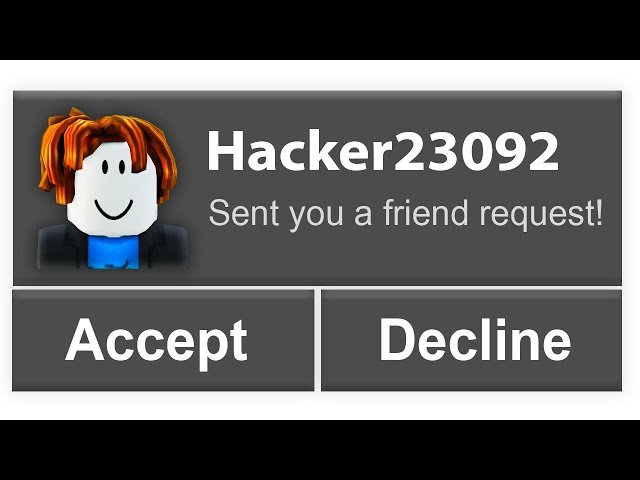
A Roblox friend request is how you connect with other players, allowing you to join their games and chat with them.
Ever wondered how those connections happen on Roblox? It all starts with understanding the system, and that’s what we’re here for! Let’s get the Roblox friend request explained, once and for all.
It’s a simple mechanic that opens the door to collaborative play, and building your Roblox community. This basic system is crucial for teamwork and sharing your favorite experiences with others.

Roblox Friend Request Explained
Have you ever wondered about those little friend request notifications popping up on Roblox? It’s a super cool way to connect with other players, but it can be a little confusing at first. Let’s break down everything you need to know about Roblox friend requests, how they work, and why they’re important.
What is a Roblox Friend Request?
A Roblox friend request is like asking someone to be your friend on the platform. When you send a request, you’re basically telling another player you want to connect and play games together. It’s a digital way of saying, “Hey, let’s be friends!”
This allows you to see when your friend is online and easily join their games. It also lets you chat with them directly, making it easier to plan adventures in your favorite worlds.
Why Send a Friend Request?
There are many good reasons to send a friend request on Roblox. Perhaps you met a really great player in a game, or you want to connect with someone you already know in real life.
Being friends on Roblox also makes it easier to join the same games and build things together. It helps you keep track of the people you enjoy playing with.
How to Send a Roblox Friend Request
Sending a friend request is simple, and there are a couple of ways to do it.
Using the Player’s Profile
The most common way is through a player’s profile page. You can find the player’s profile if you know their username.
- Go to the Roblox website or open the app.
- Use the search bar at the top to type in the username of the person you want to friend.
- Click on the player’s profile from the search results.
- On their profile page, you will see a blue “Add Friend” button. Click it.
- Your friend request is now sent! The button will change to “Request Sent.”
While in a Game
You can also send a request to someone you’re playing with right from the game. This is super handy when you meet someone new.
- Look at the player list, which is usually on the right side of the screen.
- Click on the name of the player you want to add.
- A menu will pop up, and you should see a “Add Friend” option.
- Click that, and the request is sent!
How to Accept a Roblox Friend Request
Receiving friend requests is part of the experience, and accepting one is a breeze. A little red notification will pop up to let you know.
- When you get a friend request, you’ll see a red notification on the friend icon (it looks like two people).
- Click on that icon. This will bring up the friend request window.
- You’ll see a list of requests from other players.
- To accept one, click the green check mark next to the player’s name.
- The player is now your friend!
Managing Your Roblox Friends List
After you have some friends, you might want to manage your list. It’s easy to see who’s online or who you might want to remove.
Viewing Your Friends
To see your current friends, click on the friend icon. This will show you a list of everyone you’re friends with.
You can tell if they’re online or not from this view. It’s a great way to see who’s ready to play!
Removing a Friend
If you no longer want to be friends with someone, you can easily remove them.
- Go to the friend list, as described above.
- Find the friend you want to remove.
- Click on the three dots (…) next to their name.
- A menu will appear, and then click “Unfriend”
- The person will no longer be your friend.
Roblox Friend Request Settings
Roblox also gives you some control over who can send you friend requests. You can change these settings if you prefer not to get a lot of random friend requests.
Accessing Your Privacy Settings
You’ll find the privacy settings on the settings page.
- Click on the gear icon in the top-right corner.
- Choose “Settings” from the drop down menu.
- Select the “Privacy” tab to access your privacy options.
Who Can Send Me Friend Requests?
In the privacy settings, there’s an option labeled “Who can send me friend requests?”
You will see a dropdown menu that will show you the three available options. Each option provides varying levels of control.
- Everyone: Anyone on Roblox can send you a friend request.
- Friends of Friends: Only friends of your current friends can send you a friend request.
- No one: Nobody can send you friend requests.
Pick the option that works best for you and how you like to play.
Why is This Important?
Friend requests are a central part of the Roblox experience. They allow you to socialize and collaborate with other players.
It makes it easy to join your friends’ games, talk to them, and even build amazing things together.
Safety First
It’s important to be safe when adding friends online. Only accept friend requests from people you know and trust.
Never share personal information with anyone you meet on Roblox. Always be cautious about the people you interact with online.
Troubleshooting Friend Requests
Sometimes, you might run into issues when trying to send or accept friend requests. Let’s look at some common problems.
Can’t Send Friend Request
If the “Add Friend” button isn’t there, it might be because the person’s settings don’t allow friend requests. They may have chosen “Friends of Friends” or “No one”.
Another reason could be that you already sent them a friend request, so it will say “Request Sent”.
Can’t Accept Friend Request
Sometimes, glitches may cause you not to be able to accept a request. If this happens, try refreshing the page.
If that doesn’t work, logging out and logging back into your account may help. If problems persist contact Roblox support.
Common Questions
Can I have a lot of friends?
Yes, you can have a large number of friends on Roblox! You can have up to 200 friends.
There’s a lot of space for connecting with all your new buddies.
Can I block someone?
Yes, if someone is bothering you, you can block them. This will stop them from sending you messages or seeing your activities.
To block a player, go to their profile and look for the “Block User” option.
Can I chat with my friends?
Absolutely! You can chat with your Roblox friends. When someone is online, you can send them messages. This lets you plan games, talk about things, or simply say hi.
What happens when someone unfriends me?
When someone unfriends you, they will disappear from your friends list. You also disappear from their friend list.
You will also not be able to see each other’s online status, join each other’s games easily or message each other.
How do I find my friend’s game?
Once you are friends with someone, you can click on their profile and if they are currently playing a game, you can click the join game button. This is very handy and easy way to play games with your friends.
Does adding a friend in game add them to my friends list?
Yes, when you use the in game option to add someone as friend, they will be added to your friends list like any other player. So, you can easily keep track of your friends and play with them.
Roblox friend requests are a fantastic way to enhance your gaming experience and connect with other players. It makes playing games together more fun and social. Remember to always be safe when meeting new people online. Now that you know all about them, go make some new friends and enjoy the adventure!
When you accidentally decline a friend request…
Final Thoughts
Roblox friend requests let players connect. Accepting them allows in-game interaction.
‘Roblox friend request explained,’ means you can easily add people to your list. You must have a positive experience.
This facilitates communication and joining each other’s games. It is how you make new friends on Roblox.

