
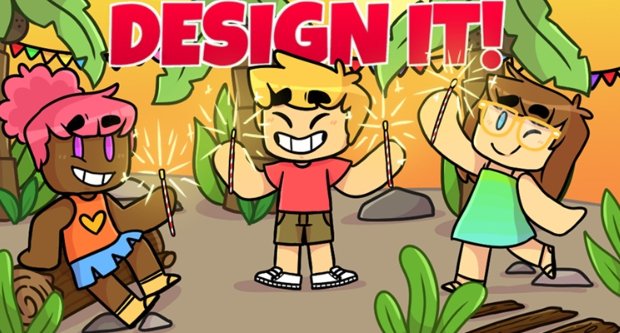
The roblox game art style guide dictates using low-poly models, bright colors, and cartoony textures to create a playful and accessible aesthetic.
Creating engaging Roblox games requires a clear visual direction. A consistent style helps players recognize and enjoy your game. This is where a roblox game art style guide proves essential.
Thinking about how you want your game to be perceived helps define that style. Consider the game’s genre and target audience during development. The roblox art style guide can help your creative process.

Roblox Game Art Style Guide
Creating a game on Roblox is like building your own little world! But just like any good world, it needs a cool and consistent look. That’s where an art style guide comes in. Think of it like a recipe for how your game should look – from the colors to the shapes to the overall feel. Let’s dive into how you can make your Roblox game visually awesome with a solid art style guide.
What is a Roblox Game Art Style Guide?
A Roblox game art style guide is a set of rules and examples that show everyone working on your game how it should look. It’s like having a playbook for your game’s visuals. It helps make sure that all the different parts of your game – the characters, the buildings, the items – all look like they belong together. Without it, your game might end up looking like a bunch of different things thrown together, and that can be confusing for players!
Why is an Art Style Guide Important?
Having an art style guide is super important for a few reasons:
- Consistency: It makes your game look polished and professional. Everything will feel like it belongs in the same world.
- Branding: It gives your game its own unique identity. Players will start to recognize your game just by looking at it.
- Efficiency: It helps your team work faster and smarter. Everyone knows what they should be creating, which reduces time spent on figuring out the basics.
- Player Immersion: It helps players get lost in your game world. When the visuals are consistent, it makes the game feel more real and exciting.
Key Elements of a Roblox Game Art Style Guide
So, what should be included in your very own art style guide? Let’s go through the main things:
Color Palette
Choosing a color palette is like picking the paints for your game’s world. It’s important to pick colors that work well together and fit the mood you want to create. For example, if you’re making a spooky game, you might choose darker colors. If your game is bright and happy, you’ll want to use more vibrant colors.
- Primary Colors: These are your main colors. Choose 2-3 that will be used the most.
- Secondary Colors: These are colors that go well with your primary colors.
- Accent Colors: These are used sparingly to highlight important elements.
You can use online tools like Adobe Color or Coolors to help you find great color palettes.
Typography
Typography is all about the style of the text you use in your game. Choosing the right fonts is crucial to ensure they match the game’s style and are easy to read. Different fonts can evoke different feelings. A blocky font might work for an action game, while a rounded font could suit a more casual game.
- Game UI Font: The font used for menus and other interface elements. It needs to be very readable.
- Game World Font: The font used for signs and text within the game world. It should match the game’s overall look.
- Keep it simple: Don’t use too many different fonts. Stick to 2-3 maximum to avoid visual clutter.
Character Design
Character design is super important because characters are who the players interact with! Think about the shape, size, and style of your characters. Are they blocky and simple, or more detailed and smooth? Do they have big eyes or small ones? It’s all about what fits your game’s world and what kind of feeling you want to create.
- Body Shapes: Consider if you want blocky or curvy characters, or perhaps a mix.
- Facial Features: Decide on the type of eyes, mouth, and other facial features that fit your style.
- Clothing & Accessories: Choose clothes and items that match your game’s theme. Do they wear fantasy armor, or modern outfits?
Environment Design
The environment of your game is the world the players will explore. Think about the shapes of the buildings, the kinds of plants, and the overall landscape. A futuristic game will look very different from a medieval game. Consistent use of shapes, textures, and colors will make your world feel believable and engaging.
- Building Styles: Decide if your buildings will be simple or complex, blocky or round.
- Landscapes: Plan out the terrain and vegetation. Will it be lush and green, or rocky and desolate?
- Props & Objects: Choose items that fit your game’s theme, like barrels, treasure chests, or futuristic gadgets.
UI (User Interface) Design
The UI is what players use to interact with your game – menus, buttons, and health bars. It’s important for the UI to be clear, easy to use, and fit with your game’s art style. Make sure it’s not too cluttered and is easy to navigate.
- Button Styles: Choose shapes and colors for your buttons that make them clear and inviting to click.
- Menu Layout: Design clear and easy-to-understand menus.
- Icons and Symbols: Make sure your icons match your game’s style and are easy for players to understand.
Lighting and Shadows
Lighting can change the whole mood of your game! Bright lighting can make a place look cheerful, while dark lighting can create a creepy atmosphere. Use shadows to add depth and make your game world feel more real.
- Time of Day: Decide how the lighting will change with the time of day in your game. Will you have sunrises and sunsets?
- Light Sources: Think about how you will use light sources like lamps, torches, and the sun.
- Shadows: Use shadows to add depth and realism. Make sure they are consistent.
How to Create Your Roblox Game Art Style Guide
Now, let’s go over the steps to create your very own art style guide:
1. Define Your Game’s Theme and Genre
First, think about what your game is all about. Is it a fantasy adventure, a sci-fi shooter, or a relaxing simulator? Knowing your game’s theme and genre will help you make all the right decisions about the art style.
2. Gather Inspiration
Look at games, movies, books, and even real-world things that inspire you. What do you like about their look? How can you use those ideas in your game? Don’t copy exactly, but use inspiration to find your own unique style.
- Look at other Roblox games in your genre. What do you like about their visuals?
- Check out artwork and designs from other games you admire.
- Look at real-world photos and designs for inspiration.
3. Create a Mood Board
A mood board is like a collage of images, colors, and textures that represent the look and feel you want for your game. Collect anything that you find inspiring and arrange them on a board – this could be physical or digital.
4. Choose Your Core Elements
Now it’s time to pick the core elements: your color palette, typography, character shapes, building styles, etc. Put these in writing, and don’t be afraid to try different options until you find what works best!
5. Create Examples
Make some sample images and models of your characters, buildings, and UI elements using the art style you’ve chosen. This will make it clear for everyone working on the project what the game should look like.
6. Write It All Down
Put all your choices and examples into a document, a website, or any format that’s easy for your team to access. This is your official art style guide!
7. Share and Discuss
Show the art style guide to everyone working on the game. Talk about what the guide means and be open to feedback. Remember it might need adjustments as you create the game.
8. Regularly Check and Update
As you work on the game, keep checking back with your guide. If something doesn’t seem to fit, think about adjusting the guide to make your game look as good as it can be. An art style guide is meant to be a living document.
Tools and Resources
To make your game art process easier, you can use many different tools and resources, check these out:
Roblox Studio
Roblox Studio is the main place where you will create your game. It includes tools for building, scripting, and designing. It also has plenty of features for setting up lighting and importing your own models and textures. Here are some tools within Studio that help:
- Terrain Editor: Create amazing landscapes with lots of customization.
- Model Importing: You can bring in 3D models from other programs.
- Lighting Controls: Adjust the lighting to achieve the perfect mood for your game.
3D Modeling Software
For more complex models, you can use 3D modeling programs like Blender (it’s free!), or paid software like Maya and Cinema 4D. These programs give you more control over how you design your characters, buildings, and other 3D assets.
Graphic Design Software
To make textures, UI elements and other 2D design assets, you can use software like Adobe Photoshop, Illustrator or free programs like GIMP. These tools help you make awesome graphics and art for your game.
Online Resources
There are many online resources where you can find textures, free models, and inspiration:
- Roblox Developer Forum: Great for getting help from other developers and finding free resources.
- Sketchfab: An amazing place for finding 3D models, some of them free!
- Envato Elements: A great place to find textures and design elements.
Examples of Different Roblox Art Styles
Roblox has many types of art styles, so let’s look at a few to get a better idea of what you can do:
Low-Poly Style
This style uses simple shapes and fewer details. It’s great for making games that run smoothly, even on older computers. It looks clean and cartoonish, making it appealing to a younger audience.
Characteristics:
- Simple shapes, blocky designs
- Minimal details
- Bright colors
- Often used in adventure or casual games
Realistic Style
This style aims for a more life-like feel. It uses detailed models, high-resolution textures, and realistic lighting effects. It’s perfect for simulation or role-playing games where players want a more immersive experience.
Characteristics:
- Detailed models with lots of polygons
- Realistic textures and lighting
- A more serious feel
- Suitable for simulation and role-playing games
Cartoonish Style
This style uses bright colors, exaggerated shapes, and bold outlines. It’s perfect for making fun, whimsical games that are lighthearted and entertaining.
Characteristics:
- Bright, saturated colors
- Exaggerated character and object shapes
- Bold outlines
- Often used for adventure and platform games
Stylized Style
Stylized is a flexible art style where you pick specific design features to emphasize. This style gives you lots of creative freedom to blend different styles together and create something unique. You can make your own signature look this way.
Characteristics:
- Blend of different styles
- Unique and distinct features
- Allows for creative freedom
- Can work for any kind of game
Common Mistakes to Avoid
Making an art style guide is hard work and you should try to avoid these mistakes:
Inconsistent Style
If your game’s visual elements do not match up, this makes the game feel confusing and unprofessional. Everything should look like it belongs in the same world.
Overly Complicated Designs
Don’t make your designs too complex, especially if you’re new to game art. Simpler designs are easier to manage and often look just as good, or even better.
Ignoring Color Theory
Colors can make a big difference in how people feel about your game. Spend time learning how colors work together so that your game has a visual impact.
Overlooking Readability
Don’t make your UI too difficult to understand. Make sure the buttons and text are easy to see and read. Players need to be able to easily navigate your game.
Not Updating the Guide
Your art style guide should change as your game develops. Don’t hesitate to adapt and improve as you go along. It’s not a static rule book, it’s a working guide.
Creating a Roblox game is a journey, and your art style is a big part of that journey. With a good art style guide, you can make your game beautiful, fun, and unique. Remember to stay consistent, get inspired by others, and most importantly, have fun with your creative process. Good luck creating your awesome Roblox world!
Drawing Using the JELLY Artstyle in ROBLOX Spraypaint! 💕✨
Final Thoughts
A strong roblox game art style guide helps maintain consistency and visual appeal. Developers should establish guidelines for colors, shapes, and character designs early on. This ensures a cohesive experience across the game.
Clear style guides help artists and designers work more efficiently. It also contributes to a unique, recognizable brand for your game. Consider your target audience while creating your roblox game art style guide.

