
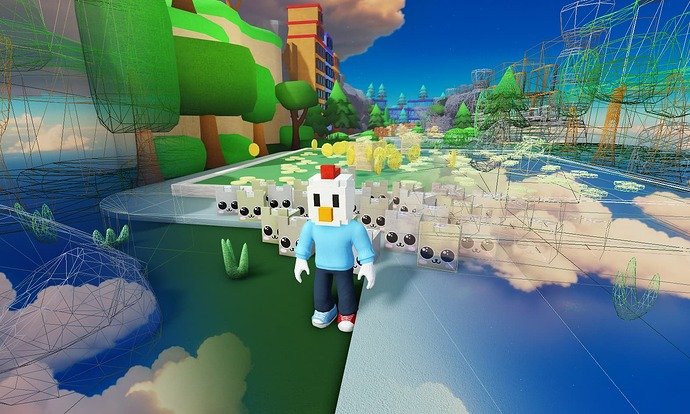
Roblox game optimization techniques primarily involve reducing polygon counts, using efficient scripting, minimizing unnecessary effects, and employing level of detail (LOD) models to enhance performance.
Have you ever experienced lag in your favorite Roblox game? It’s frustrating, right? Many creators face the challenge of making their games run smoothly, especially when they add lots of cool features. Effective roblox game optimization techniques are essential for a great player experience.
These techniques include things like simplifying models, writing cleaner code, and thinking about what actually impacts frame rates. Small changes can make a huge difference for players of all devices. Let’s get into some core ways you can improve your game.

Roblox Game Optimization Techniques
Making a cool Roblox game is awesome, but sometimes, it can get a little laggy, right? That’s because our games are doing a lot of things at once! To make them run smoothly for everyone, we need to use some clever tricks. These tricks are called “optimization techniques,” and they’re like giving your game a super speed boost! Let’s dive into how we can make our Roblox creations super fast and super fun!
Understanding the Basics: What Causes Lag?
Before we start fixing things, let’s understand why games get slow in the first place. Imagine your game is like a busy city. Lots of things are happening: characters are moving, buildings are being drawn, and players are interacting. All of this needs a lot of power from your computer or phone. If the city gets too crowded, things slow down. In Roblox, this “crowding” can come from a few key sources:
Too Many Parts
Think of each brick in your game as a small piece of data. The more bricks you have, the more work Roblox has to do to keep track of them. If you have tons and tons of detailed bricks, especially when they’re all close together, it’s like having a huge traffic jam. The game gets bogged down trying to keep all those tiny details up to date. So instead of creating lot of small parts you can use mesh parts which is more optimized.
Complex Scripts
Scripts are the brains of your game. They tell things what to do. If your scripts are very complicated, or are running many many times per second, it can take a lot of processing power from the game. The more calculation, the more difficult the game has to work.
Unnecessary Calculations
Sometimes, scripts do calculations or tasks that aren’t needed, or calculate them many times when we only needed one calculation. It’s like calculating 2+2 a thousand times, when we only need the answer once. If your game keeps doing these tasks over and over, it can slow down everything. So, always calculate the necessary things only when needed or calculate it once and use the calculated result, instead of calculating each time.
Badly Optimized Textures
Textures are like stickers that go on our bricks to make them look like grass, wood or anything else. Big, detailed textures are really nice to look at, but they can also be big files, and if we’re loading lots of those big files at once, it can make the game slow. Small and less detailed textures can be a great alternative.
Techniques for a Speedy Game
Now that we know what slows things down, let’s look at some cool techniques we can use to speed them up. These tricks will make your game smooth and enjoyable for everyone playing.
Level of Detail (LOD)
Imagine your game has a giant castle. Up close, you need to see all the detailed bricks and decorations. But when you’re far away, you don’t need every single brick to be crystal-clear. Level of Detail (LOD) is a technique that changes how detailed objects look based on how far away they are from the camera. If player is far away from an object, we can show a very low poly object. And when player is close to the object, we can show a very detailed object, this helps to reduce the amount of work for the game. Here’s how it works:
- Far Away: Show a simpler version of the object with fewer bricks or a very low poly mesh.
- Medium Distance: Show a slightly more detailed version.
- Up Close: Show the full, high-detail object.
Roblox makes this a little easier for us by allowing us to use LOD meshes, where we can assign LOD levels to meshes. Using this functionality you don’t need to write the LOD algorithm, the engine handles it for you. This means the game only shows the details you need at the moment, saving precious processing power.
Using Mesh Parts
Remember how lots of small bricks can cause lag? Mesh parts are like putting a bunch of bricks together into one super brick! Instead of drawing each individual part, Roblox only has to draw one mesh object. This makes things run much smoother, especially if you have a lot of detailed objects in your game. You can create mesh parts in software like Blender and import them into Roblox. Here’s the benefit:
- Fewer Parts: Reduces the amount of work the game needs to do.
- More Complex Shapes: You can create really complex shapes and add even more details than using simple bricks.
- Better Performance: Makes your game run faster, especially with detailed structures and objects.
By using mesh parts intelligently you can get amazing results, both in terms of game design and performance. So keep experimenting with it.
Scripting Smarter
Scripts are very important for any game. Now let’s talk about how to write smarter and optimized code to make game performant. Here are some things to remember about scripts
Avoid Loops When Possible
Loops are very important for game design, but they can be costly. Loops run through a section of code repeatedly, sometimes every frame. If there is no need to loop an operation many times, try not to do it, or do it in chunks. Always try to write code so it doesn’t loop unnecessary number of times.
Using Debouncing
Sometimes, we want an action to happen only once within a short period of time. For example, if you have a button that gives you coins, you might not want a player to get 1000 coins by clicking very fast. That’s where debouncing comes in. It helps to add a short timer, which means if an action occurs once, it prevents same action to happen until the timer is complete. This makes sure our scripts don’t work too hard from rapid repeated actions.
Using RunService
Roblox has something called RunService. RunService provides many functionalities. It contains many functions which is called before the game starts, during each frame, or after each frame. For example if you need to change some ui on every frame, you should use RunService.RenderStepped instead of any other kind of loop, because RenderStepped is only called when the frame is being rendered, so you don’t do extra operations. Using this kind of functionality your scripts can get very optimized. There are multiple functions in RunService, make sure to use it wisely.
Caching Variables
If you’re using a particular object in multiple places in the script, instead of finding the object again and again, it’s good to store that particular object in a variable and use it. This saves the game from having to do that search operation each time, and improves efficiency. It is always good to cache variables that you frequently use.
Using the Correct Function
Roblox has many functions for different kind of use cases. For example, if you want to find player from it’s name, there is a function named Players:GetPlayerFromName(), and if you want to find from its UserId, there is a function called Players:GetPlayerByUserId(). Both of them do a similar task but behind the scene their algorithm is very different. If you use Players:GetPlayerFromName() instead of Players:GetPlayerByUserId() to find a player from userId, then the Players:GetPlayerFromName() would loop through all player names and find the matching player, whereas, Players:GetPlayerByUserId() would find the player using the userId which is much efficient than Players:GetPlayerFromName(). So choose correct functions based on your use case. This will help your scripts perform better. Here’s an example of what not to do:
   -- Bad way to find player by userId
   local function getPlayer(userId)
    for _, player in ipairs(game.Players:GetPlayers()) do
     if player.UserId == userId then
        return player
     end
    end
   end

   -- Good way to find player by userId
   local function getPlayer(userId)
        return game.Players:GetPlayerByUserId(userId)
   end
Disconnecting Events
Events in Roblox can be very useful, like Touched or Click events. But, if you no longer need an event listener, you should disconnect it. If you don’t disconnect them, the game keeps checking for that event even when you don’t need it. This can slow down your game. If you have a function attached to an event listener, you can return that connection and can disconnect that later.
   local connection
   connection = part.Touched:Connect(function(hit)
        print(hit.Name)
   end)

   -- Disconnect the event
    connection:Disconnect()
Using Magnitude instead of Distance Formula
If you need to know if two parts are near each other, don’t use the distance formula. (x1-x2)^2+(y1-y2)^2+(z1-z2)^2. Instead, use magnitude. Magnitude does not use sqrt operation, and it is very efficient to check distances, and is the best option in most cases. Magnitude is directly available in Vector3. Here’s how you can use it:
  -- Bad way
  local distance = (part1.Position - part2.Position).Magnitude

  -- Good way
  local distance = part1.Position:Distance(part2.Position)
Garbage Collection
When a script creates a new object or variable, it takes up space in memory. When that space is no longer needed, it becomes garbage. If you create too much garbage, your game can slow down and have other memory issues. Roblox’s garbage collector cleans this space periodically. If you notice that your game performance drops in a specific time, it is probably because of garbage collection. Try to reuse variables instead of always creating a new one to avoid the amount of garbage created.
Optimizing Textures
Textures make your game look fantastic, but big textures can slow things down. If you want to make game fast you need to consider some techniques
Compress Textures
Think of texture compression like squeezing a bag of chips. You still get the same amount of chips, but the bag takes up less space. Compressing textures makes the texture files smaller without making them look much worse. This means the game loads them faster and takes up less space in memory. Many image editing software’s allow to compress images, so you should always use optimized texture in games.
Use Atlas Textures
An atlas texture is like putting many small images into one big image. Instead of loading many different small texture files, Roblox only needs to load one. This helps the game use less memory and load textures faster. Always use atlas textures where it’s possible to improve the performance of the game. It’s very effective for games with multiple small textures
Use Repeating Textures
If you have a very large area of the same texture, such as a grass or a brick wall, instead of creating the whole area with a very big texture file, you can create a single tile-able or repeating texture, and then you can assign it to the whole area. Because you are using only one small texture and the game is just repeating the same texture, this is far more optimized than loading a very big texture for that area. Many textures on Roblox are repeating textures. For example brick textures, concrete textures are mostly repeating textures.
Collision Groups
Imagine having thousands of boxes in your game, and each of these boxes is checking collision with every other box. This can slow down the game a lot. Collision groups allow us to group some parts together and tell the game, these parts don’t need to check collisions with parts in the same group. This means the game spends less time checking for collisions, and helps the game perform well. If parts will never collide with each other, place them in a same collision group and disable collision between those parts.
Profiling Tools
Sometimes, it’s hard to find what’s causing lag just by looking. Roblox provides profiling tools that help us find bottlenecks of the game. These tools can show us exactly what part of our game is taking up the most processing power. Here’s what these tools can help you with:
- Script Performance: See which scripts are running slowly and how often they run.
- Memory Usage: Find out if your game is using too much memory.
- Rendering Issues: Check if rendering is slowing down the game.
By using these tools, we can find the exact parts of our game that need improvement and fix them, making our game faster and more enjoyable.
Putting It All Together
Optimizing your Roblox game is like giving it a good workout. By using these different methods, you can make your games run smoothly. It’s not always about doing just one trick, but about doing many things little by little. Start by trying a few of these techniques and then test to see if it makes a difference. And remember, practice makes perfect, and your games will get faster and better over time! Keep creating, keep optimizing, and have fun!
By applying these optimization techniques, you’re not just making your game faster; you’re making it more enjoyable for everyone. Happy creating!
How to OPTIMIZE Your Roblox Game… Easiest Guide!
Final Thoughts
Effective Roblox game optimization techniques involve careful script coding, efficient asset usage, and strategic level design. Reduce unnecessary calculations and use parts wisely to maintain performance.
Always test gameplay on different devices to identify bottlenecks. Implementing these optimization practices greatly improves user experience across various hardware.
Remember, thoughtful application of Roblox game optimization techniques leads to a smoother, more enjoyable game for everyone.

