
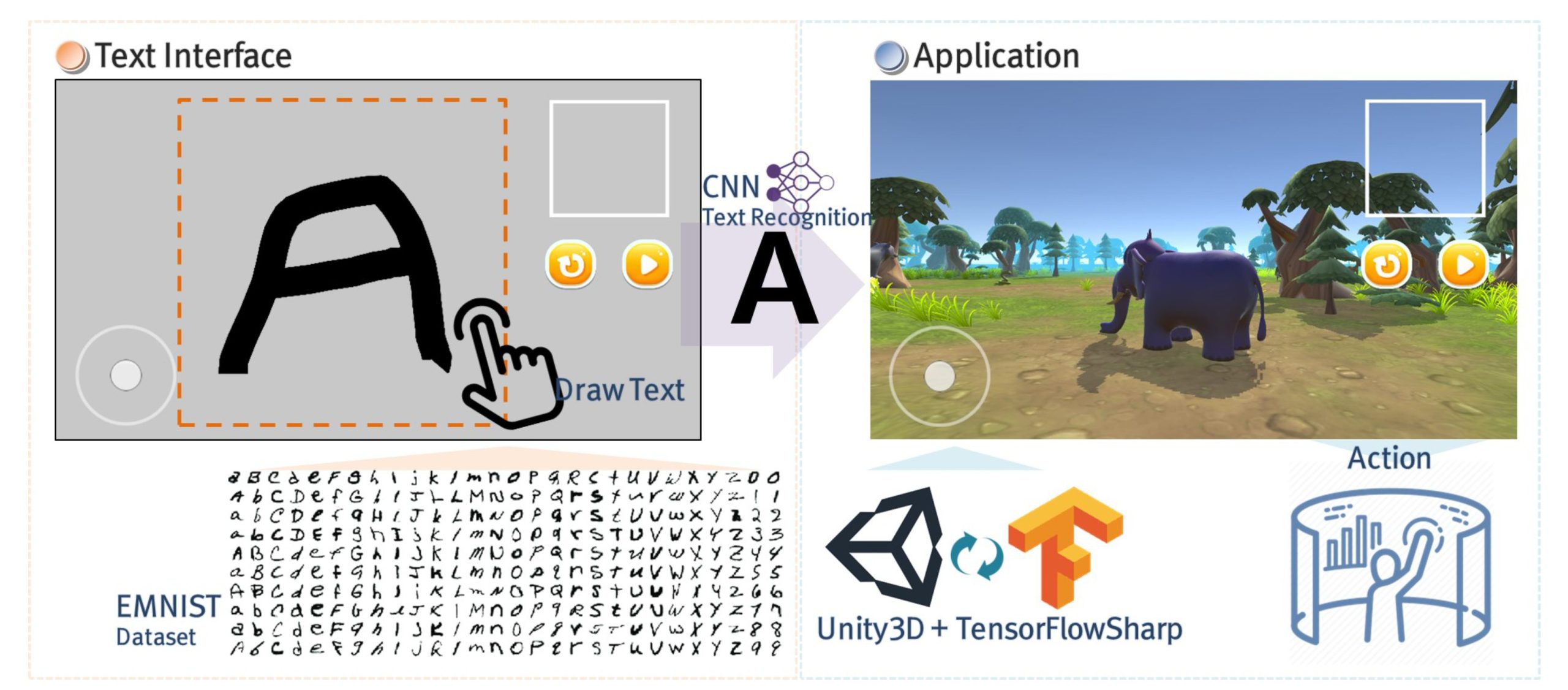
Implementing roblox gesture based interfaces requires utilizing Roblox’s built-in input services alongside scripting to detect and interpret player movements, then translate those into in-game actions.
Imagine controlling your Roblox avatar with a wave of your hand. That’s the exciting potential of roblox gesture based interfaces. Players want more immersive experiences, and gesture controls offer a way to directly interact with the game world. These interfaces move beyond clicks and button presses, allowing for a far more natural style of gameplay. This is a great way for games to become unique.

Roblox Gesture Based Interfaces: A Whole New Way to Play
Have you ever wished you could just reach out and touch your Roblox world? Imagine moving your character’s arms with your own hands, or opening a door with a simple wave. Well, that’s the exciting world of gesture-based interfaces in Roblox! It’s like having a super cool remote control, but instead of buttons, you use your body movements. Let’s dive in and see how these work and why they are so much fun.
What are Gesture-Based Interfaces?
Okay, let’s break this down. A gesture-based interface is a way to interact with a computer or game using your body movements. Think of it like this: instead of clicking a mouse or pressing keys on a keyboard, you’re using your hands, arms, or even your whole body to tell the game what to do. In Roblox, this means you can make your avatar do things by simply moving like you would in real life! This is different from traditional controls where you need to press buttons or move a joystick.
So, how does the game know what you’re doing? Well, special sensors or cameras are used to capture your movements. These sensors “see” what you’re doing and translate that into actions inside the Roblox game. It’s like magic, but it’s really clever technology! With gesture control, it makes playing a lot more intuitive and immersive. You’re not just sitting and playing, you’re a part of the game.
How Do They Work in Roblox?
Roblox developers make this magic happen by using the Roblox Studio. It’s a special place where they can build and program games and all kinds of features. They use scripts and tools to track your body movements, which are captured by a camera or other sensors, and turn those actions into something that the game understands. For example, if you raise your right hand, the script could make your in-game character raise their right hand. These scripts are like the rule book for how your gestures translate into game actions.
These aren’t just simple on-off commands. Developers can make very complicated sequences of movements trigger complicated actions in the game. For example, a smooth, sweeping motion with your hand might allow your character to open a secret door, or even cast a spell! The possibilities are limited only by the creativity of the developer. This also means that gesture controls can be customized for all sorts of different games, making each one feel very unique and special.
Types of Gesture Controls
There are several different ways that Roblox gesture controls work. Some of the most popular ways include:
- Hand Tracking: This is where the game follows the movements of your hands. You can use this to grab objects, interact with buttons, or even wave to other players.
- Full Body Tracking: This is where the game can see the movements of your entire body. With this, you can make your avatar jump, run, and even dance by mimicking the movement yourself.
- Facial Expressions: Some advanced setups can even track your facial expressions! This can allow your character to smile, frown, or wink, adding another layer of fun and interaction.
The way these controls are implemented depends on the type of hardware being used and how the developer programs them.
Benefits of Gesture Controls
Why are gesture controls so cool? Let’s explore some benefits!
-
More Immersive Gameplay: Gesture controls make you feel like you’re really part of the game. Instead of just pressing buttons, you’re physically interacting with the world. This makes everything feel more real and engaging.
-
Intuitive Controls: Imagine trying to explain to someone how to use a complicated controller. With gestures, it’s much easier! If you want to wave, you just wave! This makes it easy for everyone to jump in and start playing without needing complicated instructions.
-
Increased Physical Activity: When you’re moving your body to control the game, you’re also getting a little exercise! This is much better than just sitting on the couch for hours. It makes playing games a fun way to be active.
-
New Game Possibilities: Gesture controls open up tons of new ideas for game developers. We might see games where you have to swing a sword, cook in a kitchen, or even conduct an orchestra, all using your movements.
-
Accessibility: Gesture controls can provide a more accessible way for people with physical limitations to play games. For example, someone who might have trouble using a regular controller may find it much easier to use gestures.
Challenges of Gesture Controls
Of course, there are a few challenges that come with using gesture controls.
-
Hardware Requirements: Gesture controls often require special cameras or sensors, which not everyone might have. This can make it harder for some people to use these kinds of interfaces.
-
Accuracy: Sometimes, the sensors might not track your movements perfectly. This can cause some frustrating moments when your character doesn’t do what you wanted them to do.
-
Space Requirements: To use full-body gesture controls, you need a space to move around. If your room is small, it might be difficult to play with full-body tracking.
-
Learning Curve: Even though gestures are intuitive, it can take time to learn the specific movements for each game. Sometimes, the game requires very particular actions which will take practice to learn.
Even with these challenges, the potential of gesture controls is enormous, and developers are working hard to make them better and easier to use.
Popular Games Using Gesture Interfaces
Although still new, gesture controls are slowly becoming more popular in Roblox. Some of the games that use these control are:
-
Sandbox Games: Games where you can build and create things often use hand tracking to help players manage objects more efficiently. Imagine building a house and being able to place bricks with your actual hand movements.
-
Fighting Games: Certain fighting games use gestures to simulate punches, kicks, and blocks. This can make the fights feel much more intense and realistic.
-
Dance Games: Some games ask players to dance and copy the movements of the character to earn points. This can feel like stepping into your own dance video and can be tons of fun with friends.
-
Adventure Games: Imagine solving puzzles by moving your hands or climbing a wall by reaching out with your own arms. Gesture interfaces can be used in adventure games to make the experience more immersive.
These are just a few examples. As gesture control technology gets better, we will surely see a lot more types of games using these amazing controls.
How Developers Create Gesture Interfaces
Creating gesture interfaces in Roblox isn’t just about making your character move when you move your hand. There’s a lot more to it. Here’s a quick look at how developers build these systems.
-
Using Roblox Studio: Developers use Roblox Studio to write the scripts that make gesture control possible. They can also add special objects and tools that help make all the systems work together properly.
-
Writing Scripts: Special coding language called Lua is used in Roblox to tell the game how to recognize and respond to a player’s movements. For example, a simple script might say “when the player raises their hand, make the avatar raise its hand too”. But this can be expanded into complex and diverse actions.
-
Integrating Sensors: Developers make sure their scripts work with different devices and sensors. This can be done by using existing APIs or creating their own programs to make sure all the technology works together.
-
Testing and Refining: It often requires testing the gesture controls repeatedly to make sure they are accurate and easy to use. The goal is to remove the bugs and to provide a smooth and fun experience for players.
Building these interfaces can be tricky, but the results are very cool and can really add a new dimension to any game.
Future of Gesture-Based Interfaces in Roblox
The future of gesture-based interfaces in Roblox looks very promising. With technology getting better every day, we can expect these controls to become even more accurate and easier to use. We might see:
-
More Advanced Tracking: Maybe, we will be able to track even the smallest movements, such as eye blinks and finger movements, allowing for a range of different interactions.
-
Better Integration: Gesture controls might be easier to set up and use across all games in Roblox. This means that players will not have to relearn the controls for every game, which makes it much easier for them to jump from one to another.
-
More Games: We can expect many new games to start using gesture controls. This can include all sorts of new styles of games that would not be possible without these advanced inputs.
-
More Social Experiences: Being able to see and react to the movements of your friends in games can make social interactions much more real and fun. This may enable an even more immersive social experience while playing with others.
Gesture controls aren’t just about making games more fun; they can also make them more accessible and interactive. This is a very exciting time for Roblox!
Tips for Using Gesture Controls
If you are planning to use gesture controls in Roblox, here are a few things you should keep in mind:
- Make sure you have the right equipment: Most gesture interfaces require a specific camera or sensor. Be sure that you have one that is compatible with the games you are looking to play.
- Get used to the controls: Every game might have a unique set of gesture commands. Take some time to learn and practice the movements so that you can play with ease.
- Use a proper space: Having enough space for your movements is important, especially for games with full-body tracking. Make sure that there are no hazards that can cause injury when you’re moving.
- Try different games: Experiment with a variety of gesture-based games. Find out what types of games you like the most, then you can focus on playing these games.
- Have fun: The most important thing is to enjoy yourself! Gesture controls are all about having fun and immersing yourself in the game world.
Remember, these controls are still new, so don’t be afraid to experiment and learn as you go!
Gesture-based interfaces are changing the way we experience Roblox. They make games more engaging, fun, and accessible for everyone. As the technology gets better, we can expect even more amazing things. So, get ready to wave, jump, and move your way through the incredible world of Roblox, and prepare for the next evolution of gaming!