
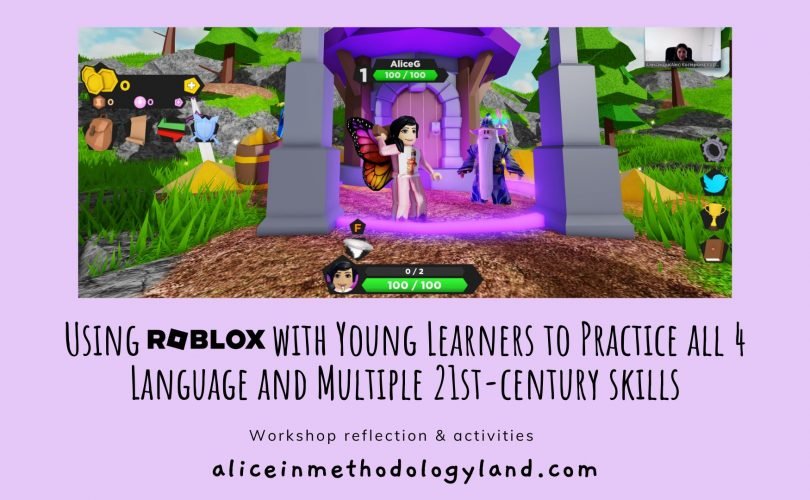
Effective Roblox remote learning best practices involve clear communication, structured lesson plans, and utilizing engaging game-based activities within the platform to maximize student participation and comprehension.
Ever wondered how to make online classes using Roblox more effective? It’s not just about hopping into a game and hoping for the best. We need a strategy that makes learning fun and impactful.
This article explores ways to improve your approach, focusing on what really works for virtual education in Roblox. Let’s talk about some practical tips to make your lessons enjoyable and successful. These insights help teachers with Roblox remote learning best practices.

Roblox Remote Learning Best Practices
Roblox isn’t just a game; it’s a powerful platform for learning, especially when you can’t be in a traditional classroom. Think of it as a giant digital playground where you can explore, create, and learn new things – all at the same time! But like any tool, using Roblox effectively for remote learning needs a bit of know-how. Let’s explore how to make the most out of Roblox for education.
Setting Up Your Roblox Learning Environment
Before diving into learning activities, let’s make sure your Roblox setup is ready to go. This means creating the best possible environment for both students and educators.
Student Accounts and Safety
First things first, all students need their own accounts. It’s essential to ensure these accounts are set up with privacy in mind. Here’s what you should do:
- Use a parent’s email address: When creating a child’s account, use a parent or guardian’s email for safety and recovery purposes.
- Strong passwords: Make sure students have strong, secure passwords that they can easily remember but aren’t simple for anyone to guess.
- Adjust privacy settings: Go into the settings and adjust the privacy levels. You can control who can message your child, who can follow them, and what experiences they can join. It’s best to set restrictions to keep your child safer.
Creating a Dedicated Learning Space
Just like a regular classroom, a dedicated learning space at home can greatly help with focus and engagement. This space should ideally be:
- Quiet: Free from distractions, like loud TVs or family conversations.
- Well-lit: Good lighting can reduce eye strain and make the learning experience more comfortable.
- Equipped: Make sure your student has the required computer or device, stable internet connection, and any other necessary peripherals like a mouse or headphones with a microphone.
Having a proper setup can have a big impact on how well a student learns while using Roblox.
Choosing the Right Roblox Experiences for Learning
Roblox is packed with all kinds of games and experiences, but not all of them are suitable for learning. Picking the right ones is essential. Here’s how to navigate that.
Educational Games and Experiences
Look for games and experiences that were specifically made for education. These are usually designed with learning goals in mind. Here are some categories to consider:
- History Experiences: Many Roblox experiences let you explore historical events, cultures, and places. This can make history feel alive and interesting.
- Science Simulations: Some experiences create simulations of scientific concepts like physics, chemistry, or biology. Students can perform experiments in a safe, digital space.
- Coding and Game Design: Roblox Studio itself provides a great place to learn coding using Lua, the platform’s programming language. This can turn kids into game creators.
- Math-Focused Games: There are many Roblox games designed to enhance math skills, often incorporating challenges that require calculations, spatial reasoning, and problem-solving.
- Language and Vocabulary games: These can help in expanding vocabulary, building sentences and having better communication skills
Evaluating Experiences Before Use
Before assigning an experience, it’s a good idea to try it out yourself. Here are a few things to watch for:
- Learning Value: Does the experience really teach something useful, or is it just for fun?
- Age Appropriateness: Is the experience suitable for the age and skill level of your students?
- Ease of Use: Is the experience easy to navigate and understand? Will students find it frustrating, or will they be able to figure it out without much help?
- Safety: Does the experience have any inappropriate or unsafe elements? Ensure there are no instances of inappropriate language or bullying.
By evaluating experiences ahead of time, you make sure that your students learn effectively and safely on the platform.
Integrating Roblox into Your Curriculum
Using Roblox for remote learning shouldn’t feel separate from the rest of your curriculum. It should be a part of it. Here are some tips for how to do this:
Aligning with Learning Objectives
Make sure that the Roblox activities connect with your lesson plans and learning objectives. If you’re studying the solar system, look for a Roblox experience where students can explore planets. If you’re learning about building a business, try a Roblox game where kids can manage and expand a small business.
Creating Interactive Lessons
Don’t just send students off to play a game. Design interactive lessons around the Roblox experience. This can involve:
- Pre-game discussion: Talk about what the students are about to do and the learning goals involved.
- During-game tasks: Give them specific challenges or questions to think about while they’re playing. This could include taking screenshots, answering questions in a Google Doc, or even building something specific.
- Post-game reflection: After the game, discuss what the students learned. Have them share their experiences, ask questions, and think about what they did and what they learned.
Using Roblox Studio for Creative Projects
Roblox Studio is where you can actually build and create your own experiences. Teaching students how to use it can be a great project for creativity and learning.
- Guided Projects: Start with simple, guided projects, like building a small house or creating an obstacle course.
- Collaborative Building: Have students work in teams to build more complex creations. This helps with teamwork skills.
- Showcase Creations: Allow students to present their creations to the class. This will boost their confidence and give them an opportunity to explain how they used their creativity and skills.
Effective Communication and Feedback
When using Roblox for remote learning, communication is key. Making sure everyone understands and feels supported is a major part of the learning experience.
Clear Instructions and Expectations
Be sure to give very clear and simple instructions about what you want students to do. Don’t make them guess about your expectation. This could include:
- Step-by-step instructions: Break down activities into smaller, easier steps to understand.
- Visual aids: Use screenshots or short videos to show students how to do things.
- Clear timelines: Let students know how much time they have for each task.
Using In-Game Chat and Communication Features
Roblox has in-game chat features, but it’s important to use them responsibly. Keep students safe and productive, here are some methods:
- Teacher-supervised chat: If possible, set up a private server or game where you can monitor the chat.
- Promote respectful communication: Teach students how to be polite and respectful in the chat.
- Use chat for questions: Encourage students to ask questions using the chat if they need help or if they face any difficulty.
Providing Constructive Feedback
Giving timely feedback helps students know how they’re doing. Give feedback in the following methods:
- Specific and actionable feedback: Instead of saying “good job,” tell them exactly what they did well and what they can improve. For example, “I like the way you used the colors in your build, next time try making the edges a bit smoother.”
- Regular feedback: Give feedback often, not just at the end of a task or project.
- Positive reinforcement: Focus on the things that students do well to keep them motivated.
Managing Technical Issues and Troubleshooting
Technical issues can happen. It’s important to be prepared for them.
Common Technical Problems
Some common issues students might face include:
- Connection Issues: Problems with internet connectivity can lead to lag, crashing or disconnections.
- Slow Computer Performance: Old or slow computers can run Roblox slowly or cause problems with the game.
- Game Glitches: Sometimes the game itself has glitches that can make it difficult to play.
- Account Issues: Issues like password problems or being unable to log in are also common.
Troubleshooting Tips
Here are some tips for dealing with these problems:
- Restart Device: Often a simple restart of the computer or device fixes many technical issues.
- Check Internet Connection: Make sure the internet is working properly.
- Update Software: Keeping the Roblox app updated can sometimes fix issues.
- Clear Cache: Clearing the browser cache or temporary files can help improve performance.
- Contact Support: If the problem continues, contacting Roblox support or the school’s IT team can help in fixing more complex issues.
Maintaining Student Engagement and Motivation
Keeping students engaged is key to successful learning, and this is same for Roblox learning too. Here’s how you can do it:
Setting Realistic Goals and Challenges
Make sure the goals you set for your students are achievable. Here are some tips:
- Break down big tasks: Divide large projects into smaller, more manageable tasks. This will make it less overwhelming.
- Provide a variety of challenges: Mix in different types of activities to keep students interested. Some students may like creative projects, others might enjoy problem-solving challenges more.
- Offer different levels of difficulty: For each project or lesson, have options for different skill levels to suit all students.
Encouraging Collaboration and Teamwork
Working together can make learning more enjoyable and effective. Here’s how:
- Group Projects: Assign projects where students work together on a shared task.
- Team-Based Games: Play Roblox experiences that require teamwork and communication.
- Peer Support: Encourage students to help each other out.
Celebrating Successes and Achievements
A little recognition can go a long way. Here’s some ways you can make learning fun:
- Virtual Awards: Give virtual awards or recognition for accomplishments and participation.
- Showcase Student Work: Highlight student achievements to the class.
- Encouragement: Acknowledge effort and improvement to keep students motivated.
Ensuring Accessibility and Inclusivity
Making sure that every student, including the ones with special needs, has access to the platform is a critical step. This is how we can make sure Roblox is accessible for everyone.
Accommodating Different Learning Needs
Students learn in different ways and at different speeds. Here’s how you can make Roblox suitable for all.
- Provide Flexible Options: Offer different ways for students to complete a project or task.
- Adjust Pacing: Allow students to work at their own pace. Some may need more time, and that’s okay.
- Use Visuals: Many students benefit from visual aids, like images, videos, or in-game examples.
Supporting Students with Disabilities
For students with disabilities, you may need to take some extra steps. Here are some things to think about:
- Assistive Technology: Ensure that students can use assistive technologies like screen readers or keyboard navigators.
- Simplified Experiences: If needed, provide access to simpler Roblox experiences with less complexity.
- Individualized Support: Work with the student and their parents or guardians to find the best way to accommodate their needs.
Promoting a Respectful Environment
Everyone should feel comfortable and safe while learning. Here’s how to promote that environment.
- Set Ground Rules: Establish rules for how students should treat each other on Roblox.
- Address Issues Promptly: If any instances of bullying or harassment occur, address it quickly and effectively.
- Promote Empathy: Encourage students to understand and respect each other.
Staying Updated and Informed
Roblox is always changing and improving. Staying informed can help you make the most of it.
Following Roblox Updates
Roblox regularly releases updates that can change how the platform works. Keep up to date by:
- Checking the Roblox Blog: Check out the official Roblox blog for updates and news.
- Following social media: Watch their social media accounts.
- Joining the Community Forums: Connect with other teachers and educators who use Roblox for learning.
Engaging with the Educational Community
Connect with other educators to learn from their experiences. This can be done by:
- Attending Webinars: Join online workshops and webinars about Roblox for education.
- Sharing ideas: Share your own experiences and ideas with other educators.
- Asking for Help: Don’t hesitate to ask the community for help or advice when needed.
By following these tips, you can create a more effective, safe, and engaging learning environment for your students.
Roblox provides an excellent alternative to traditional learning environments, and when used responsibly and thoughtfully, it will help students gain knowledge and be successful in their studies.
ScriptMate – Learn to Script on Roblox
Final Thoughts
Effective Roblox remote learning requires clear communication, structured activities, and regular feedback. Teachers should design engaging experiences that align with learning goals. Student collaboration must be encouraged through group tasks and projects.
Creating a safe and supportive digital environment is vital. Regularly monitor student progress and provide necessary assistance. Remember, following these guidelines ensure successful implementation of Roblox remote learning best practices.

