
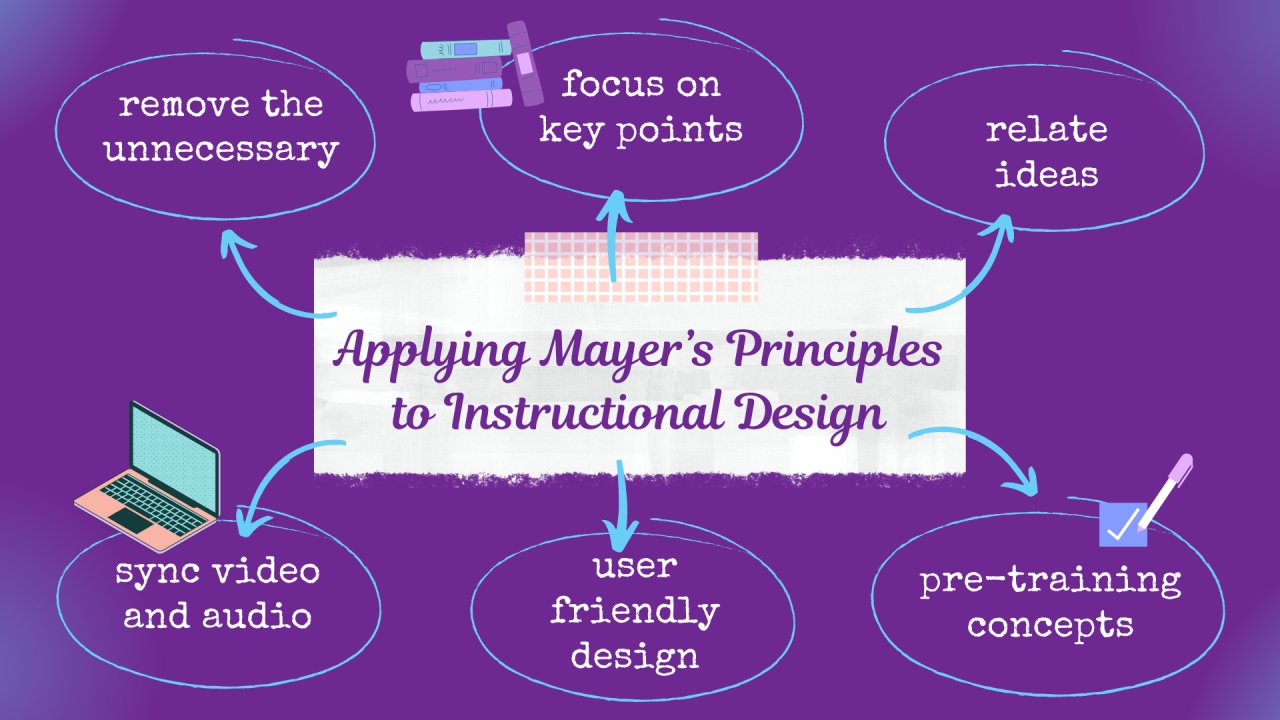
Roblox instructional design principles focus on creating engaging and effective learning experiences within the platform, utilizing its interactive and game-based environment to teach specific skills or concepts.
Ever wondered how some Roblox experiences feel so educational and fun at the same time? It’s all thanks to well-applied Roblox instructional design principles. These principles guide developers in crafting experiences where players learn by doing, actively engaging with the content and retaining knowledge in an enjoyable way.
These are not just about making pretty games, instead they concentrate on making sure players acquire specific skills or information through playing. We will break down what makes effective learning in Roblox.

Roblox Instructional Design Principles: Creating Engaging Learning Experiences
Creating a fun and educational game on Roblox isn’t just about building cool worlds and adding awesome characters. It’s also about crafting a learning experience that keeps players engaged and helps them learn new things. This is where instructional design principles come into play. Think of these principles as a secret guide to making your Roblox games not just entertaining, but also powerful tools for learning.
Understanding Your Audience: Who Are You Teaching?
Before you even start building, it’s super important to think about who will be playing your game. Understanding your audience is the first step in applying effective instructional design principles. Are you making a game for younger kids, teenagers, or even adults? Each group learns differently, and your game design needs to reflect that. Consider these aspects:
Age and Developmental Stage
Younger kids often respond well to simple mechanics, bright colors, and clear instructions. Older players might appreciate more complex challenges and subtle learning. For instance:
- A game teaching basic math to 6-year-olds should use very simple visuals and interactive elements.
- A game teaching coding concepts to 14-year-olds can introduce more challenging puzzles and abstract ideas.
Prior Knowledge
What do your players already know? Avoid assuming too much or too little. Start with concepts that players are familiar with and build from there. This approach is fundamental to effective learning experiences on Roblox. If you teach history, for example, assume that players have basic knowledge on past, but you should clarify important terms that your game will use later in the learning experience.
Interests and Motivations
What makes your players excited? Use their interests to create relevant and motivating learning experiences. For example, a game about space exploration can include learning about planets, stars and other celestial bodies. Or a game about animals can engage player in learning about animal behavior and habitat.
Clear Learning Objectives: What Should Players Learn?
A clear goal helps players understand why they’re playing your game and what they should take away from it. Your learning objectives are like the roadmap for your game. These should be specific, measurable, achievable, relevant, and time-bound (SMART). Instead of “learn about nature,” use “players will be able to identify three different types of trees by the end of the game.” Let’s look deeper into this:
Specific Goals
Avoid vague learning goals. For instance, instead of “learn about science,” try “learn the three states of matter: solid, liquid, and gas.” The more specific you are, the easier it is to design learning tasks that align with the objectives.
Measurable Results
How will you know if the players have learned? Include elements that let you track progress, like quizzes, challenges, or in-game accomplishments. It is important that the goals or tasks assigned can be tracked whether players completed or not. For example, if the goal is “learn to solve basic algebra equation,” design in-game questions that tests players’ knowledge in solving basic algebra problems.
Achievable Objectives
Start with simple goals and move to more challenging ones. If players feel overwhelmed, they might get discouraged. It’s all about creating a sense of progress as your player engage in the learning experience.
Relevant Objectives
The learning objectives should match your players’ interests and the game’s context. If you’re designing a history game, make sure the learning goals connect with the historical theme. This will increase player engagement. The knowledge or skill that you want players to learn, should have application within the game, and should enhance their gameplay experience.
Time-bound Learning
Break down your learning goals into smaller, manageable pieces that can be achieved within a certain timeframe or play session. If a game has a time limit, the objective that you want them to accomplish should also be achievable in given time.
Engaging Gameplay: Making Learning Fun
If your game is boring, players won’t want to learn. Design gameplay that keeps players interested. This is key in instructional design, especially for Roblox. Here are some strategies for making learning fun:
Interactive Elements
Avoid long text blocks. Allow players to learn through hands-on activities, puzzles, and mini-games. The goal is not just to display information, but to make sure the players engage in action with that information.
Challenges and Rewards
Offer challenges that are just right, not too easy and not too hard. Give rewards for completing tasks. The sense of accomplishment encourages players to keep playing and learning. Reward can be any in-game currency or achievement badges.
Storytelling
Embed the learning content within a compelling story. A good story makes the learning experience more meaningful and memorable. Characters that a player engage with, should have a story that connect them to learning objective. The story itself should become a reason for the player to learn new things, and in turn progress in the story.
Gamification
Use game-like elements such as points, leaderboards, and badges to motivate players. This makes learning feel less like work and more like play.
Effective Feedback: Helping Players Learn from Mistakes
Feedback is crucial. Players need to know if they are on the right track. Good feedback can help players figure out what they need to improve and keep them motivated. This also allows for players to stay in flow, by understanding their current abilities and getting feedback to overcome their challenges. Let’s look at some of the key strategies here:
Immediate Feedback
Provide feedback right after a player makes a choice or completes a task. This helps players make connections between their actions and results. For example, if a player gives a wrong answer to a quiz, the correct answer and an explanation of why it is correct should appear.
Specific and Constructive Feedback
Don’t just say “wrong.” Explain why an answer was incorrect and suggest how to improve. This approach is more helpful than simply saying “good job” or “wrong.” Instead, tell them specifically what they did well or what needs to be corrected.
Positive Reinforcement
Encourage players when they do well. Positive feedback builds confidence and encourages them to continue trying. Make positive reinforcement as specific and rewarding as possible to ensure positive feedback cycle.
Visual and Audio Cues
Use visuals and sounds to signal success and failure. This can make feedback more intuitive and easier to understand. Use of audio cue or visual cue such as green and red color can be a good way to show if the answer is correct or incorrect.
Scaffolding Learning: Building Step-by-Step
Scaffolding means breaking down complex tasks into smaller, more manageable steps. This is very helpful for making learning easy for players. It’s like building a staircase; each step builds on the one before it. Here’s how you can apply this in your Roblox game:
Start with Basics
Begin with simple concepts and progressively introduce more challenging ones. Do not jump directly into complex learning objectives, first teach and verify if the players understand the basic knowledge.
Guided Practice
Provide opportunities for players to practice new skills with guidance and support. As they become more confident, slowly remove the guidance. For example, provide hints in early levels, and remove them in later levels.
Modeling
Show players how to complete tasks or solve problems. This can be done through tutorials or by having non-player characters (NPCs) demonstrate the desired action. For example, an NPC can show the players on how to solve a particular puzzle and explain the steps that were involved.
Gradual Release
Slowly give players more independence and responsibility as they progress. It is very important that you are able to recognize at which point you can stop hand-holding them and let them explore on their own.
Accessibility and Inclusivity: Designing for Everyone
A great learning experience should be accessible to all players. That’s why inclusivity is an important part of instructional design. Ensure that your Roblox game can be enjoyed by a diverse group of learners. Think about these points when you design a game:
Clear Visuals
Use fonts and color schemes that are easy to read. Avoid using too many different fonts in a single screen or text, as it can overwhelm players. Be mindful of those with color blindness when selecting color pallet.
Appropriate Audio
Make sure that all essential information is delivered visually as well as through audio, for the players who are unable to hear. Also ensure that sound effects and music enhance the gameplay without being distracting. Allow players to control the volume or turn off audio cues when required.
Simple Controls
Use simple and intuitive controls. Consider the use of keyboard, mouse, gamepad or even touch controls. Allow for customization of controls, if needed.
Cultural Sensitivity
Be aware of cultural differences and avoid creating stereotypes. Every player is unique, and a game that has an inclusive approach is more welcoming and enjoyable for everyone.
Iteration and Testing: Making Your Game Even Better
Instructional design is an ongoing process, and you won’t get it perfect on your first try. Test your game with real players and make changes based on their feedback. Treat your game as a living thing that can always get better through this process. Here’s how to do it:
Playtesting
Let different players of your target audience play your game and observe how they interact with it. Collect feedback on what they find engaging and confusing.
Data Collection
Track player progress and identify areas where players are struggling or succeeding. Analyze the data to guide your revisions. If most of the players are unable to clear a specific level, that may be an indicator that either the difficulty is too high, or the goal of the level is not clearly defined.
Gather Feedback
Ask for feedback from players and use it to make improvements to your game. A simple in-game survey or a feedback box is a great way to gather insights from players. Be open to criticism and be willing to iterate on your design.
Continuous Improvement
Keep testing, gathering data, and refining your game design. This ensures that your game is always at its best and that players get the best learning experience possible. Game development is a never ending process and there is always room to make things even better.
By following these Roblox instructional design principles, you can create games that are not only fun to play, but also impactful tools for learning. Remember, the best learning experiences are the ones that blend education with fun and keep the players engaged throughout their journey. So, go ahead and make a great educational Roblox game!
Can you make a living off of roblox?
Final Thoughts
Effective Roblox experiences require careful planning. Creators should prioritize clear learning objectives and intuitive user interfaces. Engaging gameplay is also paramount.
Implement scaffolding and feedback systems for player progress. Remember, the core aim is to guide users successfully. Careful consideration of these aspects leads to better learning.
By thoughtfully applying roblox instructional design principles, developers can craft compelling, educative, and enjoyable Roblox games. Focus on player-centered design. It significantly improves educational impact.

