
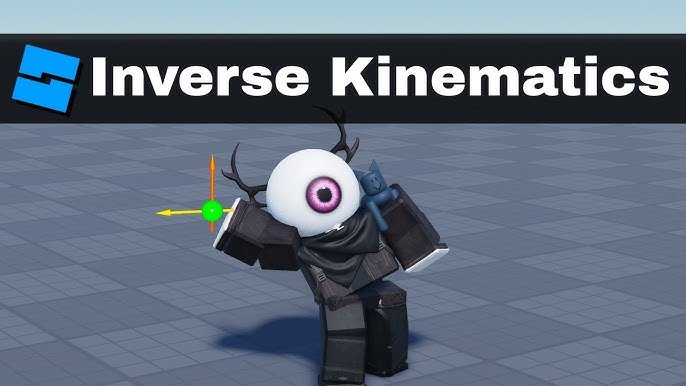
Roblox inverse kinematics explained is a method that calculates joint angles to achieve a desired end-effector position, allowing for realistic and dynamic limb movements in your games.
Have you ever wondered how some Roblox games feature characters that move so naturally? It’s not just simple animations; often, it’s the magic of inverse kinematics in action. This technique makes character limbs reach, grasp, and interact with the world fluidly. We are diving into the world of ‘roblox inverse kinematics explained’. Forget rigid, pre-set movements, we are talking about interactive and responsive animations.
Roblox developers are constantly finding ways to improve their games and inverse kinematics is a key element. We will break down how it works and how you can use it. It can add another level of immersion to your players experiences.

Roblox Inverse Kinematics Explained
Have you ever wondered how your Roblox avatar’s arms and legs move so smoothly and naturally when you reach for something or climb a ladder? It’s not just random animation; it’s often thanks to a cool technique called Inverse Kinematics, or IK for short. Imagine you want your avatar’s hand to touch a doorknob. Instead of animating every joint in the arm step-by-step, IK figures out all those movements automatically, based on the position of the doorknob. Let’s dive into how this amazing system works within the Roblox world!
What Exactly is Inverse Kinematics?
Okay, let’s break it down. Think of your arm. It has a shoulder, elbow, and wrist, right? These are like links in a chain, connected by joints. When you move your arm, each joint bends or rotates to put your hand where you want it. This is called Forward Kinematics. You start at your shoulder and move each joint step by step until your hand ends up in the desired spot.
Now, Inverse Kinematics does the reverse (that’s why it’s called ‘inverse’!). Instead of you dictating how each joint moves, you tell the system where you want your hand (or foot, etc.) to be, and the system calculates all the joint angles to make that happen. So, if you want your avatar’s hand to grab a tool, you specify the tool’s location, and IK takes care of making the arm reach out.
It is like trying to get a toy from a shelf. Forward Kinematics would be like planning each movement of your hand, elbow, and shoulder to reach it. But with Inverse Kinematics, you think only about where the toy is, and your body automatically moves to grab it. That’s the magic of IK!
Why is Inverse Kinematics Important in Roblox?
You might wonder, “Why even bother with all this complicated math?” Here’s why IK is so important for Roblox games:
- Realistic Movement: IK makes animations look much more natural and believable. Characters’ limbs don’t just snap into positions; they move smoothly.
- Interactivity: IK allows avatars to interact with the game world in a dynamic way. For instance, avatars can reach for handles, grab objects, and place feet firmly on uneven ground, all without pre-made animations for every possibility.
- Adaptability: It can easily adjust animations for different character sizes. For example, a small kid avatar and a giant robot avatar can both grab the same object, and IK will make their arms reach it correctly.
- Efficiency: It reduces the need for game developers to create thousands of manual animations. They can focus on the game’s design and mechanics instead of spending tons of time animating minor interactions.
How Does Roblox Use Inverse Kinematics?
Roblox uses IK to power a variety of interactions. Here are a few common examples:
Character Interactions
- Reaching and Grabbing: Whether picking up a tool, opening a door, or grabbing a ladder, IK ensures the avatar’s hands smoothly reach and interact with these objects.
- Foot Placement: When avatars walk on bumpy terrain or climb stairs, IK adjusts their legs and feet to keep them planted on the ground naturally, preventing them from sliding around oddly.
- Looking at Targets: Sometimes, an avatar needs to look at a certain object or another player. Inverse kinematics moves the avatar’s head and neck to follow targets smoothly, enhancing the character’s response to the game world.
Avatar Customization
- Proportion Adjustments: IK also helps when you have different body types. If an avatar has long arms, short arms, big torso or small torso, IK makes sure that the limbs move realistically, without strange stretching or awkward positioning.
- Animation Blending: When IK and pre-made animations blend smoothly together, it allows for seamless and expressive actions in your avatar.
The Math Behind the Magic
Okay, we’re not going to dive deep into complex math equations here (unless you really want to!). But it’s good to have a basic understanding of the ideas involved. At its core, Inverse Kinematics relies on some clever math, using:
Transformations
Each joint is considered a transformation— a rotation or a movement. These transformations stack up, from the shoulder to the elbow to the wrist, to bring the hand to the final position. IK figures out what these individual rotations and movements need to be.
Algorithms
Roblox uses different algorithms for IK. These are like recipes for calculating the joint angles. Some common techniques that could be adapted for Roblox’s IK include:
- CCD (Cyclic Coordinate Descent): Imagine iteratively trying different angles, slightly adjusting joints one by one until the hand reaches the target, like a tiny robot making tiny corrections.
- FABRIK (Forward and Backward Reaching Inverse Kinematics): A more efficient approach, it involves first reaching the target and then refining each joint, going backward from the target point to the base of the limb.
These algorithms might sound complicated, but they are designed to make sure that your avatar’s limbs move believably without any jerky motions.
Types of Inverse Kinematics in Roblox
Within Roblox, you won’t necessarily choose specific algorithms directly; it’s mostly handled internally. However, there are generally two ways you’ll see IK used, and they affect how animations feel:
Full-Body IK
This is where IK is used throughout the entire body, affecting the way the arms, legs, spine, and even head move together. Full-body IK is very useful when creating realistic movements, for instance, when an avatar is carrying something heavy or trying to maintain balance.
Partial IK
Partial IK applies only to specific parts of the body, such as just the arms or just the legs. This is great for targeted interactions, such as reaching for a lever while the legs continue to perform a walking animation. Partial IK can be very efficient and precise when used correctly.
Setting Up Inverse Kinematics in Your Roblox Game
While you don’t need to be a math expert to utilize IK, game developers do need to use special scripts in Roblox Studio. This allows them to determine:
Targets
Developers must specify the “goal” or “target” that the avatar’s limbs should reach. This can be a particular object, location, or even another part of the player’s avatar itself.
Limits
There are some limits, so that the arm doesn’t bend in a completely impossible way. By using scripting, developers can control the range of movement for each joint and create natural, believable motions.
Blending
The developers can blend pre-made animations and IK to achieve realistic and dynamic movement. For example, a character might start with a running animation, then switch to a reaching movement using IK when they try to grab an object during that running animation.
While it might sound like a lot of work, Roblox has made it so you don’t need to handle all the low-level math yourself. You can use Roblox’s built-in IK tools and scripts to set up some incredibly natural and beautiful animations. It’s more about understanding the concepts rather than doing the actual calculations directly!
Challenges with Inverse Kinematics
While IK is great, it isn’t always perfect. Sometimes, developers run into problems:
Performance Issues
If you use IK on too many characters at once or apply overly complex calculations, it can slow down the game. Optimizing IK scripts is important to keep the game running smoothly.
Unrealistic Poses
If IK is set up incorrectly or not given proper limits, it can result in strange and unnatural poses. Developers must handle the constraints and limitations correctly.
Conflicts with Animations
Sometimes, a pre-made animation might conflict with IK. Carefully blending pre-made animations and IK is the key to having great-looking and naturally acting characters.
Even with these challenges, developers are constantly improving IK techniques in Roblox to provide better and better experiences for all players.
The Future of Inverse Kinematics in Roblox
IK technology continues to advance, and we’ll probably see even more impressive uses of it in Roblox games in the future:
Advanced Interactions
We can anticipate seeing more sophisticated interactions, with avatars able to perform more nuanced movements and respond even better to the game world.
More Realistic Animations
Improvements in IK will result in more realistic and natural animations, making the game experiences feel more immersive and exciting.
Easier Development
The tools for implementing IK will become simpler and more user-friendly, allowing more developers to use this powerful technology in their games.
In short, Inverse Kinematics is not just a fancy technique; it is fundamental to creating enjoyable and realistic experiences in Roblox games. It provides a foundation for natural movement, interactive gameplay, and allows developers to create new innovative experiences.
Understanding the basics of Inverse Kinematics will certainly give you a better idea of what’s happening behind the scenes in the Roblox games you play and the games you might even build yourself!
Inverse Kinematics | Roblox Studio IK guide
Final Thoughts
In short, inverse kinematics in Roblox allows you to move a limb or object by defining its endpoint, calculating joint positions automatically. You essentially tell the system where you want a hand or foot to go, and it figures out how to get there. This contrasts with direct kinematics where you move each joint individually.
Understanding the basic concepts allows for smoother, more natural animations within your game. Roblox inverse kinematics explained makes it simpler to achieve complex movements, like characters reaching for items or adjusting their stance. It makes animation systems more adaptable.

