
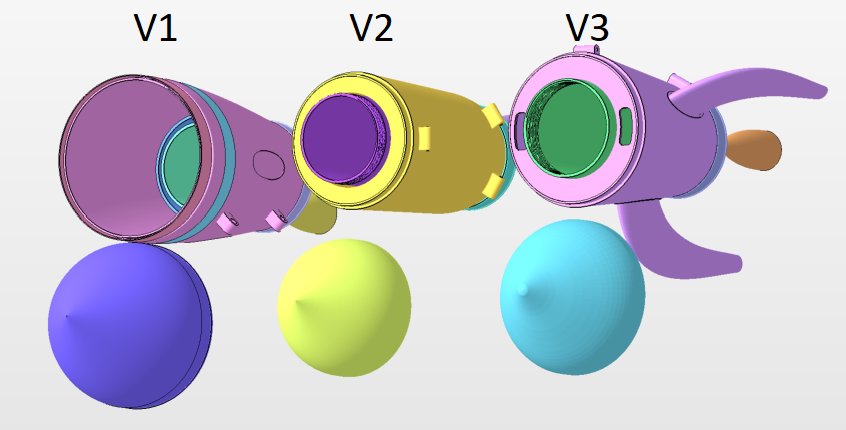
Roblox iterative improvement in design involves continually testing, gathering feedback, and making small, incremental changes to your game based on player behavior and data, ensuring a more engaging and refined experience over time.
Have you ever wondered how some Roblox games become so incredibly captivating? It’s not magic, but a consistent process. They achieve this polish through focused attention to roblox iterative improvement in design. This method helps developers build engaging and satisfying experiences. They focus on gradual change.
Developers begin with a basic idea, then they get it in front of players. They study the data and see how users are interacting. Then, they make small, precise changes. This continuous refinement is what sets great games apart.

Roblox Iterative Improvement in Design
Have you ever built something amazing in Roblox, only to look at it later and think, “Hmm, I could do that better?” That’s totally normal! In fact, it’s a key part of becoming a great Roblox creator. It’s called iterative improvement, and it’s all about making small changes over time to make your game or experience better and better. Think of it like building with LEGOs – you might start with one idea, but then you add and change things as you go until it’s just right. This process is very important for the quality of a Roblox creation.
What is Iterative Design in Roblox?
Iterative design is a fancy way of saying “designing in cycles.” Instead of planning everything perfectly from the start, you create a version of your game or object, test it, get feedback, and then use that feedback to make it better. You repeat this process again and again. It is a method that focuses on making adjustments regularly based on playtesting and feedback. This way of working allows you to make your game or object more enjoyable, easier to use, and more fun to play. Let’s break it down:
- Create: You start by building something. It doesn’t have to be perfect, just a working version of your idea.
- Test: You try out what you built and get other people to try it. This could be friends, family, or other Roblox players.
- Observe: Pay close attention to how people use your creation. Do they get stuck? Are they confused? Are they having fun?
- Adjust: Based on what you learned, you make changes. Maybe you add a tutorial, make the controls easier, or change the colors.
- Repeat: You go back to the “test” step and do it all again. This process continues until you are happy with the final product.
It’s like you’re a detective, gathering clues and fixing any problems you find along the way. This process isn’t just about fixing mistakes; it’s also about finding new ideas and making your experience more engaging.
Why Use Iterative Design in Roblox?
There are lots of good reasons to use iterative design, especially when you’re creating things on Roblox. Here are some key benefits:
Catching Mistakes Early
If you wait until you think your game is perfect before showing it to others, you might be surprised to find lots of problems you didn’t notice. By testing early and often, you can find those problems and fix them before they become big issues. This saves you time and makes the game better in the end.
Improving Gameplay
Sometimes, what you think is fun and what other people find fun might be different. Iterative design allows you to see how players actually interact with your game. For example, a puzzle might be too easy or too hard; iterative design allows you to adjust it accordingly. You can use this feedback to improve the gameplay and make sure it’s enjoyable for everyone.
Finding New Ideas
When you test and get feedback, you might discover new and creative ways to improve your experience. Players might suggest ideas you never thought of, or they might stumble upon unexpected ways to play your game, this can help you get new perspectives. Iterative design encourages creativity and innovation.
Saving Time
It might seem like it would take more time to test and change things over and over, but it can actually save you time in the long run. If you fix small issues early, you don’t have to deal with bigger, more difficult problems later on. Moreover, it is better to change things in beginning than having to change the entire architecture later, which is very time consuming.
Creating a Better Player Experience
Ultimately, iterative design leads to a better experience for the players. By making small improvements over time, you can make sure your game is fun, easy to use, and enjoyable for everyone. Happy players mean a successful game.
Key Areas for Iterative Improvement in Roblox
There are many different parts of your Roblox creation that you can improve using iterative design. Here are some areas to focus on:
Gameplay Mechanics
This is how your game actually works. Some things to think about are:
- Are the controls easy to learn and use?
- Are there any glitches or bugs?
- Is the game too easy, or too hard?
- Is the game engaging and fun for the player?
Let’s say you’re making an obby (obstacle course). You might find that a certain jump is too difficult, or that players can find an unintended way to skip an obstacle. Iterative design allows you to adjust those things until they feel just right.
User Interface (UI)
The user interface is all the buttons, menus, and information that players see on the screen. Consider these questions:
- Is the text easy to read?
- Are the buttons clear and easy to click?
- Is there too much or too little information on the screen?
- Is the navigation easy and understandable for the user?
A cluttered interface can be confusing and frustrating for players. Iterative design allows you to make it cleaner, simpler and easier to use.
Visual Design
This includes things like the way your game looks, the colors you use, and the models you create. Think about:
- Does the game look appealing?
- Are the colors and textures attractive?
- Are the models detailed, simple, or something else?
- Does the look fit the theme of the game?
A visually appealing game is more fun to play. Iterative design allows you to play with the visuals until you reach an aesthetic that suits your game and attracts more players.
Audio Design
Sound effects and music can greatly enhance the player experience. Think about:
- Does the music fit the mood of the game?
- Are the sound effects helpful and clear?
- Are there any annoying sounds?
- Does the game have good audio experience?
Good sound design can add to the fun and immersion of a game. Iterative design can help you adjust the audio to create the perfect atmosphere.
Story and Narrative
If your game has a story, consider these points:
- Is the story interesting and engaging?
- Is the story easy to understand?
- Does the player feel like they are a part of the story?
A good story can keep players hooked. Iterative design lets you try out different story elements and make them more effective.
Practical Tips for Iterative Improvement in Roblox
Here are some actionable tips to help you use iterative design in your own Roblox projects:
Start Simple
Don’t try to create a massive, perfect game all at once. Start with a basic idea and get that working first. It’s easier to improve a small thing than to try to fix a huge mess. Think of it like this: it’s easier to build on a small foundation than a large one.
Test Early and Often
Don’t wait until you think your game is perfect to test it. Test your work frequently. The more you test, the more feedback you will receive which you can implement to improve your game further. Even very early testing can bring up key issues that may have been overlooked.
Gather Feedback from Others
Ask friends, family, and other Roblox players to play your game and give you feedback. Ask specific questions to get more useful information, such as:
- What was your favorite part of the game?
- What did you find confusing or difficult?
- What would make the game more fun?
- Were there any parts of the game that frustrated you?
Listen carefully to what they have to say, and don’t be afraid to make changes based on their comments.
Take Notes and Track Changes
Keep a record of the changes you make and why you made them. This will help you to understand how your game is improving over time. You will be able to go back and track your progress. It also helps you identify areas that need more improvement.
Prioritize Changes
You will probably get a lot of feedback, but you don’t have to fix everything at once. Focus on the most important issues first. It’s okay to address the most pressing problems first and then circle back to the smaller things.
Don’t Be Afraid to Experiment
Iterative design is about trying new things. Don’t be afraid to try out different ideas, even if they seem strange. You might be surprised by what works. Keep in mind that there might be some experimentation necessary to get the right experience.
Be Patient and Persistent
Improving your Roblox creation takes time and effort. Don’t get discouraged if your first few versions aren’t perfect. Keep working, keep testing, and keep improving. You will get better over time, with each iterative cycle improving the game gradually. The more you improve, the better the final version.
Tools for Iterative Design in Roblox
Roblox Studio offers a lot of features that support iterative design:
- Roblox Studio Test Mode: You can quickly test your game in different environments within the studio.
- Script Debugger: This helps you find and fix errors in your code.
- Output Window: This displays messages from your scripts, which can be helpful for debugging.
- Collaboration Features: You can work on your game with other creators, and have them test and give feedback.
You can also use third party tools to help you manage user feedback or track your changes more effectively.
Example of Iterative Design in Action
Let’s imagine you are creating a racing game. Here’s how you might use iterative design:
Version 1: The Basic Track
- You create a simple track with a few curves and a starting line.
- You add a basic car with simple controls.
- You invite your friend to test the game.
Version 1 Feedback
- The car is too slow.
- The curves are too sharp, making it hard to steer.
- The game lacks interest and sounds.
Version 2: Improving the Basics
- You increase the car speed and make the turning smoother.
- You introduce an opening theme music.
- You test the game again.
Version 2 Feedback
- The speed of the car is better, but the car spins out easily.
- The theme music is too loud and annoying.
- Players want to be able to choose different cars.
Version 3: Introducing Variety and Polish
- You adjust the car handling to prevent spin outs and reduce difficulty.
- You reduce the theme music to the background, also adding some driving sound effects.
- You introduce car selection, and the ability to customize cars with colors.
You would continue this process, making small changes and improving the game. You might add more tracks, more cars, different game modes, and so on. Through each iteration, you learn more about what makes the game fun and what doesn’t, gradually improving your game into something incredible.
Iterative design isn’t about being perfect; it’s about being willing to learn, change, and make your work better over time. It’s a skill that will be very useful as you continue on your creative journey. So go ahead, start building, and never stop improving!
GDC 2020: Improving an Iterative Physics Solver Using a Direct Method. Maciej Mizerski, Roblox
Final Thoughts
Iterative design practices greatly benefit Roblox development. Developers refine gameplay, user interfaces, and visuals through continuous feedback. This approach allows for quick adaptations and the addition of new content.
This process makes projects more engaging over time. Roblox iterative improvement in design allows for flexible and responsive creation. It focuses on constantly making games better.

