
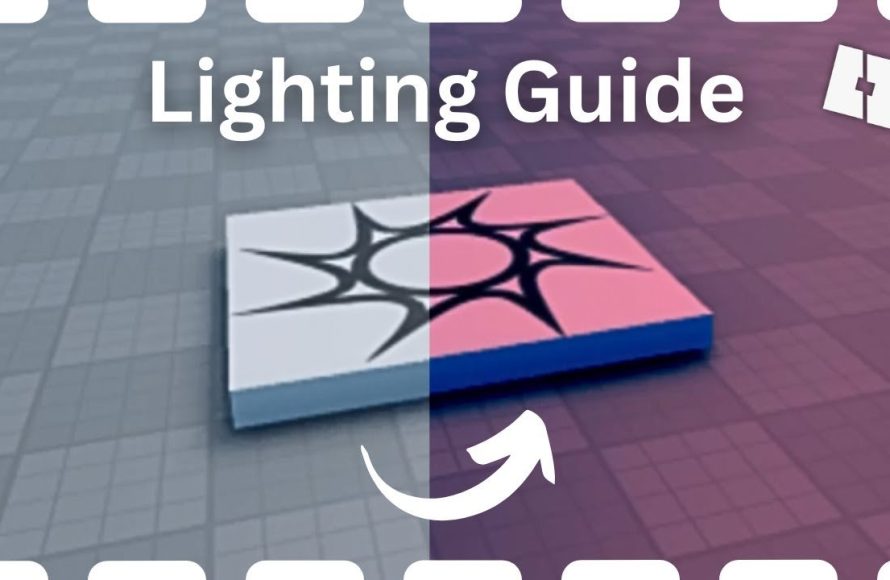
The Roblox lighting effects guide involves adjusting properties like brightness, shadows, and colors within Roblox Studio to create desired atmospheres.
Want to make your Roblox games really pop? A great way to do it is through lighting. The right lighting can completely change the mood and feel of your creations. This roblox lighting effects guide will help you understand how to use Roblox’s lighting system effectively.
We will explore the various settings you can use in Roblox Studio. You’ll learn how to achieve specific visual styles for your projects. Get ready to bring your game world to life with awesome lighting.

Roblox Lighting Effects Guide
Welcome, budding game developers! Ready to make your Roblox worlds look absolutely amazing? Lighting is like the secret sauce that can make your game go from “meh” to “WOW!” In this guide, we’re diving deep into all the cool lighting effects Roblox offers. We’ll explore how each one works, what it does, and how you can use them to create the perfect mood for your games. Think bright, sunny beaches, spooky dark caves, or futuristic cities with neon glows. It’s all possible with the power of Roblox lighting!
Understanding the Basics of Roblox Lighting
Before we jump into the fancy effects, let’s talk about the core of Roblox lighting. It’s important to understand these basics to get the most out of your creative lighting. Think of it like learning the alphabet before you start writing amazing stories! Roblox uses a system based on a few key properties:
Ambient Light
Imagine a soft, general light that fills the entire scene. That’s ambient light! It’s like the overall “light level” of your world, making sure no areas are completely black even if they’re in shadows. You can change the color and brightness of this light to dramatically affect the whole mood of your place. Want a sunny feel? Use a bright, yellowish color. Going for a creepy vibe? A dark blue will do the trick.
Brightness
Brightness controls how intense all of your lights are. It’s like a master volume knob for your whole lighting system. Turning it up makes everything brighter and turning it down makes things darker. You can use this to change the overall intensity of your game’s visuals quickly.
Color
Color in lighting is incredibly important! It can make a normal scene feel completely different. Want a firey place? Add a reddish orange tint. Want to make things feel cold? How about adding a light blue or purple hue. You can adjust lighting colors in almost every single effect and it can do wonders to create a perfect mood.
Shadows
Shadows add depth and dimension to your games. They help you to see where things are and how they are positioned in your world. They’re also great at adding realism. Roblox lets you tweak the shadow properties of your lights, which we’ll talk about in more detail later.
Exploring Roblox Lighting Effects
Now for the fun part! Let’s explore each lighting effect that Roblox offers. Remember, these are like different tools in your toolbox. Each one has its special job, so you can pick the right tool to create the kind of lighting you’re dreaming of. We’ll go through each type, explaining what it does and how to use it.
DirectionalLight
Think of DirectionalLight as your main sun or moon. It casts light in one direction, like a spotlight from very far away. It’s perfect for simulating daylight, making shadows that move with the time of day. Here’s how you can use it:
- Color: Set the color of your sun or moon. Yellow for daylight, white for a strong light, or even blue for a moonlit night.
- Direction: Change the direction the light is shining to control where shadows are cast.
- Shadows: Enable or disable shadows for the DirectionalLight to change the way the scene looks.
When used carefully, DirectionalLight can create very convincing time-of-day effects and bring your worlds to life!
PointLight
PointLight is your best friend for creating light that comes from one specific point in your game world. It’s great for lamps, lanterns, or glowing objects. Imagine a light bulb hanging from the ceiling or a candle on a table – that’s the power of PointLight. Here’s what you can do with it:
- Color: Make the light match the object it’s coming from. A yellow color for a lamp, a warm orange for a fireplace, or a cool blue for a magical glow.
- Range: Adjust how far the light reaches. A small range for a table lamp and a big one for a floodlight.
- Brightness: Control how bright the point light is. A strong brightness for a floodlight or a dim one for a small candle.
With PointLight, you can focus light on areas you want players to notice.
SpotLight
SpotLight is like the light you get from a flashlight or a stage spotlight. It shines light in a cone shape from a specific point, making it great for focusing attention. It allows you to create very defined areas of lighting. Here’s how you can work with it:
- Color: Pick the color of your beam. White, colored, or even blinking!
- Range: Control how far the light beam reaches.
- Angle: Change the size of the cone. A wide angle for general illumination or a narrow one for a sharp beam.
- Shadows: Enable or disable shadows for SpotLights to add dramatic effects
Spotlights are perfect for making dynamic lights that move across the scene, like security lights in a city or the beam of a flashlight.
SurfaceLight
SurfaceLight is a special light that comes from a surface. Imagine that a screen glows with a light or a sign emits light. It’s great for making objects glow or creating interesting effects on the surface of a structure. Here’s how it works:
- Color: Set the color of the surface light.
- Face: Choose which side of the part emits the light.
- Brightness: Control the intensity of the light.
- Texture: Apply a texture, making the light glow with patterns!
SurfaceLights add very specific and unique lighting effects to your worlds.
Environment
The environment setting is a global control that changes how your entire game world looks and feels by tweaking aspects like sky, atmosphere, and overall visuals. These settings aren’t individual lights, but they affect how light behaves throughout your game world.
- Atmosphere: You can use this setting to add depth and realism to the air of your game. This changes the way light scatters through the environment to create fog, haze, or clear skies.
- Skybox: The skybox is what you see in the background of your game. It sets the mood by changing the appearance of the sky.
- OutdoorAmbient: Controls the ambient light for outdoor areas, letting you make the outdoors bright and sunny or gloomy and dark.
Adjusting the Environment settings can give your game a completely different mood and feel very quickly.
Working with Lighting Properties
Each light type also has common properties to fine-tune its effect. These properties make the difference between a basic light and a stunning one.
Shadows:
Shadows are a very powerful feature in Roblox lighting, they add depth and realism to your world. You can control how shadows are shown in the game. You can turn them on or off, change how sharp they are, and also adjust the distance at which they are shown. Experiment with these options to make your world more visually compelling.
Brightness and Intensity
Brightness settings control how intense your lights are. These settings let you control how light interacts with objects in your world. A little tweak to the light intensity can make a huge difference in the look and feel of your game.
Coloring Light Effects
Color is your secret weapon to create the atmosphere you want. The color settings allow you to pick the color of your lights. Try experimenting with different colors to create a wide range of moods and effects. Don’t be afraid to try colors that you might think don’t work. You might find that adding an unusual color will make a huge difference.
Advanced Lighting Techniques
Now that we have covered the basics, let’s learn some advanced techniques that will take your lighting to the next level. These advanced techniques focus on specific ways to use lighting effects and properties to create stunning visual results.
Layering Lights
Layering lights is like adding different colored paint to make a painting feel more dynamic. Start with your main light, such as a DirectionalLight, and then add smaller PointLights or SpotLights to create highlights, shadows, and areas of focus. For example, combine a warm orange PointLight with a cool white one in a fireplace to mimic the look of a real fire. Don’t be afraid to use lots of lights, you can always adjust them later.
Using Color to Create Mood
Color plays a crucial role in setting the mood of your games. Blue tones create a feeling of coldness or mystery, while warm yellows and oranges evoke comfort and joy. Reds and purples can bring out the intensity or danger of a place. Think carefully about the atmosphere you are trying to create and match your colors accordingly.
Making the Most of Shadows
Shadows are just as important as light. They add depth and define the shapes of objects in your world. Experiment with shadow sharpness and range to create dynamic effects. You can even use shadow to convey a character’s fear and create suspense. You could use a dim spotlight casting a very long shadow to make someone look more imposing.
Animating Lights
Adding motion to your lights can bring a whole new level of excitement to your game. Use scripts to change the color, intensity, position or even the angle of your lights. This will make your lights appear to flicker, pulse, or even move around the environment. Imagine a police car with flashing lights or a neon sign pulsing with a futuristic look.
Utilizing the Environment Settings
Don’t forget the environment settings. Play with the atmosphere, skybox, and ambient light settings to change the overall feel of your game. A foggy atmosphere can be used to make a place feel creepy, while a bright clear sky will give the impression of a wide-open area.
Practical Tips for Roblox Lighting
Here are some tips to keep in mind when you are using lighting effects in Roblox.
- Start with a plan: Before you start adding lights all over the place, think about the mood you want to create and plan out what lights you need.
- Don’t overdo it: Too much light can make your game feel over-exposed or just washed out. Try to find the right balance.
- Test, test, test: Experiment with your lighting and test it often. See how it looks on different devices and under different conditions.
- Use references: Look at real-world lighting, this will give you ideas and help you create a more realistic feeling in your games.
- Have fun: Lighting is an art as much as it is a tool, so don’t be afraid to get creative and try new things.
Example Scenarios and Setups
Let’s take a look at some examples. These examples will help you see how different lighting techniques can make a big impact on the way your game looks.
A Cozy Cabin Scene
For a cozy cabin scene, start with a DirectionalLight set to a warm, yellow-orange color to mimic the setting sun. Then, add a few PointLights inside the cabin, colored a warm white or orange. Finally add some subtle SurfaceLight glows to the fireplace for an added effect. This setup creates a warm and inviting atmosphere that makes a player feel at home.
A Spooky Cave Scene
For a spooky cave, use a dark ambient light color, like dark blue or purple. Use PointLights sparingly to show areas of interest, and make sure they cast shadows to add depth. You could use flickering lights to give the scene a scary edge. Dark and moody lighting is the key to making a scary place.
A Futuristic City Scene
For a futuristic city, use a mix of colored spotlights and surface lights to create neon signs. Think of brightly colored signs and building lighting. Use bright colors like blue, pink, and purple to create a feeling of high tech. You can also experiment with animated light patterns to add more excitement.
The Complete Guide to Lighting in Roblox Studio
Final Thoughts
This Roblox lighting effects guide covered key aspects. Experimenting with settings will yield varied results. Practice and observation are important. Remember that small adjustments often make a big difference.
You can significantly change the mood and feel of your Roblox games. Explore different light types and their properties. Understanding how shadows and color interact is critical. The Roblox lighting effects guide is a valuable asset to creating immersive experiences.

