
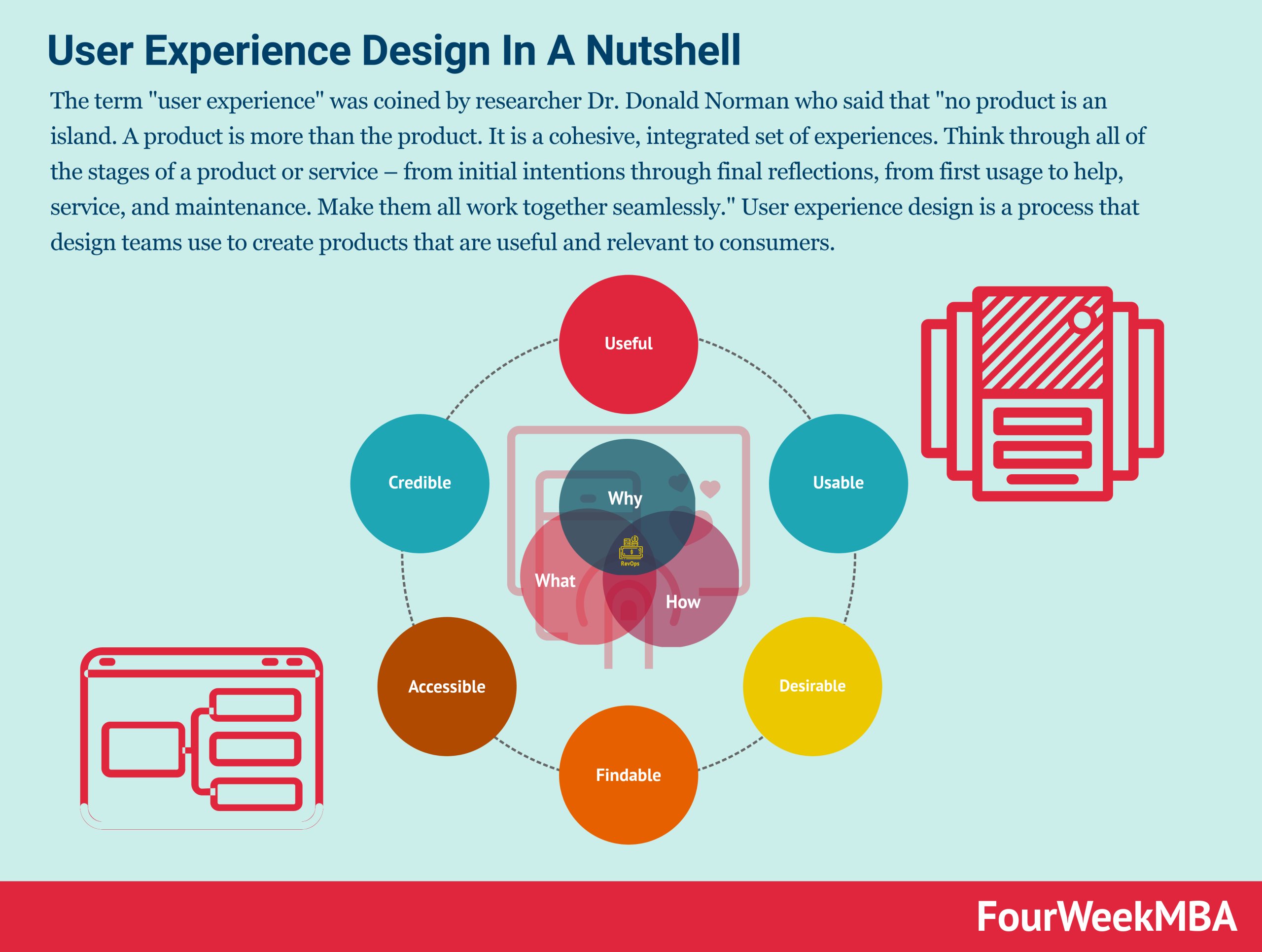
Using Roblox scrum in user experience centers on applying agile principles to quickly iterate on game features, incorporating player feedback and ensuring a satisfying experience.
Ever wondered how some Roblox games seem to get better and better with each update? They often use a system that values quick changes and player opinions: Roblox scrum in user experience. It’s all about making games enjoyable and constantly improving them.
Developers using this method work in short bursts, reviewing what they’ve done and planning the next steps. This allows them to quickly respond to how players interact with their game.
The goal is always to deliver the best experience possible by listening to the users. This approach keeps development player-focused and adaptable.

Roblox Scrum in User Experience
Okay, let’s dive deep into how we can use something called “Scrum” to make Roblox games even more fun! You might be wondering, “What in the world is Scrum?” Well, imagine it’s like a super organized way to work on a project, like building your dream Roblox game. It helps a team work together, make changes quickly, and make sure everyone is on the same page. And the best part? It really helps make the game a great experience for the player – that’s you!
What is Scrum, Really?
So, let’s break down Scrum. Think of it as a set of rules and meetings that help a team finish projects. It’s not just for making games; people use it for building websites, apps, and even airplanes! The main idea is to work in short bursts called “sprints” and to check in with each other often. This way, if something isn’t working, the team can fix it fast instead of waiting until the very end. It’s all about working together, learning as you go, and making changes to create the best possible end product. This end product is usually a great user experience. This process focuses on iterative development and collaboration.
Key Scrum Ideas
- Sprints: These are short periods of time (usually 1-4 weeks) where the team works on specific features or changes. It’s like having mini-missions inside a bigger project.
- Daily Stand-ups: Every day, the team gets together for a quick chat (usually 15 minutes or less). They talk about what they did yesterday, what they’re working on today, and if they have any problems. This helps everyone know what’s going on.
- Backlog: This is like a to-do list of all the features, changes, and ideas for the game. It’s a living list, which means things can be added, removed, or changed as the project goes on.
- Sprint Review: At the end of each sprint, the team shows what they’ve done to stakeholders, like other team members or even players. This is a chance to get feedback and make sure the game is heading in the right direction.
- Sprint Retrospective: After the review, the team takes a look back at how the sprint went. What worked well? What could have been better? This helps the team improve how they work together.
Why Use Scrum for Roblox Games?
Now, you might ask, “Why bother with Scrum for a Roblox game?” Here’s why: Roblox games are all about player experience. If the game is confusing, glitchy, or just not fun, people won’t want to play it. Scrum helps make sure that the game is being developed with the player in mind every step of the way. It lets developers make sure the gameplay is engaging and intuitive by allowing them to frequently test the game and incorporate feedback.
Improved User Experience Through Scrum
Scrum ensures that the development team focuses on what matters most to the players. Here’s how:
- Frequent Feedback: By showing work at the end of each sprint, the team gets lots of opportunities to get feedback. This means that if a feature isn’t working for players, the team can fix it quickly. This directly improves the user interface and user experience design.
- Flexibility: Roblox games are often updated with new features and changes. Scrum makes it easy to add new ideas or change plans without messing up the whole project.
- Better Collaboration: Scrum helps everyone on the team (programmers, artists, designers) work together smoothly. When everyone knows what’s going on and their role in the process, things go faster and with less trouble. It’s all about teamwork and synergy.
- Continuous Improvement: The retrospective meetings help the team keep getting better, not just at making the game, but also at how they work together.
- Player-Centric Design: Because the process includes frequent testing and feedback, the final product is more likely to satisfy player needs.
How Scrum Directly Impacts the Game’s User Experience
Let’s look at specific examples of how Scrum helps make your experience in a Roblox game better.
Examples of Scrum at Work
Let’s imagine a team is building a new adventure game on Roblox. They’re using Scrum, so let’s see how that plays out:
Sprint 1: The Basic World
- Goal: To make a basic map with some simple objects and a main character.
- Work:
- Artists create the basic look of the world.
- Programmers make the character move around.
- Designers make sure the game is easy to navigate.
- Result: After the sprint, they have a simple world they can walk around. They show it to some other people and get feedback. Is it easy to walk? Does it look good?
Sprint 2: The First Quest
- Goal: To add a simple quest for the player to complete.
- Work:
- Programmers make the quest work.
- Designers plan how the player will find the quest and complete it.
- Artists create any new characters or items needed for the quest.
- Result: The game now has a quest. Feedback shows the quest was a little confusing, so they decide to make the instructions clearer for the next sprint.
Sprint 3: Improving the Quest and Adding a Shop
- Goal: To make the first quest easier and to add a shop where players can buy items.
- Work:
- Programmers rewrite parts of the quest.
- Designers improve the user interface for the quest.
- Artists create the look of the shop and the items for sale.
- Result: The quest is easier to understand, and the game has a place where players can buy useful items. They get feedback about the shop being hard to find, and plan to address it.
In this way, the team is constantly improving based on their observations and feedback. The game grows one small step at a time, and the quality is improved throughout each stage. This makes for a more enjoyable, more polished game.
How Scrum Benefits Different Game Elements
Here’s a more detailed look at how Scrum helps different parts of a Roblox game:
Gameplay Mechanics
Scrum allows for constant testing and tweaking of gameplay. If the jump feels too floaty or the combat is too easy, this can be identified and adjusted quickly through sprints and user feedback. This is very important for creating smooth, intuitive gameplay.
User Interface (UI)
Scrum helps in refining the UI, making it simpler for the players to use. By reviewing early designs and testing them with users, changes can be made in early stages of development instead of facing complex refactoring at the very end. This helps in ensuring that menus are easy to use, buttons are clearly labeled, and information is presented in an understandable way. This minimizes frustrations for the user.
Level Design
Scrum makes sure that level design is constantly evaluated. If players are getting stuck or if the environment is too bland, this is figured out early, and changes can be made to improve the flow of the game. This can also be used to make sure the game’s levels are engaging, challenging, and visually appealing.
Game Balance
By repeatedly testing the game during each sprint, balance issues get quickly identified. Are some items too strong? Are some levels too difficult? Scrum’s iterative approach allows developers to adjust these aspects and ensure that players find the game both enjoyable and fair.
Bug Fixing
Since development happens in shorter cycles, bugs can be found early and fixed more frequently. Each sprint might include a portion for finding and addressing these problems. This makes sure the game is stable and offers a smoother user experience.
Key Roles in a Roblox Scrum Team
A Scrum team usually has a few key roles. Let’s look at who they are and what they do in the context of building a Roblox game:
The Product Owner
This person is like the voice of the player. They decide what features should be added and in what order. They make sure the team is always working on the things that will make the game best for the users. They work closely with stakeholders to define the backlog items, their priorities, and overall game strategy. They are the product’s champion and the main point of contact regarding what to build.
The Scrum Master
This person makes sure the Scrum process is followed. They help remove any obstacles that are in the team’s way and make sure everyone understands how Scrum works. They’re like the team’s coach. They facilitate the daily stand-ups, sprint planning, reviews, and retrospectives. They aren’t directly working on building the game, but are responsible for making sure the team can do their best work.
The Development Team
This is everyone who actually builds the game. It includes:
- Programmers: They write the code that makes the game work.
- Artists: They create the visual elements of the game (characters, environments, etc.).
- Designers: They plan the game levels, user interface, and the player experience.
- Testers: They play the game to find bugs and make sure everything works right.
Challenges of Using Scrum in Roblox Game Development
While Scrum is very helpful, there can be some challenges.
- Learning Curve: It can take some time for a team to fully understand how to use Scrum properly. It might feel unnatural at first.
- Resistance to Change: Some developers may be used to working in other ways and might not like changing how they do things.
- Overhead: The meetings and process can take up time. It’s important that these activities are kept efficient and focused.
- Team Size: Scrum can be a bit hard to use when the team is very small or extremely large. Proper team management is key for success.
Tips for Using Scrum Successfully in Roblox
Here are a few tips to make Scrum work well for your Roblox game project:
- Start Small: Don’t try to implement everything about Scrum at once. Begin with the basics, like short sprints and daily stand-ups.
- Be Flexible: Remember that Scrum is a framework, not a strict set of rules. Adapt it to fit your specific needs and your team.
- Communicate: Make sure everyone on the team knows what’s going on and feels comfortable sharing ideas and concerns.
- Focus on the Player: Always think about what will make the game better for the player. Use the feedback and information gathered in your sprints.
- Learn and Improve: Don’t be afraid to make mistakes. Use the retrospectives to learn what you could do differently next time.
Measuring Success with Scrum
How do you know if using Scrum is actually helping? It’s important to measure your progress and see if you’re reaching your goals. There are lots of ways to track progress, not just during sprint reviews but in between as well.
Tracking Progress
Here are some key metrics to pay attention to:
- Velocity: This measures how much work the team completes in a sprint. If your team’s velocity is steadily increasing, it means you are building faster and efficiently.
- User Feedback: Regularly collect and analyze feedback from players. Are they enjoying the game? Are there any common complaints or issues?
- Bug Reports: Track the number of bugs being reported and how quickly you are able to fix them.
- Feature Delivery: Measure how quickly you can release new features and updates.
It is important to track all metrics and take proper actions based on results for better game development process.
So there you have it! Scrum can really help make awesome Roblox games. By working together, getting feedback, and always thinking about the player, you can make a game that people will love to play. Using Scrum makes the user experience way better.
Analysis – Scrum in Agency Vs. Product Team!
Final Thoughts
In short, applying scrum principles to Roblox development enhances the user experience significantly. This iterative process allows teams to gather feedback quickly. They can then adjust and improve features based on player interactions and data. This focus on user-centric development makes for a better overall game.
Effective teamwork and frequent communication, elements of scrum, lead to faster and more effective changes. Ultimately, this method improves the playability and engagement. Therefore, integrating ‘roblox scrum in user experience’ creates games players truly enjoy.

