
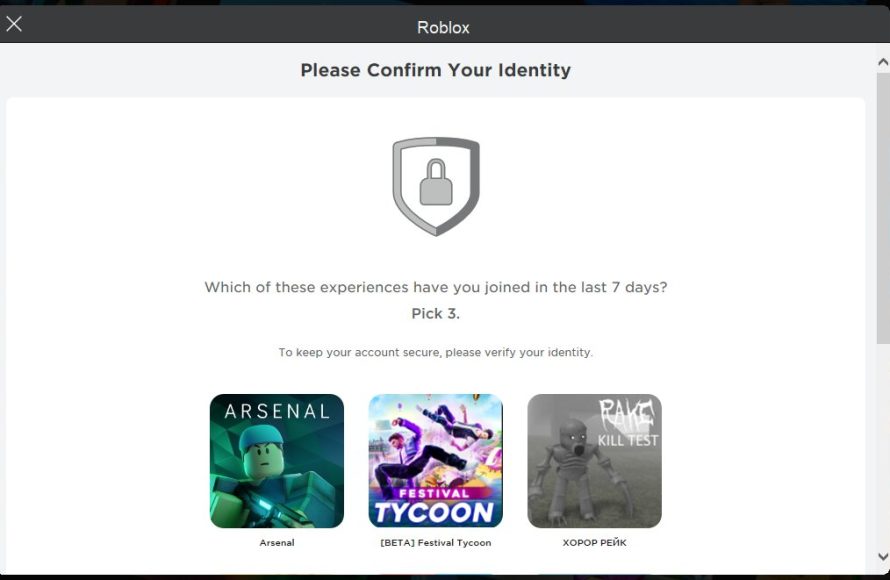
‘Roblox security testing’ involves examining the game platform for vulnerabilities, ensuring a safe experience for players by identifying potential exploits and enforcing protective measures.
Thinking about your favorite Roblox experiences? Have you ever wondered how they remain safe and fun for everyone? It’s crucial to understand the world of ‘roblox security testing,’ which makes the whole platform secure for kids and adults.
This process is essential for preventing cheating, protecting personal data, and stopping bad actors from harming the community. Testing these security protocols provides a great, reliable experience for each player.

Roblox Security Testing: Keeping Your Games Safe
Making a fun Roblox game is awesome, but making sure it’s safe is super important too! Just like a house needs strong doors and windows, your Roblox game needs good security. This means checking for problems that sneaky players could use to cause trouble. It’s all about finding those weak spots and fixing them before anyone can use them for bad stuff. Let’s dive into the world of Roblox security testing and how you can keep your creations safe for everyone!
Why is Roblox Security Testing Important?
Imagine building a fantastic castle out of LEGOs. You wouldn’t want someone to come along and knock it down, right? It’s the same with your Roblox game! Security testing is like checking your castle for any weak bricks or wobbly towers that someone could try to take advantage of. Without proper testing, your game could be exposed to several potential issues:
- Exploits and Cheating: Some players try to use tricks (called exploits) to cheat or gain unfair advantages. This can ruin the fun for everyone else and damage your game’s reputation.
- Data Breaches: If your game stores any player information, you need to make sure that information stays safe. Poor security can lead to sensitive data being exposed. This could be user names, in-game currency amounts, or other private info.
- Game Breaking Issues: Weak security might let players find ways to break your game, making it unplayable or causing crashes. This not only frustrates your players but could also discourage them from playing your other games.
- Monetary Loss: For games that use in-game purchases, security issues could lead to loss of funds for developers. Exploits could allow some players to get things for free that they should have paid for. This directly affects your hard work and finances.
Basically, good security means a better, fairer, and more fun experience for everyone who plays your game! It also protects you, the developer, from a lot of headaches later on.
Understanding Common Roblox Security Threats
Before you can fix problems, you need to know what kind of problems to look for! Here are some common threats that Roblox developers need to be aware of:
Remote Events and Functions
These are like messages sent between the game’s server (the brain) and clients (the player’s computers). If not handled carefully, players could send fake messages to cheat or mess with the game. For example, someone could try to send a message pretending to be a valid player command to give them extra money or power.
Exploiting Remote Events
Imagine a game where you gain points by clicking a button. An exploit could let a player send the “click button” message to the server a thousand times per second, without actually clicking the button, flooding the system with requests and getting points unfairly. It is crucial to properly validate data received from clients using remote events, so make sure to check that the player has authority to perform an action and never trust the client fully.
Script Injection
Some players might try to inject their own scripts into your game. These scripts can do all sorts of nasty things, from giving the user unfair advantages to crashing your game. This is like someone secretly installing a bad program onto your computer that takes control of it. Usually this is done by exploit software. For this reason, you should always be extra careful with filtering and validation of user-input. And avoid using external scripts from unknown sources, as there may be malware embedded in it.
Data Manipulation
If you store data on a player’s device (client-side), they might try to change that data. For example, if a player’s money balance is stored on the client, they could modify it to give themselves a ton of money. All player sensitive information should be stored on the game’s server. If that is not possible make sure to validate the data before using it for any calculations.
Denial-of-Service (DoS) Attacks
These attacks are attempts to overwhelm your game server with requests, making it slow or even crash. Think of it like too many people trying to get into a store at once, causing a huge traffic jam. A common technique is using a bot to overload your game. To help prevent these attacks, implement rate limits on certain actions a player can perform, this stops one person from making too many requests.
Essential Roblox Security Testing Techniques
Okay, now you know the bad stuff to watch out for. Let’s talk about what you can do to make sure your game is secure.
Code Review
This is like having a friend read your homework to check for mistakes. Go through your scripts carefully, looking for any code that could be exploited. A fresh set of eyes can be incredibly helpful in spotting issues you may have missed. Look for things like:
- Improper Validation: Check if you’re validating input from the clients before using it. Are you making sure a player is who they say they are?
- Hardcoded Values: Avoid putting sensitive information directly in your code, as this can be easily spotted. Instead, use configurations.
- Unnecessary Permissions: Make sure your scripts only have the minimum level of access necessary.
Penetration Testing
Think of this as “playing detective” with your game, trying to break it on purpose. You can try to use the same techniques hackers might use, such as sending fake data through RemoteEvents, and seeing how your game responds. The goal is to find those weak spots before anyone else does. You might use different tools for this, such as automated testing software. Don’t feel scared to try to break your own game, this process is crucial for testing how secure it is!
Input Validation
Always check data from the client before using it. This means:
- Checking the Type: Make sure a number is actually a number and a text is actually a text. Don’t assume you will receive the data you are expecting.
- Checking for Limits: If a player is supposed to pick a number between 1 and 10, make sure they don’t pick 100.
- Cleaning Input: Get rid of anything that looks suspicious in user-provided data.
Server-Side Authority
Remember that the server is the only source of truth. Don’t trust the client with important calculations or critical data handling. Perform all sensitive actions on the server, not the client. For example, you should use the server to decide whether a player gets an achievement or not.
Using Roblox’s Security Features
Roblox provides some helpful tools to keep your game safe. Be sure to use them:
FilteringEnabled
This built-in Roblox feature automatically helps filter out inappropriate content, such as harmful language in chat. It is essential to use this feature, it will save you a lot of headaches.
Roblox’s Security API
Roblox has built-in functions that let you securely store and retrieve data. Use these instead of trying to make your own. These systems are designed to be secure and reliable.
Regular Updates and Monitoring
Security isn’t a one-time thing. You need to stay on top of it! Keep your game updated with the latest Roblox patches, which often include fixes for new security problems. Also, monitor your game for suspicious activity, and pay attention to your player’s feedback. If players report suspicious activity, investigate it thoroughly.
Implementing Logging
Logging is like keeping a diary of what happens in your game. Log important actions such as when a player joins or leaves and when data is changed. It is useful to diagnose unusual behaviour.
Setting Up Webhooks
A webhook allows you to send data from Roblox to an external service. You can use these to log player actions, monitor game performance, and even send alerts about unusual events. In short, webhooks are great for monitoring how your game is performing and to ensure your game is healthy and no strange behaviour is detected.
Specific Security Testing Examples in Roblox
Let’s get into some specific examples of how you can use these security testing methods.
Scenario 1: Preventing Infinite Money Exploits
Imagine a game where players earn money by completing tasks. If the game is not secured properly, players can send messages to the server to get infinite money.
How to Test
- Try to send the “get money” message multiple times per second using tools and scripts, bypassing the game’s normal mechanics.
- Monitor your logs to see if the money being earned is correct.
How to Fix
- Validate that the task has been completed before rewarding money.
- Use the server to calculate the reward, not the client.
- Implement rate limiting for the money reward.
Scenario 2: Protecting User Data
Imagine a game where players can customize their avatars. Players have to store this avatar data.
How to Test
- Try changing player settings on the client-side and seeing if those changes persist even if you haven’t saved them on the server.
- See if you can read other player’s settings from their client memory.
How to Fix
- Store all player data on the server, not on the client.
- Use DataStore to store player data, which is managed by Roblox.
- If data must be on the client, ensure it is properly validated before being used for any calculations.
Scenario 3: Guarding Against Script Injection
Imagine a game that uses external plugins to give users extra functionality.
How to Test
- Try injecting a malicious script to see if you can cause the game to behave incorrectly.
- Try to change some of the game’s core functionality by injecting scripts.
How to Fix
- Avoid using external scripts from untrusted sources.
- Use filtering to remove any unexpected code.
- Sanitize all user-provided text inputs.
Tools and Resources for Roblox Security Testing
There are plenty of resources you can use to make security testing easier:
Roblox Studio Debugger
This built-in tool helps you find errors in your code while you are developing. Debugging is essential for finding potential problems quickly.
Community Tools
Many developers create tools and plugins to help with security testing. These can help you automate testing and make it more efficient. Look at resources in places such as the Roblox Creator Marketplace.
Online Forums and Documentation
The Roblox Developer Hub is a great place to find information about security best practices. It also has forums where you can ask for help from other developers.
Best Practices for Roblox Security
Here are some key things to always remember when thinking about security:
- Never trust the client. Always validate all incoming data from the client.
- Keep your code organized. Write clean, easy to understand code. This makes it easier to find and fix issues.
- Regularly test your game. Don’t wait for problems to happen.
- Update your game regularly. Keep your game up to date to patch known exploits.
- Use Roblox’s security features. Take advantage of the tools that Roblox gives you to help you secure your games.
- Always research new methods and techniques of security testing. The world of security is always changing. Make sure you stay on top of it.
By taking a proactive approach to security, you can greatly minimize the risk of issues. Remember, a safe game is a fun game!
In conclusion, security testing is a crucial part of the Roblox development process. By understanding common threats, applying testing techniques, and staying up-to-date with best practices, you can create a better gaming experience for everyone. Don’t wait until your game is exploited to think about security. Make it a priority from the start, and it will save you lots of time and frustration in the long run, and you’ll have a safer game!
Roblox Security System on mobile #roblox #viral #robloxshorts #shorts
Final Thoughts
Effective roblox security testing requires proactive measures and consistent vigilance. Developers should regularly check for vulnerabilities and implement secure coding practices. Ignoring these steps puts both the game and its players at risk.
Thorough testing, including penetration tests and code reviews, can significantly reduce exploits. Protecting user data and game integrity depends on diligent roblox security testing. This approach builds a trustworthy environment.

