
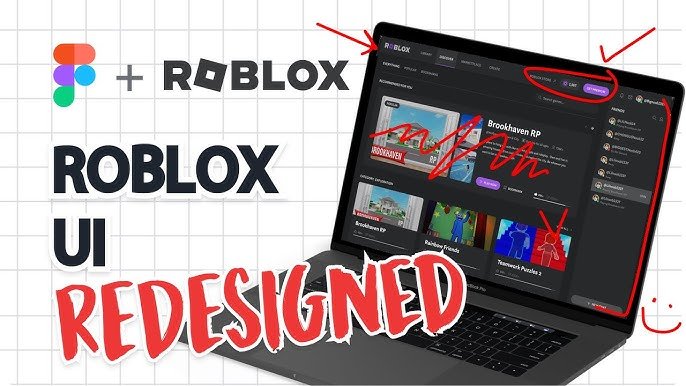
Finding quality Roblox UI/UX design courses involves searching platforms like Udemy, Skillshare, or specific Roblox development communities that offer structured training in interface and user experience principles within the Roblox environment.
Ever dreamt of crafting engaging, user-friendly interfaces in Roblox? Many aspiring creators are now seeking ways to improve their game design skills, specifically in UI/UX. The growing demand for polished Roblox experiences means many are searching for effective Roblox UI/UX design courses.
These courses provide essential knowledge about creating intuitive menus, appealing visuals, and smooth player interactions. Learning these skills can significantly improve your Roblox game’s player retention and overall success.

Roblox UI/UX Design Courses: Level Up Your Game Creation
Ever played a Roblox game and thought, “Wow, this looks amazing and is super easy to use?” That’s the magic of good UI/UX design at work! UI stands for User Interface, which is everything you see and interact with – the buttons, menus, and cool graphics. UX, or User Experience, is how it all feels to use. A great Roblox game needs both – a beautiful interface that is also easy and fun to navigate. That’s where Roblox UI/UX design courses come in! They teach you how to create games that players will love, not just for the gameplay, but for the smooth and enjoyable experience you provide.
Why Learn UI/UX Design for Roblox?
Think of it like building a house. You wouldn’t just throw bricks together and hope it works, right? You’d plan, design, and make sure it’s safe and easy to live in. The same applies to Roblox games! Here are some key reasons why learning UI/UX design is crucial:
- Engage More Players: A well-designed interface keeps players hooked. If your game is confusing, people might leave quickly. Good UI/UX keeps them playing and wanting more.
- Increase Playtime: When players can easily find what they need and enjoy the game’s flow, they play for longer periods. This leads to more positive reviews, shares and overall more popularity of your game.
- Stand Out from the Crowd: With thousands of Roblox games out there, great design can make yours stand out. It’s your game’s first impression! A polished UI/UX signals a professional, high-quality game to players.
- Make Navigation Simple: Imagine trying to find the shop in a confusing maze of menus. Frustrating, right? Good UI/UX makes everything logical and easy to find. Clear navigation is key to positive player experiences.
- Boost Player Satisfaction: When a game is easy to use and visually appealing, players are happier. Happy players recommend your game to their friends, making your game’s player base grow.
- Monetization Potential: Well-designed interfaces can help you sell more items or upgrades in your game. When your game is a pleasure to navigate, players are more likely to engage with all its features, including the in-game shop.
- Develop Valuable Skills: Learning Roblox UI/UX design also builds skills useful in other areas, like website design or app development. It’s a great skill to have, even beyond Roblox game creation.
What Will You Learn in a Roblox UI/UX Course?
Roblox UI/UX design courses cover a variety of topics. Here’s a glimpse into what you can expect to learn:
Fundamentals of UI Design
This is where you learn the core ideas behind creating great interfaces.
- Layouts and Composition: How to arrange elements on the screen for the best user experience.
- Color Theory: Using colors effectively to make your game visually appealing and easy on the eyes.
- Typography: Choosing the right fonts and sizes to make text readable.
- Spacing and Alignment: The importance of even spacing and alignment for a clean, professional look.
- Visual Hierarchy: Making important elements stand out using size, color, and placement.
Fundamentals of UX Design
Here, you learn how to make the entire game experience smooth and enjoyable for the user.
- User Research: Understanding who your players are and what they want from your game.
- User Flows: Mapping out how players will navigate your game, from start to finish.
- Wireframing: Creating basic sketches of your UI layouts to plan before adding visual details.
- Prototyping: Creating simple versions of your UI to test and refine its usability.
- Usability Testing: Getting feedback from users to make sure your UI is easy to understand and use.
Specific Roblox UI Elements
You’ll also learn how to use Roblox’s specific UI tools.
- Frames: Understanding how to use Frames to organize UI elements.
- Text Labels and Text Boxes: Creating clear and readable text for menus and instructions.
- Buttons: Designing engaging and responsive buttons.
- Images and Icons: Using images to create visual appeal and help players understand game features.
- Scroll Frames: Designing scrollable areas for lists and menus with many items.
- Animations: Adding simple animations to make your UI feel alive.
- Layout Components: Learning about UI elements like UIGridLayout, UIListLayout, and UIPadding for flexible and responsive designs.
- ScreenGui and BillboardGui: Learn the difference between these UI objects and how and when to use each of them.
Roblox Lua Scripting for UI
Many courses will also introduce you to Lua scripting, which is crucial for making your UI interactive.
- Click Events: Making buttons respond to player clicks.
- Dynamic UI: Creating UI elements that change based on game events or player actions.
- Basic Animations: Using Lua scripting to make buttons, icons, and other parts of your UI animate.
- Data Management for UI: How to show player statistics and inventory data on the UI.
Best Practices and Workflow
Beyond specific skills, you’ll learn how to approach UI/UX design in a structured way:
- Design Process: Understanding the steps involved in designing a UI, from planning to testing.
- Design Principles: Keeping your design consistent and easy to use by following design principles.
- Organization: Keeping your UI files and scripts neat and easy to manage.
- Responsive Design: Making sure your UI looks good and works well on different devices and screen sizes.
- Optimization: Designing efficient UIs that don’t slow down the game.
Types of Roblox UI/UX Design Courses
There are various ways to learn UI/UX design for Roblox, each with its own benefits. Here are the most common types:
Online Courses
These are often structured with video lectures, assignments, and quizzes. They’re great because:
- Flexibility: Learn at your own pace, anytime, anywhere.
- Affordability: Many courses are more budget-friendly than in-person options.
- Variety: You can find courses covering specific topics or more general UI/UX design.
You can find online courses on platforms like:
- Udemy
- Skillshare
- YouTube
- Roblox Official Education website
- Various Roblox development communities
In-Person Workshops
These are classes you attend physically, often with a teacher in a classroom. They’re good because:
- Direct Interaction: You can ask questions and get immediate feedback.
- Hands-on Practice: You’ll likely work on projects with real-time support.
- Networking: You can meet other developers and make connections.
However, in-person courses might not be as widely available and might cost more.
Mentorship Programs
These involve learning from an experienced designer who provides personalized guidance. Benefits include:
- Personalized Learning: The mentor focuses on your specific needs and goals.
- One-on-One Feedback: You get detailed advice on your designs.
- Industry Insights: Mentors often share real-world experiences.
Finding a good mentor might take some searching, but it’s worth the effort.
Self-Guided Learning
This involves using online resources like tutorials and documentation to learn on your own.
- Free: This is the most budget-friendly way to learn.
- Self-Paced: You can learn at your own schedule and focus on what interests you most.
- Abundant Resources: There are a lot of tutorials, blog posts, and videos available for free.
However, self-guided learning requires discipline and a way to keep on track without direct supervision. It might also take longer to learn everything.
What to Look for in a Good Roblox UI/UX Design Course
Not all courses are created equal! When you’re choosing a course, consider these things:
Course Content
Make sure the course covers the important aspects of UI/UX design for Roblox, such as the ones discussed in the “What Will You Learn in a Roblox UI/UX Course?” section. Look for a course that includes:
- Fundamentals: A strong basis in UI/UX concepts.
- Practical Application: Hands-on projects and exercises to help you practice.
- Up-to-Date Information: Courses that teach the current Roblox Studio tools and best practices.
- Scripting Basics: If you want to create interactive UIs, some Lua scripting instruction is essential.
Instructor Experience
The instructor should have experience with Roblox development and UI/UX design. Look for:
- Portfolio: Look at the instructor’s Roblox games or UI designs.
- Reviews: See what past students have to say about the instructor’s teaching style.
- Expertise: Make sure the instructor understands the needs of Roblox developers.
Learning Style
Think about what kind of learning suits you best. Do you prefer visual tutorials or hands-on projects? Choose a course that matches your learning preference. Consider courses that have:
- Visual Aids: Video lectures, diagrams, and examples can help understand concepts.
- Practice Exercises: Quizzes, projects, and assignments to reinforce learning.
- Community Interaction: If you are learning in a group setting, having a place to ask questions and connect with other learners is a bonus.
Cost and Value
Compare the prices and offerings of different courses. A higher price doesn’t always mean a better course. Evaluate what you get for your investment. Think about things like:
- Course Duration: How long is the course? Is it enough time for you to grasp all concepts.
- Materials: What type of materials are included? Does it include practice files or additional learning tools?
- Support: Does the course offer student support through a forum or direct contact with the instructor?
Tools and Software for Roblox UI/UX Design
While most of the work is done inside Roblox Studio, having some additional tools can help you plan and design:
Roblox Studio
This is the main tool you’ll use. It’s where you’ll build your games and create UI elements.
Figma or Adobe XD
These are design tools you can use to create UI mockups and wireframes before building them in Roblox Studio. This lets you quickly plan your designs without using a game engine.
Image Editing Software
Programs like Photoshop, GIMP, or Canva can help you create custom icons, images, and background assets. You’ll also be able to make edits and enhance already existing icons.
Notepad or Code Editor
While Roblox Studio has its own script editor, a dedicated text editor like VS Code can help write and edit scripts, especially if you plan on making complex UI designs. These text editors have more options for things like syntax highlighting.
Examples of Good Roblox UI/UX Design
To get inspiration, it’s a good idea to look at Roblox games that have excellent UI/UX. Here are some of the games you can look into:
- Adopt Me: Known for its clean and user-friendly interface.
- Brookhaven: Has a well-organized interface that is intuitive for players.
- MeepCity: Offers a bright, engaging, and easy-to-navigate UI.
- Welcome to Bloxburg: The game features a polished and immersive UI.
- Piggy: Offers a slightly more complex UI that is easy to learn by the players.
Pay attention to how these games use colors, layouts, and buttons to create a seamless experience.
Getting Started with Roblox UI/UX Design
Ready to dive in? Here’s a simple plan to get started:
- Familiarize Yourself with Roblox Studio: Get comfortable with the basics of building and using Studio.
- Start with Basic UI Elements: Practice using frames, labels, buttons, and other fundamental elements.
- Follow Tutorials: Watch some YouTube videos or tutorials to learn specific techniques.
- Try to Replicate Existing Designs: Choose your favorite Roblox game and try to rebuild parts of its UI.
- Design Your Own Game’s UI: Now, use what you learned and make the UI for one of your games.
- Get Feedback: Ask friends or other developers to test your UI and give you advice.
- Keep Practicing: The more you design, the better you will become!
Learning Roblox UI/UX design is a journey, not a race. So take your time, experiment, and have fun!
Ultimately, the best Roblox UI/UX design course is one that matches your learning style, budget, and goals. By taking the time to learn this important skill, you’ll be able to create games that players will not just enjoy, but also find easy and intuitive to use. This, in turn, will help you create much more successful games!
UI/UX Essentials
Final Thoughts
Ultimately, investing in Roblox UI/UX design courses equips you with essential skills for crafting engaging game experiences. These courses provide practical knowledge, helping you create intuitive and visually appealing interfaces.
Improving your UI/UX directly impacts player satisfaction. Focused training allows you to design more effectively.
Choosing the right Roblox UI/UX design courses is crucial for your development journey. It enhances both your skills and the quality of your creations.

