
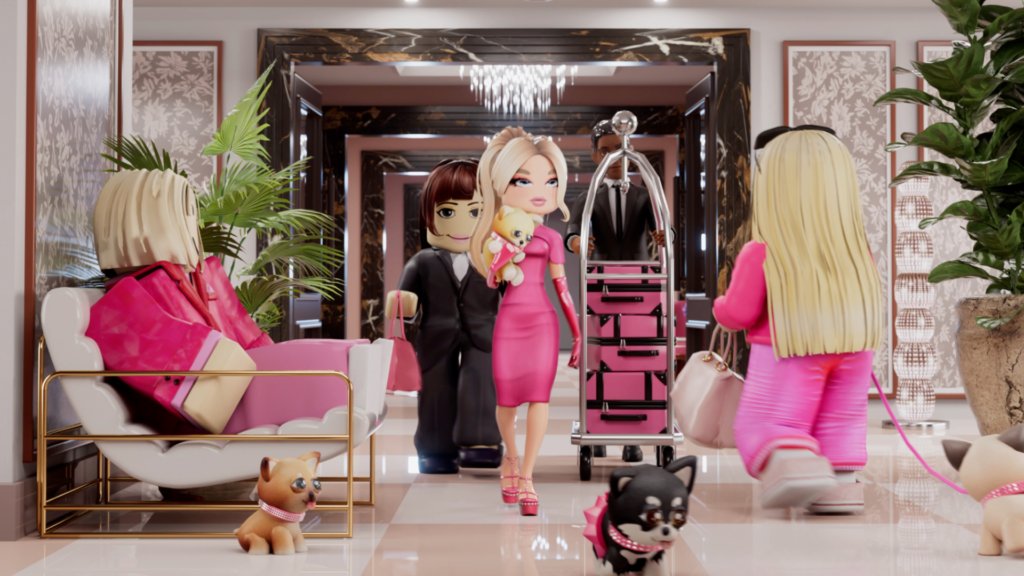
Creating a successful Roblox virtual event requires careful planning of the experience, including choosing a suitable game or world, developing engaging activities, and promoting the event effectively to attract participants.
Want to organize an amazing gathering inside Roblox? Planning a memorable event in this popular virtual world takes some thought. This roblox virtual event planning guide will help you navigate the process.
First, select a suitable place or design your own space. Then, craft activities that will keep your attendees interested and entertained. Finally, let others know about your event so they can join the fun!

Roblox Virtual Event Planning Guide
So, you want to throw a super cool event in Roblox? That’s awesome! It’s like having a party where everyone can join from anywhere in the world. But just like planning a real-life party, you need to think about a lot of things. Don’t worry; this guide will walk you through all the steps to create an amazing Roblox virtual event. We’ll cover everything from brainstorming ideas to making sure everyone has a blast.
Brainstorming Your Roblox Event Ideas
The first step is dreaming up the kind of event you want to have. Think about what kind of fun you want your guests to experience. What’s the main goal of your event? Is it just for fun, or do you have a specific purpose in mind? Here are some ideas to get your creativity flowing:
- Birthday Party: Celebrate your special day with your Roblox friends! You can play games, explore a special birthday-themed world, and even have a virtual cake.
- Game Tournament: Organize a competition where players can show off their skills. Pick a popular Roblox game or make up your own rules.
- Creative Showcase: Invite players to display their creations, like their amazing builds, cool outfits, or even their own mini-games.
- Virtual Concert: Have a live music performance with your friends or check out the Roblox-created events.
- Holiday Celebration: Celebrate your favorite holiday with a themed party. Imagine a spooky Halloween event or a festive Christmas gathering.
- Community Meetup: Get together with your Roblox friends, old and new, just to hang out and have some fun.
Choosing a Theme
Having a theme can make your event even more exciting! A good theme makes planning the world and games easier, because you have a clear starting point. Some ideas include:
- Pirates: Search for treasure, sail the seas and fight battles.
- Space Adventure: Explore new planets, build rockets, and encounter aliens.
- Fantasy World: Become a knight or a wizard, fight dragons and save the kingdom.
- Superheroes: Use powers, fly, and fight supervillains.
- Under the Sea: Explore underwater caves, meet mermaids, and discover ocean life.
Defining Your Target Audience
Think about who you are creating this event for. Are you planning it for young kids, teenagers, or a mix of ages? This will impact the complexity of the games, the theme, and even the music you choose. If you’re creating it for a mixed-age group, plan activities that are fun for everyone, ensuring that no one is left out. You might also want to consider if you’re inviting only friends, or if the event is open to a larger Roblox community. This decision can affect how you promote and manage your event.
Designing Your Roblox Experience
Now that you have an idea, it’s time to build your Roblox world. This is where you really bring your event to life!
Choosing a Roblox Game
You have two main options for the location of your event:
- Use an existing game: This is often the easiest way. You can choose a game that fits your theme, like an obstacle course game for a competition, or a role-playing game for a more social event. Look for popular games that many players might already know. Consider games that allow for private servers so you can have more control over who joins and create a personalized experience.
- Create your own world: This takes more time and effort, but it can be really rewarding. You can use Roblox Studio to build a custom world that perfectly fits your event theme. This is perfect if you have a unique idea and want full control over the environment. If you want to go this route, remember that you will need to know the basics of Roblox Studio development, you may need to watch a few tutorials and get comfortable with the tool.
Building or Customizing the Environment
If you decide to build your own space, focus on details that make your event unique. If you’re using an existing game, see if you can customize parts of it. For a birthday party, this may include a decorated area, themed items, or hidden collectibles. For a game tournament, consider creating a designated waiting area, spectator spots, or personalized team banners.
- Use vibrant colors: Make your event space visually appealing, and use colors that match your theme.
- Add cool decorations: Include balloons, banners, and themed objects that make the area interesting.
- Plan clear paths: Make it easy for players to move around the event space, and avoid creating confusing or difficult to navigate areas.
- Create interactive elements: Include buttons, levers, or other items that players can use to trigger special events.
- Use audio effectively: Add music that matches the theme of your party and consider including sound effects to enhance the atmosphere.
Planning Games and Activities
Games are the heart of any Roblox event, and great games will keep your players engaged.
- Variety: Include games that appeal to different skill levels and preferences. Some players might enjoy a relaxing exploration game, while others may prefer a high-intensity competition.
- Easy to Understand Rules: Make sure players can easily grasp the rules of each game and explain them clearly before starting. Consider posting the rules somewhere in the game environment or using a simple visual guide.
- Incentives: Add rewards, virtual badges, or leaderboards to add a sense of competition and motivate players.
- Include Free Play: Don’t over-plan every single moment. Make sure you leave time for players to relax, explore, and socialize.
- Test Your Games: Before your event, invite a few friends to help you test the games and identify any problems.
Creating Custom Items
Custom items can really take your event to the next level. You can create unique clothing, accessories, or game tools using the Roblox Studio or using plugins. Custom items can also serve as special rewards for your guests.
- Unique Clothing: Design custom t-shirts, hats, and outfits that fit your event’s theme.
- Special Accessories: Make unique accessories that players can wear. For example, a special badge that shows they attended your event.
- Game Tools: Create custom tools or weapons that can be used during the games.
Managing Your Roblox Event
A successful event requires good planning and management to ensure everything runs smoothly. Let’s talk about how to manage everything.
Setting the Date and Time
Pick a date and time that works well for your guests. Consider different time zones if you’re inviting players from around the world. Weekends are often popular, but school holidays or other special days might be a good option too. Make sure you’re giving yourself enough time to prepare. You might need more time for setup, promotion, and testing.
Creating a Guest List
Decide if your event is open to the public or if it’s invite-only. If it’s an invite-only event, gather the usernames of your friends and send them messages through Roblox. If you have a large community to invite, consider creating a group and announce the event there. You can also promote the event on your social media channels, forums, or on relevant Roblox communities.
Communicating with Players
Communication is key to a successful event! Let your guests know about any important details, like the time, date, and any special instructions. You can use Roblox’s in-game chat to communicate during the event. If it’s a larger event, using a Discord server may also be a great option so people can talk to each other. Make sure you answer your guests’ questions and solve any issues that they might have before, during or after the event. It’s also a good idea to have some moderators helping you during the event, especially if it is large, and their job is to answer questions and manage the chat.
Using Moderators
For larger events, you may want to assign a few friends as moderators. Moderators can help manage the chat, answer questions, and enforce your rules. Having additional moderators will make the event run more smoothly, especially if you’re busy leading games. Choose friends that you trust, and who are good at communicating with others. You should have a clear explanation of what you want them to do, and set any rules before the event.
Managing Technical Issues
Sometimes technical issues happen, even with the best planning. Have a backup plan in case of server problems, game glitches, or connection issues. Be prepared to restart a game or adjust the event as needed. Having a backup game or plan B will make the process more smooth. Remember that if there are technical problems, it is not your fault, it might be a problem with Roblox servers or individual players connections.
Ensuring Player Safety
Keep your event safe and appropriate for all players. Set clear rules about respectful behavior, and enforce them if needed. Ban players who break the rules or create a negative environment. Always be aware of the messages being sent and make sure that no one feels uncomfortable.
Capturing Memories
Encourage players to share screenshots and videos of the event on social media, and consider making a montage of best moments or making a group photo in the end of your event. Make sure to take lots of screenshots and videos so you can remember the fun times later. You can also make a highlight reel to share with all the participants.
Promoting Your Roblox Event
You want as many people as possible to join your awesome event! Let’s explore how to spread the word.
Roblox Groups and Communities
If you have a Roblox group, share the event details there. You can also post on relevant Roblox community forums or social media channels. Write an interesting description and make sure to include eye-catching images and videos to catch the attention of other players.
Social Media
Tell your friends about your event on social media. Share images, videos, or even a trailer of your game. Use hashtags like #RobloxEvent and #VirtualEvent to help players find your event. Also, consider posting stories or live posts so your followers are notified of your activities, and post a countdown to the day of the event.
Word of Mouth
Tell your friends to tell their friends. Sometimes the best promotion is simply getting people excited to participate in the event. Make sure you ask your friends to promote the event to their friends also.
Creating a Trailer or Promotional Video
A short trailer of your event can be a fantastic way to get people excited. It doesn’t need to be a high-budget production. Use a screen recorder to capture a few minutes of the gameplay, put some music in the background, and make a cool trailer for your event. Show off the best parts of your event or game, give an overview of how the event will work, and add music that matches the theme of your event.
Post-Event Activities
The fun doesn’t have to end when the event does. Here are some things you can do after your Roblox event concludes.
Gathering Feedback
Ask your guests what they thought of the event. What did they like? What could be better next time? Use a simple survey or ask them in the group chat or via direct messages. This feedback will help you improve your next virtual event. Take their feedback into consideration, as they will know what the best experience was for them.
Sharing Highlights
Create a highlight reel of the event’s best moments. Share photos and videos on social media or in a Roblox group. This keeps the event alive even after it’s over. Make sure you share all the highlights with all the people that participated in the event, and thank them for coming.
Planning Your Next Event
Use what you learned from this event to make your next one even better. Planning Roblox virtual events can be a lot of fun, and you get better with practice. Don’t be afraid to try new things, and ask for feedback every time. Each event is a chance to create a great experience for you and your Roblox friends.
Planning a Roblox virtual event takes some effort, but it’s totally worth it! With good planning and creativity, you can create an amazing experience for yourself and your friends. Remember to have fun, be patient, and most importantly, enjoy the process! Don’t give up if things don’t go as planned the first time, the important thing is to try.
The DO's and DON'Ts of Growing a Game… (Roblox)
Final Thoughts
This comprehensive Roblox virtual event planning guide outlines key steps: define your goals, build engaging experiences, and promote effectively. Consider your target audience when making event decisions. Remember to test thoroughly before going live.
Proper planning is essential for a successful event. This guide provides a solid framework. This helps you create memorable experiences.
Following this ‘Roblox virtual event planning guide’, you can organize great gatherings on the platform. You must plan meticulously. This maximizes engagement and impact.

