
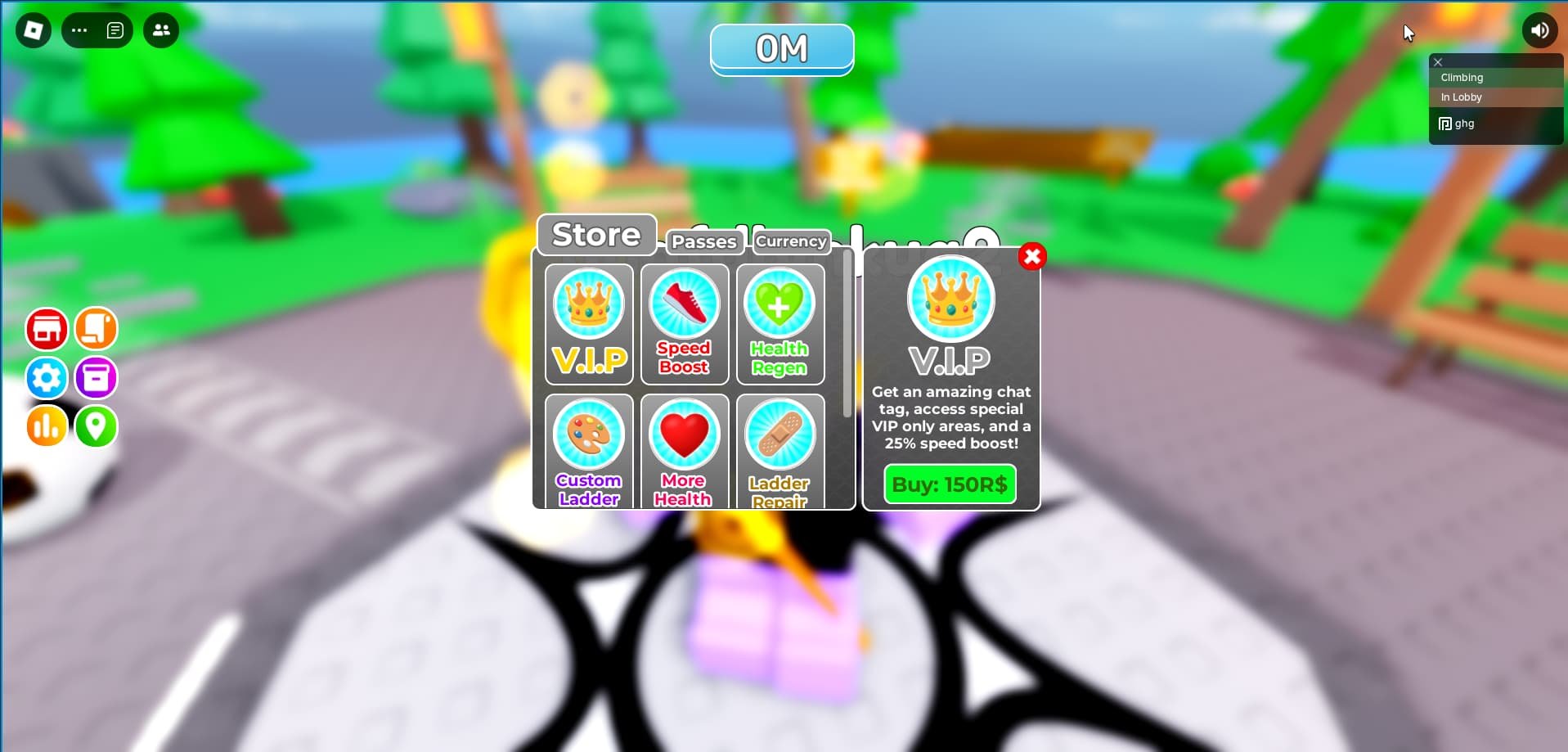
Ensuring Roblox user interface accessibility means making the game’s menus and elements usable for everyone, including those with disabilities, through options like text scaling, keyboard navigation, and screen reader compatibility.
Have you ever thought about how everyone experiences playing Roblox? It’s easy to get caught up in the exciting worlds, but what about players who have different needs? We really should consider how inclusive the experience can be.
This brings us to the important topic of Roblox user interface accessibility. It directly impacts how easily users can navigate the game’s menus, interact with other players, and fully enjoy their virtual experiences. We should examine and implement inclusive design that benefits all users.

Roblox User Interface Accessibility
Hey there, fellow Roblox adventurers! Have you ever thought about how easy it is for everyone to use the menus and buttons in your favorite Roblox games? We’re going to talk all about something super important called “user interface accessibility,” or UI accessibility for short. This means making sure that every player, no matter their abilities, can have just as much fun navigating and playing Roblox. It’s about making Roblox for everyone, and it’s a really cool thing to think about!
Why is Roblox UI Accessibility Important?
Imagine trying to play a game where the buttons are too small to see, or the words are hard to read because the colors blend together. That wouldn’t be very fun, would it? For some players, these challenges aren’t just a little annoying; they can actually make it hard or even impossible to play the game. That’s why creating accessible interfaces is crucial. When we design with everyone in mind, we’re making a better experience for absolutely everyone, including you!
Different Ways People Interact with Roblox
People use Roblox in all sorts of ways. Some people use a mouse and keyboard, others use controllers, and some might even use special tools like screen readers. A screen reader is like a helpful friend who reads all the text on the screen out loud. Some players have trouble seeing things clearly, while others might have difficulty with fast movements. Thinking about all these different ways people play helps us understand how important it is to design games that are easy for everyone to use.
- Visual Impairments: Some players might have low vision, color blindness, or other visual challenges. This means that contrast and clear text sizes are super important.
- Motor Impairments: Some players might find it difficult to use a mouse or keyboard, so game controls need to be simple and easy to use with other devices like controllers.
- Cognitive Differences: Some players might need things to be very clear and easy to understand. This means simple language and clear instructions are important.
Key Principles of Accessible UI Design in Roblox
So, what makes a user interface accessible? There are some important things developers need to keep in mind when building Roblox games. It’s like following a recipe, but instead of cookies, we’re making the best possible game experience for everyone.
Clear and Understandable Text
Words are important! The text on buttons, in menus, and in instructions needs to be easy to read. This means using fonts that are big enough, not too fancy, and have a good contrast with the background. Imagine trying to read a white word on a very light gray background – it would be almost invisible! Good contrast means there’s a big difference between the text color and the background color. Let’s see a simple comparison:
| Text Color | Background Color | Readability |
|---|---|---|
| Black | White | Excellent |
| Dark Gray | Light Gray | Good |
| Light Gray | White | Poor |
| Yellow | White | Very Poor |
Also, use plain, simple language, avoiding complicated words or sayings that not everyone will understand. The goal is to make sure everyone can easily grasp what’s happening.
Intuitive Navigation
Moving around the menus and options should feel like a breeze. Buttons should be arranged logically and have descriptive labels. Think about it like a map; you want to get to a place quickly and easily. If things are all mixed up, it can be frustrating and confusing. Make it easy to use a keyboard, a mouse or a game controller to navigate the menus. It should be simple to find what you’re looking for, no matter how you’re playing.
Visual Clarity and Contrast
We talked about text contrast, but colors are important for the entire user interface, not just the text. Things that are important need to stand out, and the colors shouldn’t blend into each other. Also, think about players with color vision deficiency. They may see colors differently, so using color as the only way to tell information is a big no-no. For example, don’t just make the “collect” button green if it’s next to a red “sell” button, make sure they also have different shapes or text labels.
Keyboard Accessibility
Not everyone uses a mouse. Many people use keyboards to play. Make sure that you can use the “tab” key and arrow keys to move between buttons and options. Everything that can be done with a mouse should also be able to be done with a keyboard. This gives players more choices in how they interact with the game. If some things can be selected only with a mouse, it will make things difficult for some players. And if the focus outline of the button is not visible, it will be more difficult for players to identify currently selected item. Make sure that the keyboard navigation is logical and easy to predict.
Screen Reader Compatibility
Remember the screen reader? It’s a tool that reads text aloud. If you’ve written words, it can read them, but it also needs to know what the words mean! Buttons and other user interface elements should have proper “labels” that the screen reader can recognize and read out loud. For example, instead of just seeing a picture of a heart, a screen reader can say “Health Button” so that the player knows what to click. This way, players with visual impairments can use screen readers to understand and navigate Roblox.
Adjustable Font Size and UI Scale
Give players the power to adjust the size of the text and the overall user interface. Some people like things big and easy to see, while others may prefer a smaller interface. Giving choices in size makes sure it’s comfortable for everyone, no matter what size they prefer. Allowing player’s to zoom in or increase the scale can help players with low vision see more easily.
Practical Examples in Roblox
Let’s see how these principles might look in real Roblox games.
Good Example: Clear Button Labels
Instead of having a button with just a picture, the best button will have a picture and a text label, like “Play,” “Settings,” or “Inventory.” This makes it clear what the button does, even if you don’t see the picture well. It also makes sure that screen readers can interpret it correctly.
Good Example: Logical Menu Layout
Imagine a menu that’s organized in a simple, top-to-bottom or left-to-right order, like a list. This makes it easy to find things using a keyboard or a mouse. Group similar things together and clearly label them so they’re easy to locate.
Good Example: Customizable UI
Some Roblox games have a special settings menu where you can choose different colors, change the text size, or make the buttons bigger. This means players can customize the experience to suit their needs, making it easier and more comfortable for them.
Bad Example: Tiny Text with Low Contrast
Imagine a game with tiny gray text on a light gray background, or very complicated font. It would be very hard to read! This makes it difficult for anyone, especially those with visual challenges. Avoid this! If text is not easy to read for everyone, then it is not accessible!
Bad Example: Mouse-Only Interactions
If a game has menus that can only be used with a mouse and not a keyboard or a controller, players who use those tools will not be able to navigate effectively. This cuts some players out, and it’s not very fair.
How You Can Help Make Roblox More Accessible
Even if you’re not a game developer, you can help make Roblox more accessible. Here’s how:
Give Feedback
If you’re playing a game and you notice something that’s hard to use, let the developer know! Politely tell them about what you’re experiencing and suggest ways to make it better. The developers may not always realize that there’s a problem, so your feedback helps them improve the game.
Be Understanding
Always try to understand that other players may not play the game the same way that you do. Be patient with them. The more kind everyone is to each other, the better the Roblox community will be. Be mindful that not everyone has the same abilities, and it’s important to be respectful and inclusive.
Share This Knowledge
Talk to your friends about accessibility and why it’s important! The more people who know about it, the more likely that Roblox games will become easier for everyone to use. When we all work together, we can create an even better Roblox experience for everyone.
Learn to Develop with Accessibility in Mind
If you are a game developer, always make sure you design with accessibility in mind. Learn about accessible design and try to implement the principles we talked about here. Also, test your game using different methods like keyboard navigation and screen readers to make sure it is easy to use. By doing that, you are making the Roblox community a more inclusive place.
The Future of Roblox Accessibility
As Roblox grows, it’s important that we continue to improve how accessible the platform is. More developers are realizing the importance of accessible design, and this is a great trend! When we prioritize accessibility, we’re not just making games better for some people; we’re making them better for all people. Imagine how much more fun Roblox would be if everyone could easily play! The future of Roblox is about creating a community where everyone can participate and enjoy, and accessibility is key to reaching that goal.
Making Roblox games accessible is like building a playground that everyone can use, no matter how they play. By following simple rules and thinking about the different ways people interact with the platform, developers can create a fun and engaging experience for all. And by being aware and speaking up, every player can make a difference! It’s about making sure that everyone, from the youngest players to the most experienced ones, can all have equal access to the games they love. When we include everyone, we make Roblox a better place for all of us.
Roblox demo – Responsive UI design
Final Thoughts
Improving roblox user interface accessibility is vital for a better experience. Designers should prioritize clear visuals and simple navigation. Consistent layouts benefit all players, especially those with cognitive or visual differences.
Proper color contrast and adjustable font sizes are essential accessibility practices. Developers also need to ensure keyboard navigation is smooth and efficient. This thoughtful design makes roblox more enjoyable for every user.
Ultimately, focusing on roblox user interface accessibility opens doors for wider inclusion. These simple changes create a much better gaming environment. We encourage everyone to strive for more accessible designs.

