
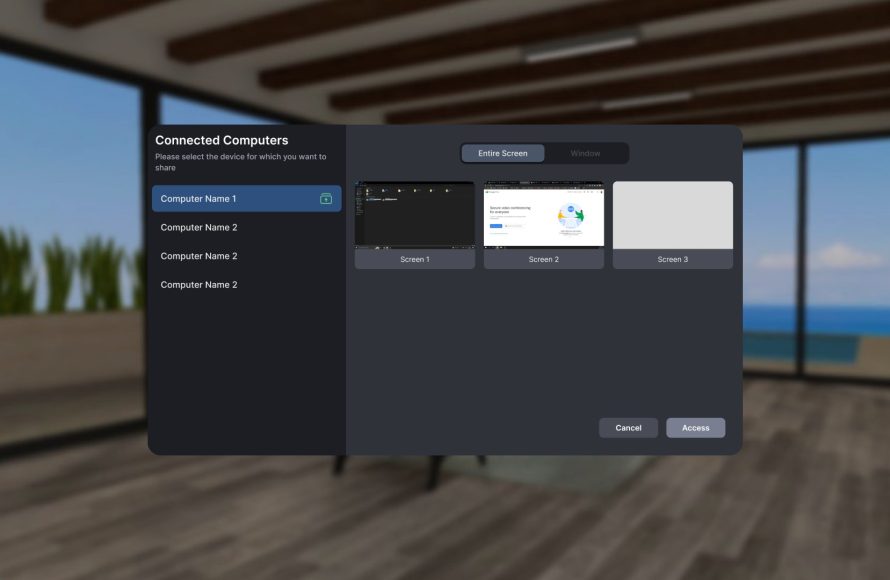
Roblox virtual collaboration tools facilitate shared building, scripting, and testing within the platform, allowing multiple users to work together on the same experience in real-time.
Have you ever wished you could build your dream Roblox game with friends, each contributing in real time? This is totally possible with the fantastic features already available on Roblox. Roblox virtual collaboration tools are a game-changer for developers wanting to create together.
Working simultaneously on a project used to be a hurdle, but these tools make the whole process seamless. Think shared building spaces and live script editing capabilities, a true step-up for team projects. Now, building amazing Roblox experiences is not just a solitary activity.

Roblox Virtual Collaboration Tools: Building Together in the Metaverse
Roblox isn’t just a place to play games; it’s a powerful platform where people can create amazing things together. Imagine building a skyscraper, designing a race track, or even crafting a whole new world with your friends! This is where Roblox virtual collaboration tools come in. They help creators work as a team, sharing ideas and making their projects even better. Let’s dive into how these tools work and how they help build awesome experiences on Roblox.
Team Create: The Heart of Collaborative Building
At the center of Roblox collaboration is Team Create. Think of it as a shared workspace where multiple people can build and edit the same game at the same time. Instead of passing files back and forth, you can all work together in real-time. It’s like having everyone in the same room working on the same puzzle, but virtually! Here’s why Team Create is so amazing:
Real-Time Editing
Everyone sees the changes as they happen. If your friend adds a new tree to your forest game, you’ll see it appear instantly on your screen. This makes brainstorming and building feel like a true group activity.
Simultaneous Work
No more waiting for someone to finish their part. Multiple people can build different sections of your game simultaneously. One person can be designing the mountains while another is working on the town square. This speeds up the creation process a lot!
Clear Collaboration
Team Create shows you who is currently working on which parts of the project. You can see their usernames next to the objects they are editing. This helps you avoid accidental overlaps and helps make teamwork organized.
How to Use Team Create:
- Open Roblox Studio and start a new place or open an existing one.
- Go to the “View” tab at the top of the screen.
- Click on “Team Create”. A new window will open.
- Click the “Turn On” button in the new window.
- Now, you can invite other players to collaborate.
- To invite someone, click “Add User”.
- Type in their Roblox username.
- Click “Invite”.
- They will see an invite notification in their Roblox Studio.
Shared Assets and Libraries: Reusing and Sharing Resources
Building things from scratch every time can take a long time. That’s where shared assets and libraries come into play. Imagine you built a really awesome car model for your race game. Instead of building it from scratch every time, you can save it to your library and re-use it. This helps save you time and promotes consistency in your projects. These libraries make the development process smoother and quicker.
Inventory Management
Roblox studio lets you manage your different assets and components efficiently. You can create separate folders to organize your meshes, scripts, sounds, etc. This is just like organizing your toys into different boxes so you can easily find them later. Good organization saves time and keeps everything tidy.
Using Models and Prefabs
Instead of creating similar objects from scratch, you can save them as “models” or “prefabs.” A model can be a simple tree or a complex spaceship, anything you create. This feature allows you to reuse your models in different parts of your game and even in other projects, saving you lots of building time. Imagine creating a whole town using the same style of houses, it’s that easy!
Collaborative Libraries
Team members can share their assets within the Team Create. If one member creates a cool texture, they can share it with others to use. This makes sure everyone on the team has access to the same resources. Shared libraries improve teamwork and help in creating a consistent and beautiful game world. This is like having a shared toy box where everyone can use the same toys to build different things.
Scripting Together: Coding as a Team
Scripts make things happen in your Roblox games. If you want a door to open when you click on it, or a car to move when you press the accelerator, you need to use scripts. Sometimes, writing scripts is tricky and requires teamwork. Roblox provides some tools for coders to collaborate easily and effectively.
Shared Scripting Environment
In Team Create, everyone can see and edit the scripts at the same time, just like building. This allows multiple team members to work on different parts of the code. One person might be working on the player’s movement, while another team member works on the enemy AI. It’s like a group working on a giant puzzle, each adding their own piece.
Version Control
Roblox Studio automatically keeps track of changes made to the scripts. This is extremely important, as sometimes things go wrong, and you may want to revert to a previous version of your code. This is very useful to help team members undo any coding errors that may occur.
Code Review
With shared scripts, you can review the code written by your team members. This helps people learn from each other and helps catch any mistakes. Imagine checking each other’s work before submitting it! Code review helps produce better, cleaner code, and also helps you level up your coding skills as a team.
Live Testing and Feedback: Getting Instant Input
Building a game isn’t just about creation; it’s also about making sure it’s fun and works correctly! Roblox’s live testing and feedback tools enable your team to check how the game is coming along by trying it out as a group.
Playtesting in Real-Time
The entire team can playtest the game together while working in Team Create. This means you can walk around the map, try out your new features, and find bugs at the same time. This ability to test your game with your team saves time and also provides an efficient way to iron out all the game’s issues.
Collecting Feedback Instantly
When you playtest together, you can get instant feedback on your game. If your team thinks a jump is too hard, or an area looks confusing, they can tell you right away. This helps developers make improvements to the gameplay experience much faster and more efficiently. It’s like having a focus group available instantly.
Identifying and Fixing Bugs
Playtesting helps identify bugs in your game. If a character starts flying or a wall disappears, you will notice it while playtesting. Your team can then easily report the bug or go back into the studio to fix it. Fixing bugs while testing saves time and makes sure the finished game is polished and bug-free.
Communication: Talking and Planning Your Game
Effective teamwork also depends on good communication between team members. Roblox provides in-built tools that make it easy for your team to share ideas, give updates, and plan your game together.
In-Studio Chat
Team Create comes with a built-in chat system. It enables team members to communicate while working on a project. If you have questions about a feature, or want to share your ideas, you can use the chat. It’s like having a conversation while building your game. This makes it easy to quickly discuss and make decisions as a team.
Planning and Goal Setting
Before starting any project, it’s important to make a plan. You can use the chat to discuss your ideas, set goals, and decide on the steps to achieve your game. Planning out your project in advance will ensure a smooth workflow, and will also help keep all your team members on the same track. It’s like drawing a map before going on a treasure hunt.
Giving Updates
Keep your teammates in the loop about your progress and any challenges that you may face. This transparency helps maintain teamwork and keeps everyone informed about the current state of the project. You can give status updates in the chat, for example, “I just finished the enemy AI”, or, “I’m still working on the level design”. This helps to keep everyone informed and ready to provide assistance if needed.
Roles and Permissions: Managing Team Access
When working with a team, you want to make sure that people have appropriate access to your project. Roblox’s Team Create provides options to manage access and assign roles to different users.
Assigning Roles
You can assign different roles to team members in the Team Create settings. Some roles might have permissions only to build, while others can have access to the scripts. This allows the project owner to maintain control over the different aspects of the game creation. Think of it like assigning different jobs in your team, some people building, some coding, etc.
Granting Permissions
By granting permissions to team members, you control what they can access and modify. For example, you can restrict access to the game settings so that only the most experienced developer on the team can make changes. This helps to protect your game from any unintentional errors.
Reviewing Team Members
As a project owner, you have the option to review which team members have access to your project. You can also remove users if needed. This tool helps ensure that everyone contributing to the game project is actually authorized to do so.
Beyond the Basics: Advanced Collaboration Techniques
Once you’ve become familiar with the basic Roblox collaboration tools, you can dive into more advanced techniques to improve your game development even further. Here are a few things you can explore:
Using Plugins for Efficiency
Roblox has many plugins available that make it easier to create things. Some plugins help you with building, some with scripting, and others with testing your game. Using the appropriate plugins can save you time and make your workflow better. Think of them like special tools in your toolbox for your Roblox building projects.
Version Control Systems
For big projects, teams may want to use external version control systems, like Git. These systems help developers keep track of code changes and help in collaboration. This is more advanced and used by bigger teams, but worth exploring as your projects become more complex.
Community Collaboration
You can also collaborate with the Roblox community. Share your ideas, get feedback, and even find team members on the official Roblox forums. This will make your learning and your building experience even better.
Using Roblox virtual collaboration tools can make creating games and experiences much more fun and efficient. Working together allows you to share ideas, build faster, and develop even better games! So, start inviting your friends, and go build something amazing together!
Find the Ideal Team Collaboration Tools Discover the Best Options short#
Final Thoughts
Roblox virtual collaboration tools empower teams to build and design together effectively. These tools facilitate real-time interaction, enhancing the creative process.
Shared workspaces and in-game communication channels allow for instant feedback. These features improve teamwork within the Roblox platform.
In summary, Roblox virtual collaboration tools are essential for efficient development. They offer creators a powerful way to connect and bring ideas to life.

