
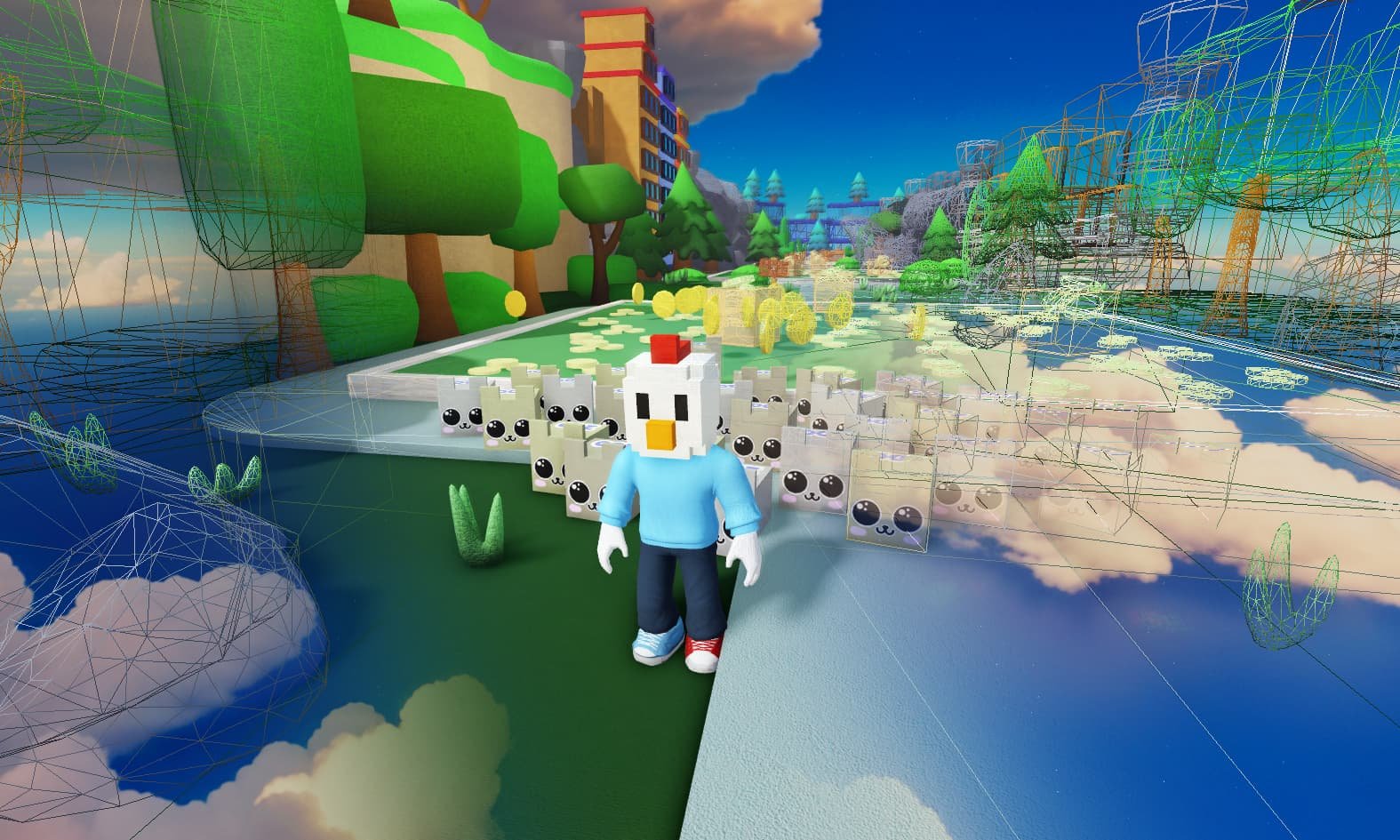
Effective Roblox world building techniques often include using terrain tools, custom assets, and careful planning of the environment to create immersive experiences.
Have you ever wondered how some Roblox games boast such incredible and detailed worlds? It’s not magic; it’s about applying smart roblox world building techniques. These techniques involve a blend of creativity and technical skills.
Players can create amazing maps using a variety of tools within Roblox studio. Combining these tools with thoughtful design makes all the difference in a compelling game. Let’s dive into how you can improve your world building.

Roblox World Building Techniques
Creating amazing worlds in Roblox is like building with digital LEGOs, but instead of small bricks, you have access to a whole universe of tools and possibilities. It’s not just about placing objects; it’s about crafting environments that tell stories, inspire exploration, and make players want to stay a while. This guide will take you through essential world-building techniques, showing you how to create exciting and immersive experiences on Roblox.
Understanding the Fundamentals
Before we dive into fancy tricks, let’s make sure we’ve got the basics down. Think of your Roblox world as having several key layers. First, you’ve got your terrain – the ground, hills, and water. This sets the stage for everything else. Then comes the placement of key structures and buildings. After that, there are the details – trees, smaller objects, and lighting – that give your world its personality. And finally, you have the interactive elements like scripts that make your world alive and responsive.
Terrain Tools
Roblox Studio’s terrain editor is your magic brush for shaping the land. You can raise mountains, dig valleys, create lakes, and even sculpt caves. It’s essential to learn the different tools, such as:
- Add: Use this to build up the terrain. It’s like adding clay to your sculpture.
- Subtract: The opposite of Add, use it to dig out areas and create holes or trenches.
- Smooth: This tool helps to soften edges and make the terrain look more natural.
- Flatten: If you need a flat surface, this tool quickly creates one from any lumpy area.
- Paint: Here, you choose textures like grass, rock, sand, or water to cover the terrain.
Experiment with different brush sizes and strengths to get the hang of making smooth, natural-looking landforms. Remember, a good foundation of realistic terrain is key to making your world believable.
Building Basics
Buildings are the structures that give your world form and function. You’ll use parts – the basic blocks in Roblox – to construct your buildings, and using the basic tools can help. Here is a breakdown of tools that can help you:
- Select: Click on objects to pick them up or select them.
- Move: Click and drag on the arrows to slide the object in any direction.
- Scale: Use the little balls on the side of a selected object to enlarge or shrink it.
- Rotate: Use the curved arrows to turn objects around in any direction.
You can create everything from simple houses to enormous castles. Consider using different shapes and sizes for the parts, experimenting with textures and colors. Adding windows, doors, and decorations can add even more personality to your buildings. Don’t be afraid to try out new ideas!
Effective Use of Parts
While using basic shapes is okay, using parts creatively can dramatically improve how your builds look. Combine shapes like wedges and cylinders to make interesting designs. Try grouping objects together and then using scale on the groups. For example, make a simple table with 4 parts (legs), but then group those four parts together with one additional part as a table top. Now, all can scale up together.
- Grouping: Select several parts and press Ctrl + G (or Cmd + G on Mac) to group them. This allows you to move or scale them together.
- Duplicating: Select a part, then press Ctrl + D (or Cmd + D) to make a copy of it.
- Anchoring: This is crucial for builds. Go to the model tab and click on anchor. This will stop parts from falling apart when the game starts.
Remember to name your parts and groups in the Explorer window for easier navigation.
Adding Depth and Detail
Once the basic landscape and buildings are in place, it’s time to add the special details that give your world that extra pop of excitement. Details can really bring your creation to life and give it the feel that you’re looking for.
The Power of Lighting
Lighting is essential for creating a specific atmosphere. A bright, sunny world feels happy and inviting, while a dark, shadowy place might be spooky. Roblox offers several different lighting settings, including:
- DirectionalLight: Simulates sunlight. Adjust its direction, brightness, and color to change the mood.
- PointLight: Shines light in all directions, like a lamp. Place these in windows or around your builds for a warm glow.
- SpotLight: Shines light in a cone shape, like a spotlight or flashlight. Use it to highlight specific areas.
- Ambient: Fills the scene with an overall color.
- Shadows: Adjust these for realism.
Experiment with different combinations of lighting to see how they affect your world. Use warm colors like yellow and orange for inviting areas and cool colors like blue and purple for mysterious or spooky locations. Make sure your settings help your world, not hinder it.
Using Decorations and Props
Trees, plants, rocks, and other small objects bring life to your world. Use the Roblox toolbox to find a wide range of models. Look for:
- Trees and bushes: Scatter these around your world to make it look natural. Vary the types and sizes.
- Rocks and boulders: Place these along hills and paths to add texture.
- Furniture: Add tables, chairs, and other items to your buildings to make them feel lived in.
- Signs and decorations: Use these to guide players or add a touch of personality.
- Particle effects: You can add particle effects like smoke, fire, and water for extra visual appeal.
Avoid overcrowding your world with too many objects. Instead, carefully place objects to create visual interest and guide the player’s eye. Remember to keep your style consistent.
Sound Design
Sound is often overlooked, but it can dramatically impact your world’s feel. Background music, nature sounds, and even sound effects when something is interacted with can change how your world is percieved. Here are a few examples:
- Ambient sounds: Add background sounds like wind, birds, or city noise to create an immersive experience.
- Music: Choose appropriate background music to match the mood of your world.
- Sound effects: Add sounds to interactive objects or events, like doors opening or explosions.
Make sure the sound is not too loud or disruptive, and remember to test it from the player’s perspective to make sure it makes sense. You want the music and effects to enhance the world, not distract from it.
Interactive Elements
A truly engaging world isn’t just something you look at; it’s something you interact with. Scripting allows you to make your world come alive. You don’t need to be an expert coder to add some basic interactivity. Here is a little bit of information to understand how scripting works in Roblox.
Basic Scripting Concepts
Roblox uses Lua, a simple scripting language. You can use scripts to add many interactive features to your creations. Start with simple scripts and then move on to more advanced features once you get comfortable. Here are a few simple things you can achieve with basic scripting:
- Button Presses: Make an object react when a player touches it, like opening a door or changing the environment.
- Changing Colors: Make parts change color when you click on them.
- Teleporting: Send players from one location to another.
- Displaying text: Use a GUI to display text on the player’s screen to give directions.
The key is to understand events like “Touched” or “Clicked” and how to connect them to actions you want the game to take.
Script Examples
Here’s an example of a basic script that makes a door open when clicked:
             local door = script.Parent -- get the door object
              local isDoorOpen = false -- track if the door is open or closed

            door.ClickDetector.MouseClick:Connect(function() -- When player clicks the door

            if isDoorOpen == false then -- If the door is closed, open it
              door.CFrame = door.CFrame  CFrame.Angles(0, math.rad(90), 0) --rotate the door
              isDoorOpen = true -- Update to show the door is now open
            else -- If the door is already open, close it
              door.CFrame = door.CFrame  CFrame.Angles(0, math.rad(-90), 0) --rotate it back to it's normal position
              isDoorOpen = false -- Update to show the door is now closed
              end
            end)
To use this script, you will want to create a door from basic parts. Group them together, and add a ClickDetector to the group. Then you’ll want to paste the above script as a script inside the door.
Optimization and Performance
A beautiful world is only as good as its performance. If your game lags or runs slowly, players won’t enjoy it. Here’s how you can keep your Roblox world running smoothly:
Reducing Part Count
Too many parts can slow down your game. Combine parts into groups wherever possible, and keep them to a minimum. Using groups, you can then scale them together, which is another great benefit of reducing part count.
Level of Detail (LOD)
Use lower detail models for objects that are far away from the player to help the game run smoother. Roblox has automatic LOD features that can help, but you can also create your own by using different assets.
Testing and Optimization
Regularly test your game on different devices to make sure it runs well. You’ll want to ensure that there are no issues. Use Roblox’s performance stats to find any issues. Consider having friends join your games to test to see how your game runs with multiple players. It is much better to test your game thoroughly, then it is to have your players see how it performs first.
Creating a Cohesive World
A good Roblox world feels cohesive – everything fits together logically. There are some techniques you can use to make your world feel like a single place, and not just a collection of random parts:
Planning and Layout
Before you start building, have a plan. Think about the overall layout of your world. What areas will there be? Where will players start? Make a simple sketch or map to help guide your building.
Consistent Style
Choose a specific art style and stick to it. If you’re making a medieval castle, use appropriate textures and models. If you are making a futuristic city, then use appropriate styles for that theme. Don’t mix styles unless there is a specific reason to do so.
Storytelling Through the Environment
Use the environment to tell a story, even without words. If your building is worn and broken, that can help the player know that your story is one of loss and decay, if the building is clean and modern, that tells a different story. Every little bit of the environment has an effect on the player’s perception of your world. Small details like broken objects or a single flower can help give clues about your world and characters that you might have.
Community and Collaboration
Don’t forget that you’re part of the Roblox community! Collaborate with others to learn new techniques and create even more awesome things together. You can:
Share your creations
Show off your projects to other Roblox creators and get their feedback. They might have a suggestion you would not have thought about. Remember to be courteous to other creators and value their input.
Collaborate with other creators
Join or start projects with other people. Working with others can help you learn new skills and make bigger and better worlds.
Learn from Others
Watch tutorials online, join groups, and read blogs to learn new techniques from experienced creators. Try to always improve, and keep your eyes open for the latest trends.
World building in Roblox is a process of continuous learning. Don’t be afraid to try new things, experiment, and keep improving. The more you practice, the better you’ll get at making amazing and immersive worlds that players will love exploring.
this is what worldbuilding feels like
Final Thoughts
In essence, effective Roblox world building techniques involve careful planning and iterative design. Start with a solid layout, use terrain creatively, and populate it thoughtfully. Remember, your world’s story emerges through every placement of an asset.
Furthermore, detail matters and using lighting and sound can boost player engagement. Consistent style ensures visual cohesion in your build. Practicing these Roblox world building techniques help create immersive experiences.

