
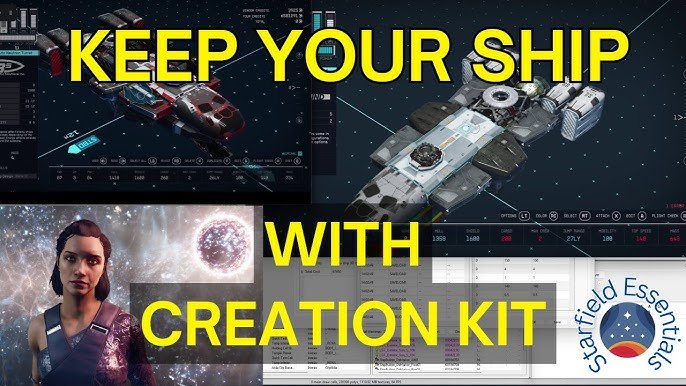
To achieve better play in Starfield, prioritize adjusting your control settings and understanding the interface early on.
Diving into Starfield can feel overwhelming at first, with its vast galaxy and complex systems. But there’s one key action players should take right away. This Starfield essential step for better play is often overlooked but makes a big difference. Many jump straight into the exploration, and they may miss out on a better gaming experience.
Tweaking those settings to your liking greatly improves how you interact with the game. Ignoring them might lead to frustrating moments. A personalized control scheme and comfortable UI setup will increase your enjoyment.

Starfield Essential Steps for Better Play
Okay, space explorers! You’ve jumped into the vast world of Starfield, a game where you can be anything from a daring space pirate to a careful explorer. But sometimes, the sheer size of this game can feel a bit overwhelming. Don’t worry, though! We’re here to show you some key things that can seriously make your Starfield experience way more fun and efficient. These aren’t just tips; they’re essential steps to becoming a true master of the Settled Systems. Let’s dive in!
Understanding the User Interface (UI)
First things first, let’s talk about your spaceship’s control panel, so to speak – the UI, or User Interface. It might seem like a bunch of menus and numbers at first, but it’s actually your best friend in navigating the game. A good understanding of it will help you manage your inventory, track quests, and understand the galaxy around you much easier.
The Main Menu Breakdown
The main menu is where you’ll spend a lot of time, so it’s important to get to know it. Here’s a quick rundown:
- Inventory: This is where you keep all your stuff – weapons, armor, crafting materials, and more. Learning to manage it is very important. Don’t just hoard everything!
- Skills: Here you can improve your character by spending skill points. Think of it as choosing how your character grows in strength, persuasion, or other things that can help you in Starfield.
- Quests: This tells you all the things you’ve agreed to do in the game. Keep an eye on it to avoid forgetting where you were going.
- Ship: This tab allows you to control the different parts of your ship. You can modify it, see its statistics, and assign crew to it here.
- Map: Here you will view all the planets in a system and be able to jump to other planets, systems, and the location you have found or want to go.
- Data: You can view your collected information, including all the notes you may have found and the data slates here.
- Settings: This is where you can customize things like the controls, volume, and display. If something feels wrong, this is the first place to check.
Navigation Basics: Using the Scanner and Map
Navigating in Starfield is not just about walking from point A to point B. The scanner is like your eyes and ears in Starfield. Use it often to discover resources, hidden locations, and the secrets of the planets you explore. And knowing how to read your map, and even which map to use to get to your final destination, can mean the difference between finding that rare ore, or being completely lost.
- Scanner: Press the scanner button (usually ‘F’ on PC) to bring up the scanner overlay. Look for glowing objects – these are usually things you can interact with.
- Local Map: This map shows you the area right around where you are. This is used when you’re exploring places like cities or abandoned stations.
- System Map: When you open this map, you will see the whole star system. You can jump from planet to planet here.
- Star Map: Here is the place to go to different star systems. Be careful though, that you may have to use more of your fuel to travel between systems, and you may have to complete a specific quest in order to go to some.
Crafting and Resource Management
Starfield is all about gathering stuff, from the tiniest plants to the biggest pieces of metal. These resources aren’t just trash; they’re key to crafting, improving your gear, and building outposts. If you don’t properly manage your resources, you won’t have what you need for the next big adventure. Let’s explore how to make your life easier in the resource world of Starfield.
Essential Resources to Look For
Some resources are more important than others. Keep an eye out for these:
- Iron: It’s everywhere, and you’ll need a lot of it. It’s used in so many crafting recipes.
- Aluminum: You’ll use aluminum for ship mods and outpost building.
- Copper: Essential for electronics and some weapon modifications.
- Sealant: This material can be used for repairing your ship and is an important resource.
- Adaptive Framework: A component in a lot of crafting, it is found at different places on the map.
- Organic Resources: These are things like flora and fauna, and have different properties to use in crafting.
Crafting Basics: Making Better Stuff
Crafting isn’t just about making things; it’s about upgrading your gear. Here’s a breakdown:
- Research Stations: Before you can craft some items, you’ll need to research them. Find a research station and use your resources to find out how you can make them.
- Workbenches: You’ll use workbenches to make items like weapons, armor, and ship upgrades.
- Cooking Stations: This station will allow you to create new foods with the resources you find, such as fish and fauna.
- Material Processing: Some raw resources need to be refined into more useable components.
- Outposts: They will allow you to automate the process of getting resources.
Tips for Managing Your Inventory
A full backpack means you won’t be able to carry any more loot, so don’t be a pack rat! Here are a few helpful tips to keep your inventory under control:
- Storage: Store your excess stuff in your ship’s cargo hold or in storage containers at your outposts. This is one of the most important tips.
- Carry Capacity: Skills and armor can increase your carry capacity.
- Prioritize: Know which resources you use most and prioritize them. Don’t carry five different kinds of alien plants if you only use one of them to craft food.
- Selling: Selling extra resources will gain you credits to buy other items.
- Weight: All items have a weight value. Keep an eye on this number, and try to avoid carrying too much heavy stuff.
Character Progression: Choosing the Right Skills
As you play Starfield, you’ll level up, and every level up gives you a skill point to spend. Spending these points wisely is the key to building the character you want. Whether you like fighting, talking, or building things, there are skills that can improve the kind of character you want to play.
Key Skill Categories to Focus On
There are different skills in different categories, so focusing on the skills that are important to you is key in Starfield.
- Physical: These are skills that make you better in combat. Things like lifting more, being able to survive in different climates, and boosting your damage.
- Social: If you want to talk your way out of problems, these skills help you get what you want by talking with different people. These skills can also boost your income and help you get discounts at shops.
- Combat: These skills focus on gunplay, melee combat, and also weapon certifications. Some skills even focus on stealth and getting close to enemies without them knowing.
- Science: These skills let you research, craft, and use advanced tech. They will make you a better scientist, and let you use new resources.
- Tech: These skills help with ship repair, outpost building, and piloting, making you a better space engineer and pilot.
Skills to Prioritize Early On
Some skills are more important at the beginning than others. These are good skills to focus on to get the most out of your game:
- Boost Pack Training: This is essential for getting around, whether you want to jump up a cliff or get out of combat quickly.
- Persuasion: This is very helpful in conversations and getting your way in quests. It’s useful for most types of players, and can make many different encounters better.
- Security: Picking locks is a quick way to get some great loot. It’s not always necessary, but can be very beneficial.
- Weight Lifting: You’re going to carry a lot of stuff. Get this skill as soon as you can to avoid being slowed down.
- Wellness: You’re going to get in fights, and it pays to have a bigger health bar.
Adapting Skills to Your Playstyle
Don’t just pick skills because they sound good. Think about how you like to play the game. If you’re more of a fighter, focus on combat skills. If you prefer crafting, focus on Science and Tech skills. Remember that you can switch skills, but it is important to focus on what is best for you.
Exploring and Questing Effectively
Starfield is a game about exploration, so it’s good to know some of the best ways to discover every bit of the world. A lot of the quests will take you to new and interesting places, so it is important to have a good understanding of quests in Starfield. Here is a rundown on how to explore and quest with maximum efficiency.
Understanding Different Types of Quests
Starfield has different types of quests, so knowing what you are getting into will make things easier for you.
- Main Quests: These quests move the main story forward. If you want to see the end of the game, these quests are very important to follow.
- Faction Quests: Each major faction has its own questline. They are optional, but can add a lot to the world and can often give unique rewards.
- Side Quests: These are the most common kind of quests. They’ll take you to various places, give you experience and rewards, and help you learn more about the world.
- Activity Quests: These are usually shorter and simpler tasks. They might be repetitive, but they are useful to gain some quick experience, and some can take you to interesting locations on the map.
- Radiant Quests: These are randomly generated quests that can help you gain experience, resources, and credits.
Tips for Efficient Exploration
Just running around aimlessly isn’t the best way to explore. Follow these few tips:
- Use the Scanner: Again, the scanner is your best friend. Use it often to find resources and buildings.
- Follow Markers: Sometimes, a marker will appear on your scanner. These will be important locations to explore.
- Take Your Time: Don’t just rush from one place to another. Explore side areas, talk to people, and search every container.
- Planetary Surveys: Some of the best discoveries are hidden, and they will only show up if you survey the area with your scanner.
- Land in New Areas: If you have an empty spot on your survey, try landing in new places on the planet.
Maximizing Your Rewards
Getting the most out of quests is not just about finishing them, but about how you go about finishing them. Follow these steps:
- Read the Dialogue: Talking to people and listening to the whole conversation can give important information about how to complete the quest, or additional steps you can take to get more rewards.
- Explore All Options: Many quests have multiple ways to finish them. Talking your way out of a situation is almost always better than starting a fight.
- Complete Objectives: Double-check all your objectives. Some objectives are hidden, so explore the area you are in.
- Sell Extra Loot: After you complete a quest, sell any extra items you found to make some extra credits.
- Check Faction Vendors: After completing a faction questline, you will often be able to purchase special gear and weapons at their respective vendors.
Ship Management and Combat
Your ship is your home in Starfield, and it’s important to understand how to keep it running. You will have to understand how to use and modify your ship in order to make progress in the game. Let’s look at the details.
Ship Customization and Upgrades
A standard ship is okay, but you’ll want to add to it, repair it, and swap parts as you progress.
- Ship Builders: You can visit the ship services technician at any major city. They will let you build your own ship, or modify the ship you have.
- Engine Power: Better engines mean you travel faster. It’s usually a good thing to upgrade this as soon as possible.
- Shields: These will keep you safe during fights. Good shields will help you survive many difficult encounters.
- Weapons: Upgrade the guns on your ship so you can deal more damage.
- Cargo Space: As you get more resources, you’ll need a larger cargo hold. This is one of the most important things you can upgrade.
- Crew Capacity: If you want a lot of crew, you’ll need to upgrade your crew capacity. The benefits of a large crew is important.
Mastering Space Combat
Space combat might seem intimidating at first, but once you get the hang of it, it’s actually very fun.
- Targeting: Lock onto the enemy ships before you start shooting.
- Shields: Manage your shields to make sure you don’t take too much damage.
- Power: Send power to different systems like engines, weapons, or shields.
- Missiles: Use missiles for added damage during battles.
- Evading: Move around to make it harder for enemies to hit you.
- Upgraded Weapons: As you get better weapons, space battles will become easier.
Repairing Your Ship
After a fight, your ship might need some repairs. It’s important to have your ship at top condition before jumping into a major battle, or jumping to a new system.
- Repair Parts: You’ll need repair parts. You can find them while exploring, or buy them at vendors.
- Ship Services: The ship technician will let you repair your ship fully.
- Skills: The tech tree has skills that will help you repair your ship during battle.
These are just a few important areas of the game that you can improve in to help you have the best experience you can have in Starfield. Once you have a good grasp of these essential steps, you will be ready for anything that the game has to offer you. Remember, every player experiences the game differently, so be sure to adapt the tips to your own playstyle and preferences. Don’t be afraid to experiment, try new things, and most importantly, have fun.
Save Your Game An Essential Step to Mastering your Digital Adventure
Final Thoughts
Prioritizing skills early makes a big difference. Investing in specific skill trees allows tailored gameplay. This focus enables you to navigate the game with greater ease and enjoyment.
Understanding ship building mechanics is also crucial for progression. A good ship offers better combat and travel options. Ignoring this will certainly cause frustration.
Therefore, Starfield essential step for better play includes planned skill selection and understanding ship customization. This step will improve your overall experience.

