
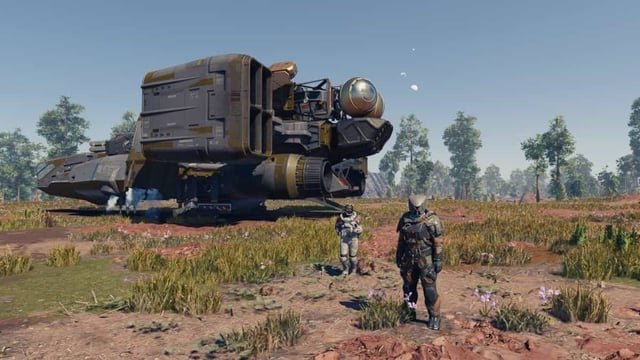
Automating resource management in Starfield involves setting up outposts with extractors, storage, and cargo links to automatically transfer materials between locations.
Juggling resources can quickly become tedious in Starfield, especially as your network of outposts grows. Many players are asking how to automate this process for a more relaxed experience. Setting up a system for automatic resource delivery is not as hard as it first seems. It allows you to focus on other aspects of the game. This includes exploration and combat instead of inventory management. With the right setup, you can truly appreciate all Starfield has to offer. The key is understanding outposts and cargo links for ‘Starfield how to automate resource management’.

Starfield How to Automate Resource Management
So, you’re deep into the vast universe of Starfield, exploring planets, building outposts, and crafting all sorts of cool stuff. But wait, are you spending more time juggling resources than actually adventuring? Don’t worry, you’re not alone! Managing resources in Starfield can feel like a chore, but with a little know-how, you can automate much of it. This section will guide you through the process, from understanding the basics to setting up your own resource-gathering empire.
Understanding Starfield Resource Management
Before we dive into automation, let’s break down the basics of resource management in Starfield. Resources are the lifeblood of your progress. You’ll need them for everything from crafting new weapons and armor to constructing outposts and upgrading your ship. These resources can be found in several forms:
- Raw Materials: These are mined directly from planets, like iron, copper, and aluminum.
- Organic Resources: Gathered from plants and creatures on various planets. These might include Fiber, Metabolic Agent and more.
- Manufactured Components: Created at industrial benches, often requiring other resources to make.
Keeping track of all these different materials can be tough, especially when you start setting up multiple outposts. That’s why automation is crucial. It allows you to spend more time exploring and less time worrying about inventory.
The Core Concept: Outposts and Inter-System Logistics
The key to automating resource management in Starfield lies in creating outposts and linking them using cargo links. Think of your outposts as resource-gathering hubs and cargo links as the veins that transport resources around your galaxy. Here’s a closer look:
Setting Up Your First Outpost
First things first, you’ll need a place to start. Here’s how to set up your first outpost:
- Find a Suitable Planet: Look for planets that have the resources you need. Scanning planets reveals the resources available there.
- Choose a Location: Select a flat, open area where you have easy access to the required resources. Make sure it is also easy to navigate with the ship.
- Build an Outpost Beacon: Open your build menu, scroll to the “Miscellaneous” category and place it on the ground. This beacon is the heart of your outpost.
- Construct Extractors: Build extractors for the resources you want to collect. You’ll find these in the “Resources” section of the build menu. Ensure that they are properly placed to access the relevant veins.
- Add Power: Resource extractors need power to operate. Construct solar arrays or a generator (if the planet lacks sun) to power the mining operations. You also need to connect power using the proper wires, if needed.
- Store Resources: Add storage containers (solid and liquid, if required) to keep your mined resources until you transfer it.
It’s good practice to start small. Set up one extractor and storage unit before expanding to see if your power is enough to operate it efficiently.
Inter-System Cargo Links: Connecting Your Outposts
Once you have a few outposts set up, the real magic happens when you start linking them with Cargo Links. Cargo Links allows you to transfer resources automatically between your different outposts. Here’s how it works:
- Build a Cargo Link: Found in the “Miscellaneous” section of the build menu, select a cargo link and place it in the ground.
- Set Up the Sending and Receiving Outposts: Assign one outpost as the “sender” and another as the “receiver.” This is done by interacting with the Cargo Link Terminal. It lets you select where the resources need to go.
- Assign Resources for Transfer: You can choose the specific types of resources you want to send between outposts. Also, set up a regular schedule so that your outpost don’t get overfilled.
Important Note: There are two types of cargo links. Intra-system and Inter-system. Intra-system allows cargo transfer within same system, while Inter-system cargo links can link outposts between different systems, allowing you to gather resources from multiple system and then bring them to one single location. For maximum efficiency, use inter-system cargo links so that you can expand your resources gathering on various systems and send resources to one single system for crafting.
Understanding the Flow: Sender, Receiver, and Transfer
Let’s break down the cargo link process step-by-step:
- Extraction: Extractors at your sending outpost gather resources.
- Storage: Resources are stored in the outpost’s storage containers.
- Transfer Initiation: The cargo link automatically starts transferring resources to the receiving outpost according to your set schedule, you can either make a continuous transfer or set specific timings.
- Reception: Resources are received and stored at the receiving outpost.
By setting up a proper transfer system, you can create a continuous flow of resources without manually moving them. It’s a major time saver!
Essential Skills for Efficient Automation
Skills play a huge role in making your resource management more efficient. Here are some important skills that you should consider when automating resource management.
Skills that Boost Production
- Geology: This skill helps you get more materials from your mining efforts. A higher level geology skill means more resources, quicker.
- Botany: If you are dealing with organic resources, then leveling up your botany skill can help. This is similar to geology, but it increases output when collecting from organic resources.
- Outpost Engineering: This one helps you create more advanced buildings and improve the performance of your outposts. Leveling this skill helps you get better extractors, storage units and more.
Skills that Aid Resource Management
- Planetary Habitation: Level up this skill to build outposts on planets with harsh conditions. This unlocks more resource-rich locations for your automated network.
- Astrodynamics: This skill is needed to reduce fuel consumption when traveling between systems. This skill will make it easy and cheaper to manage inter-system logistics.
- Commerce: While not directly related to resource gathering, commerce allows you to buy and sell resources at a better price. This is helpful for filling gaps in your automated production system.
Investing skill points in these areas is crucial for maximizing the efficiency of your automated resource network.
Advanced Automation Techniques
Once you grasp the basics, you can start experimenting with more advanced methods to enhance your resource automation.
Creating Resource Chains
Resource chains involve linking multiple outposts together to refine raw materials into complex components. For example, you might have one outpost that mines iron, another that refines the iron into steel, and a third that uses steel to manufacture components. Setting this up might seem complex, but is very beneficial when you are trying to automate the production of complex items.
Optimizing Resource Extraction
To optimize resource extraction, consider these strategies:
- Choosing the best location: Scan the planet properly and pick the best location with maximum resources. Some locations contain more veins and gives higher output, always prioritize those locations.
- Multiple Extractors: Use multiple extractors on the same vein to increase production, make sure that your power supply is enough to support multiple extractors.
- Upgrading Extractors: As you level up your skills and unlock more tech, upgrade your extractors to make them faster and more efficient.
Using Specialized Cargo Links
As mentioned earlier, there are two cargo links. You will mostly need Inter-System Cargo Link to transfer resources between different systems. Make sure to invest in these cargo links to increase the effectiveness of your supply chain. Use the best cargo link you can unlock to ensure the best performance.
Troubleshooting Common Automation Issues
Automation isn’t always smooth sailing. Here are some common issues and how to resolve them:
Cargo Links Not Transferring Resources
- Check Power: Make sure both the sending and receiving cargo links have enough power to operate efficiently. Power shortages are one of the main reasons for such issue.
- Check Resource Storage: Ensure that the sending outpost has the correct resources to send and the receiving outpost has the capacity to store those resources. Full storage stops the automatic transfer.
- Check Link Settings: Double-check that you correctly set up the sending and receiving outposts and also set the resource transfer type.
Extractors Not Producing
- Power Issues: Lack of power will stop the extractors. Check your power capacity and increase it if needed.
- Resource Vein Depleted: Resource veins can become depleted over time. You might have to move the extractor to a new location, or explore more veins near your current outpost.
- Extractor Health: Sometimes the extractors can get damaged during storms, check and repair if needed.
Storage Containers Filling Up Too Quickly
- Add More Storage: This is the most obvious fix, simply build more storage containers to accommodate your production rate.
- Optimize Resource Transfers: You might need to adjust your resource transfer schedule, so that the storage containers at your outpost doesn’t become full quickly.
- Create Multiple Receiving Outposts: Distribute resources to multiple outposts to avoid one single outpost overfilling.
Tips for Efficient Resource Management
Let’s cover some extra tips that will help you get the most out of your resource automation system:
Plan Before You Build
Before placing extractors, always scan the planet properly and select a proper location. Proper planning in starting is better than doing corrections later on.
Start Small and Expand Gradually
Don’t try to automate everything at once. Begin with one or two outposts and expand your system slowly. This helps you to keep the things under control and is easier to manage.
Use the Build Menu Filters
The build menu has great filtering options that can help you quickly find what you need. Use this filtering option to easily find the resources and outpost structures.
Monitor Your Production
Keep an eye on your resource flow and make adjustments as needed. It’s better to monitor your resources often. That way you can quickly find the bottleneck and can quickly correct it.
Consider Using Multiple Outposts
Don’t hesitate to establish more outposts, if needed. More outposts can create more resources and more storage, that can easily be utilized for more production.
Always Keep Power in Check
Power is key in outpost management. Check frequently if you are running on a shortage, and increase power if needed. If you are facing power shortage, most of the outpost buildings will be non-operational.
By combining smart outpost design, efficient logistics, and strategic use of skills, you can create a system that practically runs itself. This frees you up to focus on exploring the galaxy, completing quests, and having more fun with the game.
By automating resource management in Starfield, you will be less worried about grinding for materials and more time for the actual fun part of the game. Setting up your resource gathering system might seem complicated, but once you master it, you can easily setup an effective supply chain. Remember that the key to success is planning, starting with small system, and constant monitoring and adjustment. So, go out there, explore the Starfield galaxy, and build a resource empire that will be the envy of the stars!
Automate Your Base for Passive Credits | Starfield Tutorial: No Glitches, No Mods!
Final Thoughts
Automating resource management in Starfield greatly enhances your gameplay. Setting up outposts with specific extractors allows continuous resource generation. Cargo links then transport materials between locations, reducing manual effort. Employing robots to collect and process items further aids in this process. Therefore, the best way to improve is understanding of Starfield how to automate resource management. With the right setup, resource management becomes a hands-off affair.

