
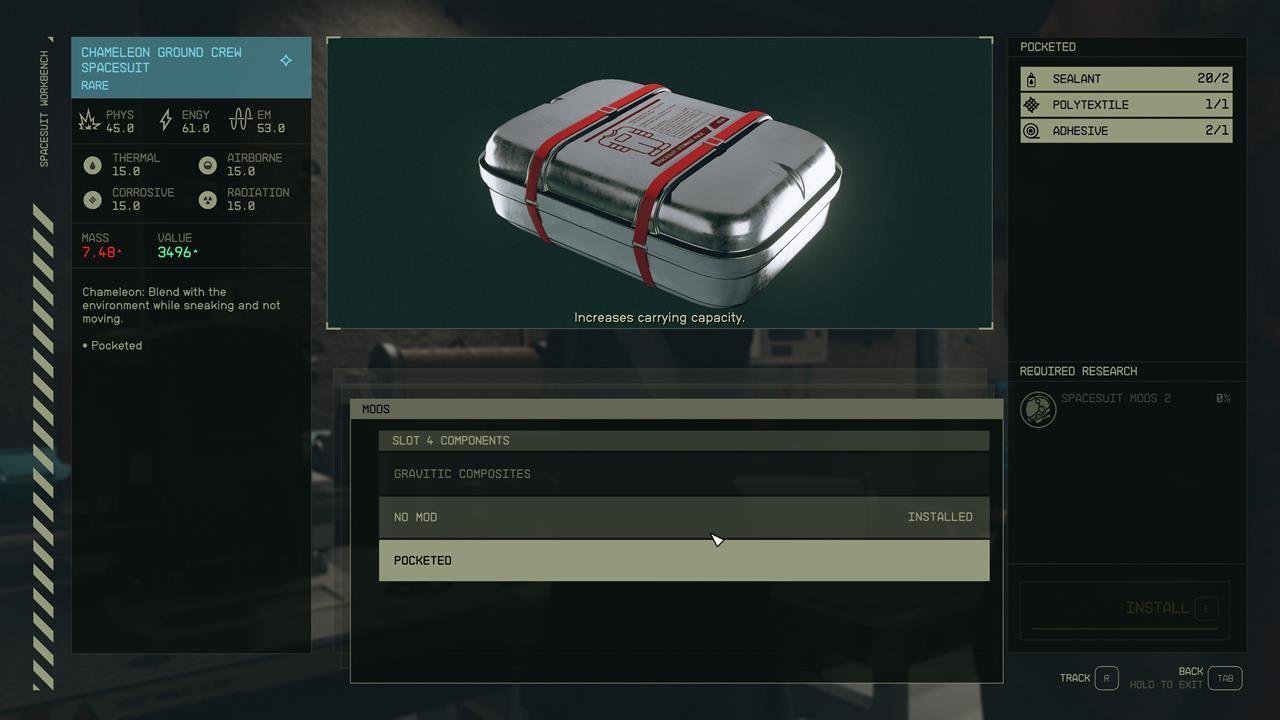
To manage inventory in Starfield, use the inventory menu to view items, transfer them between your character and ship, and drop or store items as needed. Prioritize items based on weight and value to avoid being over encumbered.
Navigating the vast expanse of Starfield, you’ll quickly find yourself burdened by the sheer amount of loot you collect. Figuring out Starfield how to manage inventory is crucial for smooth gameplay. This can be quite the challenge if you do not have any idea how to get started. We’ll help you with a few simple techniques in this quick guide.

Starfield How to Manage Inventory
Okay, space explorers! Let’s talk about something super important in Starfield: your inventory. It’s like your backpack, but way, way bigger and it can get messy fast! If you don’t keep an eye on it, you’ll be struggling to carry all the cool stuff you find. This guide will show you the best ways to keep your inventory organized and easy to use, so you can focus on having fun exploring space.
Understanding Your Inventory in Starfield
Before we dive into tips and tricks, let’s get familiar with how inventory works in Starfield. Think of it like this: you have a personal inventory, which is like your own backpack. You also have your ship’s cargo hold and other storage options that we’ll talk about soon. Each of these has a limit, which is the maximum amount of items and weight you can carry or store. This weight limit is crucial because carrying too much makes you move very, very slowly – like a snail in molasses!
Different Types of Items
In Starfield, you’ll collect tons of different items. They can be broadly categorized as:
- Weapons: From pistols to giant space cannons, these are used for combat.
- Apparel: Your space suits, helmets, and civilian outfits. They offer protection and style.
- Aid Items: Things like food, drinks, and medical supplies to heal you.
- Ammo: Bullets and energy cells for your weapons.
- Resources: Raw materials for crafting and building.
- Crafting Components: The smaller parts you need for crafting items.
- Misc Items: Things like notes, data slates, and random objects you pick up.
Each of these items also has its own weight. So, a tiny bullet weighs less than a heavy space cannon. You need to pay attention to the combined weight of all your items.
The Weight System: Why It Matters
Weight is probably the most important factor in managing your Starfield inventory. Each item in Starfield has a specific weight. When you combine all the items you are carrying or storing, they add to your total carried weight. If you exceed your carrying capacity, your character will become encumbered. This means you will move at a slower pace, and you won’t be able to sprint. Furthermore, if your character becomes over-encumbered, you will start expending oxygen, leading to serious issues. You need to make the most of your carrying capacity, which you can upgrade later, or store items effectively.
Accessing Your Inventory
To access your inventory on PC, just press the ‘TAB’ key. On Xbox, press the ‘Menu’ button (the one with three lines). Then you can use the D-pad or the left joystick to navigate through your different inventories, such as character inventory, ship cargo and crafting.
Tips and Tricks for Effective Inventory Management
Now that we know the basics, let’s get into the strategies for managing your Starfield inventory effectively!
1. Regularly Sell Unnecessary Items
One of the best ways to keep your inventory from getting out of hand is to sell things you don’t need. When you visit a city or space station, look for vendors who buy items. Weapons, apparel, and even some resources are good things to sell if you have a lot of them.
- Visit Vendors Often: Make it a habit to sell off excess gear whenever you are at a trading post.
- Prioritize Valuables: Focus on selling items that have a high value-to-weight ratio to make the most profit.
- Check Vendor Inventory: Sometimes, vendors carry items you need! Use this chance to stock up on useful things or sell what you find unnecessary.
2. Store Items in Your Ship’s Cargo Hold
Your ship isn’t just for flying around; it’s also a great place to store items. Your ship’s cargo hold has a much larger capacity than your personal inventory. Whenever you are near your ship, you can transfer items between your inventory and the cargo hold.
- Use the Ship Cargo Hold: Make it a habit to store extra resources, weapons, and other items in your ship’s cargo hold.
- Organize Your Cargo: As your ship grows, consider organizing items by type for easier access.
- Upgrade Your Cargo Hold: With the right resources, you can upgrade your ship’s cargo space, allowing for more storage.
3. Use Storage Containers
In addition to your ship’s cargo hold, you can find storage containers at your outposts, homes, and in various locations around the game world. These can be very useful for storing items you don’t need immediately.
- Find Containers: Keep an eye out for storage containers in any place you visit.
- Label Your Containers: If you have multiple containers, try to organize them by type. For instance, you can label one for resources, one for weapons, etc.
- Use Outpost Storage: If you build an outpost, make sure to include storage modules to keep things organized.
4. Prioritize Essential Items
When you’re exploring, you’ll pick up all sorts of things, but you can’t carry everything! You need to prioritize what you keep in your personal inventory. This will vary, depending on what you are doing, and what kind of game style you prefer. In most cases, you should prioritize:
- Aid Items: Keep a stock of food, drinks, and medical supplies.
- Ammo: Carry enough bullets or energy cells for your current weapons.
- Resource You Need: Some resources are needed for crafting or research, keep a small collection, but don’t hoard.
Things like tons of weapons, or miscellaneous junk, should be stored in your ship cargo.
5. Check Item Weight
Before you pick up an item, look at its weight! Some items are heavy and aren’t worth carrying around if you don’t really need them. You can see an item’s weight in its item information box, when it is highlighted.
- Compare Weight to Value: For example, you might find two different weapons, one is light and one is heavy. If the heavy weapon isn’t significantly better than the light weapon, it might be better to sell or store it.
- Avoid Heavy Items: Be careful not to overload with items that have high weight values and little to no real value.
6. Utilize Companion Inventory
Companions can actually be extremely useful when it comes to inventory management. Each companion you can take with you will have their own inventory, where you can store some of your items.
- Transfer Items to Companions: If you are carrying to much, try transferring some of your items to your companion.
- Manage Companion’s Inventory: Don’t forget to also manage your companion’s inventory, because they can also become over-encumbered.
7. Upgrade Your Skills
Starfield has a skill system, and some skills are related to how much you can carry. Investing points in the ‘Weight Lifting’ skill in the “Physical” tree can increase your character’s carry capacity. This will let you carry more items before you become encumbered.
- Choose the Right Skills: In the ‘Physical’ tree you will find skills that increases your weight capacity. Choose the right skills to suit your needs.
- Plan Your Leveling: Consider that you need to spend skill points on your weight capacity.
8. Crafting and Modding
Crafting can help reduce the number of items in your inventory. For example, you can craft resources together to create a new item that takes up less space. Also, weapon and armor modification can sometimes reduce weight of your gear.
- Craft Useful Items: Craft items that you actually need. Try to avoid crafting items that you don’t plan to use.
- Mod Your Gear: Sometimes modification can improve or reduce the weight of your items, so it’s always a good idea to mod your gear.
9. Don’t Hoard Resources
It’s tempting to pick up every single resource you find, but this can quickly lead to an overflowing inventory. Focus on collecting only the resources you need for your current projects. You can usually find more resources when you need them. Remember, you can also buy resources from vendors if needed.
- Assess Your Needs: Only pick up resources you need for your immediate goals.
- Store Excess: Deposit excess resources in your ship’s cargo hold or storage containers.
10. Use Sorting Options
Starfield’s inventory system provides sorting options. You can sort by weight, value, and type. This feature is incredibly helpful when you’re trying to find an item quickly, or when you’re deciding what to sell or store.
- Sort by Weight: Sort by weight to identify your heaviest items.
- Sort by Value: Sort by value to identify valuable items to sell.
- Sort by Type: Sort by type to keep all resources together, or to keep all weapons together.
11. Plan Ahead Before Missions
Before you head out on a mission, take a moment to plan your gear and supplies. Make sure you have enough ammo, med packs, and the resources you might need. If you have done your preparation, you will minimize the number of items you need to collect on that specific trip.
- Pre-Mission Check: Before leaving, take a moment to review and transfer the items you will need for the mission.
- Adjust as Needed: If you need more capacity, upgrade your ship’s cargo, or your character skills before starting the mission.
12. Sell Duplicate Items
Sometimes, you might end up with multiple copies of the same item, especially weapons and apparel. Instead of holding on to multiple copies, sell them to vendors to free up space in your inventory.
- Identify Duplicates: Take some time to identify any duplicate items in your inventory.
- Sell Extras: Always sell the duplicate items, unless you have a specific reason to keep them.
13. Keep an Eye on Your Weight Indicator
Always check your weight indicator on the inventory screen. This will show you how close you are to being encumbered. It’s good to keep your carry weight under control, so you don’t suddenly become a slowpoke.
- Monitor the Indicator: Keep a close eye on your weight indicator on the inventory screen.
- Avoid Overload: Plan ahead to avoid exceeding the maximum carry weight.
By following these tips, you’ll have a much easier time managing your inventory in Starfield, and you’ll be able to spend more time doing the fun stuff: exploring the galaxy and completing quests.
Effective inventory management is vital for success in Starfield. It allows you to carry what you need, complete missions, sell loot, and craft items while avoiding the dreaded encumbered status. Take some time to get familiar with these strategies, and you will become a master of inventory management, and a successful space explorer!
Starfield – How To Stop Being Encumbered: Inventory Tips and Infinite Storage
Final Thoughts
Efficiently managing your cargo involves using the ship’s storage and your personal inventory. Regular selling of excess resources and weapons helps lighten your load. Prioritizing essential items prevents unnecessary encumbrance.
Utilize workbenches to modify and break down unwanted gear. This reduces weight significantly. This also converts items into crafting components.
Proper understanding of these techniques will significantly help your gameplay. Therefore, learning ‘Starfield how to manage inventory’ is key for your overall success.

