
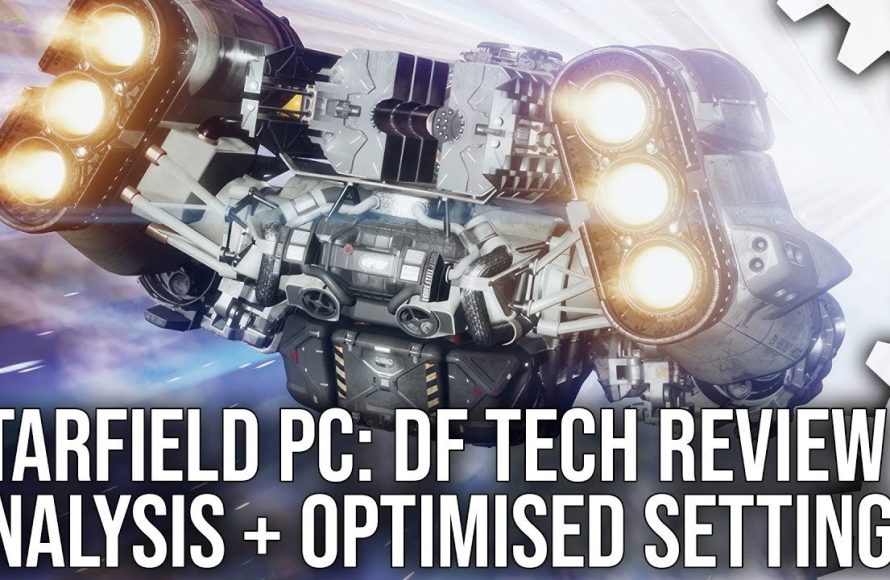
Starfield technical analysis reveals the game pushes modern hardware, with some performance fluctuations noted across different setups, especially at higher resolutions.
Exploring the intricacies of Bethesda’s latest epic requires a deep dive. Many players are curious about how their systems will handle this ambitious game. Therefore, delving into Starfield technical analysis becomes crucial for setting expectations.
We examine the performance metrics and graphical settings. We will identify potential bottlenecks and optimal configurations. This helps to understand its performance characteristics.

Starfield Technical Analysis: Diving Deep into the Game’s Inner Workings
So, you’re curious about what makes Starfield tick? It’s more than just a giant space adventure. Underneath the cool graphics and epic story lies a whole world of technical stuff that makes the game run. This article will be your guide to understanding the technical side of Starfield. We’ll explore how the game performs, what makes it look so good, and even some ways to make it run better on your computer. Let’s get started and explore the inner workings of this huge game!
The Game Engine: What Powers Starfield?
First things first, let’s talk about the engine. Think of the game engine as the car’s engine – it’s what makes everything move. Starfield uses the latest version of Bethesda’s Creation Engine, known as Creation Engine 2. This engine has been worked on and improved over many years, and it’s what makes games like Skyrim and Fallout 4 possible. With Creation Engine 2, Starfield can do some amazing things, like create huge open worlds and let you see planets far away.
Key Features of the Creation Engine 2
- Improved Graphics: The engine has better tools to make things look more realistic. This includes better lighting, detailed textures (like the surfaces of rocks or spacesuits), and fancy visual effects. Think of it like comparing a regular crayon to a super-fancy colored pencil.
- Larger Worlds: Creation Engine 2 lets developers make bigger game areas, without needing to stop and load between each small area. This allows Starfield to have multiple planets and solar systems for you to explore.
- More Detail: The engine lets the game handle many small details in the world, so each area feels more alive and full. This includes things like small plants, unique rocks, and interesting objects you find during exploration.
- Better Performance: The developers worked hard to make the engine run faster and smoother, especially when there are many things happening on screen at once. This means that even in big battles, the game should keep working well.
Starfield’s Performance: How Smoothly Does It Run?
Okay, so the engine is great, but how does Starfield actually run? This is all about game performance— how many frames per second (FPS) you get. Higher FPS means the game looks and feels smoother. If your FPS is too low, the game might seem choppy or slow. Several things affect how Starfield runs, including your computer’s hardware.
Factors Influencing Performance
- CPU (Central Processing Unit): This is your computer’s brain. Starfield needs a good CPU to handle all the calculations, like moving characters, figuring out where things are, and making the world look right. If your CPU is too slow, the game can have problems.
- GPU (Graphics Processing Unit): This is what makes all the graphics appear on your screen. It needs to be powerful enough to draw the detailed worlds and characters in Starfield. A weak GPU will lead to low FPS and blurry visuals.
- RAM (Random Access Memory): RAM is like your computer’s short-term memory. Starfield needs enough RAM to hold all the important game information while you’re playing. Not enough RAM can cause the game to stutter.
- Storage: It’s important to install Starfield on a fast drive like an SSD. SSDs make the game load faster and reduce loading times while moving between places. An older HDD will make the game load very slow.
- Game Settings: The graphic options you choose also impact performance. For example, using lower graphics settings will help the game run smoother on lower performing computers.
Targeting FPS and Resolution
Starfield performance is often talked about in terms of FPS and resolution. Resolution is about how sharp the game looks. Higher resolution like 4K is more detailed and looks amazing, but needs a strong computer to run smoothly. Lower resolution like 1080p, runs easier, but may not look as sharp.
- 30 FPS: This is the minimum for many games to feel playable. It’s okay for a steady experience, but may appear a little slow.
- 60 FPS: This is the ideal goal for a smooth game experience. At 60 FPS, the game feels very responsive and looks fluid.
- 120+ FPS: This is often seen with high-end computers and monitors. It makes the game feel incredibly responsive and smooth.
When talking about resolutions, these are some of the common ones you might see:
- 1080p (1920 x 1080 pixels): This is the common resolution for gaming. It gives good detail and is easy for most computers to handle.
- 1440p (2560 x 1440 pixels): A step up from 1080p, 1440p provides more detail and can look very sharp. Requires a higher performing computer.
- 4K (3840 x 2160 pixels): The highest resolution used in many games. It gives the most detail but requires a powerful computer to run at good FPS.
Graphics Breakdown: What Makes Starfield Look Amazing?
Starfield is known for its gorgeous visuals. It’s not just about having good graphics; it’s about using different technologies to make the game look very realistic. Here are some techniques that contribute to Starfield’s visual quality:
Lighting and Shadows
One big thing that makes Starfield look good is the lighting. The way the light shines on different surfaces, and how shadows appear can make a scene feel realistic and real. Starfield uses several types of lighting, including:
- Global Illumination: Light bounces around the scene realistically, making it seem more natural. This is like how light bounces off the walls in your room, instead of just directly lighting things.
- Ambient Occlusion: Adds shadows to the small gaps in between objects, to make it appear more realistic. This makes surfaces seem like they have more depth and detail.
- Ray Tracing: (when supported) A technique that traces the path of light to create very accurate and realistic lighting, reflections, and shadows. This makes things look more lifelike.
Textures and Materials
The surfaces of objects in Starfield are covered with textures and materials that make them look real. Different types of rocks, metal, fabrics, and so on, will have different patterns and looks. These detailed textures bring the game to life:
- High-Resolution Textures: Using very detailed images on the surfaces of the objects, these high-quality textures make everything in the game look more real.
- Physically Based Rendering (PBR): This technique simulates how real materials reflect and absorb light. This can make the metal on your ship look different from the fabric on your spacesuit.
Special Effects
Starfield uses different special effects to give visual depth and make things more exciting. Some of these visual effects include:
- Volumetric Effects: Effects that look like they have volume, like dust clouds or fog. This creates an atmosphere and improves depth.
- Particle Effects: These are used for explosions, sparks, and other small effects that make things more dynamic. They make things appear more lively.
- Depth of Field: Creates a focus effect in the foreground, blurring things in the distance. This makes things appear more cinematic and realistic.
Modding Starfield: Customizing Your Game Experience
One cool thing about Bethesda games is that you can change them using mods. These are add-ons made by other players. With mods, you can fix bugs, change how the game looks, and even add new content to Starfield. The possibilities are endless!
Types of Mods
- Gameplay Mods: Change how the game is played. These can add new weapons, make combat harder, or change how the skills system works.
- Visual Mods: These mods make the game look different. They can improve textures, add new effects, or completely change the overall art style.
- Performance Mods: These mods can help the game run better on your computer, by changing some game settings. They can increase your FPS and reduce stuttering.
- Content Mods: Add new missions, characters, or even entire new areas to the game for players to explore.
How to Install Mods
Installing mods is something that players should carefully do so that they don’t corrupt their game. In order to do that you would need a mod loader, and some instructions to do so:
- Download a Mod Loader: You will need a tool to manage your mods, such as Vortex or Mod Organizer 2. These are usually free to download.
- Find Mods: You can find mods on websites like Nexus Mods. Be careful to only download files from trusted places.
- Install the Mods: The mod loader will help you install your mods. Just follow the instructions.
Always be careful when installing mods, as some mods may not be safe. Read reviews of mods before downloading, and always back up your save files just in case a mod breaks your game.
Future Improvements and Updates
Like all games, Starfield will continue to change and improve. The developers have plans for new updates that will add features, fix bugs, and improve performance. These updates can come with big changes to the game.
Expected Updates
- Performance Patches: Expect updates that make the game run more smoothly, especially on different computers.
- New Features: There will likely be updates that add new game mechanics, and make different content more available.
- Bug Fixes: Developers will work to find and fix bugs, to make the game more stable and avoid crashes.
- Mod Support: The developers will likely improve mod support over time, which can help with more complex and interesting mods.
Optimizing Starfield for Better Performance
Even with a good computer, you might need to tweak some settings to get the best performance from Starfield. Here are some tips to get more FPS and avoid stuttering.
In-Game Settings
- Lower Graphics Settings: Try turning down things like shadows, textures, and effects. Lowering these settings can make the game run much faster.
- Adjust Resolution: Playing at a lower resolution (like 1080p instead of 1440p) can make a difference. Even though it will be less clear, it can increase your FPS by a lot.
- Turn Off Motion Blur: Motion blur can make the game look more realistic, but it can also take a hit on performance. Turning it off can help a lot.
System Tweaks
- Update Your Drivers: Make sure you have the latest graphics drivers for your GPU. Updated drivers can improve performance and fix bugs.
- Close Background Programs: Close anything that you aren’t using when playing. Extra programs can use up your computer’s resources.
- Overclocking: (For Advanced Users) If you know how, overclocking your CPU or GPU can boost performance. Be careful when overclocking and make sure that you know what you are doing.
Specific Tips for Starfield
- Use an SSD: Playing the game on an SSD can greatly reduce loading times and stuttering.
- Monitor Your Temperatures: Make sure your computer isn’t getting too hot. Overheating can cause your system to slow down.
- Tweak Configuration Files: You can find guides online that help you change the game’s config files, which can sometimes improve performance. Be cautious when doing this, and always back up your original files.
Starfield is a complex game, with a lot of details happening under the hood. By understanding the technical elements that make it all work, you can better enjoy your experience, and even improve how the game runs on your system. From its advanced engine to its complex graphics, Starfield offers a great experience, and with some adjustments, it can provide a wonderful adventure. Always keep experimenting with settings, and you will find a way to experience Starfield at its best.
Starfield Analysis | A Quick Retrospective
Final Thoughts
Starfield’s performance varies significantly across different hardware configurations. Players report frame rate fluctuations and occasional stuttering issues, even on high-end PCs. Optimization seems to be an ongoing process.
The game’s visuals are impressive, but this comes at a cost to performance. Detailed textures and complex lighting contribute to its graphical fidelity. However, these features require considerable processing power.
Ultimately, Starfield technical analysis reveals areas needing improvement. Performance patches will likely improve the user experience. Players should adjust settings for optimal playability.

