
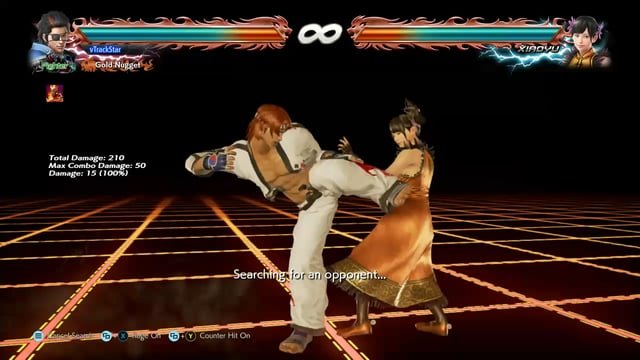
In Tekken 8, animation cancel refers to the technique of interrupting a move’s animation to execute another action, providing greater offensive and defensive options.
Have you seen players in Tekken 8 pulling off moves that seem impossible? They appear to move faster and more fluidly than you’d expect. This comes down to a crucial technique, and the question on everyone’s minds is, Tekken 8 what is animation cancel? It’s a mechanic that lets skilled players bend the rules of normal combat.
Essentially, animation cancel allows you to shorten the time it takes to perform certain actions. Players utilize it to create openings, extend combos, and gain an edge. It is a tricky technique but well worth learning.

Tekken 8 What is Animation Cancel?
Okay, let’s talk about something super cool in Tekken 8: animation cancels! If you’re new to the game or even a seasoned player, you might have heard this term thrown around. But what does it really mean? Imagine you’re trying to throw a punch, but halfway through, you change your mind and want to do something else, like a kick. Well, that’s kind of what an animation cancel is. It’s like a magic trick that lets you stop one move and start another in a way that normally wouldn’t be possible.
Understanding Basic Animations in Tekken 8
Before we dive deep into animation cancels, it’s important to understand what we mean by “animation” in the game. Every time your character does something – punch, kick, block, move – there’s a visual animation that goes with it. These animations have a specific start, middle, and end. They’re how you see what your character is doing and how they interact with the world of Tekken 8. Think of it like a mini-movie playing out each time you press a button.
Animation Stages
Animations aren’t one continuous thing. They’re actually made up of different stages:
- Startup: This is the very beginning of the move. It’s when your character begins to wind up or prepare for the action. During this phase, you can’t normally do anything else until it’s finished.
- Active: This is the part where the move is actually going to hit your opponent, like the fist colliding or foot connecting. This is where the damage is done.
- Recovery: After the active part, the animation goes into a recovery phase. This is the part where your character finishes the move and comes back to a neutral stance. During recovery, you usually can’t move freely until the animation is complete.
Usually, you’d have to wait for a whole animation cycle to end before starting another move. That means you’d have to see the whole punch, the whole kick, or the whole block. But animation cancels change this, they allow some specific moves to go directly into another animation sequence.
What Exactly is an Animation Cancel?
An animation cancel, or “cancel” for short, is a technique that allows you to interrupt or cut short the recovery stage of a specific move animation and perform another action instead. This isn’t possible with every move, and it’s not something that happens randomly. Tekken 8, like previous games, has specific moves and sequences that allow for cancels, and these are often designed for specific purpose. In simple terms, you are basically shortening the waiting time of a move by cancelling the end of animation and performing another action or move.
Think about it like this. Imagine you are running a race. Normally, you would finish the race, then cool down for a bit, and then start another race. But animation canceling allows you to stop the first race right before the end and instantly start another race, which is much more faster. In fighting games, this can be extremely important in creating combos, being unpredictable, and keeping the pressure on your opponent.
Types of Animation Cancels
There are different types of animation cancels in Tekken 8. Each type serves a different function and opens up new ways to play. Here are some common types:
- Move Cancels: These are the most common. They allow you to cancel the recovery of one move into the startup of another specific move. For example, a specific punch might be cancelable into a specific kick or another punch, creating a combo.
- Dash Cancels: Some moves can be cancelled into a dash, allowing for movement options and repositioning. This could be used to get closer to your opponent after an attack, to get some space, or to quickly create mix ups.
- Guard Cancels (sometimes): There are some limited cases where you may cancel out of blocking situations into a specific move. This is less common, but can be really powerful when it is available.
- Stance Cancels: Certain characters with special stances can cancel some of their moves into their stance, offering unique mobility and offense opportunities.
Why are Animation Cancels Important in Tekken 8?
Now you might be thinking, “Why should I care about animation cancels?” The short answer is: they can dramatically improve your gameplay. Here’s why they’re important:
- Combos: Cancels are the foundation of complex combos in Tekken 8. They allow you to string together moves that wouldn’t be possible otherwise. Without animation cancels, your combos would be slow and easy to block.
- Mix-ups: Animation cancels can make your offense unpredictable. You might start one move, cancel it, and do something completely different, keeping your opponent guessing. This keeps them off balance.
- Pressure: Cancels help you keep the pressure on your opponent. By chaining together moves quickly, you can make it hard for them to defend and create opportunities for you to attack again.
- Mobility: Dash cancels and stance cancels can greatly improve your mobility around the stage. This helps with both offensive and defensive options.
- Advanced Strategies: Many high-level strategies rely heavily on cancels. If you want to be competitive, learning how to utilize them is crucial.
Examples of Animation Cancels in Action
Let’s look at some examples to illustrate how animation cancels work in Tekken 8. Keep in mind that specific cancels vary between characters, but these examples will give you a good idea:
Example 1: Basic Move Cancel
Imagine you’re playing as Jin. He has a move called “Electric Wind God Fist” (EWGF), which takes a bit of time to complete, making it easy for an opponent to see it coming. However, after the first few frames of the move, it’s cancelable into another move. After the move, you can cancel it into a quick jab. Normally, after doing the EWGF, there’s a period where Jin would be recovering and exposed. But because you are cancelling the animation, he is able to perform another attack much faster, creating a fast and dangerous combo.
Example 2: Dash Cancel
Let’s say you’re playing as King, and you perform a jumping punch move which causes you to be closer to the ground. Instead of completing the move recovery, King can cancel the landing recovery into a quick dash forward. This dash can be used to initiate another attack or quickly close the gap between you and your opponent. This provides a lot of movement control for King.
Example 3: Stance Cancel
Let’s use Hwoarang as an example, he is known for having different stances which can be a little hard for new players to understand. Hwoarang can use one of his kick moves and cancel the recovery into a stance. This stance allows him to launch more unpredictable attacks, this is a good mix up. By canceling into the stance, Hwoarang can continue the attack pressure. This keeps your opponents constantly on their toes.
How to Practice Animation Cancels
Okay, so you’re convinced that animation cancels are important. The next question is: how do you learn them? Here are some tips:
- Start with the Basics: Don’t try to learn all the cancels at once. Focus on learning the basic cancels for your chosen character. Look at guides or videos made by experts to help you understand.
- Practice Mode: Tekken 8’s practice mode is your best friend. Spend time there practicing the timing of the cancels, as it requires precision. Use the move list and practice over and over again.
- Slow Down: Practice with slow motion to understand the timing of the animation. You need to find out the exact frame of animation where the cancel window starts.
- Consistency is Key: The challenge with cancels isn’t just doing them once, but being able to do them consistently in a match. Keep practicing until it becomes second nature.
- Watch Experts: Observe how pro players or skilled players are using animation cancels. This can give you ideas on how to integrate them into your own gameplay.
- Character Specific Guides: Look for guides and tutorial videos for your specific character. These can often show you the specific cancels available and also ways to use them.
Common Mistakes Beginners Make
Learning animation cancels can be tricky, and it’s easy to make mistakes. Here are some common pitfalls:
- Incorrect Timing: The most common mistake is pressing the button for the next action too early or too late. You need to find that specific cancel window to have success.
- Trying Too Much at Once: Don’t try to learn too many cancels at the same time. Start with one or two basics and build from there.
- Ignoring Character Specifics: Each character has unique cancels. Don’t assume that what works for one character will work the same for another.
- Getting Frustrated: Animation cancels can be difficult to learn. Be patient with yourself and don’t get discouraged if you don’t get them right away.
Animation Cancels vs. Move Buffering
It’s important to understand the difference between animation canceling and another commonly used concept called “move buffering”. Move buffering happens when you press the button for the next move slightly before the active frame of the previous move ends, allowing the next move to come out quicker. With move buffering you are still waiting for the animation of the previous move to finish, while with animation cancelling you are intentionally stopping the recovery of the previous move to do another move.
With animation cancels, you’re directly shortening an animation and starting another, sometimes skipping whole parts of the move. Buffering allows for more smoothness between your moves, but animation cancels are very powerful because they are directly changing the flow of the game.
Advanced Techniques and Animation Cancels
Once you’ve mastered the basic animation cancels, you can start to explore more advanced techniques. These often involve combining multiple cancels in a row and utilizing them in tricky ways. This could include:
- Cancel into movement – Canceling a move into a movement option like a dash or backdash to evade attacks, then follow up with more attacks.
- Cancel into throw attempts – Sometimes canceling a move into a throw attempt might catch your opponent off guard, as they might be expecting another strike.
- Cancel into a defensive option – There are some situations where you cancel out of an offensive move to block, or get into a defensive stance, then follow up with more attacks.
- Mix Ups – Skilled players can change up their cancel timing, which can make it harder for opponents to predict and defend against their attacks.
By learning to incorporate these into your game, you’ll increase your effectiveness. These tactics are critical to becoming a better player, giving you better opportunities to apply pressure, mix ups, and control the pace of the match.
Animation cancelling is an important mechanic that can be the foundation of your game strategy. Mastering this skill can bring more possibilities for you in Tekken 8 and greatly improves your game performance.
All Heat Burst Cancel Animations in Tekken 8
Final Thoughts
Animation cancels in Tekken 8 involve interrupting a move’s animation to perform another action sooner than normal. This technique allows skilled players to create unexpected offensive pressure or defensive opportunities. ‘Tekken 8 what is animation cancel’ is a crucial part of high-level gameplay.
Players need to practice timing to effectively perform these cancels. The result is fast-paced, unpredictable matches. You can use animation cancels to mix-up your game plan.

