
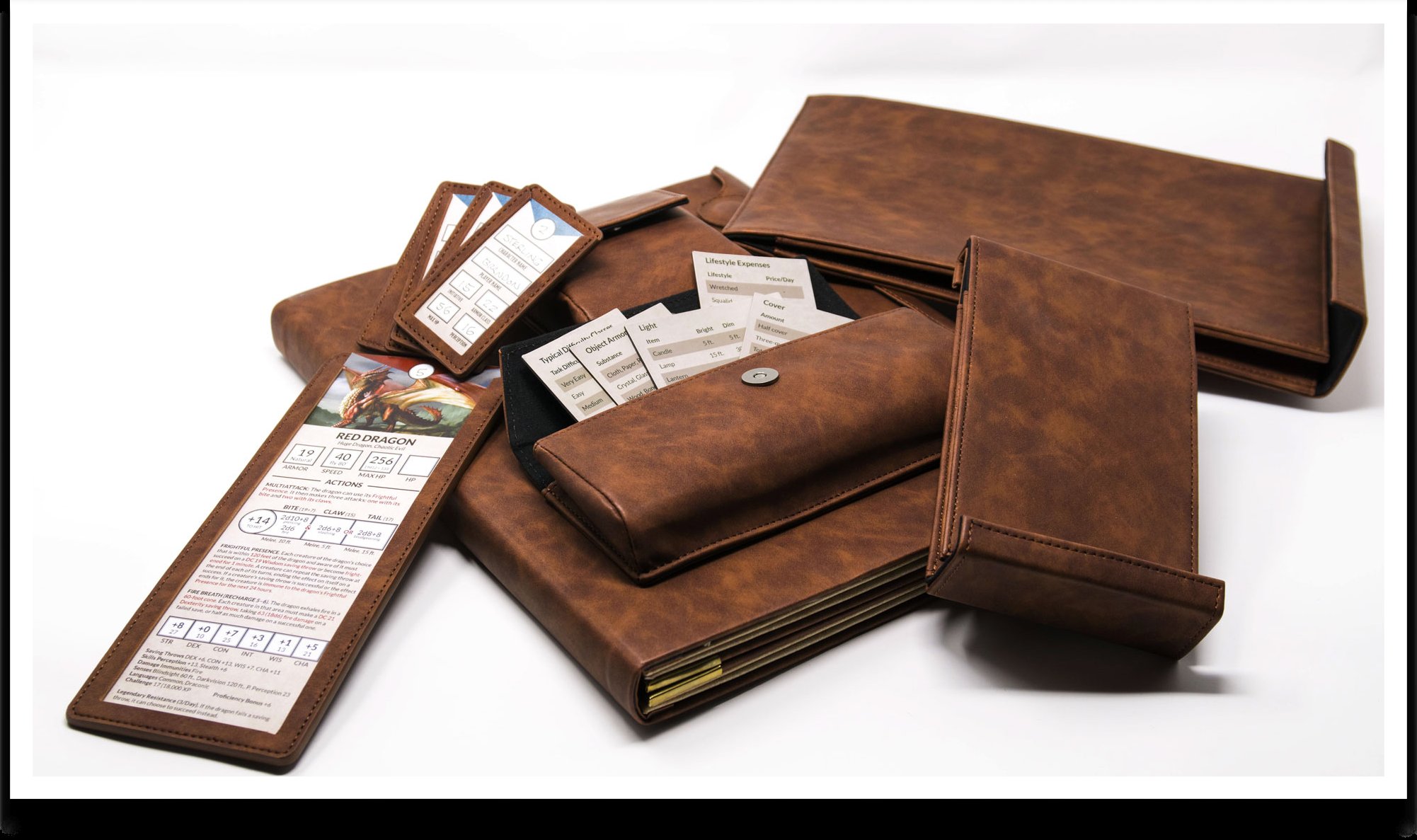
The ultimate game master screen should be highly customizable, offering quick access to rules, character stats, maps, and notes, all while concealing your secret dice rolls from prying player eyes.
So, you’re aiming for the pinnacle of tabletop gaming preparation? You want a setup that keeps your world organized and your players guessing? The quest for the ultimate game master screen ends here.
Let’s dive into what truly makes a game master’s screen invaluable, and how to create or choose the perfect one for your play style. We’ll explore functionality and features that will take your sessions to the next level.
We can’t wait to share tips and ideas for constructing or picking out the ultimate game master screen that suits your needs.

Ultimate Game Master Screen: Your Gateway to Immersive Gaming
A game master screen is more than just a barrier. It’s a versatile tool that can enhance your game mastering experience. Let’s delve into what makes an ultimate game master screen.
What is a Game Master Screen?
A GM screen is a physical barrier. It sits between the game master and the players. The screen often displays useful information.
The GM can also use the screen for privacy. This allows the GM to roll dice or consult notes unseen by the players.
Why Use a Game Master Screen?
A good GM screen has many benefits. It helps keep the game organized. It also aids in creating a sense of immersion.
It keeps crucial information readily accessible. This minimizes disruptions during gameplay. It allows for quicker decision-making.
Key Features of an Ultimate Game Master Screen
What elevates a GM screen from good to ultimate? It boils down to well-thought-out features and functionality. Let’s examine the essential components.
Durability and Construction
A sturdy screen is a worthwhile investment. Look for screens made from durable materials like thick cardboard, wood, or even metal. These materials ensure longevity.
The hinges should be robust. This prevents the screen from collapsing during a game.
Informative Panels
The panels are the heart of the GM screen. They should contain relevant information for quick reference.
This might include common rules, status effects, or NPC names. The information should be clearly organized and easy to read.
Customization Options
The ability to customize your screen is invaluable. Look for screens with pockets or clips to hold reference sheets.
Some screens even feature dry-erase surfaces for jotting down notes. Customization allows you to tailor the screen to your specific game and style.
Portability
Consider how easily the screen can be transported. A folding screen is generally more portable than a rigid one.
Some screens come with carrying cases for added convenience. Think about your gaming habits. Do you often play at different locations?
Additional Features
Some screens offer extra features. These might include dice towers or initiative trackers.
Built-in lighting can be useful in dimly lit gaming environments. Think about which features would be most beneficial to you.
Types of Game Master Screens
There are various types of GM screens available. Each caters to different needs and preferences. Let’s explore some common options.
Cardboard Screens
Cardboard screens are a budget-friendly option. They are often included with tabletop RPG starter sets.
They are lightweight and easy to transport. However, they may not be as durable as other options.
Wooden Screens
Wooden screens offer a premium look and feel. They are typically more durable than cardboard screens.
Wood can be easily customized with stains, paints, or engravings. Many wooden screens have modular designs.
Modular Screens
Modular screens consist of individual panels. These panels can be rearranged or removed as needed.
This offers a high degree of customization. You can add or remove panels to suit your specific game.
Digital Screens
Digital screens use tablets or monitors to display information. They offer a dynamic and interactive experience.
They can be easily updated with new content. However, they require a power source and may not be suitable for all gaming environments.
Choosing the Right Game Master Screen
Selecting the right GM screen depends on your individual needs. Consider your budget, gaming style, and the types of games you play.
Think about the features that are most important to you. Do you prioritize durability, customization, or portability?
Building Your Own Ultimate Game Master Screen
Creating your own GM screen can be a rewarding experience. It allows you to tailor the screen precisely to your specifications.
Here’s how you can build your own.
Materials Needed
Gather the necessary materials. These typically include cardboard, wood, or foam core.
You’ll also need hinges, glue, paint, and any desired embellishments. Decide on the size and number of panels.
Construction Steps
Cut the panels to the desired size and shape. Attach the hinges to connect the panels.
Paint or decorate the screen as desired. Add any custom features, such as pockets or clips.
Customization Ideas
Consider adding dry-erase surfaces for notes. Include pockets for holding reference sheets.
Install a dice tower or initiative tracker. Get creative and make the screen your own.
Game Master Screen Content: What to Include
The content displayed on your GM screen is crucial. It should contain information that you frequently need during gameplay.
Here are some essential categories to consider.
Rules Summaries
Include summaries of commonly used rules. This might include combat rules, skill checks, or saving throws.
Keep the summaries concise and easy to understand. Use bullet points or flowcharts to organize the information.
NPC Information
Keep a list of important NPCs. Include their names, descriptions, and motivations.
This helps you keep track of the characters in your game. It also ensures consistency in their portrayal.
Location Details
Note key locations in your game world. Include descriptions, points of interest, and important NPCs.
This helps you keep track of the setting. It also aids in creating a sense of place.
Random Tables
Include random tables for generating encounters, treasures, or plot hooks. These tables can add spontaneity to your game.
They can also help you overcome writer’s block.
Initiative Trackers
An initiative tracker helps you keep track of turn order. It can be a simple list or a more elaborate device.
Some screens have built-in initiative trackers.
Using Your Game Master Screen Effectively
Having a great GM screen is only half the battle. You also need to know how to use it effectively. Here are some tips.
Keep it Organized
A cluttered screen is useless. Keep your screen organized and free of unnecessary items.
Arrange the information in a logical and easy-to-find manner.
Practice Using It
Before using your screen in a game, practice using it beforehand. This helps you become familiar with the layout and content.
It also allows you to identify any areas that need improvement.
Update Regularly
Your GM screen should be a living document. Update it regularly with new information as needed.
Remove outdated information. Add new rules, NPCs, or locations.
Don’t Hide Behind It
While the screen provides privacy, don’t hide behind it completely. Maintain eye contact with your players.
Engage with them and be present in the game.
Game Master Screen Alternatives
While a physical GM screen is a popular choice, there are alternatives. These options may be more suitable for certain gaming styles or environments.
Digital Tools
Digital tools can replace a physical screen. Software like OneNote, Obsidian, or dedicated GM apps can organize information.
These tools offer advanced features like search and hyperlinks.
Notebooks and Binders
A well-organized notebook or binder can serve as a portable reference guide. Use dividers to separate different sections.
Include summaries, NPC information, and maps.
Shared Google Docs
Collaborate with your players using shared Google Docs. Create a document containing important game information.
Allow players to access and contribute to the document.
Game Master Screen Layout Ideas
The layout of your GM screen can significantly impact its usability. Consider different layouts to find what works best for you.
Three-Panel Layout
A three-panel layout is a common choice. The center panel typically contains the most important information.
The side panels can be used for less frequently accessed information.
Four-Panel Layout
A four-panel layout offers more space for information. It can be useful for games with complex rules.
Use the additional panel to organize different categories of information.
Custom Layout
Create a custom layout that suits your specific needs. Arrange the panels in a way that makes sense to you.
Experiment with different layouts until you find one that works well.
Elevating Your Game Mastering with the Right Screen
The ultimate game master screen is a tool that enhances your role as a GM. It provides organization, information, and privacy.
By choosing the right screen and using it effectively, you can create a more immersive and enjoyable gaming experience for yourself and your players. Think about what you need most in your games. Then select a screen that meets those needs. Your players will thank you for it.
The Ultimate Game Master Screen – Customizable. Portable. Affordable.
Final Thoughts
Therefore, a well-designed game master screen is essential for any tabletop RPG experience. It helps you organize information and maintain immersion during play.
Consider your specific needs and gaming style when choosing a screen. There is no single best option, but the right one improves your game sessions.
Ultimately, the ultimate game master screen must be customizable. With the right preparation, your screen becomes an invaluable tool. A good one saves time and keeps the game flowing smoothly.

