
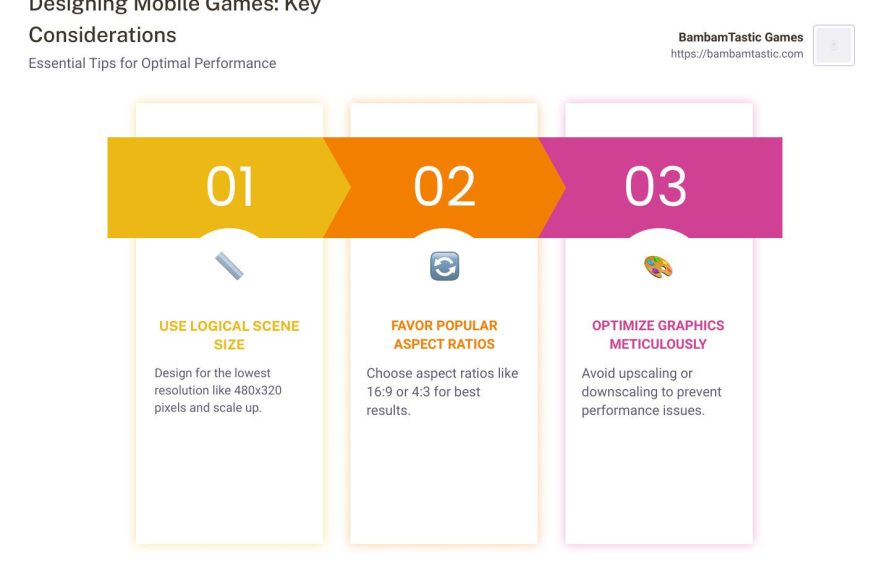
Choose the aspect ratio that best suits your display; 16:9 is most common, while ultrawide (21:9 or 32:9) offers a wider field of view if supported by the game.
Figuring out the perfect setup for your gaming experience can be tricky, especially when you get into the nitty gritty details. One question that often pops up is: what aspect ratio to choose for games? It directly impacts how much you see and how immersive your experience is.
Standard 16:9 works perfectly well on most monitors and TVs, it is widely supported in every game. If you have an ultrawide monitor, you can get an immersive wider view if the game supports 21:9 or 32:9. So, it really boils down to your hardware and preference.

What Aspect Ratio to Choose for Games
Alright, let’s talk about something that might seem a little technical but is actually super important for how your games look and feel: aspect ratio. You might not think about it much, but it’s the reason why some games look stretched out and others look just perfect on your screen. It’s all about the shape of the picture you see – specifically, the relationship between the width and height of your game’s display. Choosing the right aspect ratio can totally change your gaming experience. Let’s dive in and explore what aspect ratio to choose for games!
Understanding Aspect Ratio Basics
Imagine your TV or computer screen as a rectangle. The aspect ratio is like a special code that tells you how wide that rectangle is compared to how tall it is. It’s written as two numbers separated by a colon, like 16:9 or 4:3. The first number is always the width, and the second is always the height. Think of it like a recipe: 16 parts wide for every 9 parts tall, for example. A 16:9 aspect ratio is like a wider rectangle, while a 4:3 aspect ratio is more of a square shape.
Common Aspect Ratios in Gaming
Over the years, different aspect ratios have become popular for various reasons. Let’s look at the most common ones:
- 4:3: This was the standard for older TVs and computer monitors. It’s more square-like and can sometimes make modern games feel a bit cramped. You might still see this on older consoles or in games designed to look retro. Think about those classic arcade games – many used 4:3 aspect ratio screens.
- 16:10: This was a popular option for computer monitors for a long time because it gave you a bit more vertical space than 16:9. This can be helpful for things like work and web browsing, as well as gaming, but its popularity has declined a bit in the gaming world.
- 16:9: This is the most common aspect ratio for TVs and gaming monitors today. It’s considered “widescreen” and offers a good balance between width and height, making it ideal for many kinds of games and movies. Most modern consoles and games are designed for this aspect ratio.
- 21:9 (and wider): Ultrawide monitors are gaining popularity, especially among PC gamers. These monitors offer a super wide view, making games feel very immersive. However, not all games fully support this aspect ratio, sometimes resulting in black bars on the sides. This aspect ratio provides a wider field of view, but can be more demanding on your computer’s graphics.
- 32:9 and above: These are very niche and are used on super ultrawide monitors. They make games extremely immersive, but like 21:9 they are not always fully supported and can sometimes cause issues.
Why Aspect Ratio Matters for Gaming
The aspect ratio isn’t just about how wide your screen looks. It directly affects several important things in games:
Field of View (FOV)
FOV is how much of the game world you can see on your screen at any given moment. A wider aspect ratio, like 21:9, usually means you can see more of the action on the sides. This can be a big advantage in games where you need to spot enemies or objects on the periphery. Imagine you’re playing a first-person shooter, a wider aspect ratio allows you to see more of what’s coming toward you from the sides. This is because more of the scene is visible at one time.
On the other hand, a narrower aspect ratio, like 4:3, shows you less of the world horizontally. While this can feel more focused, it also means you might miss things happening on your sides. Think of it like looking through a wide window versus looking through a narrow one.
Immersion
A wider aspect ratio can make games feel much more immersive. When you’re playing on a 21:9 or 32:9 monitor, it feels like the game is wrapping around you, pulling you right into the action. The feeling is similar to having a cinema screen at home instead of a smaller television. This can add a lot to the overall fun, particularly for story-driven games and expansive open-world titles. Narrower aspect ratios, while still enjoyable, don’t tend to offer this feeling of being surrounded by the game world.
Screen Stretching and Black Bars
When a game’s aspect ratio doesn’t match your screen’s aspect ratio, things can get weird. If a game designed for 16:9 is played on a 4:3 monitor, the image may look stretched out and distorted. This happens because the game is trying to force its image onto a screen that has a different shape. Alternatively, if you play a game designed for 4:3 on a 16:9 monitor, you might see black bars on the sides of the screen because the game isn’t using the full width. These black bars are there to keep the image from being stretched, but can be a little annoying for some people.
User Interface (UI) and HUD Elements
Game developers often design their user interface (UI) and heads-up display (HUD) elements with a specific aspect ratio in mind. For example, on a wider aspect ratio, HUD elements might be moved towards the edges of the screen so that they don’t block the central area where most of the action happens. If a game isn’t correctly designed for ultrawide screens, the UI elements might look stretched or be positioned in inconvenient places. Similarly, on very narrow screens, the UI could cover more of the gameplay itself, or it may even become clipped, meaning parts of the UI are cut off from view.
Choosing the Right Aspect Ratio for You
So, with all this in mind, how do you choose the best aspect ratio for your gaming? It comes down to a mix of your preferences, the kinds of games you play, and what kind of hardware you have. It’s all about what makes you most comfortable and gets the job done.
Consider the Games You Play
Different game genres can benefit from specific aspect ratios. Here’s a quick guide:
- First-Person Shooters (FPS): A wider aspect ratio (16:9 or 21:9) is often preferred. It gives a broader field of view which allows you to see more of the action, making it easier to spot enemies. Ultrawide screens (21:9 and wider) can feel even more immersive, giving an advantage in competitive play.
- Role-Playing Games (RPGs): These usually do very well on 16:9 as they’re often designed for that aspect ratio. Ultrawide can help enhance the immersion, especially in large open-world RPGs.
- Strategy Games: The added width of ultrawide can be helpful in some strategy games, allowing you to see more of the battlefield or map. However, many strategy games are designed around a 16:9 view, so that works too. The extra real estate is often valuable for seeing what’s happening on your flanks.
- Racing Games: A wider aspect ratio can significantly enhance the sense of speed and immersion in racing games. Ultrawide can mimic the feel of being in a real car, giving a very engaging experience.
- Platformers: Platformers work well on various aspect ratios, but generally 16:9 is a solid choice since most platformers are designed with that aspect ratio in mind. A wider field of view may not always be required, as the action is primarily focused on the character and obstacles directly in front of you.
- Retro Games: Retro games were usually designed for 4:3 aspect ratio. Playing on a modern widescreen can cause some of these games to look stretched or with black bars. You might get a better experience playing these on a monitor or a TV that can also display 4:3 properly, or you can run them in emulators that allow for proper 4:3 scaling.
Your Monitor or Screen
Your monitor or screen’s native aspect ratio is the primary factor when choosing an aspect ratio for gaming. Playing a game in an aspect ratio that doesn’t match your screen’s native resolution can lead to unwanted stretching or black bars. Here’s a simple breakdown of how to deal with different screen types:
- 16:9 Monitor or TV: This is the most common option, so most games work great on it. You won’t have to worry about any stretching or black bars in the majority of cases.
- Ultrawide 21:9 Monitor: If you have an ultrawide monitor, you might need to check if your games support 21:9 properly. Some games have native support, some may require mods or tweaks, and others may end up with black bars. When it does work correctly, it can look absolutely amazing!
- Older 4:3 Monitor: If you are using an old computer with a 4:3 monitor, most modern games will look stretched or have black bars on the top and bottom, but if you plan on playing older games or retro games this would be great choice.
Performance Considerations
The wider the aspect ratio, the more pixels your graphics card needs to render. This means that ultrawide gaming requires more power than playing on a 16:9 monitor. If you have an older computer, you might need to adjust your game settings or choose a lower resolution if you go for a wider aspect ratio. It’s important to think about what your computer can handle. Consider your desired frame rate, as a lower resolution can make it easier for your computer to display more frames per second.
Adjusting Aspect Ratio in Games
Most games let you adjust the aspect ratio in their settings menus. Here’s how to do it:
- In-Game Settings: Usually, you’ll find aspect ratio options in the graphics or display settings section of the game. Look for a dropdown menu with options like 4:3, 16:9, 16:10, or 21:9. Simply select the one that matches your monitor and what you like.
- Monitor Settings: Some monitors have built-in scaling options. You can sometimes adjust aspect ratios on your monitor directly, although this isn’t always the best solution as it might introduce input lag.
- Driver Software: Your graphics card drivers (NVIDIA, AMD, Intel) also have settings that can affect aspect ratio. Here, you can set scaling behavior and also set custom resolutions.
Aspect Ratio and Streaming
If you’re planning to stream your gameplay online, choosing the correct aspect ratio is especially important. Here are some points to remember about streaming and aspect ratio:
Standard Platforms
Most streaming platforms, like Twitch and YouTube, use 16:9 as their standard aspect ratio. This means that if your game is not set to 16:9, you will most likely have black bars on the side. Playing games in 16:9 ensures that your audience will have a comfortable viewing experience. While you can stream in different aspect ratios, it often doesn’t look as good as it would on a 16:9 display on these platforms.
Streamer Preferences
Some streamers use an ultrawide monitor for playing their games but crop their stream to 16:9 for their viewers. This allows them to have a wider field of view for the game, while making sure that their stream looks proper for their audience. Other streamers choose to stream with the same aspect ratio that they play at, resulting in a more immersive experience for them.
Dealing with Black Bars
If you stream a game that’s not 16:9, you’ll need to decide whether to deal with black bars on the sides of your video. Alternatively, you can add some cool visuals or static images to fill those bars, making your stream look more professional. OBS (Open Broadcaster Software) and Streamlabs are two commonly used tools that provide various options for customizing how your stream looks.
Choosing the right aspect ratio for your games is not that hard. It all comes down to what’s available, what you want and what makes you feel most comfortable. When in doubt, 16:9 is the safest choice for most games, since it’s the standard for many. Ultrawide aspect ratios are an interesting option if you play many compatible games and your computer has the graphical power to run them. When it’s all said and done, experimenting with various aspect ratios is great way to find what works best for you. Happy gaming!
Best Aspect Ratio For Gaming – Which Should I Choose? [Simple Guide]
Final Thoughts
Ultimately, choosing an aspect ratio for games depends on your personal preference and setup. Wider aspect ratios like 21:9 provide immersive visuals. However, they can sometimes have compatibility issues.
16:9 remains the most common and compatible choice, working well across different games and monitors. Considering your display and the games you play is key. Therefore, what aspect ratio to choose for games is a decision based on balancing visual appeal and practicality.

