
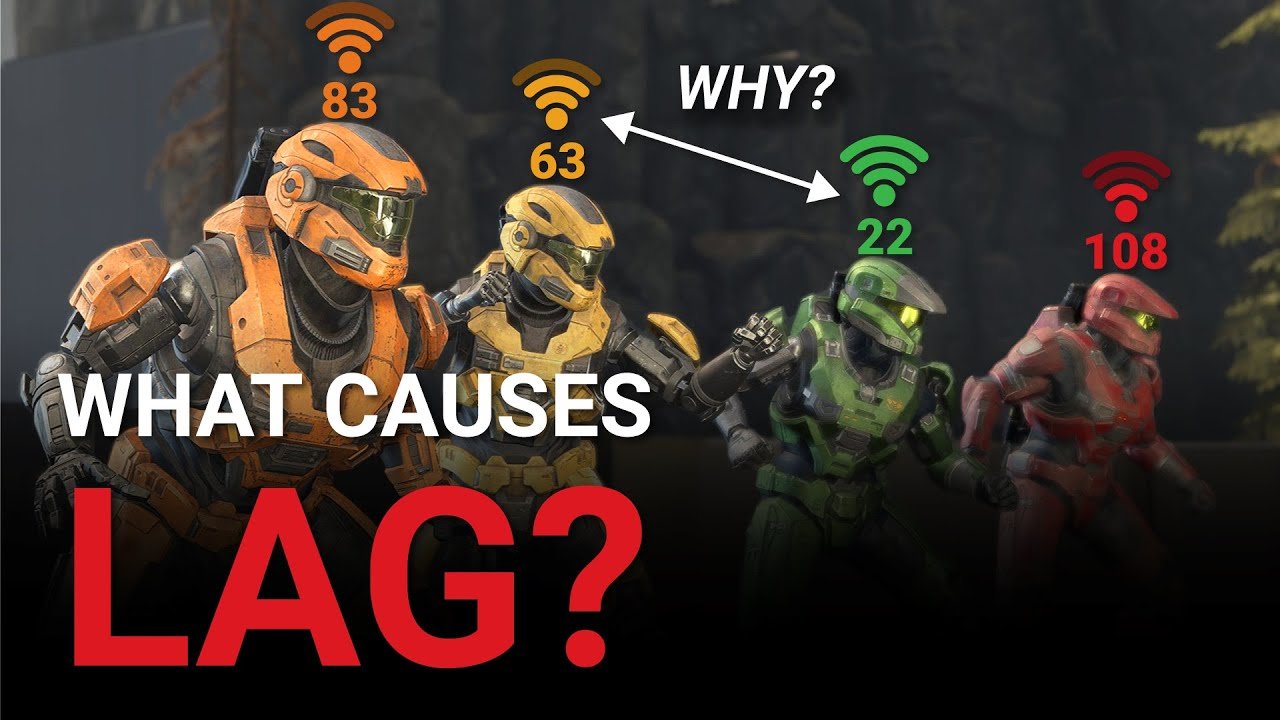
Lag in games is caused by issues like a slow internet connection, high server load, or your own computer’s hardware limitations struggling to keep up with the game’s demands.
Ever felt that frustrating delay between your actions and the game’s response? That’s lag, and it can ruin a gaming session. Understanding what causes lag in games helps you to troubleshoot the problem effectively. This article will explore the primary culprits behind this common annoyance.
Poor internet speeds play a big part in causing lag. When your connection isn’t fast enough, data packets take too long to reach the game server. This results in noticeable delays in your gameplay. Similarly, overloaded game servers can cause lag for everyone.
Lastly, sometimes your own computer’s components are to blame for lag. An older CPU or graphics card might not be able to handle the game’s demands. These hardware limitations directly impact performance.

What Causes Lag in Games?
Lag in games. We’ve all been there, right? You’re about to make that winning move, or score the crucial goal, and then… freeze! Your character gets stuck, enemies teleport around, and your carefully laid plans crumble. It’s frustrating, and it can totally ruin your gaming experience. But what actually causes this annoying lag? It’s not some mysterious force, but rather a combination of several factors all working together (or against you!). Let’s dive deep and break down the usual suspects that are behind your gaming woes.
Your Internet Connection: The Main Culprit
Often, when we think about game lag, the first thing that pops into our mind is the internet. And for good reason! A slow, unstable, or overloaded internet connection is a major source of problems. Think of your internet connection like a highway: the wider the highway (bandwidth), the more data can flow quickly, and the more lanes there are for data to travel quickly in both directions. If you have too many cars (data packets) trying to use too few lanes, traffic (lag) builds up.
Bandwidth: The Size of Your Internet Pipeline
What it is: Bandwidth refers to the amount of data that can be transferred through your internet connection at any one time. It’s measured in megabits per second (Mbps) or gigabits per second (Gbps). Think of it like how many water pipes there are to deliver water to your home; more pipes, more water flows.
How it affects lag: If your bandwidth is low, the game’s data (which is a lot) has to squeeze through a small pipeline, causing delays and stutters. Imagine trying to pour a gallon of water through a straw; it would take a long time! The more things you do online at the same time as gaming, such as downloading files, streaming videos, or using multiple devices, the more data has to travel through that pipe, and the greater the chances for lag to occur.
Checking your bandwidth: You can perform speed tests online that measure your download and upload speeds. These tests help you see how much data is actually flowing and if you’re getting the speeds you are paying for. There are many free speed test websites available, such as Speedtest.net and Fast.com. Look for the download and upload speeds, these are the ones that will impact gaming.
How to fix it:
Upgrade to a higher bandwidth internet plan.
Close other applications that are using your internet connection while gaming.
Use a wired Ethernet connection instead of Wi-Fi (more on this in the next section).
Wi-Fi vs. Ethernet: The Wireless vs. Wired Battle
Wi-Fi: Wireless connections are convenient but can suffer from interference and signal loss. Imagine your Wi-Fi signal as a radio wave; other devices, walls, and even appliances can disrupt it, causing your connection to weaken.
Ethernet: A wired Ethernet connection provides a direct and stable connection to your modem or router. It’s like having a direct water pipe from the water source right to your house – no interference involved.
How it affects lag: A weak Wi-Fi signal or interference can lead to inconsistent speeds and packet loss, which means data is lost while traveling, causing lag spikes.
How to fix it:
Switch to an Ethernet connection.
If Wi-Fi is necessary, move closer to your router or consider a Wi-Fi extender to improve signal strength.
Make sure your Wi-Fi router is up to date with the latest firmware.
Packet Loss: When Data Goes Missing
What it is: Packet loss is when data packets (chunks of data) are lost during transmission over the internet. It’s like a package getting lost in the mail.
How it affects lag: When data packets are lost, the game doesn’t receive all the information it needs, leading to stuttering, freezes, and desynchronization with other players.
Causes of packet loss: Network congestion, outdated hardware, problems with your internet service provider, or damaged cables can all cause packet loss.
How to fix it:
Restart your modem and router.
Check your cables for damage.
Contact your internet service provider to investigate and resolve potential issues.
Latency: The Ping Time
What it is: Latency, often referred to as ‘ping,’ is the delay between when you perform an action (like moving your character) and when the game server receives it. It’s measured in milliseconds (ms). Think of it as the time it takes for a message to travel from your home to your friend’s house and back.
How it affects lag: Higher latency results in a noticeable delay in your actions being reflected in the game. A delay of 100 ms isn’t noticeable, but if it is 500ms, that is half a second, which is very noticeable. This can lead to a frustrating experience, especially in fast-paced games.
Causes of high latency: Distance to the game server, network congestion, and issues with your internet connection can all cause high latency.
How to fix it:
Choose a server that is geographically closer to you.
Optimize your internet connection as described above.
Avoid using a VPN (Virtual Private Network), unless absolutely necessary. VPNs can add extra distance and therefore extra latency to the connection.
Your Gaming Device: Is It Up to the Task?
Your internet connection isn’t the only factor influencing game lag. The device you’re playing on also plays a huge part in smooth gaming. If your device doesn’t have the processing power, memory, or graphics capability, even a perfect internet connection won’t help.
Processing Power: The Brain of Your Device
What it is: Your device’s processor (CPU) handles all the calculations needed to run the game. Think of the CPU as the brain of your computer or game console. A faster processor can process more information quickly.
How it affects lag: If your CPU is weak or outdated, it can struggle to keep up with the game’s demands, causing slowdowns and stuttering.
How to fix it:
Close unnecessary background applications to free up processing power.
Upgrade your CPU if possible.
Reduce the in-game graphics settings (more on this below).
Graphics Card: The Visual Powerhouse
What it is: The graphics card (GPU) is responsible for rendering all the visuals in the game. This is what makes the game world look so realistic and beautiful (or not, depending on your settings). A faster GPU can draw more complex images.
How it affects lag: If your GPU is not powerful enough or it is outdated, the game may struggle to render everything smoothly, resulting in lower frame rates and choppy gameplay.
How to fix it:
Update your graphics card drivers to the latest version.
Reduce in-game graphics settings.
Upgrade your graphics card if possible.
RAM: The Short-Term Memory
What it is: Random Access Memory (RAM) is your device’s short-term memory. The more RAM you have, the more data your device can keep immediately available without having to constantly access the hard drive (which is slow).
How it affects lag: If you don’t have enough RAM, your game may have to load data from your hard drive repeatedly, causing slowdowns, especially when many things are happening at the same time.
How to fix it:
Close unnecessary background programs and applications.
Upgrade your device’s RAM, if you can.
Hard Drive or SSD: The Storage Space
What it is: This is where your game and all other data is stored. A hard drive is a traditional storage device with spinning disks, while a Solid State Drive (SSD) is a newer technology that is much faster.
How it affects lag: A slow hard drive can cause long loading times and, in some cases, stuttering in the game as it struggles to load game assets fast enough.
How to fix it:
Install your games on an SSD instead of a hard drive if possible, as this will greatly improve loading and loading times.
Ensure you have enough free space on your storage device; if your storage device is full, your device may slow down in general.
Game Settings: Taming the Visual Beast
The game’s graphics settings play a big part in the amount of work your device has to do. Higher settings demand more from your CPU and GPU. So, adjusting these can have a large impact on reducing lag.
Graphics Settings
Resolution: This determines the sharpness and clarity of the game’s visuals. Higher resolution means more work for your GPU.
Texture Quality: Higher texture quality makes surfaces in the game look more detailed.
Shadow Quality: More detailed shadows add realism, but are very demanding for a GPU.
Anti-Aliasing: This setting smooths out jagged edges.
Effects: This includes things like bloom, motion blur, and depth of field.
How it affects lag: Higher settings make the game look better, but require more processing power. If you have a mid-range or low-end gaming device, using very high settings might lead to a lot of lag.
How to fix it: Reduce your graphics settings to medium or low. Experiment with different combinations to find the best balance between visual quality and performance.
Game Server Problems: Not Your Fault (Sometimes)
Sometimes the issue isn’t with your internet or your device, it’s on the game server’s end. This is annoying because you can’t do much about it, but it’s important to understand that this is sometimes the reason you may be experiencing lag.
Server Overload
What it is: When too many players are trying to play on the same server at once, it can become overloaded, leading to delays and lag for everyone.
How it affects lag: Overloaded servers cannot process all the players’ actions in a timely manner, causing a delay between the player’s action and the response.
How to fix it: Unfortunately, there isn’t much you can do about it, but in this case, try changing the server you’re playing on.
Server Issues
What it is: Technical problems on the game server side, such as hardware failures, software bugs, or maintenance issues, can all result in lag.
How it affects lag: Server problems can cause delays, disconnections, and all types of gameplay issues.
How to fix it: Similar to server overloads, you might need to try other servers or wait for the developers to fix the issue.
Other Potential Issues
While the causes above are the most common, there are other things that can influence your gaming experience.
Background Applications
What it is: Running multiple applications simultaneously, especially resource-intensive ones, can use up your computer’s resources and result in lag, as we discussed earlier.
How to fix it: Close any programs that you aren’t using while gaming.
Outdated Drivers
What it is: Outdated hardware drivers can cause all types of issues and poor performance.
How to fix it: Always make sure you’re using the latest versions of your hardware drivers. Check the manufacturer’s website regularly for updates.
Overheating
What it is: If your device gets too hot, it can slow down in order to protect itself.
How to fix it: Clean your device from dust (which can cause overheating). Make sure there’s enough airflow around the device. For laptops, using a cooling pad might help.
Understanding what causes lag in games will help you improve your game experience. This is a common issue and there can be multiple different reasons for why you are experiencing lag. Start by checking your internet speed, then move to your device hardware, and finally any in game settings. By considering all of these causes you can reduce lag and improve your game experience!
What Causes LAG In Video Games?
Final Thoughts
Lag in games arises from various factors. Slow internet connections, both upload and download speeds, significantly impact game performance. Server issues on the game’s end also contribute.
Hardware limitations, such as an outdated graphics card or insufficient RAM, create lag. Software conflicts or background processes consume resources, hindering gameplay. Understanding what causes lag in games helps gamers address these frustrating issues.

