
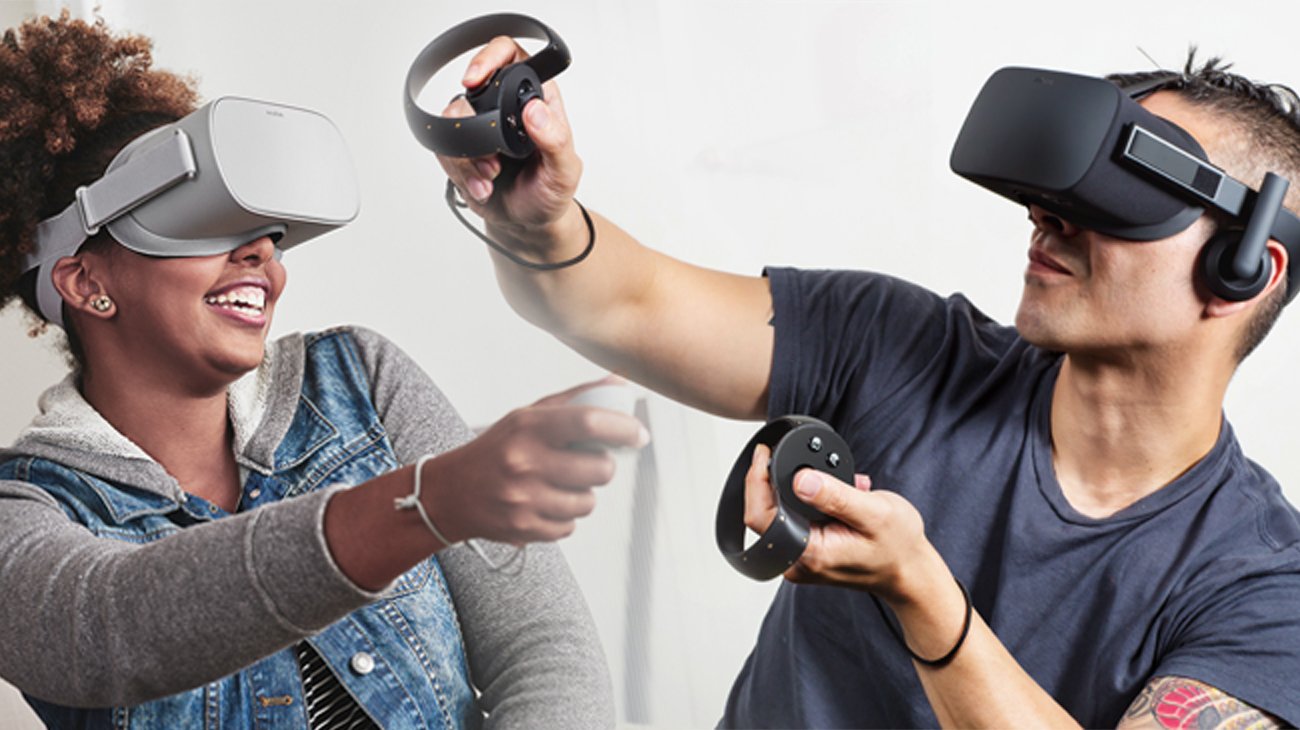
To play VR games, you need a virtual reality headset, a compatible computer or console, and sufficient space to move around.
Stepping into virtual worlds feels amazing, doesn’t it? But before you get completely immersed, you’re probably wondering: what do you need to play vr games? It’s a fair question because the tech involves more than just pressing play. You’ll need specific hardware to get started.
Beyond the headset, your computer or gaming console needs to be powerful enough to handle the processing requirements. Also, make sure you have a designated play area. Ready to dive in?

What Do You Need to Play VR Games?
So, you’re itching to jump into the amazing world of virtual reality gaming? That’s fantastic! It’s like stepping into another world right from your living room. But before you can start battling dragons or exploring alien planets, you’ll need to gather a few things. Don’t worry, it’s not as complicated as it might seem. Let’s break down what you need to start playing awesome VR games.
The Essential VR Headset
First things first, you absolutely need a VR headset. This is your window into the virtual world. It’s like a pair of goggles that wrap around your eyes and have screens inside, creating the 3D view. There are many different types of VR headsets, and they come with different features and price tags. Let’s look at some of the most common ones:
PC-Powered VR Headsets
These headsets connect to a powerful computer and generally offer the highest quality graphics and most immersive experiences. Think of them like really fancy game consoles that you wear on your head. Here are a few well-known examples:
- Oculus Rift/Rift S: These are great for high-quality VR experiences. You’ll need a good gaming PC to run them properly.
- HTC Vive/Vive Pro: Similar to the Oculus Rift, the Vive provides fantastic visuals and is popular among serious VR gamers.
- Valve Index: Known for its top-tier visual and audio experience, the Valve Index is considered one of the best PC VR headsets out there.
What You’ll Need:
- A gaming PC that meets the headset’s specifications (more on that later).
- The VR headset itself.
- Cables to connect the headset to your computer.
- Software from the headset manufacturer.
Standalone VR Headsets
Standalone headsets are all-in-one devices that don’t require a PC or phone to work. They have all the necessary processing power built right into the headset itself. They’re very convenient and easy to set up because there are no extra cables or devices to worry about.
A popular option is the Meta Quest 2 or Meta Quest 3 . These headsets are very popular because they are affordable and easy to use. They are wireless and can also be connected to a computer using a special cable to play PC VR games.
What You’ll Need:
- The standalone VR headset.
- A way to connect to Wi-Fi.
- An account with the headset manufacturer.
Phone-Based VR Headsets
These are the simplest and cheapest way to experience VR. They use your smartphone as the screen and processor. While they might not provide the same level of immersion as PC or standalone headsets, they are a good way to try VR without spending a lot of money. Popular examples are:
- Google Cardboard: A very basic VR viewer made of cardboard.
- Samsung Gear VR: A step up from Cardboard, it offers a more comfortable experience and some controller functionality. (Note: these may not be as commonly used nowadays)
What You’ll Need:
- A compatible smartphone.
- The VR headset viewer.
- Any apps that are compatible with your viewer.
Powerful Computer (For PC-Powered VR)
If you go with a PC-powered VR headset, you’ll need a computer that is strong enough to run VR games smoothly. This means it needs to have a good graphics card, a fast processor, and enough memory. Think of it like this: you wouldn’t try to play a super fancy game on a really old computer, right? The same applies to VR.
Minimum System Requirements:
Every VR headset has specific system requirements. These requirements vary, but here’s a general idea of what you’ll need for most PC VR headsets. It’s best to check the requirements for your specific headset, because some headsets require a much more powerful PC than others:
- Operating System: Windows 10 or 11 (64-bit) is usually required.
- Processor (CPU): Intel Core i5-4590 / AMD Ryzen 5 1500X or better (something like an i5 or Ryzen 5, or better)
- Graphics Card (GPU): NVIDIA GeForce GTX 1060/ AMD Radeon RX 480 or better (at least something like a GTX 1060 or RX 480, or better)
- Memory (RAM): 8 GB or more
- USB Ports: USB 3.0 or newer
These are minimum system requirement and for best experience, always try to go a little above from the mentioned requirements. These specifications ensure that the game runs smoothly without lagging. If your PC doesn’t meet these requirements, you might experience choppy gameplay, blurry images, or even crashes, which will ruin the fun of VR.
How to Check Your Computer’s Specs:
If you’re not sure if your computer is powerful enough, it’s easy to check. Here’s how on Windows:
- Right-click on the “Start” button and select “System.”
- Look for information about your processor, installed RAM, and system type.
- To check your graphics card, click on “Display” on the left-hand menu, then on “Advanced Display Settings”, then on “Display adapter properties”. It will show what kind of graphics card your computer has.
Compare this information to the minimum system requirements of your chosen VR headset. If your PC is lacking, you may need to consider upgrading some parts or maybe getting a new PC entirely, especially if you plan to get the latest and most graphically demanding VR games. Always consider the recommended system requirements as well, not just the minimum, if you want a smooth experience. You might need something much more powerful if you are playing the newest games with the latest technology.
Hand Controllers and Tracking
Most VR experiences require you to interact with the virtual world using hand controllers. These controllers come in different shapes and sizes, but they all usually have buttons, triggers, and joysticks or trackpads. Some VR headsets include hand tracking, which is very cool but sometimes can be little wonky. Hand tracking uses sensors to detect the movement of your hands and fingers without the need for separate controllers.
VR Hand Controller Features
Here is a little bit more information about hand controllers:
- Buttons and Triggers: These are used to interact with the virtual world, grab objects, shoot guns, and navigate menus.
- Thumbsticks/Trackpads: For moving around in the game or navigating menus.
- Motion Tracking: Allows the controller’s movements to be tracked in the virtual space.
Types of Tracking
The method that the VR system uses to track your movement and your hands, is very important for an immersive VR experience. Here are a few popular tracking methods:
- Inside-Out Tracking: Cameras on the headset track your movements and controllers without the need for external sensors. This is used in most of the standalone VR headsets.
- Outside-In Tracking: External sensors (often called base stations) are placed around the room, and they track the headset and controllers. This method is used for some PC VR headsets.
Make sure your play area is clear of obstructions and is properly set up for the best tracking, and make sure your controllers are charged or have sufficient batteries.
Adequate Play Space
Before you start jumping around in VR, make sure you have enough space! You wouldn’t want to accidentally punch your TV or knock over a lamp. Most VR experiences will need at least a few square feet of clear space. If the game features lots of movement, it will require even more space. Some VR experiences require just sitting or standing in one place, while others allow you to walk around the play space.
Room-Scale VR
Room-scale VR is where you can physically move around the play space. This is a very immersive way of playing VR and requires at least six feet by six feet of open space.
Standing or Sitting VR
Some games don’t require you to move around much, these can be played while standing or sitting. This is usually the case with simulation games, or games where movement can be controlled using buttons on the controller. These kind of games will require much less space, however it’s still a good idea to make sure the play space is clear from any hazards.
Setting Up Your Play Area
Here are a few tips for setting up your play area:
- Clear Obstacles: Remove furniture, toys, or anything else that you might bump into.
- Mark Boundaries: Some VR systems allow you to set up boundaries so you know when you are approaching the edge of the play area.
- Wear Comfortable Clothing: Wear comfortable clothing to allow for movement.
VR-Ready Games and Software
Of course, you need games to play! Just like with other gaming systems, VR games are available from a lot of different places. Here are some of them:
- SteamVR: A popular platform for PC VR games.
- Oculus Store: The main platform for Meta headsets.
- Viveport: A subscription service for HTC Vive VR content.
You’ll need to download the appropriate software for your headset. This software will manage your games and control the connection between your headset and your computer or internet. Most of the time the software is free, but games are almost always paid. Some platforms may also offer subscription-based models where you pay a monthly fee for access to a wide library of games.
Types of VR Games
There is a wide range of VR games available. Here are just a few examples:
- Action: Fast-paced games with lots of shooting, jumping, or fighting.
- Adventure: Games that focus on exploration and storytelling.
- Simulation: Games that simulate real-world activities, like driving a truck or being a chef.
- Puzzle: Games that challenge your problem-solving skills.
- Social VR: Experiences that let you hang out with other people in a virtual world.
Internet Connection (For Some Headsets and Games)
While some standalone VR headsets do not need an internet connection to work, most of them require internet access to download games and updates. If you plan on playing online multiplayer games, a stable internet connection is absolutely essential, or you might experience lag or disconnections. Even some PC VR games require a reliable connection to authenticate your purchase.
Comfort Accessories
While not entirely needed to start playing VR, having some comfortable accessories can really improve your experience and help you play longer and more comfortably. Here are some common accessories:
- Headset Covers: These are fabric or silicone covers that help with hygiene and prevent sweat from getting on the headset.
- Facial Interface Replacements: Some people find the original facial interface uncomfortable and might consider buying replacements for better fit or comfort.
- Headphone: While most VR headsets have in-built audio, having your own headphones can give better audio quality and make your gaming experience more immersive.
- Prescription Lens Inserts: If you wear glasses, prescription lens inserts can be a lot more comfortable than having to wear glasses under your headset, especially because the headset might cause discomfort when worn with glasses.
Having all of this equipment can be a little overwhelming to start with, however once you have everything set up, you are well on your way to the immersive and amazing experience of playing video games in Virtual Reality.
Virtual Reality gaming can seem like a daunting technology to get into at first, but once you get a better understanding of the components, requirements, and accessories needed, then you’ll quickly get the hang of it. Make sure you have all the components mentioned above, a proper space, a good internet connection (if needed), and you are all set to jump into the amazing world of Virtual Reality gaming.
What equipment do I need to play a VR Game?
Final Thoughts
To play VR games, you must have a VR headset. This is the most critical piece of equipment. You also require a compatible computer or console to run the games.
Controllers are another necessity; they allow you to interact within the virtual environment. Lastly, remember some VR experiences may need a dedicated play space.
Therefore, what do you need to play vr games is: a VR headset, a capable computer or console, controllers and often space to move around. Having these things makes gaming possible.

