
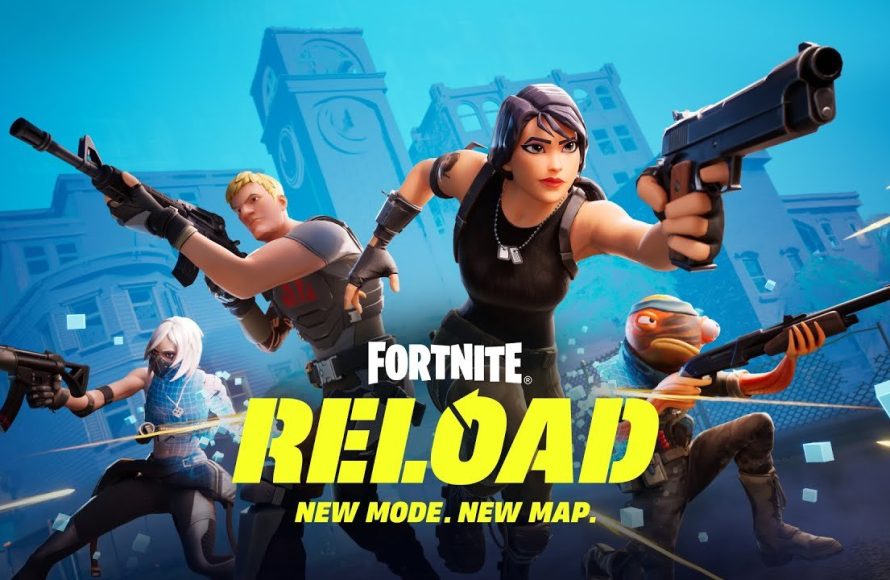
Reloading the game means to restart the application, often to revert to a previous saved point or to apply changes.
Ever been stuck in a video game, needing to rewind a mistake or implement a tweak? That’s when you might wonder, “what does reload the game mean”? It’s a common term in gaming but understanding its specific action makes it easier to navigate tricky situations.
Reloading isn’t about obtaining more bullets; it’s more akin to pressing a reset button for your game session. The action restarts your progress from a specific point, which might be an autosave or a manual save.

What Does Reload the Game Mean?
Have you ever been playing a video game and something went terribly wrong? Maybe your character fell off a cliff, got captured by a monster, or made a really bad choice. That’s when knowing how to “reload the game” can save the day! It’s like having a magical do-over button. But what does it really mean to reload the game, and why is it so useful? Let’s explore this important idea in gaming.
The Basic Idea: Turning Back Time
At its heart, “reloading the game” means going back to a previous point in your game. It’s like using a time machine, but instead of traveling through actual time, you’re jumping back to a saved state. Instead of starting all over from the very beginning, you return to where the game was previously saved. Game designers include this feature so players don’t have to repeat the same tasks every single time they make a mistake or have an unfortunate event occur during gameplay. Instead, players can return to a save point and pick right up from there. Think about it like when you make a mistake while drawing, and you use an eraser to go back and fix it. This eraser for video games is the “reload” feature.
Why Do We Reload Games?
There are many reasons why a player would choose to reload a game. Some of these reasons are:
- Mistakes Happen: We all make mistakes! Sometimes you might accidentally press the wrong button or move in the wrong direction. Reloading lets you fix those blunders without completely ruining your progress.
- Avoiding Game Over: Sometimes, making a bad move can cause you to lose all of your lives or fail a mission. Reloading can prevent getting a “game over” screen. You can go back to the point before that bad move and try again.
- Trying Different Paths: Games often offer choices. Maybe you’re curious what would happen if you went left instead of right? If you’re not happy with the first outcome, you can reload and take the other direction, making games fun to try again and again.
- Experimenting with Gameplay: Sometimes, players like to experiment with different strategies or methods for playing. Reloading after an experiment that went wrong ensures no progress is lost from testing out various options in game play.
- Dealing with Glitches or Bugs: Rarely, games can experience problems (glitches). If a glitch messes up your game, reloading might fix it. This can also prevent you from getting stuck in a spot you shouldn’t be.
- Improved Gameplay Performance: A game could become laggy or buggy while playing. In such cases, reloading the game can often restore the game to its optimal working order.
How Does Reloading Actually Work?
The magic behind reloading is all about “save points” and “save files.”
Save Points: Marking Your Progress
A save point is like a checkpoint in the game. When you reach a save point, the game remembers where you are, what you’ve collected, and how far you’ve gone. Think of it like a bookmark in a book. Save points can be:
- Automatic Saves: Many games automatically save your progress at certain times or after completing important tasks. It’s like the game has a backup of what you’ve done!
- Manual Saves: Other games allow you to save your progress at any time (usually from the game’s menu). This gives you more control over where you’ll return to when you reload the game.
- Checkpoints: Some games have checkpoints that are used for specific sections of levels or tasks. If you die or lose, the player will return to the last checkpoint they reached.
Save Files: Storing Your Game Data
When you save the game, all of that information (where you are, what you have, etc.) is stored in a special file called a “save file”. This file is stored on your device, whether it’s a computer, a game console, or a phone. When you choose to reload the game, the game looks at this file and sets the game back to that exact point in time. Think of the save file as a time capsule of your game, and reloading opens up the time capsule again.
Different Ways to Reload a Game
The method for reloading a game will vary from game to game. But here are the most common ways:
- Using the Game’s Menu: Most games will have a “Load Game” option in the main menu. You’ll select this, and then choose the save file you want to load.
- Using a Quick Load Feature: Some games have a “quick load” button. This shortcut allows you to easily reload the last saved point without needing to enter the menu. This is often used by pressing a specific button while in game play.
- The Game Auto Loads: Sometimes a game will automatically load the last saved position, like when you get a “game over” and restart from a checkpoint.
When is it a Good Idea to Reload?
Knowing when to reload the game is as important as knowing how to reload. Here are a few scenarios where reloading is a good option:
- After Making a Major Error: if you accidentally sold a valuable item or went the wrong way on a quest, reloading is an option.
- When you’re About to Lose: If you are about to be defeated by a difficult enemy, reloading to try a different tactic is always an option.
- Before Making a Big Decision: if you have a choice that could alter the game’s storyline, it may be wise to save and then make the choice. Then, if you don’t like the outcome, you can reload and try again.
- When Experimenting: If you’re trying to figure out a puzzle or find a hidden area, reloading gives you the freedom to test different things without the fear of getting stuck or losing.
Things to Keep in Mind About Reloading
While reloading is a helpful feature, there are a few things to consider:
- You’ll Lose Progress: When you reload, you’re going back to a previous state. Any progress that you’ve made since that point will be lost. So, if you reload a save from an hour ago, you will have to replay the past hour of the game.
- Not all Games Save the Same Way: Games can differ in how they manage saving and reloading. Some games might allow for many saves, and others only provide auto-saves, so knowing how your game functions is always a smart strategy.
- It Can Get Addicting: Because you can always reload, there is a tendency to keep reloading the game until you get the perfect result. Don’t let reloading ruin the fun. It is okay to live with some mistakes.
Reloading and Different Types of Games
The way that you reload the game can differ slightly, depending on what game you play. Here’s how reloading works in different types of games:
Action and Adventure Games
In games like Zelda, Grand Theft Auto, or Tomb Raider, you often find a blend of automatic saves and manual saves. You might have automatic saves after reaching certain goals, but you can also manually save at any time. This means that you will often have multiple options to reload from, which can be helpful if you make more than one error.
Role-Playing Games (RPGs)
In games like Final Fantasy, The Elder Scrolls, or Fallout, saving is a very important. Players often take advantage of manual saves to experiment with quests or character building. If an outcome is not to their liking, they can simply reload to a previous point before the decision was made.
Puzzle Games
Puzzle games such as Portal or Tetris often have checkpoints throughout a level. If a player makes a mistake or fails, they can return to the most recent checkpoint and try again. In these types of games, reloading provides a crucial way to get past the puzzle.
Sports Games
In games like FIFA, NBA 2K, or Madden, the option to reload is different than in other styles of games. In these types of games, you will usually not reload a specific section of the game. Instead, if you are playing in a tournament or season mode, you can reload a previous save point to restart from an earlier game in the season.
Multiplayer Games
In multiplayer games that are often played with others online, the idea of reloading changes a bit. You cannot reload the entire game, like you do in single player games. However, some of these online games allow you to restart a round or game. This does not change the level or how far you’ve progressed, but it can sometimes provide a way for you to try another approach to achieve victory. Games like Fortnite, Call of Duty, or Minecraft all allow you to restart, which is like the idea of reloading.
Reloading: A Power Tool for Gamers
Reloading the game is a powerful tool that many players use every day. It’s there to give you a chance to fix your mistakes, test your ideas, and experience more fun. Whether you’re starting a new game or are a long-time player, understanding how to reload and when to do it can certainly improve your overall gaming experience. Reloading the game is also a vital tool in many games, and can make the difference between fun and frustration. So, the next time you’re playing, remember the power of reloading the game. It’s there to help you along your gaming journey.
In short, knowing the idea behind reloading can give you a significant edge as you navigate the vast universe of video games. It is more than just a feature; it is a helpful tool for fun and better gameplay.
Fortnite Reload Is Getting 2 MAPS… #fortnite
Final Thoughts
Reloading the game means restarting it, often from the last saved point. This action can fix glitches or issues that occur during gameplay. Players might reload after failing a mission or want to revert a previous choice.
Sometimes, reloading helps to avoid certain situations or to try a different strategy. So, what does reload the game mean? Simply put, it’s restarting the game. This can sometimes be the only way to continue gameplay.

